
قم بتنزيل التطبيق


معلومات عنا
حقوق الطبع والنشر © 2024 Desertcart Holdings Limited
قم بتنزيل التطبيق

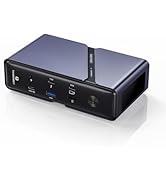
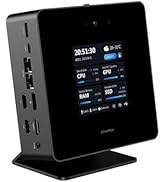
🚀 Pocket-Sized Powerhouse: Unleash desktop performance anywhere!
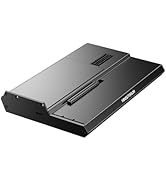
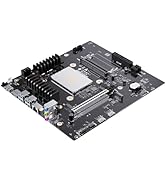
The MINISFORUM DeskMini UM870 Slim Mini PC is a compact barebone system featuring an AMD Ryzen 7 8745H processor with 8 cores and 16 threads, integrated AMD Radeon 780M graphics based on RDNA 3, and triple video outputs supporting up to 8K resolution. It offers versatile connectivity including 2.5G LAN, WiFi 6E, Bluetooth 5.2, and four USB ports. With dual DDR5 memory slots supporting up to 64GB and dual PCIe 4.0 SSD slots, it delivers powerful multitasking, gaming, and content creation capabilities in a sleek, small form factor designed for professionals seeking high performance without bulk.













| ASIN | B0DTHCR5KM |
| Aspect Ratio | 21:9 |
| Best Sellers Rank | #4,144 in Computers & Accessories ( See Top 100 in Computers & Accessories ) #167 in Mini Computers |
| Brand | MINISFORUM |
| Built-In Media | 1x HDMI Cable, 1x Manual, 1x UM870 Slim Mini PC, 1x US Power Adapter |
| CPU Model | AMD Ryzen 7 |
| CPU Model Number | AMD Ryzen 7 8745H |
| CPU Speed | 4.9 GHz |
| Color | Silver |
| Connectivity Technology | Bluetooth, Ethernet, HDMI, LAN, USB |
| Cooling Method | Fan |
| Customer Reviews | 4.2 out of 5 stars 300 Reviews |
| Display Resolution Maximum | 3840x2160 Pixels |
| Graphics Card Description | Integrated |
| Graphics Card Interface | Integrated |
| Graphics Coprocessor | AMD Radeon 780M(Graphics Frequency 2700MHz) |
| Graphics Description | Integrated |
| Hard Disk Description | SSD |
| Hard Disk Interface | PCIE x 4 |
| Hardware Interface | 3.5mm Audio, Bluetooth, DisplayPort, HDMI, Headphone, USB, USB Type C |
| Human-Interface Input | Keyboard, Mouse |
| Item Weight | 1.38 Kilograms |
| Manufacturer | Micro Computer (HK) Tech Limited |
| Memory Slots Available | 2 |
| Memory Speed | 5600 MHz |
| Model Name | DeskMini |
| Model Number | DeskMini |
| Native Resolution | 3840 x 2160 |
| Number of Component Outputs | 3 |
| Operating System | Support Windows |
| Personal Computer Design Type | Mini PC |
| Processor Brand | AMD |
| Processor Count | 8 |
| Processor Series | AMD Ryzen 7 |
| Processor Socket | FP7r2, FP8 |
| Processor Speed | 4.9 GHz |
| RAM Memory Technology | DDR5 |
| RAM Type | DDR5 RAM |
| Ram Memory Maximum Size | 64 GB |
| Resolution | 3840 x 2160 |
| Specific Uses For Product | Home Theater, Digital Signage, Video Conference, Business, Education, Everyday Use, Multimedia |
| Style Name | UM870 Slim(0+0) |
| Total Number of HDMI Ports | 1 |
| Total Usb Ports | 4 |
| Video Output | HDMI, DisplayPort, USB4 |
| Video Output Interface | HDMI, USB4, DisplayPort |
| Video Processor | AMD |
| Wireless Compability | 802.11ax |
| Wireless Technology | Bluetooth, Wi-Fi |
T**D
Solid if you put in the work
This machine looked amazing, so I got the barebones version knowing it would be a bit of work, but I wanted better components than what the prebuilt ones come with. I ordered Crucial 2x16GB memory and dual Samsung 990's with the intention of using the hardware RAID that they brag about. It took 2 1/2 days to get it stable with an OS on it, but I learned a lot. The first thing was that it came with 1.04 BIOS which was stable but clearly had issues with video and dual monitors. After much research I discovered that you don't need an OS installed to flash the BIOS to 1.07. Just boot to the built in terminal, switch to the flash drive with the firmware on it, and type the name of the executable, I think it's a .SH file and boom. I thought was bricked but it just switched monitor #1 and 2 and I needed to turn the other monitor on! Be advised the 1.07 BIOS keeps the monitors reversed which is more work to configure the OS but works perfect! After much experimentation, I figured out the most stable BIOS settings were setting the power to performance mode, and setting the graphics to manual with the highest setting of 8 GB. I left the RAM to the default of 5600. The RAID settings are confusing af but it creates the new array of the 2x Samsung 990 SSDs just fine. Other than the monitor glitch, this 1.07 is probably the only near perfect BIOS I've seen in 30 years of building AMD-based computers. Make sure to also set the secure boot to off when you're installing an OS. I couldn't get any flavor of Linux to work with the hardware RAID which I'm pretty sure is AMD's fault for not making the drivers. Mint had too many issues but I didn't try the new Edge version. Ubuntu had a whole bunch of issues getting it installed but was rock solid and pretty much perfect running with the SSDs as 2 separate drives. Yes, I know I could've used the software RAID but I believe the hardware RAID is much faster and these are amazingly fast SSDs. Ubuntu is beautiful: rock solid, stable, and both monitors work great other than having to reverse them in the settings. Both flavors of Linux I tried boot from a power off in about 2 seconds without even using RAID! But I wanted RAID, and MINISFORUM provides the Windows drivers, so I downloaded the 15GB special version of WIndows they use that has all the drivers. Ironically the install script crashes with the RAID enabled, which is the only reason I downloaded that huge image in the first place. Don't download! Instead, get the universal image of Windows straight from Microsoft and put the all the drivers on a separate flash drive when installing, and manually point the Windows install to them. Well into day 2 of tinkering with this thing and taking my time, Windows 11 came up ridiculously fast. And then I had to install the rest of the drivers to get everything to work. In fact Win11 wouldn't even see the 2 monitors without the built their driver. It all runs solid, and I waited until it was fully updated to install all the AMD stuff. I usually dread the AMD software but for once it's completely stable and lets me set all those neat options that this system can do! Installing all the software I normally use blue screened once early on, but before Windows was fully patched I believe. The error message looked like Win11 having an issue with secure boot turned off, but I kept it off and it's been almost a week now of this thing being a rock solid absolute beast, and the Linux virtual machines are also beasts. Overall the SSDs aren't as fast as I expected, but this turns out to be due to the fact that pretty much nothing can feed them fast enough, and nothing has write speeds anywhere near the ballpark of what the Gen4 bus can do. But I have a beast mode SSD enclosure that peaks over 1 GBPS (bytes not bits, it's 10 GbPS) copying to the new system from the front USB-C 4 ports, which is crazy. I'm only running gigabit Ethernet but this new setup would push 10 gigabit to its limits. I have a custom built 40 TB NAS also gigabit but probably not worth upgrading since it uses mechanical drives. The gaming performance is surprising but also a little disappointing because of how fast the CPU is. The upside is that with an external discrete card, it'll basically be as powerful as any desktop PC for gaming. So far it's running all my 1080p games at ulrtra, which is above expectations. Overall though, my expectations were sky high and this surpassed them. With the disclaimer that I'm a computer engineer and for the 2 days it took to get it to work right, I thought about returning it the whole time. The internet is full of people who wanted to love this system but gave up on it because this CPU is so new and AMD is a little slow getting all the drivers working right. Looking at task manager while I was installing software and updates shows that the system having every single bit of performance I'd expect it to have, for once ever haha. I was practically drooling watching it show it peaking above 5GHZ under heavy load and most of the time not breaking a sweat at lowest the frequency in what should be heavy load but isn't to this beast. This is replacing a Zen3 full size 4700G desktop with essentially a Zen4 laptop, and I can't stress the difference with DDR5 and the Gen4 bus. This machine looked amazing, so I got the barebones version knowing it would be a bit of work, but I wanted better components than what the prebuilt ones come with. I ordered Crucial 2x16GB memory and dual 990's with the intention of using the hardware RAID that they brag about. It took 2 1/2 days to get it stable with an OS on it, but I learned a lot. The first thing was that it came with 1.04 BIOS which was stable but clearly had issues with video and dual monitors. After much research I discovered that you don't need an OS installed to flash the BIOS to 1.07. Just boot to the built in terminal, switch to the flash drive with the firmware on it, and type the name of the executable, I think it's a .SH file and boom. I thought was bricked but it just switched monitor #1 and 2 and I needed to turn the other monitor on! Be advised the 1.07 BIOS keeps the monitors reversed which more work to configure the OS but works perfect! After much experimentation, I figured out the most stable BIOS settings were setting the power to performance mode, and setting the graphics to manual with the highest setting of 8 GB. I left the RAM to the default of 5600. The RAID settings are confusing af but it creates the new array of the 2x Samsung 990 SSDs just fine. Other than the monitor glitch, this 1.07 is probably the only near perfect BIOS I've seen in 30 years of building AMD-based computers. Make sure to also set the secure boot to off when you're installing an OS. I couldn't get any flavor of Linux to work with the hardware RAID which I'm pretty sure is AMD's fault for not making the drivers. Mint had too many issues but I didn't try the new Edge version. Ubuntu had a whole bunch of issues getting it installed but was rock solid and pretty much perfect running with it as 2 drives. Yes, I know I could've used the software RAID but I believe the hardware RAID is much faster and these are amazingly fast SSDs. Ubuntu is beautiful: rock solid, stable, and both monitors work great other than having to reverse them in the settings. Both flavors of Linux I tried boot from a power off in about 2 seconds without even using RAID! But I wanted RAID, and MINISFORUM provides the Windows drivers, so I downloaded the 15GB special version of WIndows they use that has all the drivers. Ironically the install script crashes with the RAID enabled, which is the only reason I downloaded that huge image in the first place. Don't download! Instead, get the universal image of Windows straight from Microsoft and put the drivers on a separate flash drive when installing, and manually point the Windows install to them. Well into day 2 of tinkering with this thing and taking my time, Windows 11 came up ridiculously fast. And then I had to use the rest of the drivers. In fact Win11 wouldn't even see the 2 monitors without the built in driver. It all runs solid, and I waited until it was fully updated to install all the AMD stuff. I usually dread the AMD software but for once it's completely stable and lets me set all those neat things that this system can do! Installing all the software I normally use blue screened once early on, but before Windows was fully patched I believe. The error message looked like Win11 having an issue with secure boot turned off, but I kept it off and it's been almost a week now of this thing being a rock solid absolute beast, and the Linux virtual machines are also beasts. Overall the SSDs aren't as fast as I expected, but this turns out to be due to the fact that pretty much nothing can feed them fast enough, and nothing has write speeds anywhere near the ballpark. But I have a beast mode SSD enclosure that peaks over 1 GBPS (bytes not bits, it's 10 GbPS) copying to the new system from the front USB-C 4 ports. I'm only running gigabit Ethernet but this new setup would push 10 gigabit to its limits. I have a custom built 40 TB NAS also gigabit but probably not worth upgrading since they use mechanical drives. The gaming performance is surprising but also a little disappointing because of how fast this thing is. The upside is that with an external discrete card, it'll basically be as powerful as any desktop PC for gaming. Overall though, my expectations were sky high and this surpassed them. With the disclaimer that I'm a computer engineer and for the 2 days it took to get it to work right, I thought about returning it the whole time. The internet is full of people who wanted to love this system but gave up on it because this CPU is so new and AMD it taking a while to figure out the firmware and drivers. Looking at task manager while I was installing software and updates shows that the system having every single bit of performance I'd expect it to have, for once ever haha. I was practically drooling watching it show it peaking above 5GHZ under heavy load and most of the time not breaking a sweat at lowest the frequency in what should be heavy load but isn't to this beast. This is replacing a Zen3 full size 4700G desktop with essentially a Zen4 laptop, and I can't stress the difference with DDR5 and the Gen4 bus. I only have 1080p monitors and with no video cards this runs some of the newer games I play like Diablo 4 cranked up to ultra settings. The pre-built versions of this rig I believe come already configured with RAID in beast mode so the barebones isn't going to be worth the hassle for most people, but I don't really regret the effort running this thing day to day. And if you don't care about hardware RAID then it'll run Ubuntu stable at mind blowing speeds but technically not as fast as hardware RAID. Hopefully sharing my experiences will help someone not be as frustrated building the barebones version of this amazing machine to squeeze out that last 10%. The pre-built versions of this rig I believe come already configured with RAID in beast mode so the barebones isn't going to be worth the hassle for most people, but I don't really regret the effort now that I finally have my dream mini PC. And if you don't care about hardware RAID then it'll run Ubuntu stable at mind blowing speeds but technically not as fast as hardware RAID. Hopefully sharing my experiences will help someone not be as frustrated building the barebones version of this amazing machine to squeeze out that last 10% performance. Unless something fails or a bad update bricks it, this is exactly what I was looking for: a desktop PC that fits in my pocket and can be powered from a USB battery pack from the front ports! I don't need a laptop anymore because I can just throw this into a bag with a couple portable monitors. Thanks for reading!
J**R
Powerhouse in a Small Package – Minisforum UM790 Exceeds Expectations!
I’ve been using the Minisforum UM790 Mini PC for a few weeks now, and I can confidently say it’s been an outstanding experience. This little machine packs a serious punch! I’m able to play all the games I want with smooth performance and solid frame rates—even more demanding titles run great with the right settings. Beyond gaming, it’s been a beast for video editing. My editing software runs flawlessly, and rendering times are surprisingly fast for such a compact system. It’s rare to find this kind of performance in a mini PC, and the UM790 absolutely delivers. Build quality is solid, it stays cool and quiet, and the design fits perfectly on my desk without taking up space. It’s truly a great all-around mini PC for anyone who wants power and versatility without the bulk. Best part? I’m writing this review using it right now—and it hasn’t missed a beat. Highly recommended for gamers, creatives, or anyone needing a reliable, high-performance compact PC!
A**R
Great, virtually silent, fast, and really small, HOWEVER
I have had this mini computer, with its "on motherboard", AMD Radeon 780 M Graphics card for almost one full month. When it worked correctly, it was fabulous, other times, it would load but refuse to show (on screen) spreadsheets or PDF editing programs. If I restarted the computer, it would work correctly for a short time, and then the same problem would crop up. Really, really, frustrating. Eventually, I stumbled on the "AMD, Adrenalin edition" video card enhancement package. Download and install the package; it searches your computer to determine what you have, then it installs the correct, updated drivers. This package is intended to maximize your gamming experience. I don't game. BUT, it seems to have fixed my problem. My Bluetooth mouse now works just fine and all the video, PDF and spreadsheet programs load and work. The actual computer is about as long in width, length and height as a standard desktop stapler. It is nearly silent, except for the few moments the CPU is working hard. It can handle multiple monitors, just like description states. Did I mention it is pretty fast, comes with Windows 11 pro, is really small, and virtually silent. This is a great computer, AFTER you install the "AMD, Adrenalin edition" video card enhancement package.
M**R
Excellent desktop replacement, but needs better fans
I built a AMD 7950X desktop with water cooled CPU. It ran very hot all the time, even when set the CPU to 65W and only running one VM. So I decided to try the UM790 PRO 64MB/1TB to reduce the heat in my office. I run linux on these boxes. I added a Samsung 990 Pro 4TB NVMe, and just recently removed the supplied 1TB NVMe as it was running hotter than I wanted (since I was not really using it). This has a 7950HS (laptop) CPU chip, so instead of 64 threads like the 7950X, it has 32. It has no HDD, so no mechanical parts, except for the 2 fans. I run 3 monitors, docking station, with 2-3 trading programs (updating all stock quotes every 3 seconds), many tabs in firefox and chrome, and monitor several servers. I back up nightly critical file server and VM files. This machine handles it all with no problem and maintains a cool and (was) quiet environment. I don't realize the 32 vs 64 threads difference. I probably run 5-10% CPU most of the time, that is how fast this CPU is. CPU runs maybe 45C/114F. Samsung 990 Pro runs 37C/98F. Recently, like I think many people after 6 months to 1 year, one of the fans has started to have issues after less than a year. It was dead quiet in the past, but now has a wobble and makes enough noise to be noticeable in a quiet room. Getting a replacement fan is a problem, the fan manufacturer doesn't sell it anymore but maybe available in China, and will likely require soldering wires to use the special connector is a second bigger problem. Even minisforum has changed the fan they use for new models. I get a mini computer or laptop needing custom fans to cram into a tight space, but wish replacements were easily available. In short, going to be a difficult time replacing the fan. Except for the new fan issue, I love this mini computer. It has changed my mind about mini computers vs desktop computers. Desktops are still good for file servers and burning BDs. This computer is fast, capable, expansive, lots of features: all around a great machine. This computer deserves more than 5 stars with a good fan and maybe 3 stars with the fan issue.
W**S
Great device, USB 4.0 issues make it useless for me
I am going to start out by saying that MinisForum devices are little beasts. They work like a champ in normal conditions. But I have a use case that might not be so common. I bought the device to have my own little AI lab. But to save space, I got the UM790 pro and a Sonnet 750ex eGPU case, with a Nivida ti4060 in it. At the beginning this setup worked great. The Sonnet detected Thunderbolt speeds on both USB 4.0 ports on the UM790 pro and started up as soon as the cable was plugged. The Nvidia card was detected, drivers installed and a few AI models i loaded worked amazingly fast. But last night (2 days after initial setup, mind you i have owned the UM790 pro for 5 days as of this writing) the Sonnet is not powering on anymore. I tried connecting an external drive to the USB 4.0 ports to see if they are still alive. One is alive the other is dead. The live one is down to USB 2.0 speeds. This is exactly what happened to my UM690s as well. I was looking for solutions for that when I applied Bios V1.16 which bricked it. That one is back to MinisForum for repairs. I am not going to do anything with the Bios on the UM790 pro unless support says so. I have reached out to support and will keep this review updated. I hope a Bios update fixes this, I reallllly love this device and do not want to return it. Anyone planning on doing similar setup, beware. ========= Update 07/19====== Support reached out, offered to replace the device. I have not yet decided on that, since the 790 pro was purchased as a backup to my 690s which is back with support. If I send the 790 back, I will have no computer. Once the 690s comes back I'll see if I want the hassle of disassembling the 790, and sending it back for replacement. And USB 4.0 issues could surface there, putting me back to square one. What no one is taking about is if a bios update will be provided to fix this issue. And looks like the store on Minisforum website and Amazon Minisforum store are completely separate. They don't talk to each other or deal with each others issues. So the biggest deterrent to buying these devices is getting any support in timely fashion. If you just want to browse the internet or do some light photo editing where you won't do anything stressful to the device its great. But if you do anything stressful causing any error condition, you cannot count on reliable and timely support.
D**I
Great computer as long as it keeps working
Initial quality seemed great - solid case and cable receptacles held solidly. Worked right out of the box and started right up and hit the ground running. But now, 10 months in, the computer doesn't start - no power to even troubleshoot (USB4 and power adapter are both no-go's). Worse is that there has been radio silence to the email sent to get warranty service (4 days and counting). I'll update when appropriate. Update: Took a second email to get support response. Once Support verified issue, an offer to replace computer with same model was offered. However, they could only offer that they swap a barebones version and I swap in the SSD and RAM from the unresponsive computer due to supply issues. Luckily, I have the knowledge to do so and the computer was back up and running within a few days of cross-shipping. Not sure what the resolution would have been if I wasn’t as computer savvy. They did apologize and compensated for the initial lack of response which I do appreciate.
B**N
Nice minipc
I ordered the UM780 XTX Mini PC AMD Ryzen 7 7840HS DDR5 32GB 1TB SSD. It came preinstalled with Windows 11 and I was surprised that it was somehow configured not to require a microsoft account to set up. I didn't use Windows for very long, very quickly installed Linux. I tried Ubuntu, Fedora 39, and finally settled on Linux Mint 21.2 Victoria Edge edition because it has a later kernel and all the hardware is supported. The pc is fast, I mostly use it for software development and some light retro gaming. Everything works out of the box: wifi, sound, bluetooth, etc. The bios is not locked down and the interface is very intuitive. I contacted support about linux support before purchasing and they replied within 24h. The only thing I don't like about it is the eye-blazing blue led built into the power button. When the machine is on, the blue light is on. No way to turn it off in bios. And it's small, built into the power button, so would be difficult to tape up without interfering with the button itself. The computer came with a vesa mount so I'm probably just going to mount it behind my monitor so it's less annoying. Right now it's just sitting on my desk and under heavy loads I can hear the fan spin up. It's no louder than a typical laptop fan, and much quieter that most gaming laptop fans. I probably won't hear it at all once it's mounted behind my monitor. Overall very satisfied with it!
J**C
Fantastic. Just do one thing if you buy barebones
So this thing is cool. I have it set up with chimeraOS to be a steam gaming machine and emudeck for emulation station. Yes, you could to batocera on a thumb drive blah blah blah I know. The bare bones (thats what I got) keeps the price down so you can shop out other parts when they go on sale, or install your preferred vendor ram and ssd. My only complaints are: There is no 2.5 SSD mount or adapter. Its nvme or nothing for internal storage. Theres no supplied instructions for installation of OS if buying barebones. You need to boot up with ram seated but NO STORAGE INSTALLED. Go into bios, turn off secure boot, then go ahead and install your drive and begin whatever OS install you need to. You can turn off the LED logo from bios, which is nice. Not a fan of the tiger logo. Nice inclusion is usb-4. I have a kvm monitor that with a touch of the button, I can swap between systems and use one keyboard and mouse. Easy peasy. Oculink is included at the expense of a storage slot for nvme, in case you had an external gpu you wanted to use. Performance wise with games, its got the radeon 780m. I THINK its on par with the Z1 extreme chip found in the ROG ally. So take that as you will. It does emulation well up to ps2. Some ps3 can work with lighter loads, but this isnt the system you want to use to reliably do that. Plenty of you tube videos on this chipset if you wanna see current gaming capabilities. I can see this being a dual boot machine. Its affordable in my opinion. And small form factor.
ترست بايلوت
منذ شهر
منذ 3 أسابيع