We remain fully operational. Our teams are working around the clock to ensure your deliveries continue safely.

قم بتنزيل التطبيق


معلومات عنا
حقوق الطبع والنشر © 2024 Desertcart Holdings Limited
قم بتنزيل التطبيق
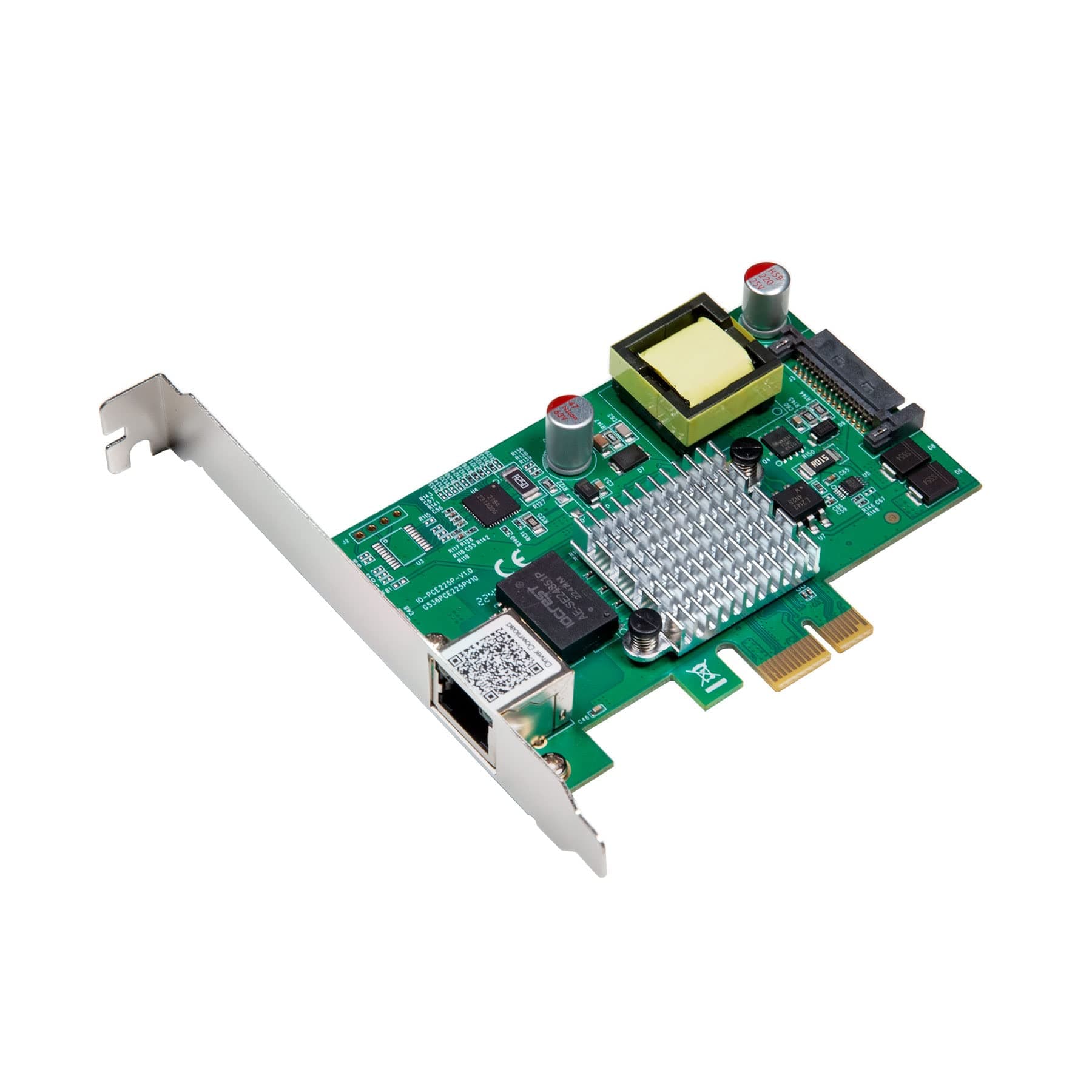
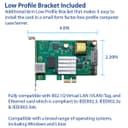
🚀 Power your network at the speed of now!
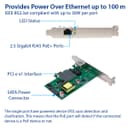
The IO Crest 2.5 Gigabit POE+ PCI-e x1 Ethernet Network Card, powered by Intel's i225 chipset, delivers ultra-fast 2.5 GbE connectivity with integrated POE+ support up to 30W. Designed for easy installation with low profile brackets, it supports advanced networking features like VLAN, jumbo frames, and Energy Efficient Ethernet, making it a versatile solution for professional and home environments seeking reliable, high-performance network expansion.
| ASIN | B0BWSKVBXC |
| Best Sellers Rank | #92,021 in Computers ( See Top 100 in Computers ) #241 in Network Cards |
| Brand | IO Crest |
| Built-In Media | (1) 2.5 Gigabit PCI-e x1 POE+ Card, (1) Low Profile Bracket, (1) User Manual |
| Compatible Devices | Desktop |
| Compatible Operating System Family | Windows |
| Customer Reviews | 3.8 3.8 out of 5 stars (120) |
| Data Link Protocol | Ethernet |
| Data Transfer Rate | 2.5 Gigabits Per Second |
| Hardware Interface | Ethernet, PCI |
| Item Weight | 0.13 Kilograms |
| Manufacturer | IO Crest |
| UPC | 850039353192 |
E**Y
Edit: as of XigmaNAS 13.1.0.5.9725 this adapter is now recognized and works as-expected! Thanks to ms49434 and zoon01 for applying a kernel patch to accept the PHY that is present. Original review follows. The adapter arrived in a small, cardboard box. The heatsink is attached securely. A hardware check indicates that the chip is revision 03. Under Windows 10/11, the adapter is usable with no additional effort or configuration on the user's side. Under Linux/FreeBSD, the adapter may or may not work depending on the version of the driver used to attempt init. Under FreeBSD specifically, support for the I225 was added in 13.1 via 𝚒𝚐𝚌, however the driver performs an unnecessary PHY vendor ID check, which may fail if the adapter reports an ID that isn't listed in an internal table. The fix (recommended by Intel themselves) is to no longer perform this check and instead assume a PHY for all I225 adapters. This fix is available in FreeBSD 13.2 and/or 14, and would need to be backported if using anything earlier. Examples; TrueNAS Scale 22.12.0 supports this adapter, while XigmaNAS 13.1.0.5.9687 (latest as of this review) includes 𝚒𝚐𝚌, but fails to init with the adapter I received.
A**R
Works well for what I needed it for
J**Y
I bought this card as I wanted faster than the built in 1Gbs, but my Dell computer only has a single PCIe 3.0 x16 slot, which is occupied by a GPU, and an x1 slot. I know x1 slots have a maximum bandwidth of 8Gbs, so I wasn't expecting full 10Gbs speed out of it, but nonetheless iperf benchmarks are giving me a decent 7,5Gbs throughput. I note that other users have comment on heat. My PC has a decent case fan on the PCIe slots, so this has not been an issue to me, and it's maintaining around 47-49C under load. The card worked out of the box on Ubuntu 24.04 LTS and was easy to set up. Overall it's a decent card for the money, if your computer's PCIe slot availability limits your options.
J**T
I have a Dell T630 tower server running ProxMox. The NIC worked with OS native drivers - no custom driver installation was required. All I had to do was edit the /etc/network/interfaces file and now all the interfaces are available for use by guest VMs.
J**N
This is the only only 10Gb PCIe x1 NIC I could find but it works great so far. This works out of the box on Windows 11. I was pleasantly surprised to see a significant decrease in my loaded upload latency compared to the onboard NIC I've been using. It dropped from around 50ms down to 3ms. For some reason my loaded download latency increased from around 3ms to 11ms with this card but that's a trade-off I'm happy to make. With this I'm finally able to take full advantage of my 5Gb fiber internet.
ترست بايلوت
منذ 4 أيام
منذ 5 أيام