We remain fully operational. Our teams are working around the clock to ensure your deliveries continue safely.

قم بتنزيل التطبيق


معلومات عنا
حقوق الطبع والنشر © 2024 Desertcart Holdings Limited
قم بتنزيل التطبيق





Buy anything from 5,000+ international stores. One checkout price. No surprise fees. Join 2M+ shoppers on Desertcart.
Desertcart purchases this item on your behalf and handles shipping, customs, and support to KUWAIT.
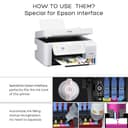
Product Description How to refill ink Note - turn off the printer and follow the procedure explained Check the ink level of the tank ,if it at minimum level ,refill the tank for continuous printing Remove the top the cover of the bottle cap ,tear off the bottle seal and replace the ink bottle as stopper Open the ink tank part cover and remove ,the ink tank task plug Inject the ink ,into the tank that matches the color of the ink bottles Hang the ink tank part to the correct position on the printer How to Refill ink (Step 1) 1. Open the ink filler (Different bayonet design ,say goodbye to mistake) How to Refill ink (Step 2) 2.Unscrew the bottle cap,Align the refilling color(No need to squeeze, Automatic identification filling status) How to Refill ink (Step 3) 3.Intelligent ink refill, Easy to refill ink and not dirty How to Refill ink (Step 4) 4.When refill ink, pay attention to the maximum amount of ink reminded by printer. When the maximum amount of ink is reached, you can stop refill ink Compatible Printers For Epson Ink Tank Printers For Epson Ink EcoTank L1110, L14150 For Epson Ink EcoTank L3100, L3101, L3116, L3110, L3115, L3150, L3151, L3152, L3156 For Epson Ink EcoTank L4160, L4150, L4260, L5190 For Epson Ink EcoTank L6160, L6170, L6570, L6580, L6190 Vivid, Bold Results With our top quality ink cartridges you can receive maximum printing output whether its a black and white finish, or a colourful finish, you will be happy with the end result. Strong compatibility QUINK ink compatibility is strong, the printing effect is more outstanding and beautiful, Follow your thoughts For All Inktank printer models of Canon/ Epson/HP/Brother, Quink brand ink are dye based ink. Why Inkjet Printer easily clogged? One of the problems with an inkjet printer is that the cartridges can clog up. This can happen if the nozzle has dried-up ink, from infrequent use, or if it contains air bubbles, which can form after changing cartridges. How to avoid a clogged printhead? The printheads in your printer are what lay the ink down on the paper. When these little mechanisms get clogged with dried ink or bits of paper, you may see streaks and uneven ink distribution in your printed materials. Clearing a clogged printhead can take time and effort, while preventing a clog only requires some diligence and regular maintenance. Regular Use The easiest way to keep your printheads clear and in proper working order is to use the printer regularly. This keeps the ink flowing properly and prevents it from drying on the heads. Use your printer every few days or at least once a week to keep the printheads moist with fresh ink. The longer they sit unused, the more likely the ink left on the heads will dry and cause a clog. Regular Cleaning Even if you use your printer every day, there may be a few droplets of ink that have dried in the tubing leading from the ink cartridges or on the printheads themselves. Use your printer's cleaning cycle at least once a month or so to flush out any remnant ink leftover in the heads. Tiny bits of paper can get caught inside the machine and printheads too, so use some canned air to blow out any dust or paper whenever you run your monthly printhead cleaning. Storage If you don't plan to use your printer for an extended period of time, remove the ink cartridges and wrap them tightly in plastic wrap to keep them fresh. This will also prevent any ink from dripping into the tubes and printheads, drying and causing clogging. Depending on your printer, you may be able to remove the printheads for cleaning or storage. Check your printer's manual or the manufacturer's website for information on extended storage of your machine. Turn Printer Off When your printer's on, it moves the printheads and warms the ink to ready it for use. If you don't turn the printer off at the machine itself, so it can return the carriage to its “home” position, the ink and printheads can dry out and clog. Never turn off the printer through a power strip or surge protector. Instead, use the power button on the printer so it can shut down properly to protect the printheads and ink from damage or drying. What I should Do If my printhead clogged after refilling? After Refilling, quality is not good, like missing color, printing blank, color faded, vertical and horizonal lines on the page, then run a nozzle check and the print pattern, if the printer pattern is not good then run several rounds of nozzle cleaning or do a power ink flashing(be careful, this may consume more ink, required more ink in the inktank), and printed a nozzle check pattern after each one, until the print a good print patten. Top Tip - You can continue to print if you only see one to two segments missing in a color. In some cases, especially with older printers, you may never get a segment to work again and this is OK. How to Do a head cleaning? Operate via your computer, find your printer name in your computer, right click the printer name, then click “printing preferences”, choose “maintenance” then “head cleaning” option will be there. If you followed all the steps and your printer is producing printouts with print quality issues, you may need go to your service center to replace printheads. Vibrant Color Prints With premium quality inkjet ingredients now get precise color matching prints with high definition and sharp edges.


| ASIN | B0BT7ZXCB5 |
| Best Sellers Rank | #19,963 in Electronics ( See Top 100 in Electronics ) #108 in Inkjet Printer Ink Cartridges |
| Brand | QUINK |
| Brand Name | QUINK |
| Colour | Black,Cyan,Magenta,Yellow |
| Compatibility Options | Compatible |
| Compatible Devices | Printer |
| Compatible Printer Models | Epson EcoTank L3115 |
| Country of Origin | India |
| Customer Reviews | 1.0 out of 5 stars 1 Review |
| Ink Base | Water |
| Ink Colour | Black, Cyan, Magenta, Yellow |
| Manufacturer | kirit enterprises |
| Model Name | EcoTank L3115 |
| Model Series | EcoTank L3115 |
| Other Special Features of the Product | Premium Quality,To Refill |
| Page Yield | 6000 |
| Printer Output Type | multiple colors |
| Printer Type | Inkjet |
| Printing Media Type | Paper (plain) |
| Special Feature | Premium Quality,To Refill |
| Specific Uses For Product | printing |
ترست بايلوت
منذ شهرين
منذ 5 أيام