🎯 Fuse your screens, not your patience — next-level clarity, zero compromise!
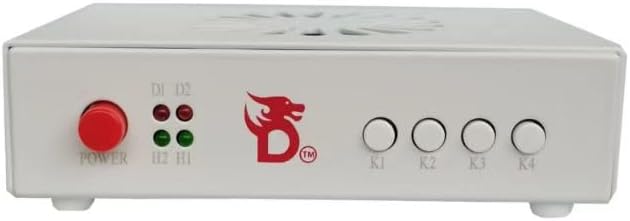
The DICHEN DMA Fuser Combiner is a high-efficiency multimedia interface synthesizer that merges two HDMI inputs into a single 2K 144Hz display output with lossless transmission. Crafted from durable aluminum alloy and featuring built-in temperature-controlled fans, it ensures stable, high-definition video overlay ideal for professional gaming, video conferencing, and financial data visualization.
| ASIN | B0F1DHLG41 |
| Audio Input | USB, XLR |
| Best Sellers Rank | #7,798 in Video Games ( See Top 100 in Video Games ) #1,679 in PC Accessories |
| Brand Name | DICHEN |
| Compatible Devices | Personal Computer, Television |
| Connectivity Technology | HDMI, USB |
| Customer Reviews | 4.0 4.0 out of 5 stars (25) |
| Item Weight | 0.41 Kilograms |
| Manufacturer | DICHEN |
| Number of Channels | 4 |
| Operating System | Windows (version not specified) |
A**R
Don't get over charged by reskinned models sold for 2-3x more on DMA websites
I was shocked when I seen the price of this fuser compared to the big name fuser company's and this one performs just as well as models that are up charged 2-3x this price. A lot of the fuser available through overpriced websites are just reskinned models of this exact model. I have used mine for over a year now with zero issues.
S**H
Ultrawide @ 100hz
I use this on my 34" oled running 1440p @ 100hz. Looks good and doesn't get hot. Fan never needed to spin yet. Once you install proper profile and plug it in, both computers will see the fuser as an ultrawide monitor if you want it to.
A**N
PROBLEMS RESOLUTION
Subject: Resolution issue with DICHER Gen 6 Color White Fuser Hello, I'm having a problem with my DICHER Gen 6 Color White Fuser: • When connected to a 2K monitor, it works correctly. • When connected to a 4K monitor, it only outputs a 1920x1080 signal, even though the monitor supports higher resolutions. • If I first connect a 2K monitor and then a 4K monitor, the Fuser retains the 2K monitor's signal, as if remembering the resolution of the first connected monitor. It seems the Fuser doesn't correctly detect the resolution of 4K monitors and keeps caching the resolution of the first monitor. Could you please tell me how to fix this or force the correct resolution output? Thank you.
D**R
Recomiendo 100%
Excelente muy bueno
C**R
Ehh
It worked for literally 1 day. Went to work the next day and come back to it not even powering on anymore. Assumed the power supply went bad because it seems super cheap. Returned it and received a refund. 3 stars because it did actually work great when it worked.
A**S
Better than a generic fuser!
I used to have a generic fuser that I got for cheap and it ended up going out on me so I figured I’d upgrade to something that had a good reputation and it did not disappoint. Before I was running a display port to my main monitor and I was afraid the colors would get dull when switching to an HDMI through the fuser since it did that with the generic one but it didn’t. The color quality is fantastic and I wasn’t aware that the fuser would automatically figure out my monitor specs so when I flashed it I was stuck at 85 hertz but after a couple restarts of the fuser it corrected itself to 100 and I’m using a 34 inch ultra wide with the resolution at 3440x1440. I highly recommend this product
K**Y
I would purchase it again.
Great! Totally pleased with product.
M**Z
Have hdmis ready
Works well right out of the box 10/10
ترست بايلوت
منذ شهرين
منذ أسبوعين