


🚀 Elevate your productivity—double your screens, power, and ports in one sleek dock!
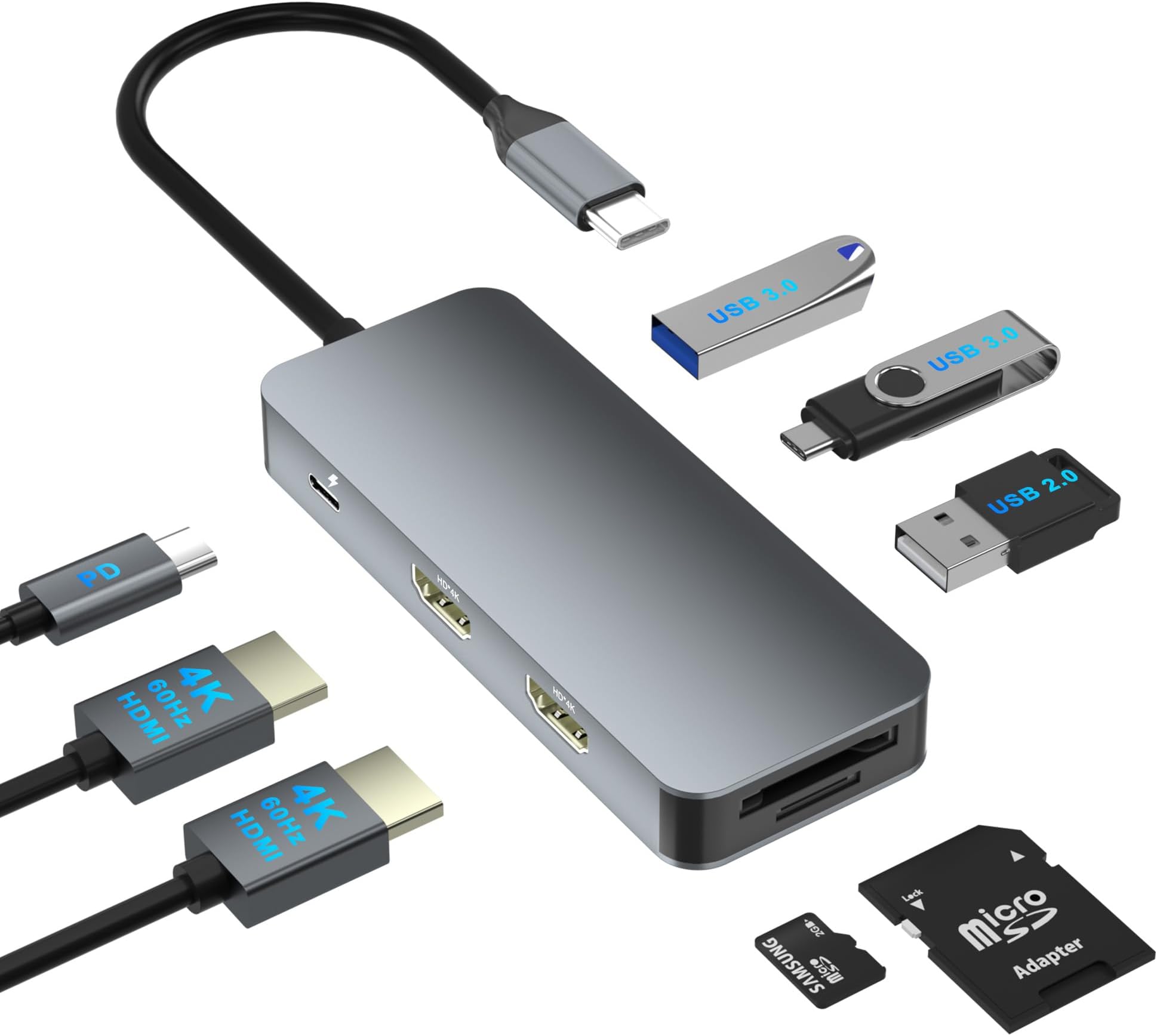
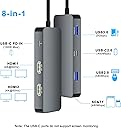
This compact USB-C docking station transforms a single Thunderbolt 3/4 or USB-C port into 8 versatile connections, including dual 4K@60Hz HDMI outputs, 3 USB ports, SD/TF card reader, and 100W power delivery charging. Designed for professionals on the move, it supports MST and SST modes for Windows and mirror mode for MacOS, enabling seamless multitasking across two monitors. Its plug-and-play design and broad compatibility make it an essential upgrade for any modern workspace.




| ASIN | B0DHP7XJC6 |
| Brand Name | Aibilangose |
| Colour | grey |
| Compatible Devices | Laptop with a full function (stand charging, data transfer and video output) USB-C port or Thunderbolt 3 port Laptop with a full function (stand charging, data transfer and video out) USB-C port or Thunderbolt 3 port |
| Customer Reviews | 4.1 4.1 out of 5 stars (76) |
| Data Transfer Rate | 5 Gigabits Per Second |
| Enclosure Material | Aluminum, Plastic |
| Hardware Interface | HDMI, MicroSD, USB 2.0, USB 3.0, USB Type C |
| Item Dimensions L x W x H | 8.6L x 4.1W x 1.5H centimetres |
| Manufacturer | Aibilangose |
| Manufacturer Part Number | Hx202S |
| Model Number | Hx202S |
| Number of Ports | 8 |
| Total USB Ports | 3 |
A**Y
I use this dual HDMI adapter to connect two monitors to my laptop, and it works perfectly for me. The setup was easy, the picture quality is clear in 4K, and it makes my work much easier with two screens.
E**E
I work on a hybrid schedule, so transitioning between home and office, having an efficient home workspace is crucial to me. This docking station has been a game-changer for adding screens to my home office setup. I was able to connect two monitors via HDMI effortlessly, and the setup process was smooth and hassle-free. What sets this docking station apart is its ability to serve as a one-stop hub for all my peripherals. With this device, I have everything I need plugged into one place—monitors, mouse, keyboard, Ethernet cable, and even my laptop’s power cord. Instead of connecting multiple cables individually every time I switch locations, I now just connect a single cord to my laptop, and my entire workspace comes to life in seconds. An added bonus is the ability to charge my phone simultaneously, which keeps my workspace tidy and my devices powered throughout the day. The SD card reader is another thoughtful inclusion, making it easy for me to transfer files directly without needing a separate adapter. The build quality is another highlight. Despite its compact and lightweight design, the docking station feels solid and well-made, not like the flimsy plastic alternatives I’ve seen at similar price points. It’s clear this product was designed with both functionality and durability in mind. In terms of performance, it’s been flawless—no connection issues or slowdowns when connecting multiple devices. At its price point, it delivers excellent value, especially for professionals or students managing multiple screens and devices. If you’re looking for a reliable, versatile docking station for your dual monitor setup, this is the perfect choice. Highly recommended!
A**A
As someone who frequently works with multiple monitors, I was excited to try out the Dual HDMI Docking Station. Here’s my detailed and balanced review after using it extensively. Pros: Dual Monitor Support: This docking station allows you to connect two monitors via HDMI, supporting up to 4K@60Hz resolution. The image quality is sharp and clear, making it perfect for tasks that require high-definition visuals. Wide Compatibility: It works seamlessly with various laptop brands, including Dell, HP, and Mac. The USB-C connection ensures fast and reliable data transfer, and it’s compatible with both Windows and macOS. Ease of Setup: Setting up the docking station is straightforward. It’s essentially plug-and-play, with no need for additional drivers or software. This makes it convenient for users who need a quick and hassle-free setup. Additional Ports: Besides the dual HDMI ports, the docking station includes multiple USB ports, an Ethernet port, and an audio jack. This expands your laptop’s connectivity options, allowing you to connect various peripherals simultaneously. Compact Design: The docking station has a sleek and compact design, which doesn’t take up much desk space. It’s also lightweight, making it easy to carry around if you need to switch workstations. Cons: Power Delivery: While the docking station supports data transfer and video output, it doesn’t provide power delivery to charge your laptop. You’ll need to use your laptop’s charger separately, which can be a bit inconvenient. Limited USB-C Ports: There’s only one USB-C port for connecting to the laptop, which might be limiting if you have multiple USB-C devices. Additional USB-C ports would enhance its versatility. Price: The docking station is on the pricier side compared to some other models. However, considering its features and performance, it offers good value for money. Overall Verdict: The Dual HDMI Docking Station is a robust and versatile solution for anyone looking to expand their laptop’s connectivity and maximize their workspace. Its support for dual monitors, wide compatibility, and additional ports make it a valuable addition to any setup. While there are a few minor drawbacks, such as the lack of power delivery and limited USB-C ports, the overall quality and functionality of the docking station make it a worthwhile investment.
E**M
Long ago, I got a 3-port expansion for my laptop, with USB and HDMI, but found it frustratingly limited. This 8-in-1 is a vast improvement over my old unit! It allows for passthrough charging in addition to USB-A and USB-C data ports, SD/Micro-SD card reader, and TWO HDMI ports, which is great for me, since I often travel with my laptop and need to connect to a TV or expansion monitor for presentations. I tried to run this one through the paces to see how it might perform the way I'd use it while traveling -- mouse, SD card, spinning disk external drive, and HDMI to a TV. I opted for 60Hz version, to get a bit better picture quality, and it worked great. I don't have more than one screen to test it with, unfortunately, but it advertises that it can extend your desktop onto 2 additional screens, similar to my more bulky docking station in my home office. As for data transfer, watch the labels carefully, as it has both USB 3.0 for a portable hard drive, as well as USB 2.0 which is better for using an external mouse or other device. It's great to have the extra options. One limitation I noticed (and it is sated in the product description) is that you can't use both the micro SD and standard SD ports at the same time. Wasn't a problem for me, but it's good to know going in. The other note that is included in the instructions is that since it's not a powered docking station, you may run into limitations on running multiple external hard drives that require power, so just be aware! Overall, this is a great value, with sleek design, and a lot of options. I am planning to use this to replace my current port expander and USB hub.
F**S
I purchased this HDMI dual adapter to connect an extra monitor to my laptop, and it has been a excellent upgrade. Installation was plug-and-play, and the video output remains stable at 4K@60Hz on both monitors with no noticeable lag. It’s ideal for multitasking, working with multiple windows, document editing, and presentations. It may heat up slightly under prolonged heavy use, but this is normal.
ترست بايلوت
منذ 3 أيام
منذ 3 أسابيع