
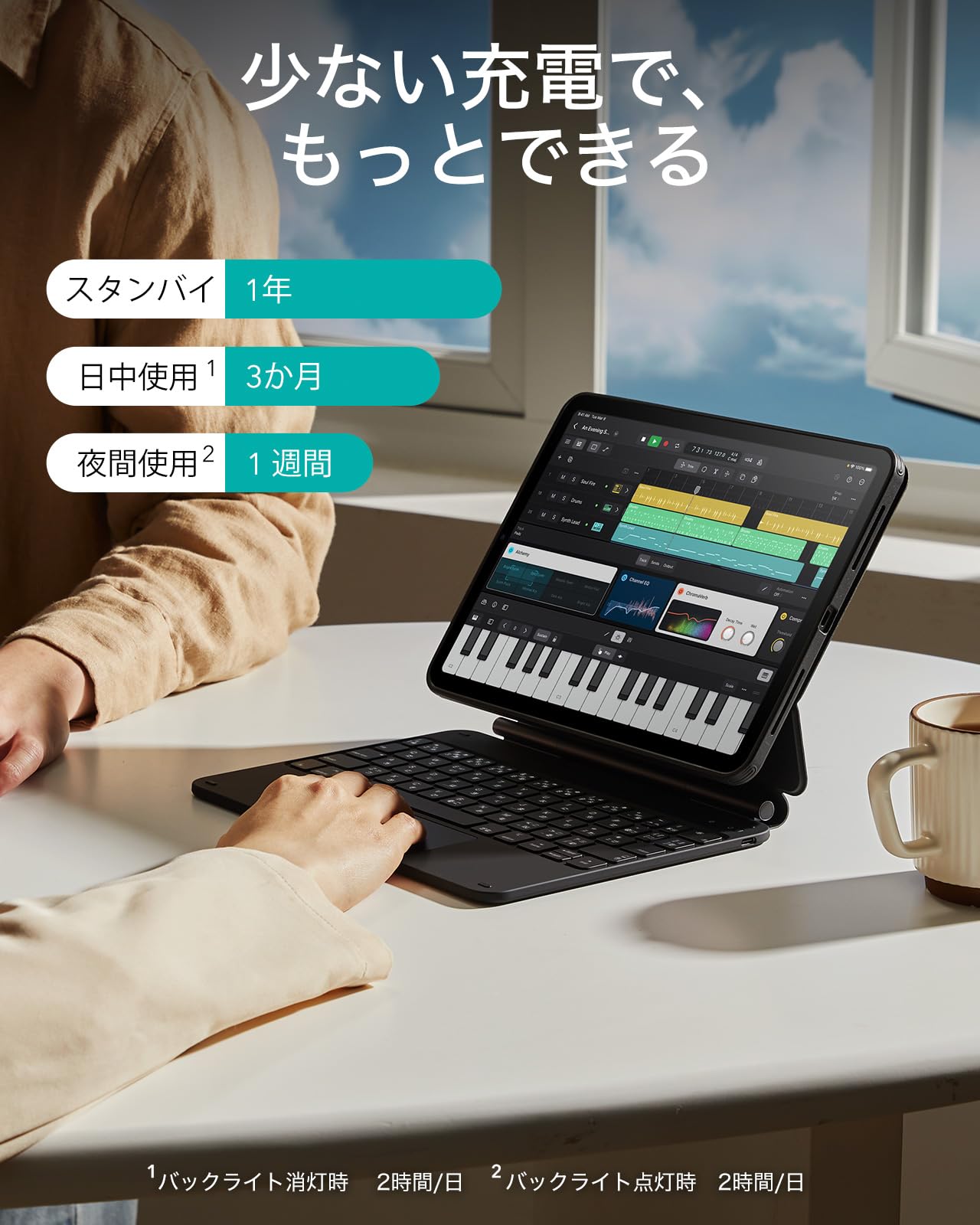




⌨️ Elevate your iPad Pro game — work smarter, anywhere, anytime!
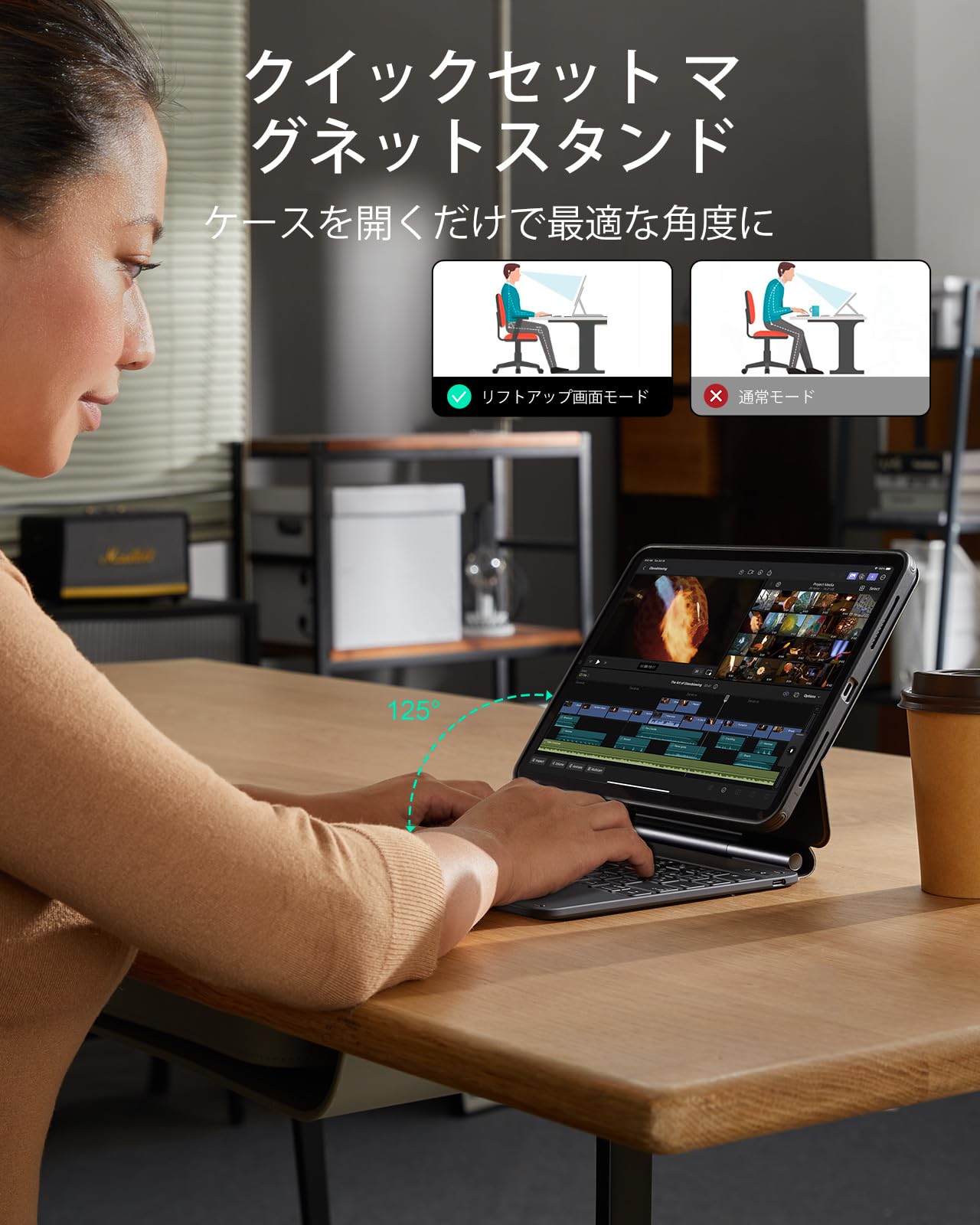
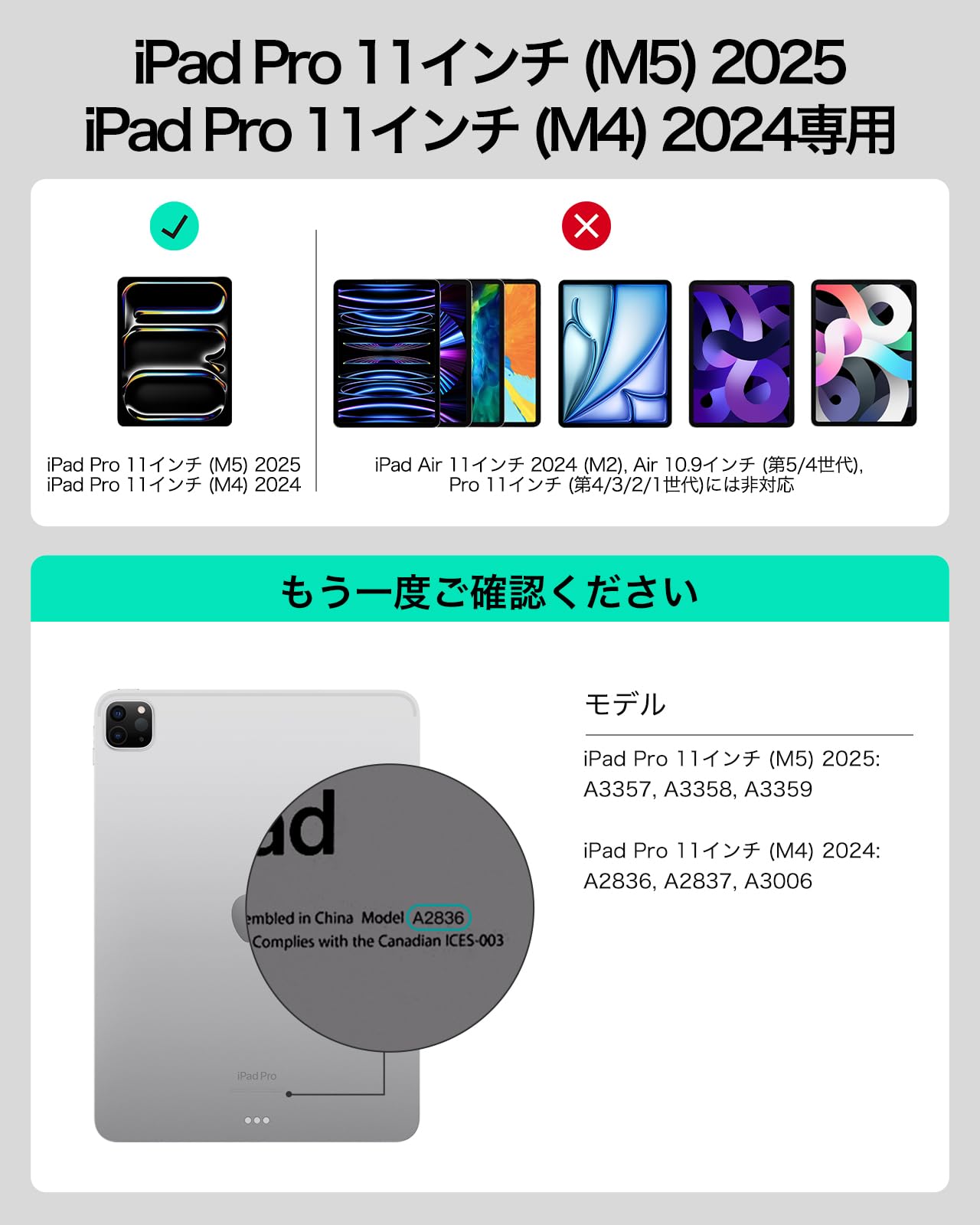
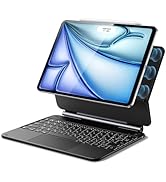
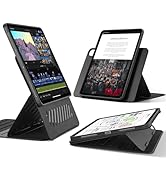
The ESR Keyboard Case for iPad Pro 11 (M5/M4, 2025/2024) combines a wireless Bluetooth keyboard with a magnetic stand and detachable protective case. Designed for seamless transitions between work modes, it offers multiple viewing angles, an ultra-sensitive multi-touch trackpad, and robust protection, making your iPad a versatile productivity device wherever you go.





| ASIN | B0CSYZ7Y3Q |
| Amazon Bestseller | #4,024 in Computers ( See Top 100 in Computers ) #20 in Tablet Keyboard Cases |
| Brand | ESR |
| Customer Reviews | 3.7 3.7 out of 5 stars (1,601) |
| Date First Available | January 22, 2024 |
| Item Weight | 1.08 Kilograms |
| Manufacturer | ESR |
| Package Dimensions | 28.7 x 20.8 x 3 cm; 1.08 kg |
ク**ン
重い13インチairにこのケースを付けると本当の意味で膝上ラップトップとして使うのは厳しいとは感じました。しかし上手に使えていない状況に対するサポートが手厚く、メーカーの本気度が伝わりました。 今後iPadのポートから給電され、バッテリーレスで軽いものがでることを期待したいです。
メ**ル
純正のMagic Keyboardに似た形状のキーボードです。 大きな違いはBluetoothでの無線接続なのでキーボード本体の充電が必要です。 純正よりいい点としてキーボードからiPad本体を外しても裏面をカバーするケースが ついたままになるので、多少保護性能が期待できます。 また、無線接続なので煩わしくはありますが、そのおかげて縦位置で使う事もできますし なんなら別の場所にあっても文字入力をすることができるはメリットだと思います。 キータッチやタッチパッドの触り心地はそこそこで、特別良いわけでもありませんが 悪くもない感じの普通の感触。フルサイズのキーボードには敵いませんが十分文字入力が 可能だと思います。 ただ、最大の難点は本体が恐ろしく重いことです。 そのおかげで縦位置でも倒れずに安定していますが、キーボードだけで850gあり 本体と合わせると軽く1Kgを超えてしまいます。 タブレットなのにモバイルノートより重いのはちょっと辛いですね。
黒**猫
☆良い点 1、iPadのケースだけの運用だと画面以外保護できるため安心感がある。 2、トラックパットは物理クリックだが、普通に使える。 3、Apple純正と違い、縦向きでも使える、高さもある程度自由度がある。 ★気になる点 1、単体でもかなりの重さがある。 2、Apple純正キーに慣れていると、「?」等を打つ際「_ 」を打ってしまう。 (右SHIFT位置が、「_ 」になっている。 3、右側に、SHIFTキーがない&cmdキーもない。(2、3、の為慣れが必要) (右側での、cmd+Enterに慣れている方は、ちょっとストレス感じるかも?) 4、キーのバックライトが付いているが、文字よりキー外周が光って見づらい。(輝度調整やOFFにもできる) 5、咄嗟に使おうとする時に、ペアリングのラグがある。(1秒くらい?) 以上、気になる点が多くなりましたが過去既出のレビューの通り、重さについては相当な覚悟が必要だと思います。 あと、Apple純正(日本語配列)キーに慣れ過ぎている方は、使い始めにストレスを感じると思います。 ちなみに、本商品のiPad単体ケースは、ESRのシリーズ製品のケースにはくっつきませんでした。
I**S
Nice quality.
Very good.
A**ー
まずは良い点を。本家magickeyboardのよくなかった点は、縦画面で使えなかった所に着きます。この商品はそれができる。これは本当に革命的で、縦じゃないと開けないブラウザページなどがストレスなく開けるのはすごいこと。キーの押し具合やトラックパッドはまぁまぁ。少なくとも問題は感じないですね。また重い代わりにバッテリーが大きいのか、電池の心配はほぼなし。私は持ち歩きはしないので、この点は全然問題ないかな。キーが明るく光るのもいいですね、暗くても問題なく使えます。 しかし、やっぱり起こるのはキー配列ですね。伸ばし棒のーや、アンダーバー_、右シフトは存在せず?はいつものように押せない。、エンターキーは小さい。何気に1番厄介なのは、「仮名」キーね。スペースキーが横に長いので、びっくりするくらい親指を曲げるか、ホームポジション崩さないと押せません。 また画面を支える部分が弱く、ちょっとの衝撃で、ipad全体が「ぐわんぐわん」と揺れますね。これの態度が結構悲惨。いくらなんでもこれは…ってくらい揺れます。折り曲げられる角度も本家に比べるとずいぶん浅いし、弱い。また、キーボード全体に角度をつけて使おうとすると、画面が重さでバタン!と閉じます。それくらいヒンジが弱い。magickeyboardはこの辺最高でしたからね。この辺は「安っちいな」と思わざるを得ません。なんやかんやタイプしたり画面タッチするとグラグラするのが1番ストレス。 縦にiPadはくっ付きますが、もちろんこの製品のカバーつけたら、の話です。ただし水平ならば、カバーなしでもくっ付きました。加えて、縦にもくっつくんですが、正直弱く、少しずれたらiPad降ってきます。 そして本家はsmartconnectの物理接続ですから、遅延0。しかしこちらはどうしても無線接続ゆえの、ラグが生じ、もう明確に知覚できるレベル。特に本家使ってた人は気持ち悪いレベル。まぁこれは無線の問題でしょうね。キータイプの遅延はそんなに感じませんが、このトラックパッドが致命的。クリックは効くけどカーソルは動かない、なんて瞬間が結構あります。また、遅延ならまだしも、どうしても「一瞬切れて再接続」の時間がたびたびあります。その度にマウスカーソルを見失ったり、こういうちょっとしてるけども、ふとした拍子に来るグリッチが気になる人は、結構厳しいかも。 これがもし有線接続できたらまだ許せた。例えば、モバイルバッテリーみたいに、でかいキーボードの電気をiPad側に供給するとか。でも、当然受電のみです。接続も無線だけで有線接続は反応なしだし、ちょっとほっとくとすぐキーはスリープするし、重さの割に電池食うし、極め付けに画面はグラグラ。 あとはキーボードが光るのは良いんですが、少しくらい場所では、文字が光るように透明に加工されてる影響で、バックライトつけないとよく見えないのが更に残念。 総じて、magictrackpadが壊れた故の後継として買ってみましたが、日々の使用のストレスの方が大きい始末になってしまいました。数日頑張って使いましたが、押入れ行きです。 いや、商品としてはそんなに悪くないコンセプトだと思います。しかし、magictrackpadから移住して来た民からすると、ちょっと許せないかな、という使用感なのが本音。逆に言えば、本家ほど使いやすさをうるさく言わない、遅延に慣れている人なら、問題ないんじゃないかな?私はこの値段に対してこれなら、他にもっといい選択肢あったな、、、本当にクオリティ低いな。というのが本音です。
B**E
Unimpressed.
I returned this product. The keyboard arrived with a broken space bar. This kind of thing happens, but a number of other small issues encouraged me to return rather than exchange. (1) The 1 and 0 keys are awkwardly aligned with the rest of the keyboard. (2) The touchpad doesn’t have the sensitivity and smoothness necessary to match the iPad screen. (3) Compared to other iPad keyboards, the typing experience feels cramped. (4) The keyboard is sometimes incorrectly recognized as being from the wrong region (5) The backlight is brighter from between the gaps between the keys than it is from behind the keys themselves. (7) The material feels like soft touch plastic and looks like a garbage bag. Over time it will likely chemically change and become sticky like all soft touch plastics do. (8) The actual iPad protector is an afterthought. It is very weak and flexes around the edges when handled. In the end, this feels like a product that was intended to be very good but will likely disappoint veteran iPad keyboard users. I have no idea why it was recommended by the New York Times. They must have never seriously considered the product.
わ**や
問題なく機能しており、文字入力・トラックパッドともに実用レベルで値段を考えると満足しています。 ただし、11インチのiPadに合わせて作られているため、ブラインドタッチをするためには、慣れが必要です。 iPad Proとケースを合わせると約1.4kgの重さがあり、私が所持している14インチのノートパソコンと同程度の重量です。iPadは11インチなので、実際持っていると想像以上に重量感があります。 そのため、「ノートパソコンが重いから代わりにタブレットを使いたい」と考えている方は注意が必要です。 軽さを求めてタブレット+キーボードケースを検討している場合、重量面でのメリットはあまり感じられないと思います。
X**7
☆良い点☆ ・iPad Pro本体に専用カバーが付いている為、キーボードから取外ししても安心(他社メーカーではiPad自体を直接取り付ける為不安) ・良い意味で重さがあるので安定した安心感がある ・iPadが縦置き、横置き、更に横置き時に上下に移動ができて便利 ・カバーの質感や作りが良い ★悪い点★ ・安定感の分、重い ・エンターキーの下がシフトキーではない
S**.
Images shown is of the rebound case with the ipad protective cover. Product received is the cheaper version without the protection cover. Misleading information. Return requested.
A**.
La mejor marca, La mejor calidad, La mejor batería, y Mejor que el original y por el mejor precio, a este precio encontrar un te lado para el ipad es imposible, los más baratos tienen imanes que no agarran, e incluso comparándolo con una marca como belkin los imanes son mucho más fuertes y seguros, además, la funda es una adición increíble, poderlo quitar sin tener miedo de resbalar o caer es muy bueno, lo único que me gustaría agregar sería un sujetador para el apple pencil directo en la funda, de ahí en fuera, no tiene competencia, ni el de apple oficial.
S**.
As teclas não estão com o teclado qwerty em Português
R**I
I had the iPad Pro 11 M1 and decided to upgrade to the new for 2025, iPad Pro 11 M5. Not only did I have to buy the new Apple Pencil Pro to work with the new iPad, but my keyboard case for the iPad M1 was no longer compatible. I could have bought the new Apple Magic Keyboard, but really? It's over $300. So off to research new Keyboard cases and ESR, a company I trust (I have two ESR Cases for my iPhone 17 Pro Max and every device we own has ESR Armorite Screen Protectors) and this iPad Pro 11 M5 Rebound 360 case was very favorably reviewed. It comes nicely packaged and includes a USB C to USB A cable (though that's the only thing ESR should change as it should be USB C to USB C) with an easy to follow multi-language user guide and warranty card, you can scan to extend the warranty to two years. Setting up the Keyboard Case couldn't be simple. I did charge it out of the box, but it must have had a good charge to begin with as it was fully charged in about 20 minutes. Then press the power button for about 2 seconds to wake the keyboard. To pair it with your iPad, press the FN/Globe key and the B key until you see the Bluttooth blue pairing light flash. Open settings on your iPad > Bluetooth - look for the ESR Keyboard and tap there to pair. Boom, you're all ready to go. While the 11 inch keyboard case doesn't come with dedicated function keys (the 13 inch one does), you still have all the functions you need. Just tap hold the FN/Globe key and look at the number keys, where all the functions can be adjusted, like Volume Up/Down, Screen Brightness, Changing Audio Tracks, Etc. The Keyboard also has 12 RGB backlit key colors you can choose from or the ability to not use any backlit option. The case is very Apple Magic Keyboard-esque in its design. Of notable goodness is you put your iPad in a nice quality protective case and then attach the case with your iPad magnetically to the Keyboard case. The case doesn't take much effort to open and it offers significantly more flexibility in terms of where you can place your iPad. You can for example, raise the iPad higher if you want, which the Apple case can't accommodate. And you can even place the iPad in Portrait orientation, which the Apple case can't accommodate. Do note that if you place your iPad in a higher position, it needs to be on a very stable workspace as it could topple over. This case as mentioned is Bluetooth. I prefer that over the way Apple's case works, which powers the keyboard by three pins on the back of the iPad when attached to their case. The reason I prefer ESR's approach is if your iPad isn't plugged in when using Apple's case, the iPad is using the battery to power the keyboard. If you're out and about, it can drain your battery pretty quickly (and yes, I had an Apple Magic Keyboard). Since the ESR case isn't using power from your iPad to run your Keyboard, there's much less to worry about if you can't get to a power source to plug your iPad in to charge. Finally, ESR provides a magnetic flap to keep your Apple Pencil Pro safely stored on the case when you're not using it or traveling about virtually eliminating any risk of losing your Pencil. All the buttons on the case your iPad is in are clicky and responsive and all they cutouts for speakers and USB C charging port are perfectly aligned. I'm mightily impressed with this ESR Keyboard Case for iPad Pro M5. For less than a THIRD of the cost of the Magic Keyboard, you get a high quality, yet affordable option, which coming from ESR means it will stand the test of time.
J**O
Funcional
ترست بايلوت
منذ أسبوعين
منذ شهرين



