We remain fully operational. Our teams are working around the clock to ensure your deliveries continue safely.

قم بتنزيل التطبيق


معلومات عنا
حقوق الطبع والنشر © 2024 Desertcart Holdings Limited
قم بتنزيل التطبيق
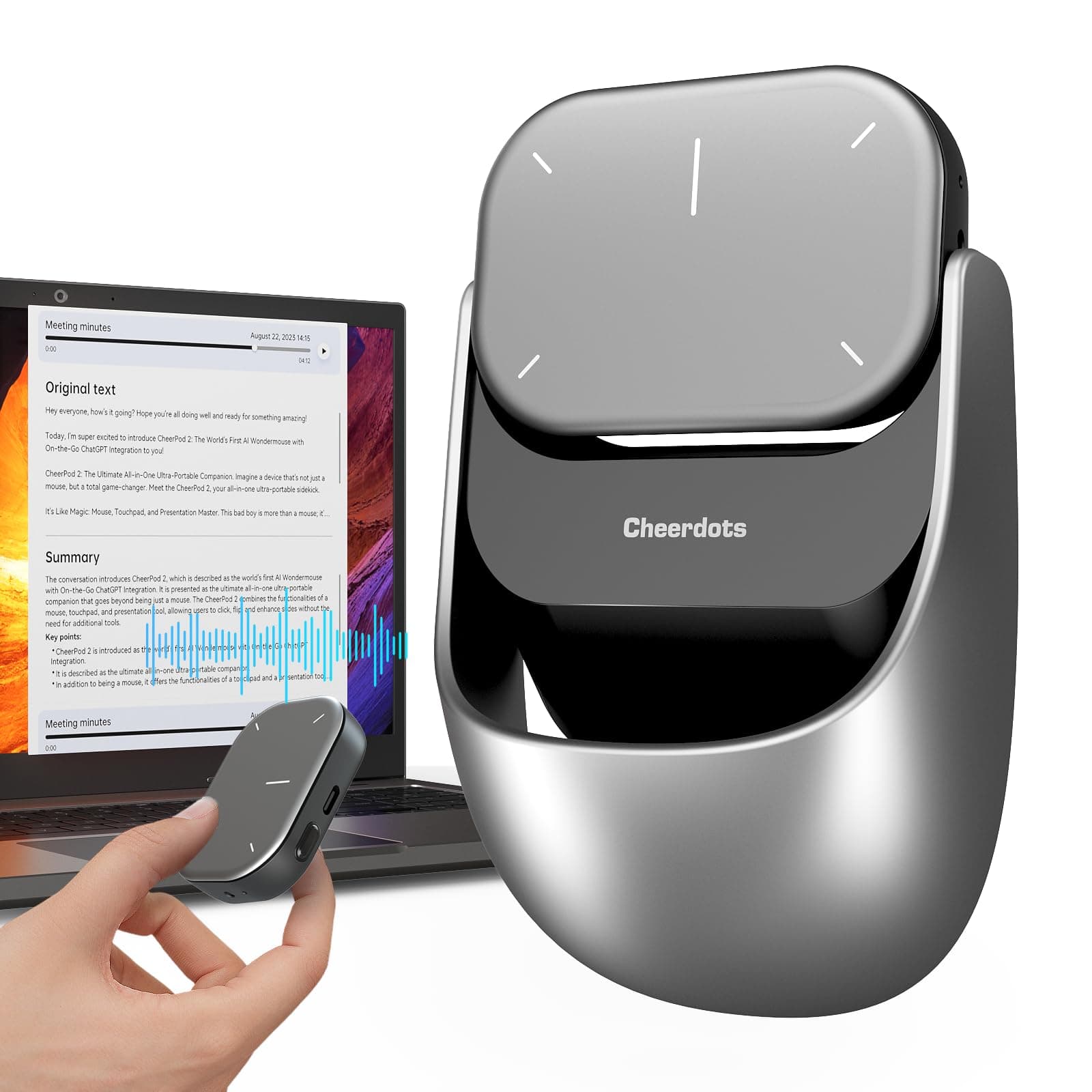
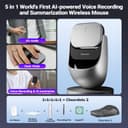


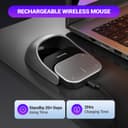


🚀 Elevate your workflow with the AI mouse that does it all—because your productivity deserves a power-up!
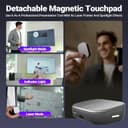
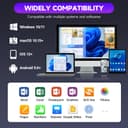
The 2025 AI Wireless Mouse by CheerDots is a cutting-edge 6-in-1 device combining an ergonomic wireless mouse, AI voice recorder with real-time transcription and summarization, and a detachable presentation remote with laser pointer and spotlight. Featuring Bluetooth 5.0 for dual-device connectivity, a 20-day battery life with fast charging, and universal compatibility across major OS platforms, it’s designed for professionals who demand seamless multitasking and enhanced productivity in meetings, lectures, and presentations.


| ASIN | B0DZCMSVY3 |
| Additional Features | AI Smart Voice Mouse, Lightweight, Portable, Presenter Mouse, Touchpad Detachable |
| Antenna Location | Classroom Teaching, Conference Speeches, Daily Office Work, Lectures, Meetings |
| Are Batteries Included | Yes |
| Are Batteries Required | Yes |
| Battery Average Life | 20 days |
| Best Sellers Rank | #3,282 in Computer Mice |
| Brand | POVZCV |
| Color | Silver |
| Compatible Devices | For Windows, Laptop, Personal Computer, Smartphone, Tablet |
| Connectivity Technology | Bluetooth, Chatgpt, Smart Mouse |
| Customer Reviews | 4.5 4.5 out of 5 stars (15) |
| Enclosure Material | Metal |
| Hand Orientation | Ambidextrous |
| Hardware Platform | Linux, Mac, PC |
| Item Dimensions L x W | 3.9"L x 2.3"W |
| Item Weight | 0.12 Kilograms |
| Manufacturer | CheerDots Co., Ltd |
| Model Number | CHP04 |
| Movement Detection | Touchpad Mouse |
| Number of Batteries | 1 AA batteries required. (included) |
| Operating System | Android, Mac, Mac OS, Windows 7, iOS |
| Power Source | Battery Powered |
| Range | 33 feet |
| Style Name | Advanced |
| Theme | 6-in-1 Multifunctional Wireless AI Mouse |
| Unit Count | 1.0 Count |
| Warranty Description | If you have any problem with the product, please contact us to solve the problem. |
J**E
Seriously impressed---especially with air mode!
I honestly didn’t expect to love this thing as much as I do, but it’s become one of my favorite gadgets. The Cheerdots 2 is super lightweight and feels great in the hand, but the real magic is in the Air Mode. Being able to detach it and use it as a presenter with laser and spotlight features is such a game-changer for work meetings and presentations. It’s intuitive, smooth, and surprisingly precise when controlling slides or even scrolling through apps like TikTok or YouTube Shorts. Also, I really appreciate how easily it snaps back onto the base and becomes a normal touchpad mouse again—no hassle, just magnets. It’s one of those small design things that makes a big difference. The battery life has been solid, and I love that I can switch between my laptop and phone with just Bluetooth. If you do a lot of remote work, presentations, or just want something slick and versatile, this is definitely worth picking up.
C**D
Great for work.
Good for work, Not so good for gaming. Can't left and rigth click at the same time while gaming
M**K
Very cool tool for presenters
I’ve been using this 3 in 1 wireless mouse and presentation clicker for some time now, and I have to say it’s a pretty unique and useful device. It takes a little getting used to at first, mostly because of the size. It’s definitely on the bigger side, so it probably works best for someone with medium to large hands. If you have small hands it might feel a bit bulky, but once you get the hang of it, it’s pretty comfortable to use. The magnetic connection between the two pieces is surprisingly strong. The back half is just a lightweight plastic base, but it snaps on really cleanly and doesn’t feel flimsy or cheap. I like that I can detach it quickly if I only need the presenter part. That flexibility is super convenient. As a presentation clicker, it does a great job. The laser pointer is solid and easy to control, and clicking through slides is smooth. I also like that it has an air mouse feature, which lets you move the cursor like a mouse pad. It takes a little practice, but it’s fun once you get the hang of it. Some of the extra features do require software or drivers to be downloaded on your computer, but those are easily available. It would be nice if everything worked right out of the box, but that’s honestly a pretty minor thing. The basics worked well right away, and the added functions are just a bonus. Overall, it’s a clever and well-designed tool that does a lot. If you present often or just want something that can act as both a mouse and a clicker, this is a great option.
A**.
A cool cordless mouse with many neat features
Setting up this mouse with Windows was incredibly easy. I started by installing the app from the Cheerdots website and then used the Windows Bluetooth device setup to connect the mouse, which worked flawlessly. Since it's Bluetooth, I didn't need to plug in a receiver into a USB port. Additionally, it doesn't require changing batteries like my other cordless mouse, as it has built-in rechargeable batteries that can be recharged with any USB-C cable. The batteries last +25 days between charges. The touchpad also makes scrolling super easy. The coolest feature is that the touchpad can detach and be used as a handheld device, which is handy for presentations. It even includes a built-in laser pointer. I HIGHLY recommend this product.
M**M
Super Useful Mouse!
This is a really cool mouse! Its feels super futuristic in design, especially how it magnetizes to the hand grip so I can use it like a normal mouse. It has 2 Bluetooth connections so you can pair it to 2 devices and it has a ground mode where it's like a normal mouse and an air mode where it's super useful for presentations. In air mode you control the mouse by moving ur finger on top of it, so it like a tiny hand held mouse which I think is super useful especially if u wanna control ur computer from afar like a remote. There's also an option for speech to text and using ChatGPT with a voice button on the mouse which is also pretty helpful. My only recommendation would be if there could be a hand grip attachment that was tilted at an angle like how an "ergonomic mouse" is. That would be perfect and I think it'd be easy since the hand grip doesnt have any of the electronics in it. Overall, great mouse! Definitely would recommend!
A**R
It still has a long way to go to achieve what they say it does.
Let's see, the recording function I bought it for is very poor. The idea was to record conversations, but it's no good for that. In fact, I still don't know what it's for. The Air function doesn't perform well. As a mouse, it works fine. For that, I would have bought just a mouse. It still needs a long way to go before it does what the brand intends; they should have done more testing. Also, it only supports two languages.
G**S
Best for travel, presenting. Tiny mouse - air or ground!
Wow! This is amazing! Smallest mouse that is not hard to use. It also has a laser pointer and can be detached the hand rest. It can also connect to 2 bluetooth device, so that is nice. So i have it paired to 2 laptops. This is perfect for travel. There is off button, so the battery charge wont drain fast. The laser pointer was bonus feature for me. It is charged by usb-c and cable not included. But it is ok for me, since i have plenty of those. This is highly recommended especially for those who travel and need mouse and or laser pointer!
L**D
Comfortable, responsive and easy to use.
I bought this mouse on a whim, but I'm quite pleased with it. It comfortably fits my hand and I do actually plan to use it for work. The laser pointer is strong enough to appear on a monitor/TV without being blindingly bright. The touchpad is appropriately responsive. The Bluetooth connection is flawless. Both the ground and air modes work well. I definitely need to practice with the air mode a bit before I try to present with it, but that's just because I'm not used to using an air mouse. It charges with a standard USB-C cable. I haven't tried the AI recording functionality yet, but I plan to update my review when I do. The majority of the mouse's features work without installing the app, so installing the app isn't strictly necessary, especially if you don't see yourself using the AI recording/transcription feature much.
ترست بايلوت
منذ شهر
منذ شهر