Buy anything from 5,000+ international stores. One checkout price. No surprise fees. Join 2M+ shoppers on Desertcart.
Desertcart purchases this item on your behalf and handles shipping, customs, and support to KUWAIT.
🖨️ Print Smart, Travel Light, Stay Ahead!
The TATTMUSE A285M Portable Bluetooth Thermal Printer is a compact, inkless printer designed for professionals on the go. Weighing only 1.5 lbs and equipped with a rechargeable battery, it prints up to 160 sheets per charge on multiple thermal paper sizes including full US Letter and A4. Compatible with iOS, Android, tablets, and laptops via Bluetooth or USB-C, it delivers crisp black-and-white prints without ink or toner, making it a low-maintenance, cost-effective solution for mobile printing needs.


| ASIN | B0DXV4KW9D |
| Additional Printer Functions | Print Only |
| B&W Pages per Minute | 7 ppm |
| Best Sellers Rank | #1,738 in Office Products ( See Top 100 in Office Products ) #1 in Receipt Printers |
| Brand | TATTMUSE |
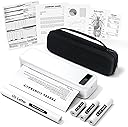
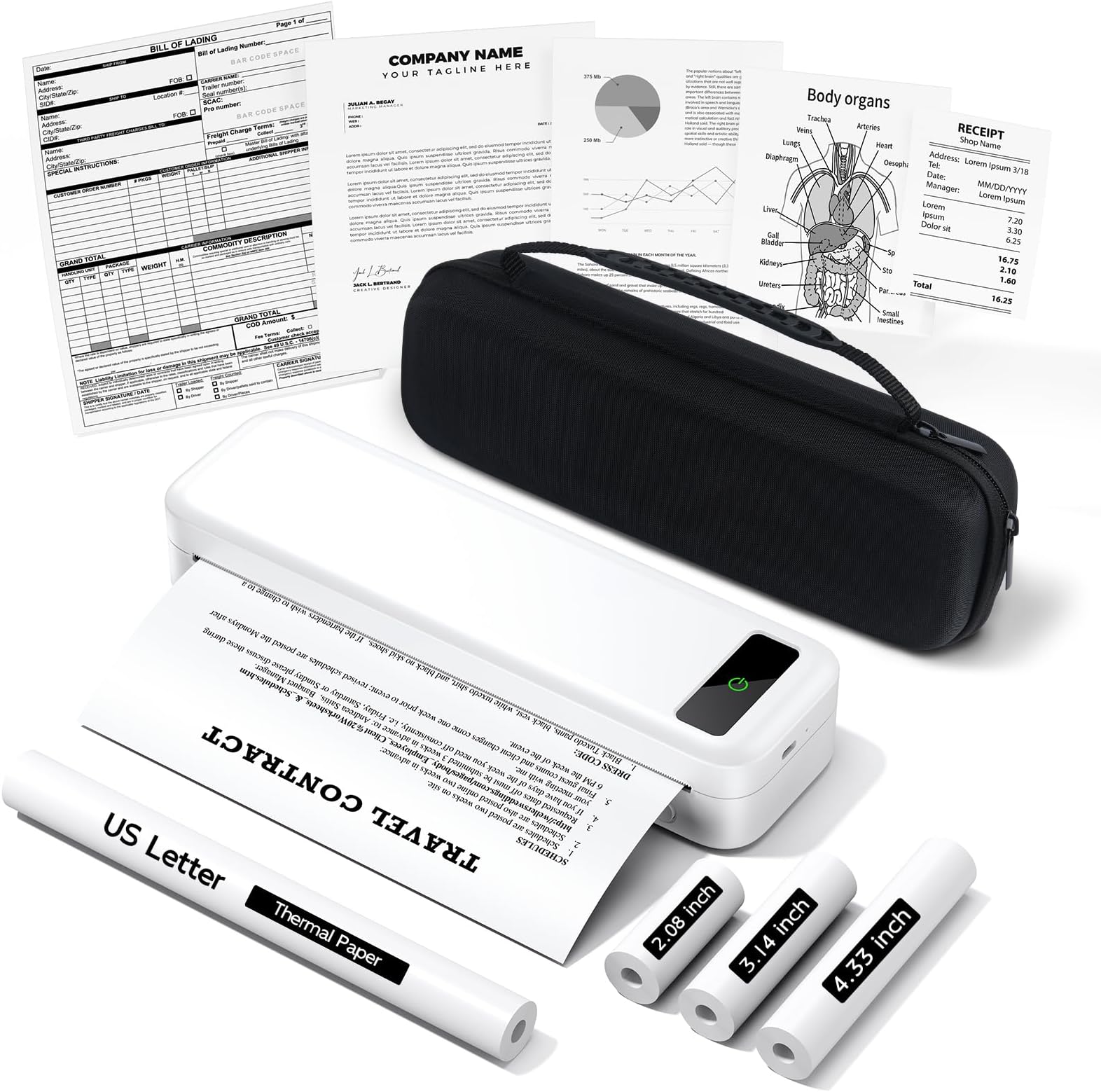
| Built-In Media | 1 Roll US Letter Size Thermal Paper (in the printer paper bin), 1 Roll 4.33'' Width Thermal Paper, 1 Roll 3.14'' Width Thermal Paper, 1 Roll 2.08'' Width Thermal Paper, 1x Carrying Case, 1x Portable Thermal Printer, 1x User Manual, USB-C & USB-A Cable |
| Color | White |
| Compatible Devices | Laptops, PC, Smartphones, Tablets |
| Connectivity Technology | Bluetooth, USB |
| Control Method | App |
| Customer Reviews | 4.0 out of 5 stars 685 Reviews |
| Dual-sided printing | No |
| Duplex | Simplex |
| Hardware Interface | USB Type C |
| Ink Color | black |
| Item Dimensions D x W x H | 10.39"D x 3.07"W x 1.77"H |
| Item Type Name | Multifunction Printer |
| Item Weight | 1.5 Pounds |
| Manufacturer | TATTMUSE |
| Maximum Copy Resolution Black and White | 203 dpi |
| Maximum Copy Speed Black and White | 7 ppm |
| Maximum Media Size | 8.5 x 11 inch |
| Maximum Print Resolution Black and White | 300 dpi |
| Maximum Sheet Capacity | 160 |
| Model Name | A285M-WH-SNH |
| Model Number | A285M |
| Model Series | A285M |
| Other Special Features of the Product | Lightweight, Portable, Portable Printer Kit with Carrying Case, Rechargeable Battery, Inkless Thermal Printer, Wireless Bluetooth Printer, Travel Printer, Compatible with Phone & Laptop, Receipt Printer |
| Output sheet capacity | 160 |
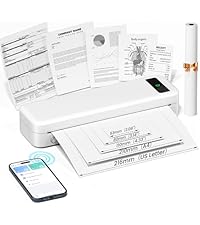
| Paper Size | 8.5“ X 11” US Letter, A4, 4.33'' (110mm), 3.14'' (80mm), 2.08'' (53mm) Inches |
| Print media | Thermal Paper |
| Printer Connectivity Type | Bluetooth, USB |
| Printer Output Type | Monochrome |
| Printer Type | Thermal |
| Printing Technology | Thermal |
| Resolution | 300 x 300 |
| Scanner Type | Portable |
| Special Feature | Lightweight, Portable, Portable Printer Kit with Carrying Case, Rechargeable Battery, Inkless Thermal Printer, Wireless Bluetooth Printer, Travel Printer, Compatible with Phone & Laptop, Receipt Printer Special Feature Lightweight, Portable, Portable Printer Kit with Carrying Case, Rechargeable Battery, Inkless Thermal Printer, Wireless Bluetooth Printer, Travel Printer, Compatible with Phone & Laptop, Receipt Printer See more |
| Specific Uses For Product | portable printers wireless for travel |
| Total Usb Ports | 2 |
| Warranty Description | 1 Year |
| Warranty Type | Limited |
| Wattage | 15 watts |
D**N
A285M Portable Printer
The A285M Portable Printer is highly-rated by me for it’s compact, inkless thermal printer which is designed for travel. The printer weighed only 1.5 lbs. It connects via Bluetooth to mobile devices and USB-C to laptops, supporting A4 and US Letter thermal paper for black-and-white documents. Key benefits include,no ink,toner, or cartridges needed, making it a reliable, low-maintenance, and portable option for on-the-go printing, though it only prints in black and white. This printer is easy to set up, I hooked it up to my IPhone 10. I use it for printing my car insurance info and printing labels for Amazon returns. It’s very useful and reasonably priced.
A**A
Recomendada 100%
I'll give you my opinion so you can get an idea of the printer before purchasing it. Honestly, it's the best thing they could have released. You don't have to worry about ink or cartridges or need to perform maintenance on the printer because something went wrong. Something always happens with a traditional printer. This thermal printer, on the other hand, is wonderful. The print resolution is more than sufficient for everyday use, especially when printing text documents, receipts, contracts, and even web pages or simple images. Keep in mind that, like most thermal printers, it only prints in black and white. But they come out very well. If it's something that doesn't require color, you'll like it, I'm sure of it! It works via Bluetooth with iPhones, Androids, tablets, and iPads, and can be connected to laptops with the included USB cable (although for computers, you'll need to download a driver first). I really like that it supports multiple paper sizes, including full-size US Letter and A4 paper, something many portable models don't support. Additionally, the ability to handle smaller thermal rolls is very useful for things like invoices, shipping labels, or checklists. This little printer more than punches above its weight. It's compact and lightweight, weighing only 1.5 pounds. It's designed with a protective carrying case that makes it easy to transport. It fits perfectly in my backpack and doesn't add much weight. The battery life has been excellent (I've gone several days without charging it, even with regular use), and it charges via USB-C, which is very convenient. I definitely recommend it; I know you'll love it. It's high quality, practical, and prints well, quickly and easily.
M**S
All my prints are pixelated!
Print quality is quite poor! I’m not sure if I have a defective device, but I can’t for the life of me get mine to print the way I see the ones that got it for review. I’ve tried different settings and thicknesses, different paper, cleaning the print head, different fonts…no matter what, the letters come out fuzzy. I’ve used an entire roll trying to troubleshoot. This is a rebranded Phomemo printer by the way. The app sucks, there’s no instructions for troubleshooting this issue. It’s more work than it’s worth.
J**A
Good, except 1 annoyance.
This printer is great for many reasons. Small, easy to use and set up, and a good value. My only complaint is that after you print something, it is rolled up like a scroll. I’ve had to set documents under books in order to flatten them out.
E**N
Great Printer
I really like this little printer. It's the smallest printer I've ever seen and comes with a great carrying case, some rolls of paper, and a USB cable. The only downside is that it's a thermal printer, which I suppose is what allows it to be so small. I didn't care for the paper rolls, so I also also ordered a package of letter sized thermal paper. It prints wirelessly from your phone and setup is easy. To print from a desktop or laptop computer you will need to use the supplied USB cable. I started by printing a random rile containing text from my phone. The result was adequate, but nothing special, and printing was reasonably fast. Then I printed one of my favorite pictures. It came out black and white, of course, but I was really impressed with the result. I had previously printed this picture on an expensive black and white copier which let me compare the results. The picture printed on this little printer actually looked better than the one printed on the expensive copier. That convinced me that the printer was a good deal. I don't know that I will use it a lot, my intention is to have it with or near me as I travel around, ready to print when I have the need. In my opinion the downside of having to use thermal paper is more than offset by the fact that it will never require the purchase of ink, the size, and portability. I can carry it with me and print literally anywhere.
A**.
Portable Thermal Printer – Surprisingly Useful
I picked up the A285M portable thermal printer to use with my iPad, and setup took maybe two minutes — way easier than any traditional printer I’ve dealt with. It connects over Bluetooth or USB, and while it does require an app, the setup was still very quick and painless. It uses thermal paper, so there’s no ink to worry about — which honestly is one of the main reasons I got it. I’ve had too many moments where I needed something printed and the ink was either dried up or gone. The print quality is much better than I expected, both for documents and even basic pictures. It can handle different paper roll sizes as well as thermal labels, which gives it more flexibility than I thought it would have. What surprised me most was how useful it turned out to be in day-to-day situations. A couple of times it really saved me: – I forgot to bring some important papers to the embassy. Instead of rescheduling or making another trip, I just printed them out from my phone on the spot. – Another time, I couldn’t find my insurance card when I got pulled over. I was able to pull it up on my phone and print a copy right there in the car. That probably saved me a ticket. I also use it for more routine things like shopping lists, shipping labels, and boarding passes. It fits right in my backpack and doesn’t add much weight. The battery life has been excellent — I’ve gone several days between charges even with regular use — and it charges by USB-C, which is convenient. It even came with a solid hard-shell case, which makes it feel well-protected. I didn’t expect to carry it around as much as I do, but it’s come in handy enough times that I usually keep it with me now.
R**T
A portable printer suited for a range of applications
Overall Impression - The printer comes with a case containing all the included accessories: USB-A data and charging cable, USB-C adapter, and three continuous thermal paper rolls (53, 80, and 110 mm widths). A Letter paper roll is pre-loaded. - It also supports A4 paper rolls, single sheets of Letter and A4 thermal paper, and continuous thermal label rolls. Pre-cut label rolls are not supported. - A single touch button controls the printer: long press to turn it on and off, double press for technical info and a QR code to help pair with the mobile app. Single-sheet paper is auto-fed when inserted through the rear slot. Manual feeding is not available. - Paper size is selectable in the mobile app or PC Print dialog. Replacing the paper with a different size requires adjusting the paper holders in the printer paper compartment. - For Letter or A4 sizes, the printer outputs the full paper length regardless of the printed content. For other sizes, output length matches the printed content length. - The 110 mm paper roll can be used to print 4" x 6" shipping labels. The smaller paper rolls are useful for sticky notes. - The printer is compact and rechargeable. A 5V 2A USB-A charger should be used. A PD USB-C charger didn't work for me. Using the Mobile App - Pairing the printer with the mobile app via Bluetooth is straightforward, following the in-app setup instructions. Once paired, you can select the paper size. - The app supports printing pictures and documents by either opening them within the app or sharing them from other apps. Editing, resizing and layout adjustment are available. - Depending on the paper size, additional features include image and document scanning with OCR using the phone's camera, creating notes using templates or from scratch with text and graphics from the in-app graphics gallery, printing websites and banners. Created notes can be saved to the phone. - While some advanced features, such as AI-assisted document and picture editing, and premium graphics, require a subscription, the app is fully functional for most applications without the need for a subscription. Using with PC - The printer can be connected to a PC using a USB-A port or with a USB-A hub. Direct connection via a USB-C to C cable or the supplied USB-C adapter didn't work for me. Once connected, it's important to follow the Quick Start Guide instructions for driver installation. - Once set up, you can print pictures and documents as you normally do by selecting Print (Ctrl+P) from the menu of your program. The Print dialog opens where paper size and other printing options can be chosen.
R**P
Wireless Printer
Does Not Work At All, Very Disappointed
ترست بايلوت
منذ شهر
منذ شهر