


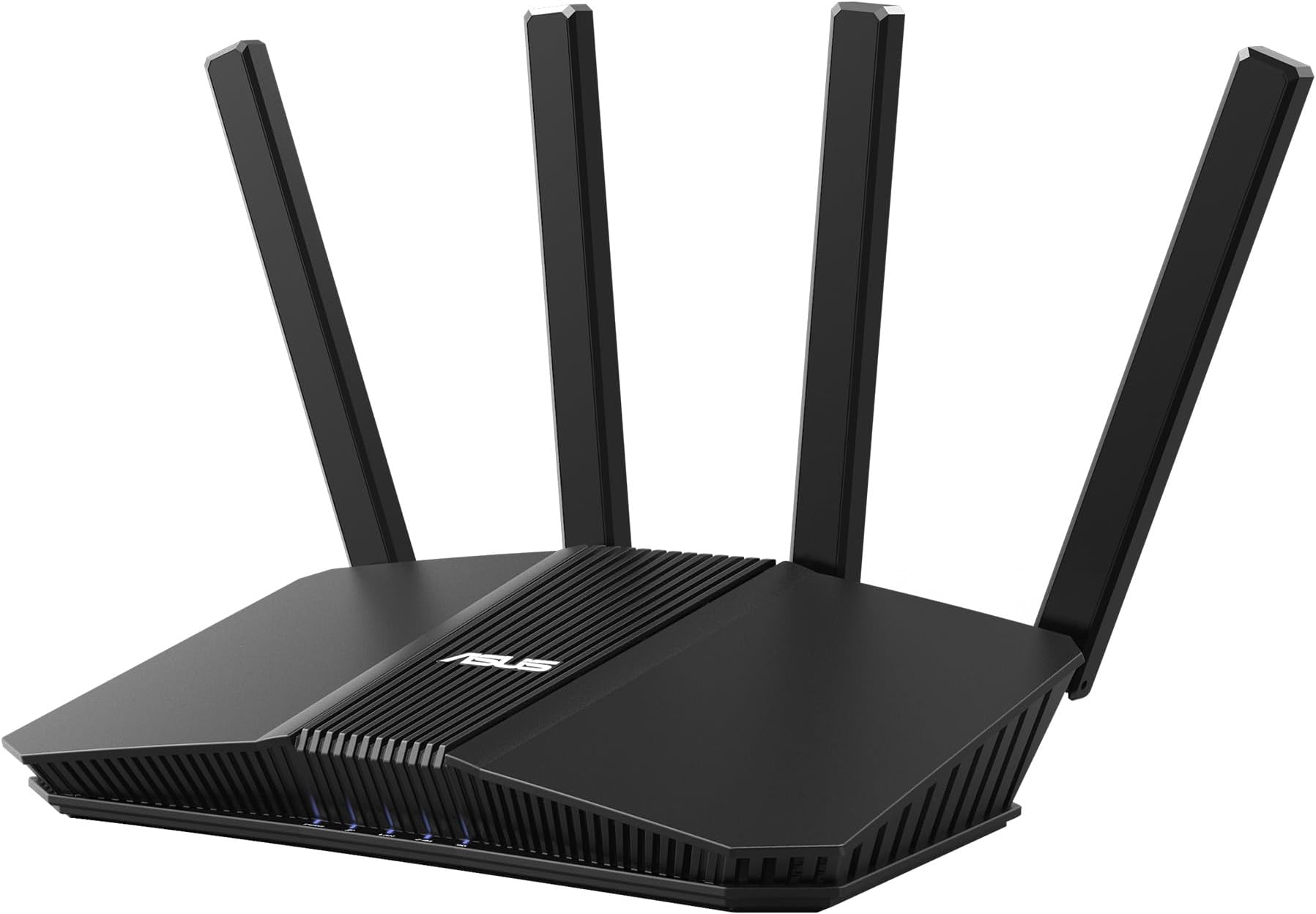
🚀 Elevate your network game with ASUS RT-BE58U — where speed meets smart security!
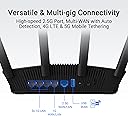
The ASUS RT-BE58U is a cutting-edge WiFi 7 dual-band router delivering up to 3600 Mbps with 4096-QAM and 160 MHz bandwidth. Featuring Multi-Link Operation for stable multi-band connectivity, versatile WAN options including 4G/5G USB backup, and commercial-grade AiProtection Pro security, it’s designed for seamless smart home and professional use. Compact and powerful, it supports up to three SSIDs and advanced parental controls, making it ideal for high-demand environments.





| ASIN | B0DHWBS9G6 |
| Antenna Location | Business, Commercial, Home, House, Video Games |
| Antenna Type | Internal |
| Box Contents | Power Adapter, Quick Start Guide, Quick Start Guide 1 x user manual (English language not guaranteed)., RJ-45 Cable, RT-BE58U Gaming Router, Warranty Card, power adapter |
| Brand | ASUS |
| Brand Name | ASUS |
| Colour | Black |
| Compatible Devices | Personal Computer |
| Connectivity Technology | Bluetooth, Wi-Fi |
| Control Method | App |
| Controller Type | Web interface, mobile application control, command line interface |
| Coverage | 185 m² |
| Customer Reviews | 4.1 out of 5 stars 585 Reviews |
| Data Transfer Rate | 2882 Megabits Per Second |
| Frequency | 160 MHz |
| Frequency Band Class | Dual-Band |
| Item Dimensions L x W x H | 19.3L x 5.8W x 23.8H Centimeters |
| Item Weight Unit of Measure | 458 g |
| LAN Port Bandwidth | 3600 Mbps |
| Manufacturer | ASUS |
| Manufacturer Part Number | RT-BE58U |
| Maximum Upstream Data Transfer Rate | 2882 Megabits Per Second |
| Model Name | RT-BE58U |
| Model Number | RT-BE58U |
| Number of Antennas | 4 |
| Number of Ports | 5 |
| Operating System | Linux-based |
| Other Special Features of the Product | Alexa Compatible, Bandwidth: 160 MHz, Compatible with Alexa, Internet Security, VPN, AiProtection |
| Security Protocol | Supports WPS, WPA/WPA2/WPA3-Personal, WPA/WPA2-Enterprise |
| Special Feature | Alexa Compatible, Bandwidth: 160 MHz, Compatible with Alexa, Internet Security, VPN , AiProtection |
| UPC | 197105452916 |
| Wireless Communication Standard | 802.11.be |
| Wireless Compability | 802.11.be |
W**H
Mesh capable
Good router, Fast, good app, IoT and Guest networks, Mesh, WPA2 and WPA3.
J**M
REALLY Worth it....BUT perfection takes a while!
My purchase was ASUS RT-AX 18005 - which I meshed with my main router (RT-AC86U). Setup of AIMesh was relatively easy/automated (requires that the two routers be temporarily close together for optimum signal strength between them). Finding an optimum final location and antenna "spread" for the mesh node is VERY complicated (mine was a top floor router to basement node location)....It took a LOT of postioning experiments (suspended between rafters in my unfinished basement furnace area) to ensure the wireless link (5 ghz only) was at near maximum signal level between the two routers....I feel the 5ghz link between devices MUST be near maximized (in my opinion) for the node to be an attractive alternative router for my multiple Wifi devices. Finding optimum signal took a LOT of "find-AIMesh-node" button presses (on Network Map Page) after each new positioning of the node! Sometimes the node would never be found...and sometimes it was, but with only one or two "bars" of signal. In my opinion THREE bars is minimum to proceed. The following Wireless Settings (Wireless menu) in my main router were pivotal to the success of my installation: 1. SWITCH OFF SMART CONNECT.....its not very smart when it comes to mesh nodes and tends to grab and hold onto all the wifi clients....KILL IT! 2. In the Wireless Professional menu - change "Roaming Assistant" setting from typical -70 dbm to -50 dbm. This will create an environment where your Wifi devices will be encouraged to search for a better signal. 3. This was the hardest part (assuming the new node was "found" after location changes and searching)....wait at least 15 minutes between locations and/or modifying antenna positions before deciding to move or stay from the node location. Patience is not one of my personality traits....but....I swear it takes at least 15 minutes for the node and main router to settle in and agree to this whole network sharing idea. Eventually with dogged persistence (and 2+ hours) I found the "goldilocks zone" for the mesh node, my network now shares the load almost 50/50. 10 devices typically use the main router and 8 devices typically use the node (cell phones move back and forth seamlessly). Plus a couple of lower level devices switched from 2.4ghz to 5ghz (a speed boost for sure). And the signal levels to my outside security cameras got a significant boost! Of course, your mileage may vary....but I am INCREDIBLY happy with how this whole mesh node thing worked out!
C**R
Great Service
Good quality product with fast turnaround time from the supplier and Amazon.
M**N
أداء فوق الممتاز و تغطيه واسعة النطاق
افضل جهاز راوتر منزل اشتريته الحمدلله، مدى ممتاز و تغطيه رائعة، أداء متفوق على أجهزة اعلى منه مستوى و سعر،، انصح به بشدة
J**Y
AiMesh system
Adding this to an existing ASUS Rapture WiFi 6 system to use as a range booster. The setup was easy to make the router act as a node. Great system, extended my network and I have fast speeds. Currently around 400mbps download on WiFi. Highly recommend this system.
Trustpilot
2 weeks ago
2 weeks ago