

🤖 Build, code, and control the future—one epic robot at a time!
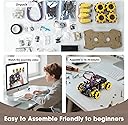
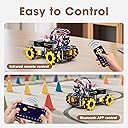
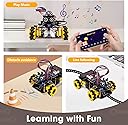
The ACEBOTT Robot Kit is a versatile STEM toy for kids aged 8-16, featuring an ESP32 controller, Arduino & Scratch compatibility, and 360° Mecanum wheels. It offers hands-on learning through 16 tutorials, dual remote/app control, and expandable modules, making it an ideal gift for budding engineers eager to develop coding, robotics, and problem-solving skills.





| ASIN | B0F886WQXX |
| Age Range Description | Kid |
| Battery Description | Replaceable Batteries |
| Best Sellers Rank | #99,691 in Toys & Games ( See Top 100 in Toys & Games ) #143 in Remote- & App-Controlled Robots |
| Brand Name | ACEBOTT |
| Customer Reviews | 4.0 4.0 out of 5 stars (31) |
| Educational Objective | Coding Skills, Imagination Development, Logical Thinking, Problem Solving Skills, Programming Skills, STEM |
| Included Components | smart robot car kit |
| Is Assembly Required | Yes |
| Item Dimensions | 7.48 x 5.12 x 2.36 inches |
| Item Weight | 0.89 Pounds |
| Manufacturer | Shen zhen shi ai si bo ke ji you xian gong si |
| Manufacturer Minimum Age (MONTHS) | 144 |
| Manufacturer Part Number | QD001 |
| Material Type | Plastic |
| Model Number | QD001 |
| Size | 7 x 9 x 2.5 inches |
| Theme | Vehicle |
V**Y
Fun, Educational, and Easy to Use
Fun and educational robot kit! My kids loved building and controlling it with the remote and app. Great introduction to STEM, coding, and robotics. Well-made and engaging perfect for ages 8-16!
G**N
Bored my STEM focused nephew due to subpar instructions
I have a nephew in the middle of the reported age range of this product. He's a bit of an engineering prodigy and has won some local STEM awards, including college scholarships, which is awesome for his age. As a practicing engineer myself, I'm very proud of him and try to encourage his advancement in this area as much as I can so picked up this kit to work on with him. We spent a couple of hours on this project, primarily him working on it with my supervision. The instructions are all online so I printed them out for him to have access. While I appreciate the design and concepts behind it all, I personally found the instructions to be a bit lacking in places, being unclear on exactly how things fit together during the mechanical construction. At this point, we haven't gotten to programming yet but even though this type of thing is exactly up my nephew's alley, he became bored with project relatively early on and abandoned it. The impression I got was that it was primarily due to the instructions as a couple of times, he'd put something together only to find out he had it backwards or something and need to re-assemble. I ended up finishing the mechanical assembly myself. Though I earned a degree in engineering many years ago, I found there were a couple of places myself that required some thought into how things were to be constructed. I didn't have any big issues, but I could certainly see where someone less experienced would be frustrated with the kit. Personally, I love the design and all the things you can do with it. I just wish that for the advertised age range, things were a bit simpler to construct. Having connectors or screw holes that can only be done one way, that sort of thing. Or possibly outline some tests along the way, building things up module by module, as is good engineering practice anyway. Either that, or increase the advertised age. We haven't worked through any of the software development yet. I'm hoping that with the graphical nature of the programming, my nephew will stay better engaged and we can still use it as a learning tool for that. I'm a little torn on scoring the stars on this one. I love the product but with it boring my nephew, who is the exact target of this product, I've got to take something away.
B**S
A bit of a challenge/Enjoyable
I bought this for my husband. He enjoyed building it. It’s a bit more sophisticated than 8-12 year old children. Directions are not super clear. Programming for this robot would not work on Windows but does on a Mac. I would buy again.
J**A
Muy ingenioso
P**T
Car won’t connect
My son was able to put the car together following a YouTube video (slowing down the playback so he could follow along better). Once he got the car put together and placed the batteries in it it doesn’t seem to broadcast a WiFi signal or Bluetooth signal to connect the car to an iPad or computer. It is very frustrating and there doesn’t appear to be any troubleshooting for how to get it to broadcast either.
C**S
ACEBOTT robo car
Cool kit with everything you need to build a basic robot car. My main complaint is that they use an oddball set of batteries (18650) instead of the more common AA or AAA.
S**R
Very cool, fun, and educational
I'm a kid in my 50's and thoroughly loved this. My dad brought home an Apple ][+ computer when I was 12 years old and I become obsessed. It turned in a 40+ year career for me. I think all kids should be exposed to a few STEM projects - you never know what might trigger a lifelong passion or career. Worst case, your kid is not interested and you are out a few bucks. I had never heard of the company ACEBOTT, but I would suggest taking a look at their website. They are really trying to bring robotics and programming to the young masses. They have great products, software, tutorials, videos, and education programs for schools. This is actually my second ACEBOTT kit. My first was a combo package of this Smart Robot Car (QD001) plus the Robot Arm Expansion Pack (QD007). Honestly, I found this robot car to be the most fun to build and use, so I would start here. You can always buy the expansion packs separately if you want to continue with more. This second car was built by my son so we can do battles and stuff. This kit is really fun to build. We spent about 2 hours for the first time through and a little less for the second build. They have Lego-like instructions on their website as well as instructional videos on YouTube. Once assembled, you can freely program them to do whatever you want. ACEBOTT has their own program call ACECode, but you can also use other programs such as the Arduino IDE or Microsoft MakeCode. The ACECode software is a great place to start, and it includes a bunch of sample apps to get your robot going right away. The ACECode program is great for newbies. You can use their drag-and-drop "blocky" interface to build apps with little knowledge about programming languages. However, there is a window on the side that shows the resulting underlining C code or Python code that is being built as you drag the building blocks around. It's a brilliant way to teach programming - over time, users can start making changes directly to the C or Python code. As for ages, ACEBOTT recommends 16+. That seems about right, but I would definitely say younger kids could grasp this if they seem STEM minded (or have help from STEM minded parents/siblings). I think the fear is that you don't want to push kids away from STEM if they are too young and get frustrated.
ترست بايلوت
منذ شهر
منذ 3 أسابيع