We remain fully operational. Our teams are working around the clock to ensure your deliveries continue safely.

قم بتنزيل التطبيق


معلومات عنا
حقوق الطبع والنشر © 2024 Desertcart Holdings Limited
قم بتنزيل التطبيق
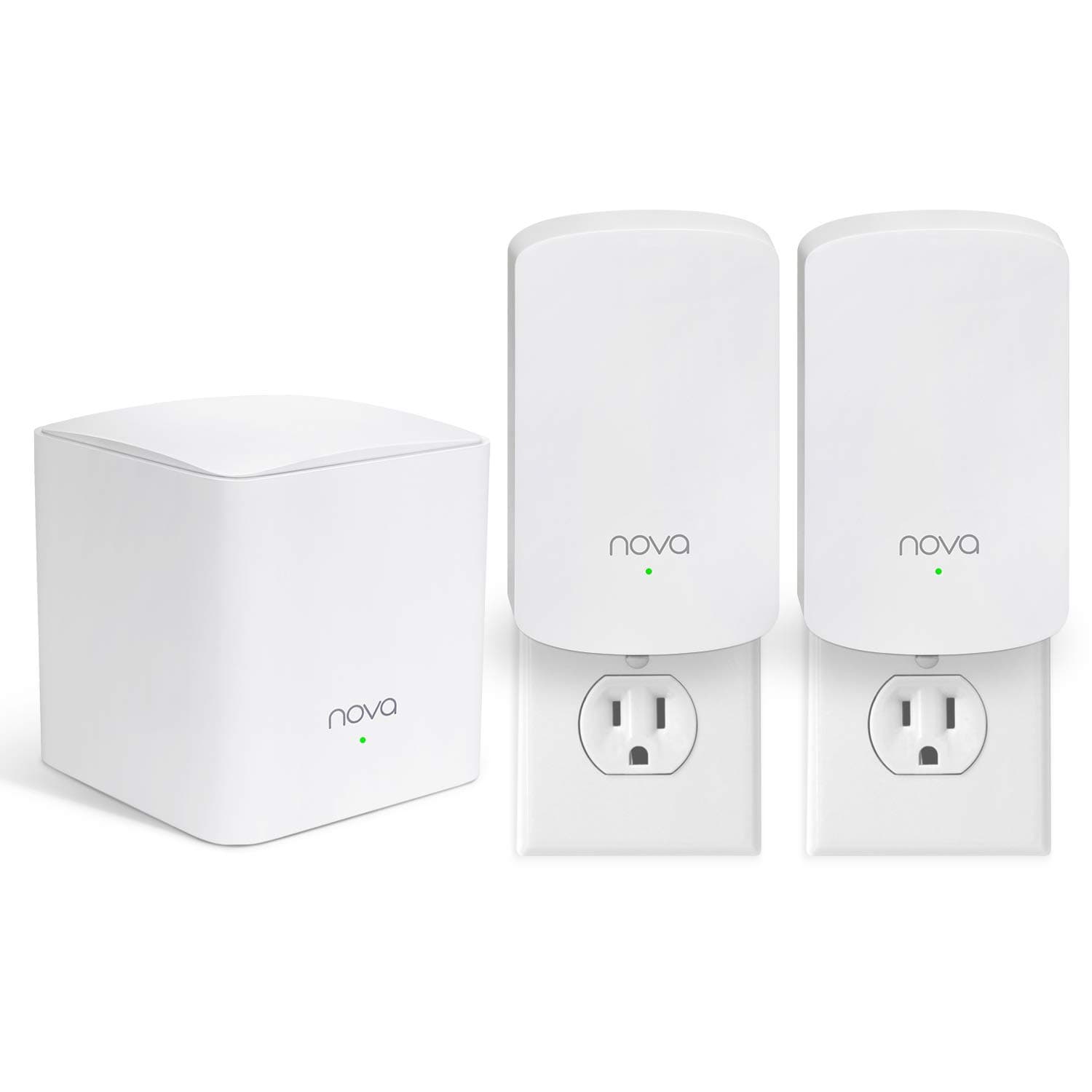
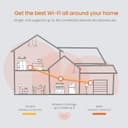


🚀 Elevate Your Wi-Fi Game!
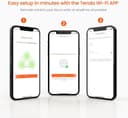
The Tenda Nova Mesh WiFi System MW5 is a powerful AC1200 whole home mesh network solution that covers up to 3,500 sq.ft. It supports seamless roaming for up to 60 devices, ensuring a stable and fast internet connection throughout your home. With robust security features and easy setup via the Tenda Wi-Fi APP, this system is designed for modern households seeking reliable connectivity.


| ASIN | B07GNG6F5J |
| Antenna Location | Indoor |
| Antenna Type | Internal |
| Best Sellers Rank | #62,194 in Computers & Accessories ( See Top 100 in Computers & Accessories ) #575 in Whole Home & Mesh Wi-Fi Systems |
| Brand | Tenda |
| Built-In Media | 1 Gigabit Ethernet Cable, 3 Power Adapters, Nova MW5 3 Identical Mesh Points, Quick Install Guide |
| Color | White |
| Compatible Devices | Smartphone, Personal Computer, Security Camera, Smart Television, Tablet, Printer, Gaming Console |
| Connectivity Protocol | wi-fi |
| Connectivity Technology | Ethernet, Wi-Fi |
| Control Method | Voice |
| Controller Type | google_assistant |
| Coverage | up to 3500 square feet |
| Customer Reviews | 4.2 4.2 out of 5 stars (1,705) |
| Data Transfer Rate | 1200 Megabits Per Second |
| Frequency | 2.4 GHz |
| Frequency Band Class | Dual-Band |
| Global Trade Identification Number | 00885397271611, 06932849427974 |
| Is Modem Compatible | No |
| Item Type Name | Mesh Wifi System |
| Item Weight | 555 Grams |
| LAN Port Bandwidth | 1 Gbps |
| Manufacturer | Tenda |
| Maximum Upstream Data Transfer Rate | 1200 Megabits Per Second |
| Mfr Part Number | MW5 3PK |
| Model Name | MW5 3PK |
| Model Number | MW5 3PK |
| Number of Ports | 4 |
| Operating System | Tenda OS |
| Other Special Features of the Product | Guest Mode |
| Security Protocol | WPA2-PSK |
| Smart Home Compatibility | Smart Home Compatible |
| UPC | 885397271611 |
| Unit Count | 1.0 Count |
| Voltage | 100240 Volts |
| Warranty Description | 3-year warranty |
| Wi-Fi Generation | Wi-Fi 5 |
| Wireless Compability | 802.11ac |
J**N
Easy to setup, easy to use
Reviewing the Tenda MW5 3-pack: Compared to the D-Link router + extender setup that I was using this system is futuristic. You plug in the primary unit, then the secondaries, and it just works. Install the app, change the network name and password, maybe rename some devices, and you're golden. There are some other bells and whistles but at this pricepoint just feel lucky they included them even if they're not perfect. If your devices are too quick to connect to the wrong unit before you get everthing situated, just turn the device off then back on and it will find the optimal unit. The App is actually pretty neat and I like how it gives you connectivity details about each connected device, including real-time transfer speeds. I'd still prefer a browser-based option for accessing settings but the App seems to be working fine. Am I right that I can't access settings from a computer though, just a mobile device? That does seem limiting. I also turned off the QoS and Fast Roaming settings as I think they add unnecessary complication. My family is nowhere close to ever using the 100Mbps we have available, let's be realistic. Good enough for me.
B**D
Much better than the range extenders
This unit setup was easy and my wifi signal is at the highest point anywhere in the house and also out in the garage, I had the plugin range extenders and they helped, but this system does so much better. The price is more than fair on this unit and preformance is much better than i would have expected. If your looking for a low cost mesh system for your home, try this unit
T**U
WPA instead of WPA2. Security issue!
Update Nov 2022: I unplugged and plugged back both my modem and mesh router and then placed the secondary nodes closer to the main node in order to connect them. Left them for a little while and then moved the secondary nodes back to where I need them. This seems to have fixed the connection issue. I did this back in June after I wrote secondary update. Haven't had issue since. Customer service did respond faster after my second email, but was unable to assist in getting me WPA2. I'm just dealing with it for now and taking security measures elsewhere (strong passwords, 2-step verification, anti-virus). Putting back 1 one star. Update May 2022: my secondary novas have stopped connecting to the main node. I just bumped up my internet speed and I don't know if that had something to do with it. Maybe the secondary novas can't handle the download speed? Can't find anything to confirm this. I just emailed them letting them know of my issue. I actually emailed them weeks ago to ask how to set the tenda router to WPA2 security since it automatically set it to WPA and I can't find a way to change this anywhere in the app. They advertise WPA2 in their description, but you don't actually get it. I didn't know of this until recently. Well, I finally got an email response from them 2 days ago and they asked for model number. We will see how long it takes to resolve this. Not great customer service. Because of these issues, I am taking away 2 stars. Original review May 2019: I was hesitant to buy this system because it was so inexpensive compared to the top rated ones. I have Xfinity in a 2 story, 4 bedroom house and was constantly losing connection to the internet no matter where I was in the house. Some parts of the house was worse than others. So I decided to upgrade my router and found out about mesh wifi. I read a lot of articles and did lots of comparing before deciding on this Tenda Nova system. I like that it has only 1 corded node, which is the main one that gets hooked up to the modem. The secondary nodes are plugged right into the outlet so I have have no unsightly cords. Plus, the areas that I placed the secondary nodes are hallways so they would have been sticking out like sore thumbs if I bought the pack where all three nodes looked like the main node. I have had great internet connection everywhere in the house since installing this system. The setup through the app was incredibly simple and it's great to be able to see all the devices that are connected. The app even does a bit of troubleshooting for you if something goes wrong. Like the other day, I suddenly lost connection so I tried to restart my modem first and nothing happened. So I went into the Tenda wifi app and it told me that the WAN cord was disconnected. Sure enough, it was loose on the modem. I just pushed it back in and we were back in business. Buy this! You won't regret it!
S**D
Great Value
Have a 3 level 3,500 sq ft house that's L shaped with garage taking up empty space and decided it was time to upgrade from single router approach. After trying multiple different router placements and trying a repeater always had areas where it was difficult getting a strong signal to in house so decided to try a mesh system. This was the first unit I tried and decided if it didn't work then I'm out a little less than a hundred dollars and I'd just go back to old router until trying something else. When I received it and unboxed it, I was honestly underwhelmed. How can something so small and so light do what I expected it to do. The 3 units are quite small, very light, and look presentable but don't feel like they're anything substantial. I say this because I'm used to wifi routers being somewhat large. In any case, I downloaded the app, hooked up the unit to modem and power, powered it, fired up the app and within 5 minutes, this router was up and running. Standing next to primary unit, I was pulling down 250Mpbs on my phone, which is about what I pull down when wired directly to modem on my laptop. First impressions kind of blew me away. With old router (which was also rated an AC1200) I would get maybe 100Mpbs standing next to it on 5 Ghtz. Plugging in the 2 "satellite" wall plug units required no configuration. Just plug it in, make sure you get a green light and you're good. In app, I could see all units were associated with each other and "talking". I now have a strong signal in every corner of the house. The app is simple, but does what it needs to. I can easily see at quick glance who's connected, what node they're connected to, how much data they're pulling, etc. Other reviews have stated that they're a bit lacking in options/functionality. That is true. There's no DMZ config, no IP reservations, etc, but for this price point and its purpose I think it does an excellent job at what it's trying to be. This was up 100% and running within 5-10 minutes of unboxing. That's pretty incredible, I think, coming from setting up wireless networks in the past. The only gripe I have is that sometimes you'll see in app that devices are connected to a certain node while another node would seemingly make more sense (this is after turning on fast roaming as well) or a device will be using 2.4Ghtz when there's no reason it shouldn't be using 5Ghtz, but these are minor gripes in my opinion for what you get at this price point. Solid 4.5/5 rounded to 5/5 for me.
G**A
Este producto cumplió con todas mis expectativas, me resolvió el problema de señal en el segundo piso y es súper fácil de instalar. Lo recomiendo 100%
P**Z
Easy to set-up. Love how it just plugs into the wall, no wires hanging out. Works great for me, I get solid wifi on every floor.
M**Z
el producto funciona sin problema, pero no es nuevo, ya venía configurado, es decir, ya estaba usado y se vende como nuevo.. Es desagradable recibir un producto de esa forma esperando algo nuevo
J**R
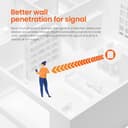
So here's an update to my original post: While these are really decent to extend range for the signal, io encountered a problem when using with my new MacBook m3. Apparently it's an issue with Mac's new models for some reason, had to do with the Hz frequency of something. I don't understand all that jargon, but once I stopped using it and switched back to my original router that has both 2.4hz and 5G, the issue was solved. I was barely getting 1mbps download speeds on my MacBook using these, and once I reverted to the internet providers router, it shot back up to the 50-60's which is what I Pay for. So anyone with M3 MacBooks, beware! I Bought this because my router and modem are at one end of the house and I wasn’t getting a strong signal in the kitchen and barely anything outside due to concrete. This setup is amazing!! I highly recommend it, especially if you have a lot of concrete surrounding your home. The setup was super easy; took a while 15-20 minutes and the signal is super strong and reliable. I’ve never had it drop since I installed this; and the speed tests are always similar and accurate to what I pay for. If you’re on the fence about buying this, just do it! You’ll be for sure satisfied!
M**A
La distancia de conexión es muy corta entre dispositivos
ترست بايلوت
منذ 3 أيام
منذ 3 أسابيع