


🚀 Elevate your rig with LINKUP AVA5 — where speed meets style and future-ready power!
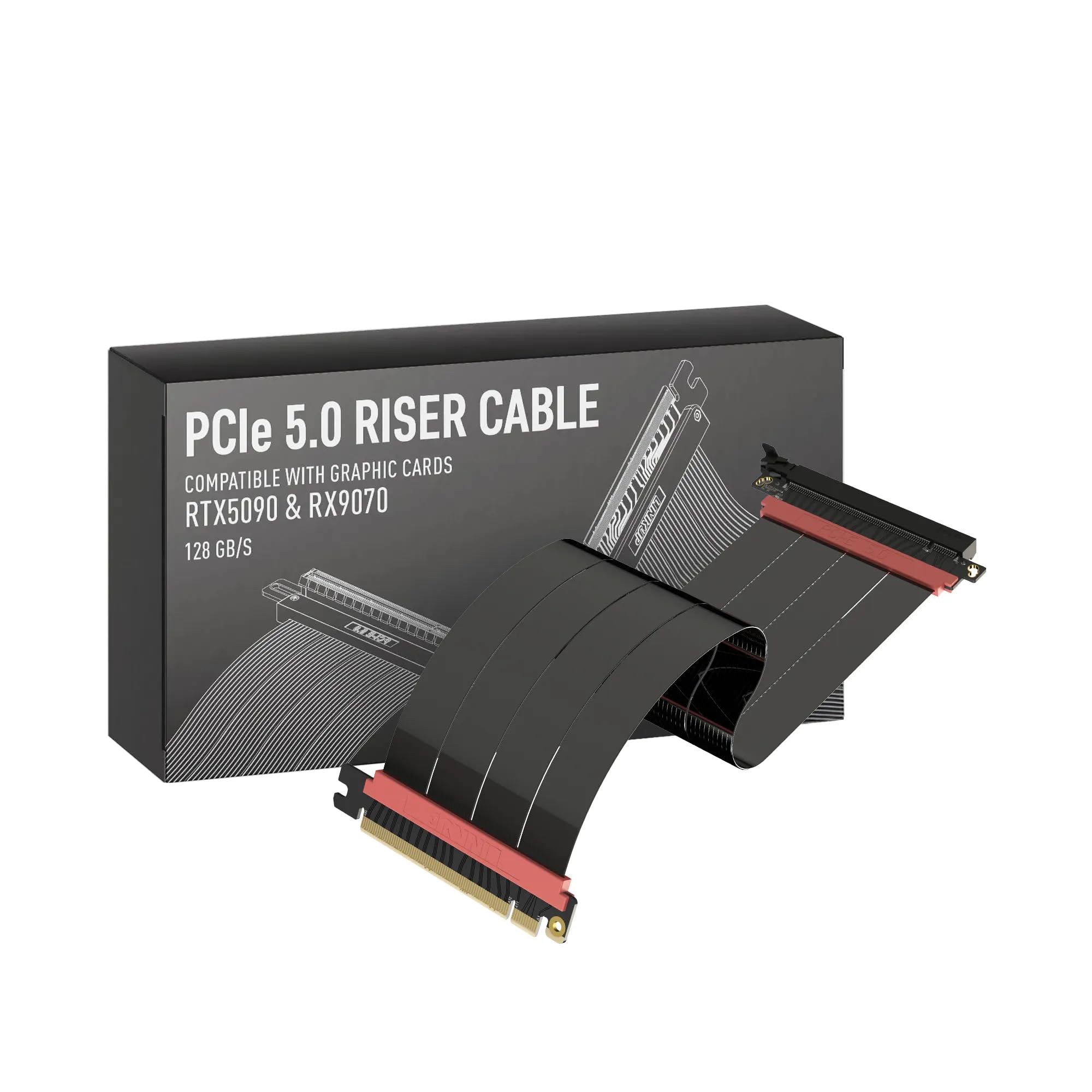
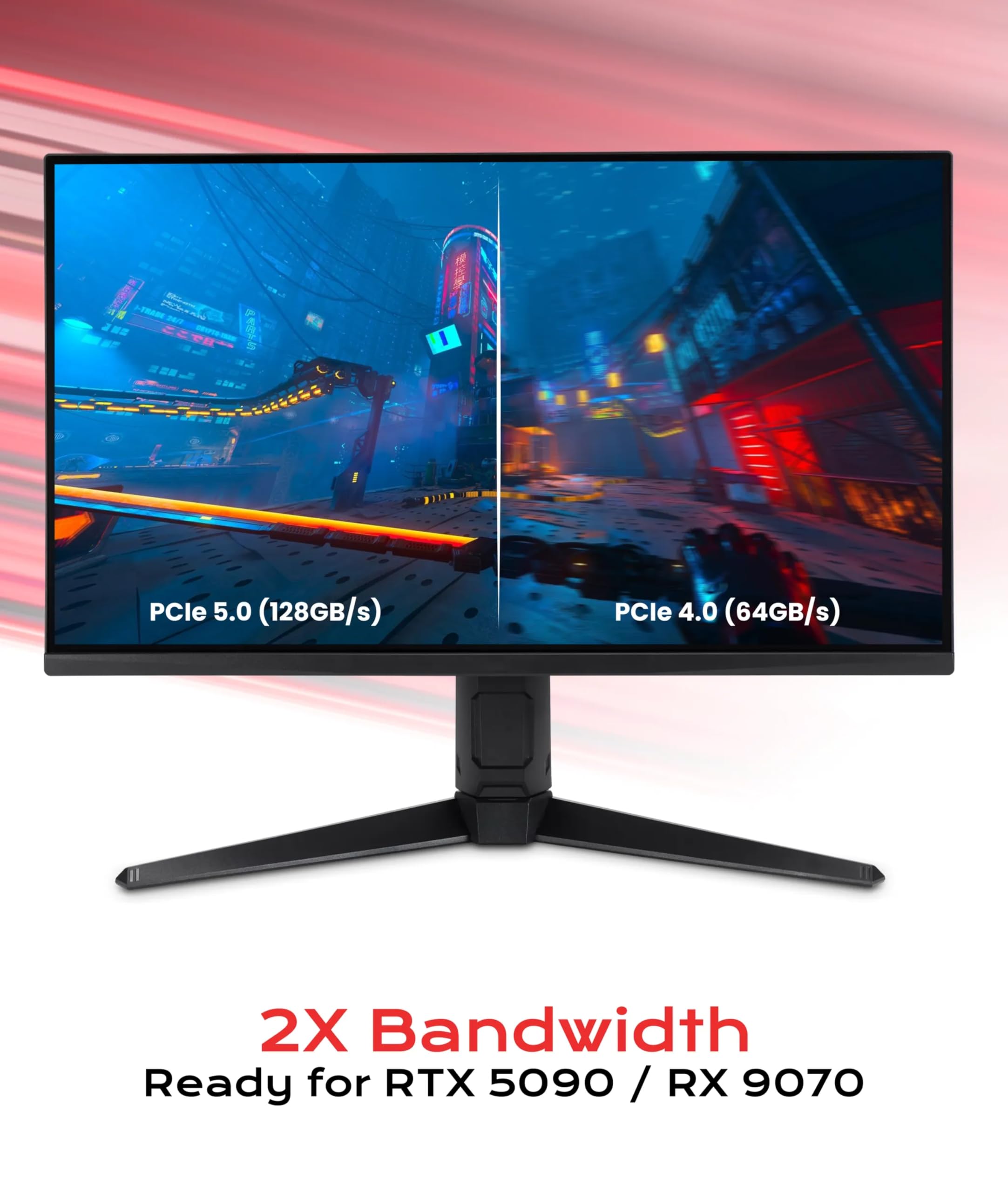
The LINKUP AVA5 PCIe 5.0 riser cable delivers cutting-edge x16 128GB/s bandwidth, compatible with PCIe 4.0 and high-end WRX80/WRX90E motherboards. Designed for vertical GPU mounting, it improves cooling and aesthetics while supporting next-gen GPUs like RTX 5090 Ti. Available in multiple lengths, it’s ideal for gaming, AI, and industrial setups, backed by American-made quality and responsive customer support.


| ASIN | B0D5F72XTL |
| Amazon Bestseller | #10,123 in Computers ( See Top 100 in Computers ) #26 in Computer Graphics Cards |
| Are Batteries Included | No |
| Brand | LINKUP |
| Color | (black) black |
| Customer Reviews | 4.3 4.3 out of 5 stars (1,093) |
| Date First Available | July 4, 2024 |
| Item Weight | 130 g |
| Item model number | AVA5 |
| Manufacturer | LINKUP Technology Inc. |
| Package Dimensions | 19.7 x 15.3 x 4.1 cm; 130 g |
| Series | LINKUP AVA5 |
C**E
商品説明欄にどのライザーケーブルが手持ちの縦置きスタンドに対応しているか記載されているので、見てから購入することをお勧めします。マザーボードからライザーケーブルのコネクタを抜く際、ケーブルを引っ張るのは止めたほうが良いです。
F**L
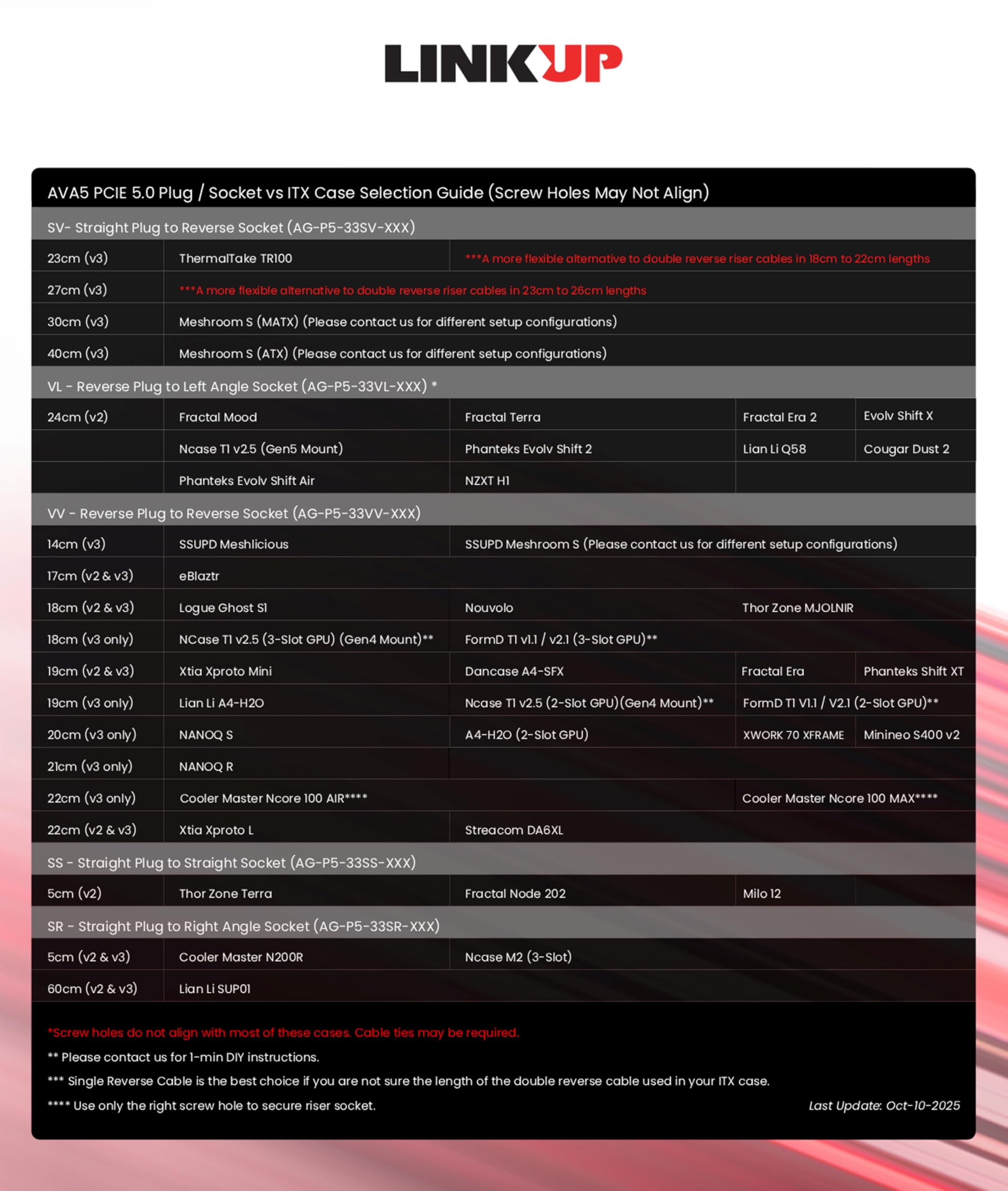
このページの一番下にケースとケーブル長の対応一覧が書いてあります。 全長と(ケーブル長)が分かりにくいのですが、対応一覧より1cm長い方が折り目を着けずに組めると思います。 ちなみに私は対応一覧に気付かず実測して選んだのに短かったです。親切な対応一覧の存在に気づいて欲しい書き込みでした。
ブ**ー
RTX5080が入手できたので何の疑問をもたず以前使っていたPCI4.0のライザーケーブルに接続。 しばらく問題なかったが、音声にノイズ、OSの挙動が不安定に。例のドライバー問題か? とも思ったが、ふとRTX5000シリーズのPCI4.0とPCI5.0接続のベンチマーク動画を思い出し、アマゾンで検索したところ5000シリーズで改善のレビューが! 先人に感謝、安定して動作しています!
盥**盥
品質面では何も問題はないのですが、商品説明の互換性リストに誤りがあります リストだとMidori 5Lには直角20cmとありますが、正しくはデュアルリバース19cmが適正形状になります 該当ケースで検討の方はご注意ください 前述のとおり、品質面では非常に安定した動作をしてくれているので、もう少しサポート部分を頑張ってほしいですね
が**ば
Okinos Aqua 9 ARGのケースにATXマザーボードの組み合わせで付ける際は15センチがいいと思います! 20センチは長すぎた!笑 サポートに質問した際は15センチって回答あったんですけど余裕をもって20センチと思って買いましたら失敗です。 ケーブルが柔らかくて多少長くてもS字でついたのでオッケーでしょ!
雑**物
FractalのTerraに組み込もうとしたがネジ穴などの相性が悪く組み込めなかった。
R**Y
270 度、15 cm を購入。 14700K、msi z790i edge wifi、elza RTX4070ti で一カ月ほど利用しておりますが cpu-z 上では gen4 で正常に認識されております。 各種スコアテストなどで劣化の判定はいたしておりません (最近 xbox cloud gaming をスーパー解像度の恩恵で 4K を何とか見れるように、と利用しているだけですので最初からそこまで綺麗は求めてないです、グラボ 200W とか行ってますけど)。 ケーブルの結構曲げやすく扱いやすいかな、と思いますが、ちょっとやわい気がして心配だったりします。 グラボ側にロック?がなく差し込むだけ (きっちり差し込むのに少し力が必要でした) なのも気になるところではあります。 これでいつか gen5 も認識されることが確認出来たらありがたい商品です。 現状では満足できる商品でした (こわれるあったので耐久性は未確認)。 長尾製作所のオープンフレームを少しいじってマザボの裏にグラボを配置していますので 270度はありがたかったです。 マザボ側もリバース、それとケーブル 10cm があれば最高でした! 2025/4/1 追記 購入から少々たってからとなりますが、ひと月に一回ほどアイドル中に BSOD(Critical Process Died) が発生します。 Dump がとれていなくまったく要因はわかりませんが、こちらに変えてからですから原因の可能性はあると思います。 直刺しで試してないからわからないのですが 3DMARK の PCI Express機能テストが 24G なのはあってるのでしょうか 32G ではなくて? ちょっと怪しいかな、と思いました。
で**し
「DEEPCOOL MORPHEUS WH」に付属のライザーがpcie4.0だったためこちらを購入。シングルチャンバー縦置きブラケットにて、TUF RTX5080に使用しましたが、ちょうどいい長さでした。 問い合せして、未確認だけどこの長さでいけるかもってことで、買い直すことにならなくてよかったです。
D**Y
The specific riser cable i got is the NZXT H1 [23cm]. If you are getting this specific riser cable to replace the 32cm cable from NZXT, then understand that the 23cm length will not work if you route it the same way that NZXT's riser cable is routed. Two of the attached pictures show the incorrect way of mounting the riser cable. In this, I attempted to route the riser behind the GPU then curve the riser cable 270 degrees so that the female end that connects to the GPU meets the PCI-e slot. This results in the riser cable length being too short, where it needs an additional 2-3cm of length to fully socket the GPU and secure it to the chassis. The third picture is the correct way to route the riser cable for the NZXT H1. The riser cable needs to be routed in front of the GPU so that the female end of the riser cable connects to the GPU's PCI-e slot. This route is likely going to block one of of the GPU fans, which restricts air flow and is likely to make your GPU hotter if you are using it for gaming. The GPU I'm using is a Radeon 6700 XT. The venting of heat is at the top of the GPU, facing left in the pictures. The concern I have is that the cooling of the GPU will heat up the riser cable and may cause problems in the future. But this will work for the 23cm length. The 23cm riser cable does technically work, but the only way that the length is compatible, routing in front of the GPU, may cause issues due to restricting air from a fan, and being in the way of heat exhaust from the top of the GPU.
A**Y
First one I ordered wasn't the same brand as advertised and had screw holes located in the wrong spot. 2nd one I ordered was the right brand but came with a broken clip to secure the GPU.
M**Ć
Spełnia swoje zadanie. Kupiłem do obudowy SSUPD Meshlicious, jest na nią minimalnie za długi ale nie jest to żaden problem.
C**S
Works well for my gpu. Very rigid.
I**R
You will be future proof with pcie 5.0 support. Take it and enjoy it
ترست بايلوت
منذ شهر
منذ شهر



