We remain fully operational. Our teams are working around the clock to ensure your deliveries continue safely.

قم بتنزيل التطبيق


معلومات عنا
حقوق الطبع والنشر © 2024 Desertcart Holdings Limited
قم بتنزيل التطبيق
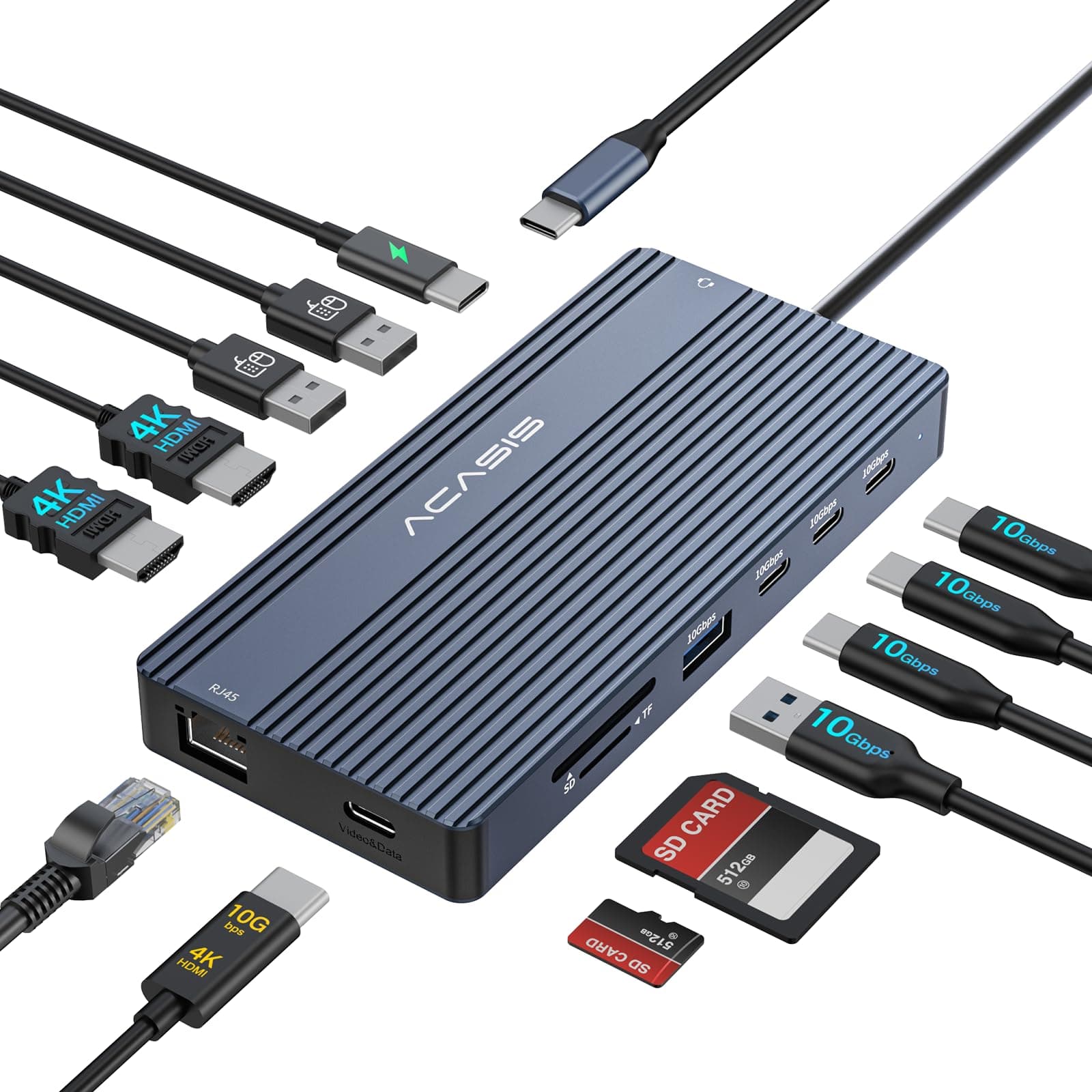
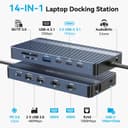
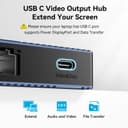
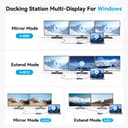
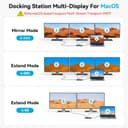
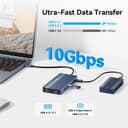
🚀 Unlock your laptop’s full potential with the ultimate 14-in-1 USB-C hub!
The ACASIS 14-in-1 USB-C Hub is a compact yet powerful docking station designed for professionals who demand seamless multitasking. Featuring dual 4K HDMI outputs, ultra-fast 10Gbps USB-C data transfer, gigabit Ethernet, and 100W power delivery, it transforms any compatible laptop into a versatile mobile workstation. Perfect for dual-monitor setups, high-speed data needs, and reliable wired networking, this hub is a must-have for the modern manager on the go.


| ASIN | B0DSW9Z9K3 |
| Best Sellers Rank | #120,789 in Electronics ( See Top 100 in Electronics ) #1,240 in Laptop Docking Stations |
| Brand | ACASIS |
| Color | Gray |
| Compatible Devices | Latitude 7430,Surface Book 3,Razer Blade 15 Advanced,LG UltraPC 17,Samsung Galaxy Book3 Ultra,Acer Swift X 16, ThinkBook 14 G4+ Compatible Devices Latitude 7430,Surface Book 3,Razer Blade 15 Advanced,LG UltraPC 17,Samsung Galaxy Book3 Ultra,Acer Swift X 16, ThinkBook 14 G4+ See more |
| Customer Reviews | 4.2 out of 5 stars 32 Reviews |
| Hardware Interface | HDMI |
| Item Dimensions L x W x H | 5.12"L x 2.4"W x 0.61"H |
| Item Weight | 136 Grams |
| Manufacturer | ACASIS |
| Number of Ports | 14 |
| Product Dimensions | 5.12"L x 2.4"W x 0.61"H |
| Total Number of HDMI Ports | 2 |
| Total USB Ports | 7 |
| Total Usb Ports | 7 |
| Warranty Description | 1 Year |
| Wattage | 100 |
N**A
Works excellently. Works with a 4K monitor + two smaller monitors.
Honestly so happy with this. It gives me full 4K to one monitor, and then I can toss in two other 4:3 monitors (one out of USB-C) with no issues. It doesn't come with its own power supply, but I expect that it's because it expects you to use whatever comes with your device. There's a specific USB-C port for power passthrough, and so far it's worked with my Steam Deck, Switch, and MacBook with no issues.
N**D
A Mighty USB C Docking Station that Packs a Punch!
USB C Docking Station 3 Monitor, 14-in-1 USB C Hub 5 out of 5 stars I'm thoroughly impressed with this USB C docking station, and I'm excited to share my experience with you. Despite its compact size, this hub delivers exceptional performance, making it an ideal companion for my laptop. 14-in-1 Hub with Multiple Connectivity Options: This docking station boasts an impressive array of ports, including: - 2 x HDMI (4K@60Hz) - 5 x USB (10Gbps) - 1 x PD (100W) - 1 x Ethernet - 1 x SD/TF Card Reader - 1 x 3.5mm Audio The sheer number of ports and connectivity options makes this hub an excellent choice for anyone looking to expand their laptop's capabilities. _Performance and Compatibility:_ I've tested this docking station with my MacMini, and it works seamlessly. The hub's performance is impressive, with fast data transfer speeds and stable connectivity. I've also used it with my Dell laptop, and it works flawlessly. _Durable and Compact Design:_ The docking station's compact design makes it easy to take on the go, and its durable construction ensures that it can withstand regular use. _Benefits:_ 1. _Expands Laptop Capabilities:_ This docking station adds multiple ports and connectivity options to your laptop, making it an excellent choice for professionals and creatives. 2. _Fast Data Transfer Speeds:_ The hub's 10Gbps USB ports ensure fast data transfer speeds, making it ideal for transferring large files. 3. _Compact and Portable:_ The docking station's compact design makes it easy to take on the go, perfect for remote work or travel. _Recommendation:_ If you're looking for a reliable and feature-rich USB C docking station, look no further. This 14-in-1 hub is a powerhouse of performance and connectivity, making it an excellent choice for anyone seeking to expand their laptop's capabilities. _Rating:_ 5 out of 5 stars
J**G
High-quality dock with a great I/O combo set
I got this dock to supplement a used ThinkPad I got for programming, to make it easy to swap between mobile and desktop use. It has all the ports I could want for this purpose, particularly dual HDMI and six (!) different USB ports (3 USB-A and 3 USB-C), which is awesome because I do a lot of hardware development work and often run short of USB ports. Ethernet, audio, and the SD card reader are other handy functions, though I haven't needed to use them yet because of what's built into the laptop itself. The network connection is the most likely thing for me to use in the future, since it's definitely going to be faster than the machine's built-in wifi connection. The all-metal construction of the dock feels good, but it's also small and light enough to travel with easily (which I've done twice already). So far, I have zero complaints and would highly recommend it.
I**E
Versatile, Good Design, Power Supply would have been nice
With the right laptop, this is a very good dock. However, I would have thought a power adapter would be included for the price point (which is why I dropped a star off). The number of ports on it is pretty good and should handle most situations for most people. Just make sure that your laptop, or device is rated to handle what it is capable of. Although many USB-C ports look the same, that doesn't mean it can necessarily handle multiple monitors, and multiple devices all at once. Hardware feels good to me. The case is sturdy metal with no flex, so it should hold up pretty well being stuffed into a travel bag. There are no fans, so all heat resonates out from the case. I can get pretty warm, but I wouldn't say hot. Predominently, I have been testing this with a more recent Dell Inspiron laptop and all the ports seem to work well. Do keep in mind that power needs to be supplied depending on the requirements of the connected devices. For me, I really just wanted some extra ports for ethernet, USB-C, and USB-A, and microSD slots. This checks all those boxes for me and makes it pretty convenient to have my display and some other peripherals permanently plugged into. Makes it more convenient to just plop my laptop down and get connected with one cable. Speaking of the cable, I do think the length is appropriate. Not too short that you are struggling to plug everything in and not too long that you have a bunch of extra length to contend with.
A**R
USB-C Video Port Doesn't Work
I received the hub yesterday afternoon. I ordered the 14-1 with 2 HDMI ports and a USB-C video/data port to run my two monitors from my laptop that didn't come with enough ports to support my peripherals. The monitors are new and only support HDMI or USB-C. When I plug the monitor into the USB-C Video/Data port, my monitor says there is no signal. When I plug the same cable directly into my computer, it works. All the other ports seem to work, but I specifically purchased this for the USB-C Video capability. Additionally, the hub came with an instruction booklet for the 6 to 1 Hub. Also, not that I would, but you can buy the same product from the company directly for quite a bit less money than what I paid on amazon. Just a little FYI. I will be returning the product for a refund and going with a name brand hub, something I should have done in the first place.
D**G
It works
This is a rather generic, but decent hub. I've bought dozens of them over the years, and they all share a common trait - you either get a doa dud, or it will work indefinitely. Mine works just fine, chances are, yours will too. I would strongly advise not to overload it to the gills, like in the pic. But plug your daily peripherals in it, and you'll have a single point connection with your laptop
B**S
Works with newer items
I can't fault this for not working with my surface pro tablet, 5th generation. It is quite old and there is no USB-C port on it. However, I have tested this out with my phone, and it works flawlessly. I'm able to hook my phone up to 2 external monitors and expand USB-C port to different style USB ports while still having my USB-C available since they also added that in. It has a power delivery port (PD) to be able to still charge the phone or charge other devices off the phone. Although, it doesn't work for the intended purposes that I was wanting, it's still a great little compact device to use with your phone or other devices that allows video/data transfer.
A**8
Solid metal, plenty of ports, compact
Pros: Metal construction Cable from dock is also design for high power/speed. Plenty of ports both USB2 and USB3 Cons: None Overall: I give this product a 5 out of 5. Solid metal construction, yet sleek enough to be able to carry. There are plenty of ports. The docking station has both an USB 2.0 and USB 3.0 hubs. This is nice, as not all USB 2.0 devices like being plugin an USB 3.0 port. This is great flexibility. Unit is compact enough to keep in your laptop bag. I tried the HDMI port on the docking with my laptop and I couldn't get it to work. Most likely because the USB3.0 ports on my laptop doesn't support HDMI. With my tablet, no issues, I could connect my external monitor to the docking station and the external display was reconginize. This is a very nice docking station regardless if you are using it for your desk or on the go. Remember that you need a PD charger. Most devices with USB-C ports don't have the power needed for the docking station.
ترست بايلوت
منذ يومين
منذ شهر