We remain fully operational. Our teams are working around the clock to ensure your deliveries continue safely.

قم بتنزيل التطبيق


معلومات عنا
حقوق الطبع والنشر © 2024 Desertcart Holdings Limited
قم بتنزيل التطبيق
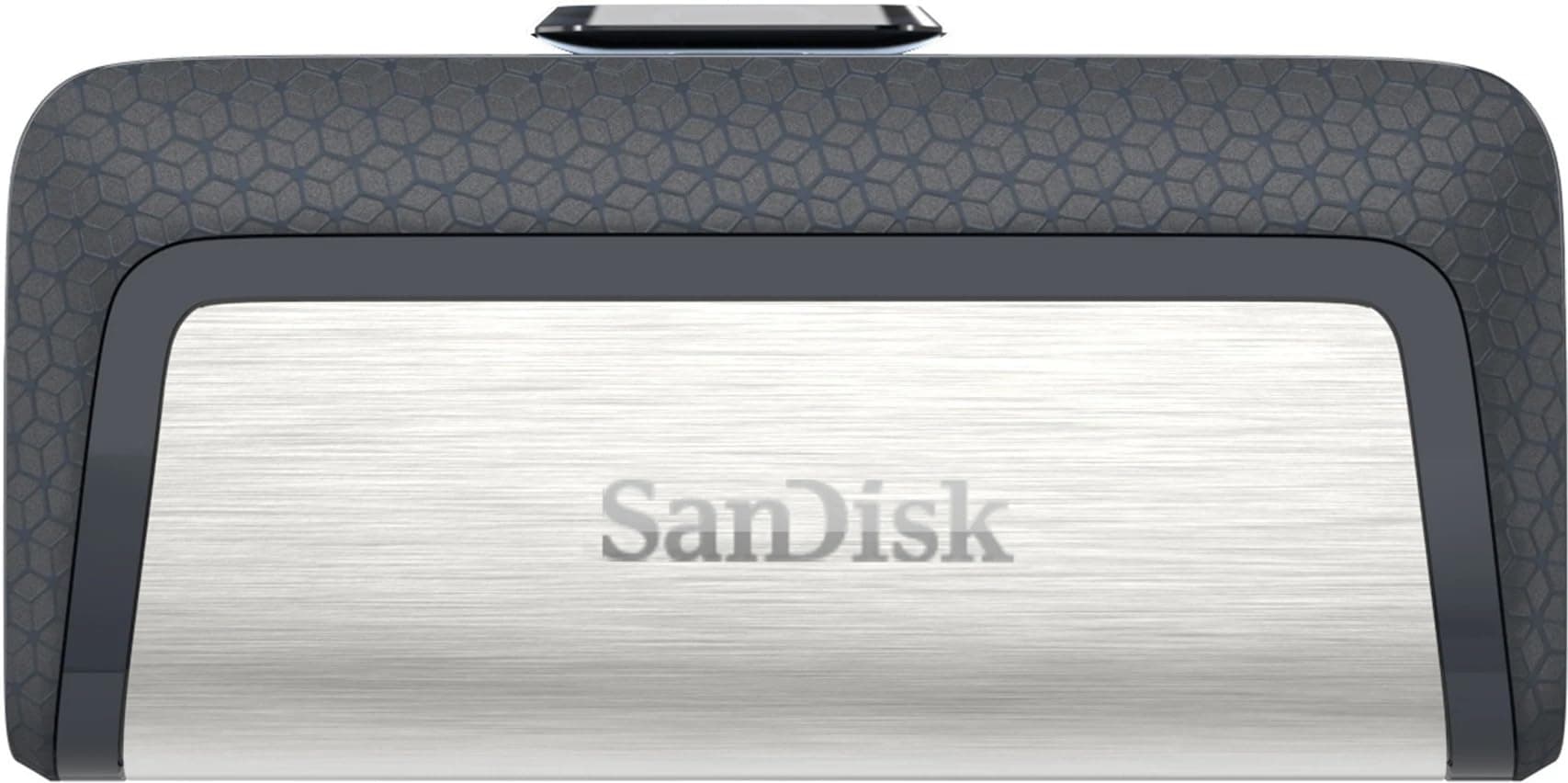



⚡ Dual-speed, dual-port, double the convenience — your ultimate on-the-go storage sidekick!
The SanDisk Ultra Dual Drive USB Type-C 64GB combines high-speed USB 3.1 performance (up to 150MB/s) with dual USB-C and USB-A connectors, enabling seamless file transfers across smartphones, tablets, and computers. Its retractable design offers portability and protection, while the SanDisk Memory Zone app simplifies file management. Backed by a 5-year warranty, this drive is engineered for durability and next-gen device compatibility.


| Brand | SanDisk |
| Hardware Interface | USB |
| Memory Storage Capacity | 64 GB |
| Read Speed | 150 Megabytes Per Second |
| Special Feature | Shockproof |
| Write Speed | 2.4x |
B**R
Good 👍
Best material and easy carring and light weight also using in bike keychain nice look
V**I
Good.
What to tell. Good product only.
D**A
Value for money
Nice data transfer speed.light weight. Good functionality
P**R
Good product.
Good matetial and color. Good transfer speed, light in weight and size.
S**A
Super
Super quality
P**R
Best Pendrive
Best Pendrive For Daily Use.Build Quality is also Good.
S**R
Good purchase
Good one.
A**T
Simple and easy to use. A good purchase.
The USB drive is small, has two sided male ports (USB A and USB C) which can slide out of the USB casing. Note: USB A is the general keyboard and mouse USB connector and USB C is apple's charging cable connector which now a days is common in most smartphones. The USB drive becomes hot when being used on USB C port for large transfers and is common. It can be plugged into mobile phones which has C type charging cable. The actual storage that you would get would be 114 GB. It would never be 128 GB as the rest is occupied by the drivers to run the USB drive. The drive supports exFAT (default) and NTFS file systems only. The actual transfer rate depends on a lot of factors like the type and generation of USB connector, the type of storage, processor, motherboard, etc. Transfer rates are good. I've tested it and shared the results below. The transfer rates may have gone down to 20 MBps in case of 50 MBps for HDD. The 600 MBps mark for HDD (3) went down to 80 MBps and remained constant. 1. USB A 2.0 (copying to and from SATA HDD) - maximum transfer rate up to 16 MBps 2. USB A 2.0 (Coping to and from NVME or SATA SSD) - maximum transfer rate up to 200 MBps 3. USB A 3.0 (Copying to and from SATA HDD) - maximum transfer rate up to 600 MBps 20 MBps 4. USB A 3.0 (Copying to and from NVME SSD) - maximum transfer rate up to 600 MBps and 50 MBps respectively 5. USB C 3.2 (Copying to and from SATA HDD) - maximum transfer rate up to 100 MBps and 50 MBbps respectively 6. USB C 3.2 (Copying to and from NVME SSD) - maximum transfer rate up to 130 MBps and 50 MBps respectively
ترست بايلوت
منذ شهر
منذ أسبوعين