


🔥 Precision Meets Speed — Create Like a Pro Anywhere!
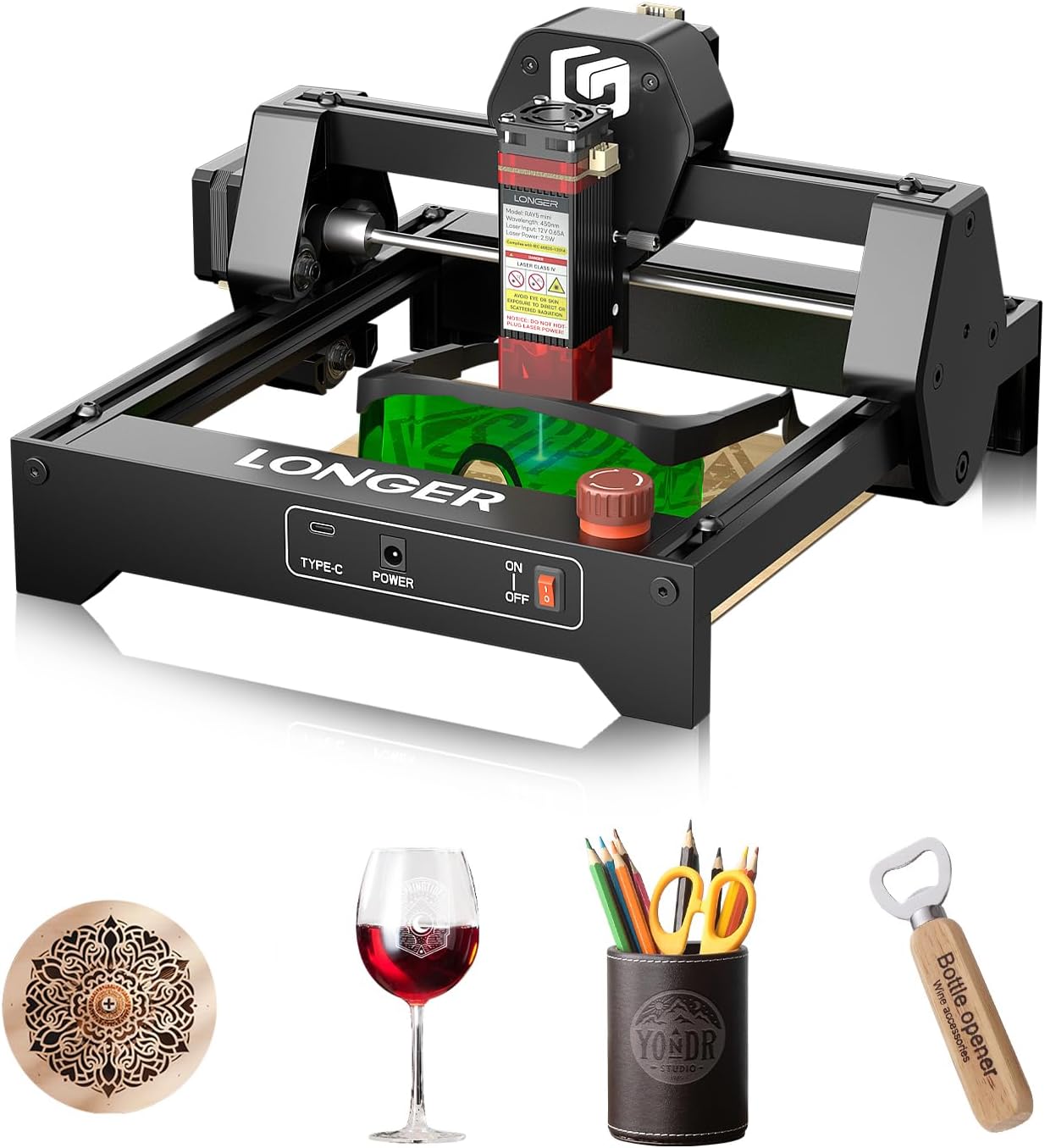
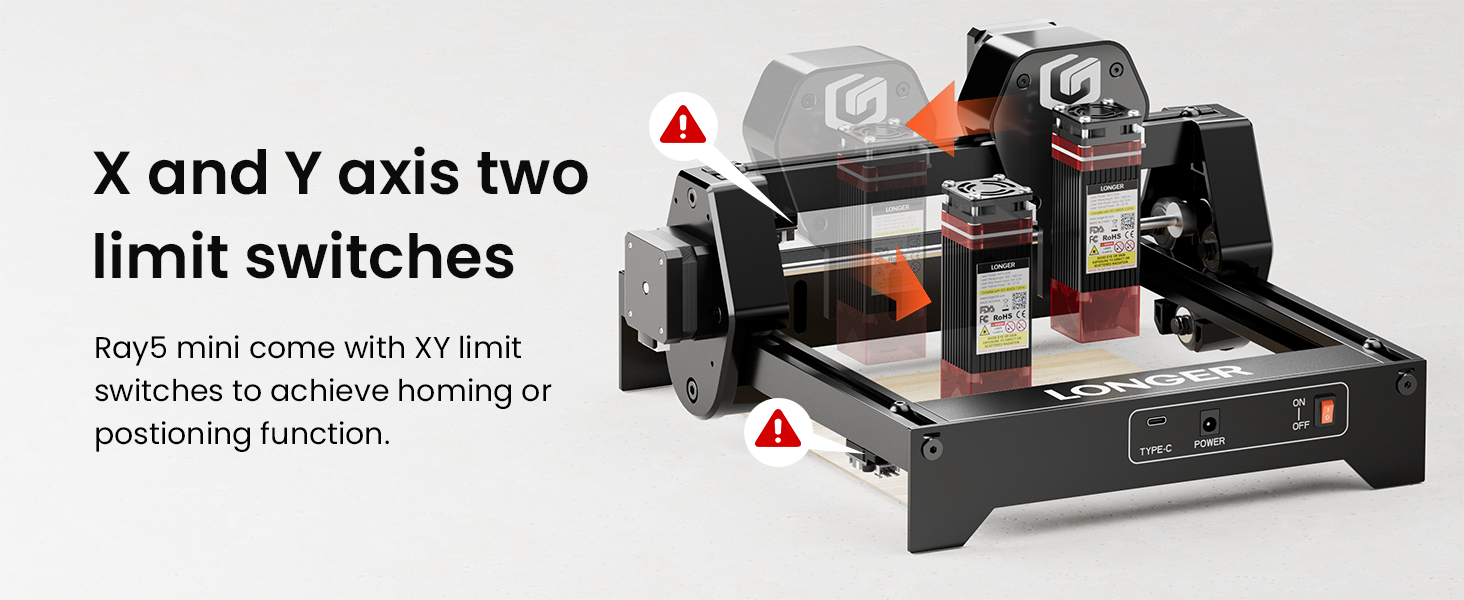
The LONGER Ray5 mini Laser Engraver is a compact, high-speed 3.5W laser tool featuring a 32-bit motherboard for up to 12000mm/min engraving speed and ultra-fine 0.04mm laser spot accuracy. It supports WiFi, USB, and app control for flexible operation, offers a 130×140mm engraving area, and prioritizes user safety with protective covers and emergency stop. Ideal for detailed engraving on wood, acrylic, leather, and paper, it’s beginner-friendly and portable for professional-quality DIY projects.




| ASIN | B0F2YL3CC5 |
| Best Sellers Rank | #350,376 in Arts, Crafts & Sewing ( See Top 100 in Arts, Crafts & Sewing ) #1,015 in Jewelry Making Engraving Machines & Tools |
| Brand Name | Longer |
| Color | Ray5 Mini 3.5w |
| Customer Reviews | 3.0 3.0 out of 5 stars (8) |
| Item Dimensions L x W | 5.12"L x 5.12"W |
| Item Weight | 6.2 Pounds |
| Manufacturer | Longer |
| Material Type | RAY5 mini 3.5W |
| Operation Mode | Manual |
| Style Name | Laser |
V**I
Doesn't work
Just print on painted wood
R**.
Works well for business cards and faux leather patches
Very good starter machine for the money
G**S
Instructions are puzzling and confusing - never got it to work
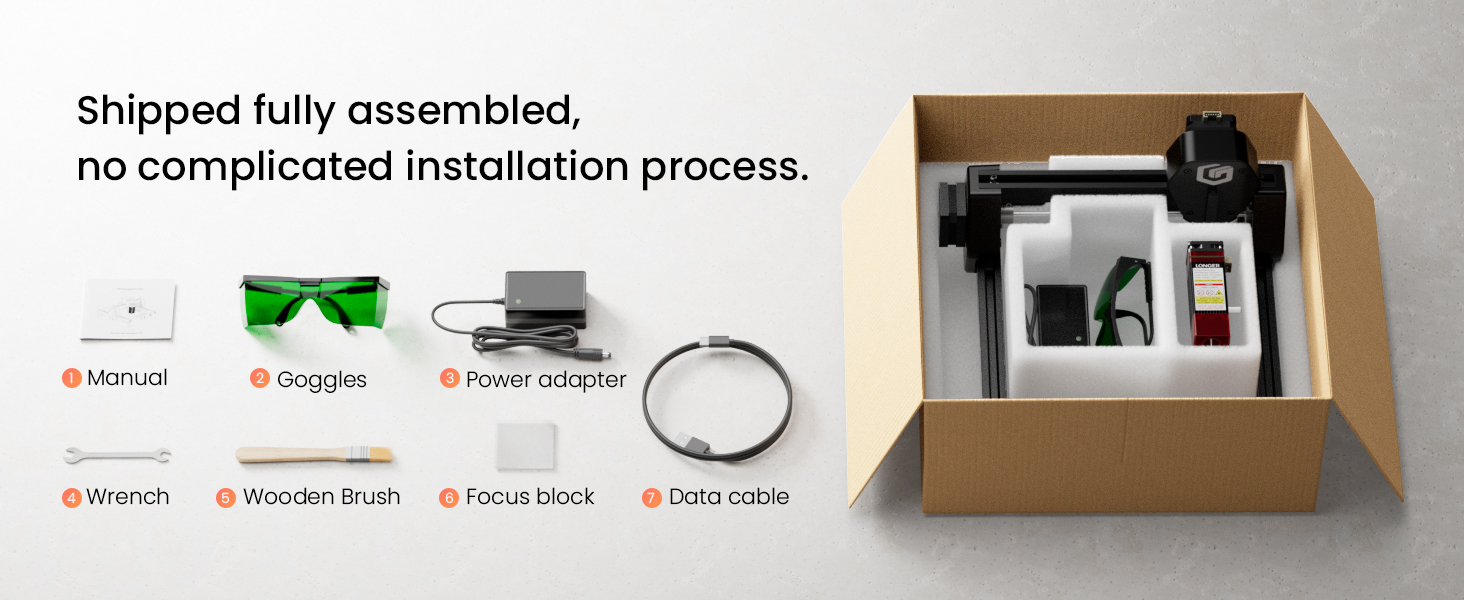
I got this engraver because I have always had an interest in them. This one seems affordable and though basic, it looked as though it might be easy to setup, install and use. It was anything but. The quick install guide is all it comes with. That guide is 25 pages and refers to multiple software and apps. I was finally able to figure out how to set the app up – took 45 minutes to get that far because they don’t do a good job of telling you how to turn the device on at all. The on switch isn’t all you have to do – you also have to pop the orange button which looks like a quick kill switch if it becomes necessary. You have to release that to get power to setup the wifi. The quick guide explains you have to set the provided block under the lens and tighten that down at that height. It never does explain how to set the device up for your material you plan to engrave. Do I set the height for the material? I have no idea. It’s the most confusing mess I have ever tried. Never got it to work.
N**.
Tiny Laser, Big Detail: A Solid Start with a Mini Engraver
I bought this compact laser engraver to personalize small wood and acrylic projects without the footprint of a larger machine. The size fits on a work desk, and the 130 by 140 millimeter area is enough for simple signs and gift tags. It came mostly pre-assembled, so I could get started in minutes rather than hours. In daily use I connected through WiFi on my phone, and I could also run tasks offline if needed. It worked with both free and paid software options, which made sending a design straightforward. The safety features stood out as reassuring the anti laser protective cover and the glasses help when I am testing a new material, and the emergency stop button stays within reach. What impressed me most was the level of detail achievable on wood and acrylic without a long setup. The engraving feels fast and the lines stay crisp, which is nicer than I expected from a small device. Controlling it via an app and having a dependable offline mode gave me flexible options for quick creative projects. One small note is that getting perfect results does require a little experimentation with focus and material thickness, so I started on scraps to tune the settings. Aside from that learning curve, the experience is straightforward and satisfying. Overall, it earns five stars from me for how reliably it handles simple personalization tasks and fits on a desk.
ترست بايلوت
منذ أسبوعين
منذ أسبوعين