

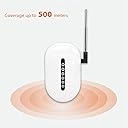


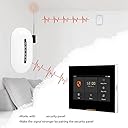
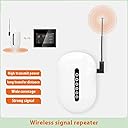
Signal Repeater Wireless Extender 433MHz Long Range Booster Barrier-Free Through Walls for Home Alarm Security
Product ID: 769300074
📡Detachable high-gain antenna
📶500m wide coverage
🧱Barrier-free wall penetration
Buy anything from 5,000+ international stores. One checkout price. No surprise fees. Join 2M+ shoppers on Desertcart.
Desertcart purchases this item on your behalf and handles shipping, customs, and support to KUWAIT.
📡 Never miss a beat—boost your home security signal like a pro!
The Signal Repeater Wireless Extender operates on 433MHz frequency to amplify and extend alarm detector signals up to 500 meters, penetrating walls without blind spots. It supports up to 5 detectors, features a detachable antenna for customizable range, and enhances signal stability for reliable home security system performance.
| Best Sellers Rank | #2,256 in Repeaters |
| Customer Reviews | 2.0 out of 5 stars 3 Reviews |
J**R
Don’t buy return cost more than you pay it.
Bought for SimpliSafe, but does not work. The bigger problem is when you try to return the product. The get you a return label in Chinese, the cost mailing is higher than the product cost. Don’t buy.
C**O
Boost the signal from detectors to alarm system that uses wireless frequency 433MHz (ASK)
This will boost the signal from detectors to alarm systems that use wireless frequency 433MHz (ASK)/868MHz (FSK). • It has a built-in 3.7V 450mA polymer battery • It comes with a USB cable and charger • It supports up to 5 (manual says up to 99, I used for 5) different detectors 1. Put booster in learning mode by turning it on and then hold the "Learn" button for 1 second until all 5 lights light up 2. Now press Learn button 1 time and #1 remains lit 3. Start "Add new detector" (Accessory>Detector>+ sign) in the SmartLife app 4. You will hear "Please trigger the part" 5. Open then close a wireless detector on a window or door 6. Hopefully you will hear "Success" from the alarm system and "Success" pop-up in the app 7. Rename the detector to know which it is in the SmartLife app 8. Also, select "Device type" (Windows alarm, Door alarm, etc.) in the SmartLife app 9. Touch "Saved" 10. Repeat for detector #2: a. Put booster in learning mode again b. Press Learn button 2 times and #2 remains lit c. Open and close the next detector d. Rename the detector e. Select Device type f. Touch Saved 11. Repeat same steps for #3-5 I included a photo of my alarm system but will work with others that use the same frequency. "This specification defines a common, low-cost wireless RF standard for security systems, smart home devices, and remote controls. It utilizes ASK modulation on either 315MHz or 433MHz frequencies, supporting PT2262 (fixed code) or EV1527 (learning code) chips with a 4.7MΩ oscillation resistor for signal encoding, commonly used for smart alarms." Note: I had already added each detector without the booster so now I have two listings in the SmartLife app for each detector. Not sure if I need both, but I'm leaving them for now.
L**A
No free return. Don't buy it
I bought it for my alarm system, but it doesn't work. I tried to return it but found that I have to pay the return mailing. Don't buy it.
Trustpilot
4 days ago
1 day ago