We remain fully operational. Our teams are working around the clock to ensure your deliveries continue safely.

قم بتنزيل التطبيق


معلومات عنا
حقوق الطبع والنشر © 2024 Desertcart Holdings Limited
قم بتنزيل التطبيق
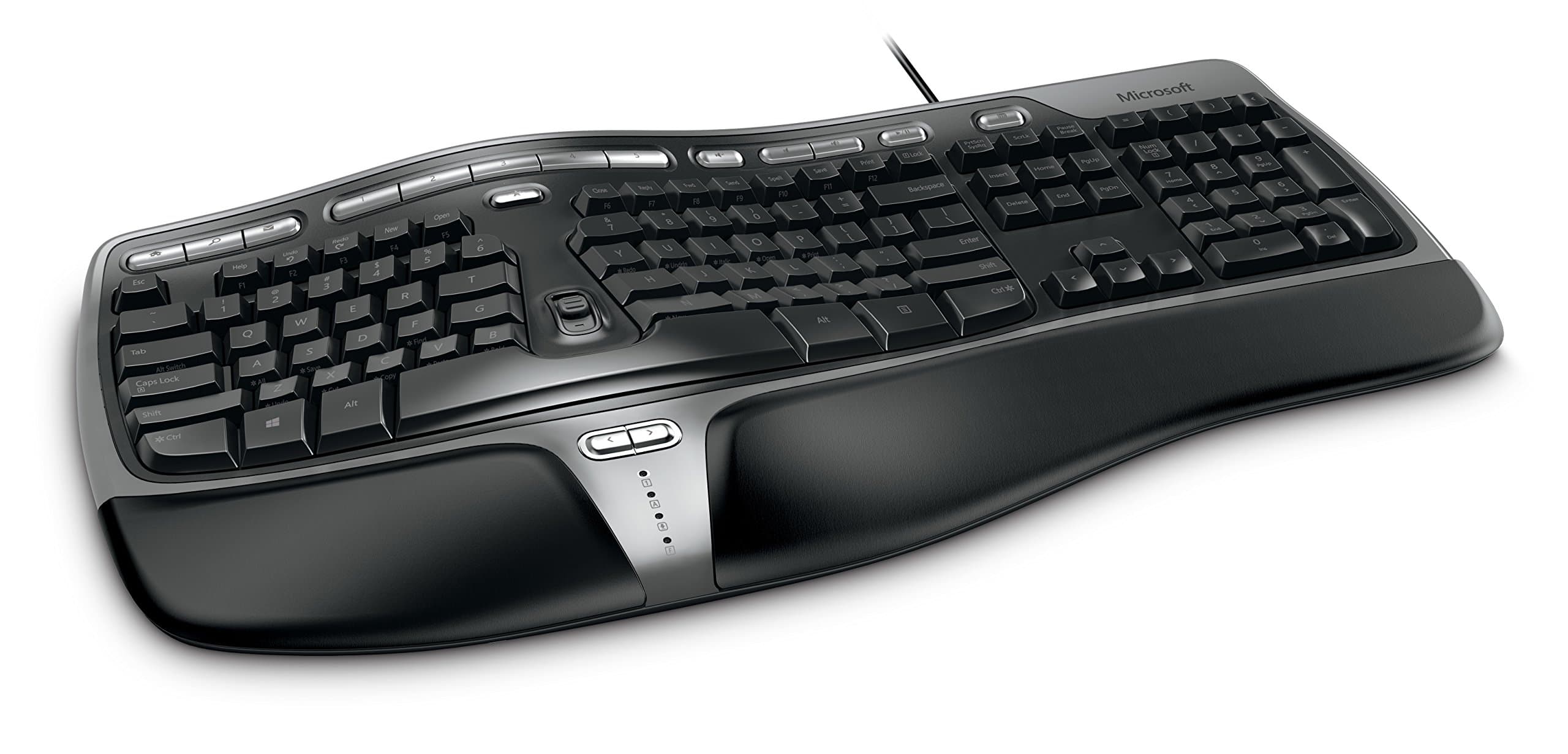

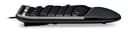

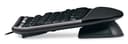
⌨️ Elevate your workflow with ergonomic precision and wired dependability!
The Microsoft Natural Ergonomic Keyboard 4000 is a wired USB keyboard designed for business professionals seeking comfort and durability. Featuring a split ergonomic layout to minimize wrist strain, it supports Mac OS and offers a reliable wired connection for consistent performance. Its robust build and spacious design make it ideal for intensive daily use in professional environments.


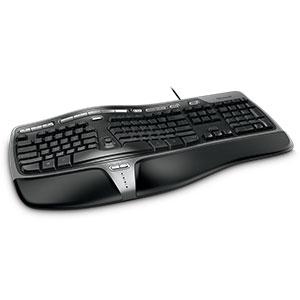


| Brand | Microsoft |
| Manufacturer | Microsoft |
| Series | Natural Ergonomic 4000 |
| Colour | Business |
| Item Height | 12.43 Inches |
| Item Width | 17.37 Inches |
| Product Dimensions | 54.43 x 44.12 x 31.57 cm; 997.9 g |
| Batteries | 1 AA batteries required. |
| Item model number | 5QH-00001 |
| Wireless Type | 2.4 GHz Radio Frequency |
| Power Source | usb |
| Hardware Platform | usb |
| Operating System | Mac Os |
| Are Batteries Included | No |
| Included Components | Keyboard |
| Manufacturer | Microsoft |
| Item Weight | 998 g |
S**G
Comfortable , economical, good first time ergonomic keyboard
What is like is the gentle slope, the comfortable pad (the wrist just falls naturally), the rocker switch in the middle and the two arrow keys just above the status LEDs.The under-the-board attachment is also a plus for me because I like to place the keyboard on my lap and sit in a reclined position.The best part is that, all these without breaking the bank (ok only a little - 11000 for a keyboard - but then wrist pain can be quite painful)Any cons? Well, now the backspace key, enter key feels like a bridge too far, ditto for the numpad and the arrow keys section. But then again, this is not the Kinesis Freestyle 2 (and that one is double the price and without the pad)
S**L
Best ergonomic keyboard in range
Using the keyboard for past 8 months, the Keyboard is ergonomic means made to suit your body posture while typing. Once you are accustomed to it, The typing speed will improve hugely as the hand movement is minimized due to its ergonomical design. I being a hobbyist programmer , find it really useful while writing thousands of lines of code as the strain on the palm is very little to no. the keyboard is huge compared to your ordinary keyboard but keep in mind it is designed to fit the best possible way of your sitting posture.Overall if you need to type for a long duration everyday. dont hesitate to buy it
R**T
A little on the higher end in terms of cost but worth every penny for someone like me who was suffering from pain in webs betwee
fabulous is the only word. A little on the higher end in terms of cost but worth every penny for someone like me who was suffering from pain in webs between the fingers. it has helped me type properly. there was a small learning curve involved initially but once i got through it, it was smooth and easy and i type faster and better than ever before now, and without any pain in my hands. The palm rest on the keyboard is amazing and helps a lot.
R**Z
Smartly designed Ergonomic keyboard - MORE comfortable than flat keyboards!
UPDATE 3 : After using this smart keyboard for 4 yrs and 8 months some of the keys stopped working in within 1 day or so. These keys are: both Shift keys, x, F5, Enter(middle) & Calculator.A computer technician told me that it's not repairable at all. Unfortunately, right now it's OUT OF STOCK in Amazon. Hope Microsoft brings out a Wireless version.UPDATE 2 : After using this keyboard for 2 year & 4 months, please see the condition of the Keyboard in the uploaded image.UPDATE 1 : After using this keyboard for 1 year & 9 months, only the following keys have faded: Backspace, S, C, & E. Everything else is OK!==============================================================================I've been using the Microsoft Natural Ergo 4000 Wired Keyboard since Dec. 2016. Looks gorgeous, stylish and futuristic - almost like the top of a space ship! LOL!Ok...enough of these glorious superlatives. Now let's have a reality check.THE SPACEBAR ISSUESome buyers had complained that you've to press hard the middle of the Spacebar to get the space. The sides are supposed to be weak. That is not true in my case, at all. I can get the Space my pressing the sides of the Spacebar.But the Spacebar has an issue:The big Spacebar makes 'thak'thak'thak'' noise while pressing at the sides. If you are heavily into typing, this can irritate you (otherwise not). And if you are sitting in a quiet, small office space with colleagues around you, it may cause serious noise pollution (unless your colleagues do not mind, which is most unlikely).Obviously this is bit of a design flaw. [But the middle of the big Spacebar is softer than the sides, for pressing.]Tip: To remove this noise some smart users have given their solutions. Type "remove spacebar noise ms ergonomic 4000" in Google.THE ENTER KEY ISSUEIt is strange that the Enter key is smaller in width than the Shift & Backspace keys. It should be the other way around. Interestingly, the H key is slightly wider than J, K, L (all in the same row as Enter). Why? Had the width of H been the same as J, K, L then Enter could have been wider.Or we could've got the traditional reverse 'L' shaped Enter by keeping intact H, but reducing the (unnecessarily long) width of Tab and T in the upper row, then shifting Y to the left and creating some space at the top of Enter to get the reverse 'L' shape. Simple.Were the MS designers dozing while designing this keyboard?Traditionally, the Enter key has always been the biggest one, for a very obvious reason. And it has to be maintained that way.THE PREVIOUS-NEXT KEYS ISSUEThese keys exist on the (sensuously-shaped) palm rest.You can use them to go back and forth between visited sites on an opened Tab or visited paths in File Explorer.But these keys are the noisiest in the MS Ergo 4000 keyboard. As if such (avoidable) noise is music to the ears of MS keyboard designers.BUT, THANKS TO THESE DESIGNERS, I'VE LOTS TO LIKE ABOUT THIS KEYBOARD1 - Just love typing on it. It feels very comfortable and natural while typing on it. The position of the wrists and hands is more natural than the position on a flat keyboard. After all, it is Ergonomically designed.This keyboard is THE solution to Repetitive Stress Injuries like Carpel Tunnel Syndrome.2 - The keyboard allows you to programme any key you want.But for this you've to download Microsoft Mouse and Keyboard Centre software.3 - You've lights for Caps Lock, Num Lock, F Lock and Scroll Lock keys.4 - The keyboard has Zoom slider using which you can very quietly Zoom In and Zoom Out any webpage, MS Office document and even on OneNote.5 - MS Ergo 4000 has audio buttons at the top plus 5 buttons each of which corresponds to open apps on the Taskbar. Press the relevant button to display the related app on top of others.6 - The keyboard comes with a special detachable attachment that elevates the front part and creates a mild slope towards the back. This offers another ergonomic angle to do typing comfortably. In case you find it odd, you can easily detach it.FINALLYThis is a special keyboard which very few people in the world have. You need to give yourself a few days to get used to this ergonomically-designed keyboard that is specially designed to protect your wrists.Believe me you will start liking it after a few days, and you will never feel like going back to those flat (unergonomic) keyboards.PS: I will update my views based on my experience on this keyboard in the coming days, weeks and months.
R**I
Good ergonomic keyboard
Its a good ergonomic keyboard, takes a little bit of getting used to but once you are used to it typing pace can be good.
A**R
Good producr
Takes sometime gettint used to.
D**H
Five Stars
Best Keyboard in the market it takes a while to set on it
A**I
Painful on the Right Pinky
After 6 months of usage:Don't buy it if you are used to touch-typing and use your right pinky finger to press enter. All the keys on the keyboard are softkeys, irrespective of where you press them, they will get the job done. Except for the enter key which will go down only if you hit it in the middle. The key itself is almost an inch long so hitting it in the middle is not a surity. While keys with similar length like the shift and caps lock move irrespective of where you hit them, ENTER key is stubborn and takes a lot of work from your right pinky finger.I bought this to alleviate my pain on the left wrist, which it has done beautifully. Now I have pain on the right hand where the pinky finger meets the palm. I think I will probably have to throw this thing away and buy a better own or just go back to my laptop keyboard. Either way it was a waste of 6.8K for me.
ترست بايلوت
منذ شهرين
منذ أسبوع