We remain fully operational. Our teams are working around the clock to ensure your deliveries continue safely.

قم بتنزيل التطبيق


معلومات عنا
حقوق الطبع والنشر © 2024 Desertcart Holdings Limited
قم بتنزيل التطبيق
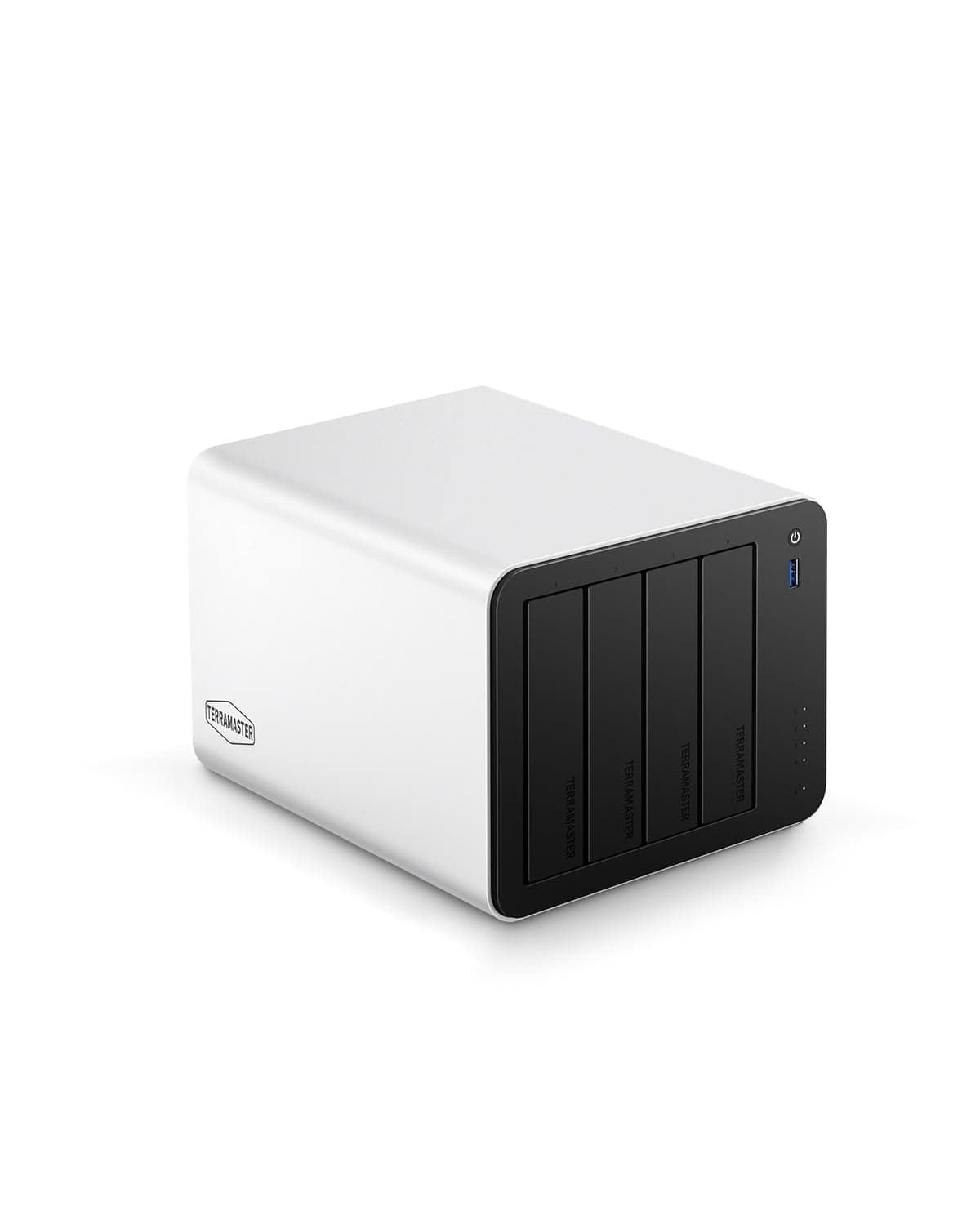
🚀 Elevate your data game with speed, space, and security — don’t get left behind!
The TERRAMASTER F4-425 Plus is a powerhouse 4-bay NAS featuring an Intel N150 Quad-Core CPU and 16GB DDR5 RAM, designed for professionals and creatives demanding high-speed data access. With triple M.2 SSD slots, dual 5GbE LAN ports delivering up to 1020MB/s, and support for up to 144TB storage with advanced TRAID protection, it offers unmatched flexibility and security. Its Direct Data Drive Mounting technology and robust aluminum build make it a reliable, plug-and-play solution for seamless teamwork, multimedia streaming, and business backup needs.


| ASIN | B0FLHTF2PQ |
| Best Sellers Rank | #10 in Network Attached Storage (NAS) Enclosures |
| Brand | TERRAMASTER |
| Color | Silver |
| Compatible Devices | Windows, Mac, Linux, Android, iOS |
| Customer Reviews | 4.1 4.1 out of 5 stars (42) |
| Enclosure Material | Aluminum |
| Is Assembly Required | No |
| Item Dimensions D x W x H | 8.62"D x 7.13"W x 5.91"H |
| Item Weight | 2.9 Kilograms |
| Manufacturer | TERRAMASTER |
| Mfr Part Number | F4-425 Plus |
| Model Number | F4-425 Plus |
| Mounting Type | Tabletop |
| Size | 4Bay, F4-425 Plus |
| Warranty Description | 2 Years |
E**L
Great Unraid home server
This NAS has been running Unraid great for the last 2 months. I didn't even try the OEM OS but installing Unraid was fast and easy. Opening it up to add my M.2 SSD was super easy. The brushed aluminum shell looks nice and feels sturdy. The N150 has plenty of power to run a media stack but I wouldn't try to run VMs on it also. I have all my VMs on a separate Proxmox machine. One of the disks slots (the far right one closest to the M.2 SSDs bay) seems to run a little warmer than the others with heavy writes like rebuilding parity but it still manages to keep that drive just under 50 Celsius so I can live with it. The sizes fits well in a 10 inch mini rack.
Z**E
Been great for Using Plex to wacth movies
Have had for 1-2 months and is my first NAS. Has been great for watching movies on Plex. Took a little learning to get set up, but i think alot of that is this being my first NAS. Its been awesome, a nice investment so i can now watch all our physical movies from anywhere now.
C**R
Happy with my purchase.
It’s small for what it holds and works really well and if you have silent drives it it is silent as well. Got a Seagate Exos in it and an M2 SSD to boot off of and it is almost completely silent unless I am transferring stuff to it. Loading SATA drives is trivial and tool free while loading in an M2 drive involves taking off the shell but so long as you know how to add them on a PC normally you will find it easy as well. Also, you can configure the drives to spin down when they aren’t in use for a while to save power and wear on the drives when you aren’t using them. Got it running Plex and it does it perfectly and so long as it isn’t transcoding the CPU usage is around 2-3% usage so just fine and can do transcoding in hardware so not even that is a big deal. The only time it had an issue was when I was sending a large number of files to it using the windows file sharing service at the same time as a video was playing and the video started buffering because I was maxing out the system. But that was on me so not really an issue. This isn’t a workstation NAS, this is a purpose built NAS to handle file serving and media server silently and efficiently. Use it as such and you will be happy with it. If you are wanting a workstation NAS that is strong enough to be replace your desktop, you will need to look elsewhere and pay twice as much or more while using a lot more electricity to do it. The way I do it, install an M2 and put the OS and Plex or any other app you want to run on the M2 and then your main files on the bigger drives. That you your menus and apps all load fast and then your bigger drives don’t actually start spinning up till they are running stuff. With Plex, you can navigate the menu as fast as the drive will go and the SATA drives doesn’t need to run until you actually launch the video.
C**.
Look elsewhere
I have had nothing but bad luck with this unit. After realizing that hardware I had laying around from an older NAS was not on the compatibility list, I paid up for drives from their recommended hardware list. No configuration of drive(s) installation allows you to get past the initialization process. Support seems to be by forum, slow, and limited pertaining my issues with this hardware. I wanted to like it due to the specs, but sadly I cannot get it to work. I have 30 years in the computer industry. This is not the plug and play I anticipated.
S**M
Solid NAS unit for Plex and Dockers!
Love this little NAS unit. Ended up replacing some older Dell servers so this is much quieter and smaller! Adding the NVme drive was a breeze though it's a good idea to add the 2 for the OS first then the thrid afterwards so you can use it for Hyper Caching. I made the mistake to add all 3 at first and ended up having to wipe it all again. 2 of the SSD drives are raided, OS/apps sit on these. HDD drives are solely used for the media files. I was contemplating switching the OS but that TOS 6 seems to be pretty descent. Was able to setup dockers w/o issues, NIC bonding. Running various servarr dockers and a Plex instance. Running great with HW decode handled by the little N150 (better than my Dell server old Xeon doing software decode). It's also one of the more affordable NAS. Only minor downside I had was regarding the filesystem for the HDD. I made the mistake to pick TRAID (default option) thinking that I would be able to setup some sort of resiliency but with only 2 drives in the array you just can't do anything with TRAID. My recommendation here would be to use a simple disk setup and 1) backup critical data as it should and 2) setup disk monitoring and replace the disk upon pred failure (can use the USB C to copy). Not sure how hard recovery would be on a TRAID filesystem if connected to some other box but likely not as simple as using simple disks. That being said I don't have anything critical on it that's not backed up.
T**L
Good hardware, intentionally difficult to change OS
Solid piece of kit, but they seem to have deliberately made it difficult to install a different OS. The BIOS does not have a boot from USB option, and the terraform OS, formerly on an internal USB, is now on a much harder to remove chip. I wound up having to flash my M.2 drive in my laptop and then put it in the NAS. I suspect the community of people who would be interested in purchasing equipment like this appreciate the ability to choose and customize their setup rather than being constrained by their hardware, and Terraform should reconsider attempting to force adoption of their OS.
M**B
Glitchy and not very powerful
I have been using Synology devices for many years for both at work and at home. I saw this Terramaster device on sale here on Amazon and decided to give it a try for a backup device at home since the Synology stuff is getting really restrictive and expensive. Well, you get what you pay for. The web interface is glitchy. There are many times when I login and there are zero icons. The machine still is working and I can SSH into the device, but I can't interface with any of their software tools. This machine is very underpowered, which might be OK for most home users. It is maxed out when transferring large video files and having one backup running. While this may be somewhat usable for most home users, I would stay away from this for any higher end needs or business usage.
S**N
Great product, good price
P**E
Excelente, calidad, diseño y rendimiento.
E**O
No conocía la marca, al principio tenía mis dudas pero la verdad que es un excelente equipo, contacté a soporte para una duda y contestaron muy rápido
J**S
Got it on a black Friday / holiday sale. Sale Price was fantastic. I like the security isolation mode that in a single click allows it to only be accessed by devices on the local network. Being able to load 3rd party OS is a major + for future longevity.
J**N
Au niveau matériel, ce NAS rencontre tous mes critères. 2 points en sa défaveur : 1- TOS 6.0 n'est pas facile à maîtriser: toujours en train de redimensionner les fenêtres. On nous promet un TOS 7.0 pour 2026. 2- Jamais pu enregistrer mon produit parce que l'adresse courriel doit être validée avec un code et que la fenêtre est active moins d'une minute. Sauf que je n'ai jamais reçu de code en moins de 7 minutes. Ça fait dur! J'ai contacté le service à la clientèle qui n'a pas donné suite.
ترست بايلوت
منذ شهرين
منذ 5 أيام