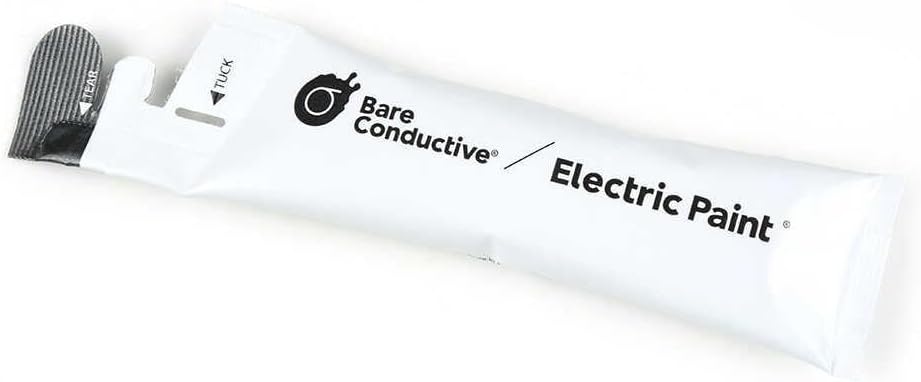
Bare Conductive Electric Paint Pen 10ml
Product ID: 7982273
Details
- BrandBare
- Colorgray
- Finish TypeMatte
- Indoor/Outdoor UsageIndoor
- Item FormLiquid
- Item Volume10 Milliliters
⚡Fast-drying formula
🎨10ml capacity
🖌️Precision tip
Desertcart purchases this item on your behalf and handles shipping, customs, and support to KUWAIT.
🎉 Paint Your World Bright!
The Electric Paint Pen 10ml is a versatile, eco-friendly tool designed for artists and DIY enthusiasts alike. With its fast-drying formula and precision tip, it allows for detailed work on various surfaces, making it an essential addition to any creative toolkit.
| ASIN | B00KBXT6JW |
| Age Range Description | All Age Range |
| Best Sellers Rank | #120,347 in Industrial & Scientific ( See Top 100 in Industrial & Scientific ) #211 in Prototyping Boards & Accessories |
| Brand | Bare Conductive |
| Brand Name | Bare Conductive |
| Color | gray |
| Color Code | #808080 |
| Container Type | Can |
| Coverage | 0.5 meters |
| Customer Reviews | 4.0 out of 5 stars 677 Reviews |
| Finish Type | Matte |
| Global Trade Identification Number | 00701980281112 |
| Included Components | Brush, Tip |
| Indoor Outdoor Usage | Indoor |
| Is Waterproof | False |
| Item Form | Liquid |
| Item Volume | 10 ml |
| Item Weight | 1.44 ounces |
| Manufacturer | Bare Conductive |
| Model Number | 100368 |
| Paint Type | Acrylic |
| Part Number | 100368 |
| Special Feature | Non Toxic |
| Special Features | Non Toxic |
| Specific Uses For Product | personal |
| Surface Recommendation | Cardboard,Paper,Wood |
| UPC | 701980281112 |
| Water Resistance Level | Not Water Resistant |
G**X
Remote Control Repair Steps
This product works as advertised. It may not be the best solution for repairing a remote control, but you can certainly improve it. Here are the steps: 1. Open your remote control (watch a youtube if you have difficulty opening on your own) 2. Separate the rubber keypad from the circuit board. 3. Clean the circuit board and rubber keypad with rubbing alcohol using a paper towel or qtip. 4. Shine a bright light on both parts to ensure you have thoroughly removed all oils and debris. 5. Very carefully, put a small dab of the paint on each key. (you can use the tip to spread it thin or use a toothpick). 6. Once you have evenly spread the paint, let it dry (approx 1 hour or use a blow dryer on low speed for 15 mins). 7. Use the back of a toothpick or some small flat tool to carefully tap on each key to further flatten the paint. 8. Verify its not flaking off. If it comes off, repeat the steps to add more paint. 9. Let it dry again for another 15 mins. 10. Slowly put everything back together. testing: If you're remote fails the first time, it means there is a short with some small paint that stuck to the circuit board. You'll have to reopen and clean the affected parts and repeat paint steps. If it works, then don't slam on the keys. Just take it easy and it may last. If it causes trouble again, then repeat all steps. One suggestion would be that if you can work quickly, then maybe use super glue on the keys first before adding the paint. I haven't tried it, but it might hold better. Glue stick doesn't work well, and with no glue, the paint does not bond well with silicon rubber keys. For the folks that just need conductive paint, this paint works just fine for low voltage projects. Great value.
L**N
Good Stuff
My Tv remote just stopped working, every button. New batteries did help. I ordered this not believing it would work. But on the week-end and faster than ordering a new remote. Followed the directions, put in front of a fan to dry. I put the remote controller back together. Holding my breath tried the controller. Didn't work, was upset because some reviews said it did work. Putting it down to blow off some steam. Came back and looked over the directions, THAT'S WHEN I NOTICED THE BATTERIES IN UPSIDE DOWN! REVERSED THE BATTERIES, CLICK EVERY BUTTON WORKED. This paint saved me 39.00 on new controller. I had no idea this paint was available or even how it worked. I used about one drop on the whole job, so have plenty left. Good Stuff LollyAnn
M**R
Versatile and Useful
I accidentally bent the USB connector on my flash drive. Being a typical computer user, little of what was on that drive was backed up because it seemed to be highly reliable. After taking the rubber shell off of the drive, it was clear that all four soldered contacts between the USB connector and the CB had been broken. I could have soldered them with a low-wattage iron, but was unsure how much heat could be tolerated. Also, the circuit board and solder connections were extremely tiny. So, I searched for a liquid solder-type product and found this. Using a 3X dissecting microscope, I was able to put a dab of this substance to bridge each of the 4 USB connections. Miracle of miracles, I was able to get the computer to recognize the damaged flash drive and download all of the files to my hard drive. I then uploaded these to a new flash drive. While this product is not specifically designed to do what I needed to use it for, I thought it was worth noting the shortcomings I found. First, while the nozzle of the tube seems pretty small, the glob that came out was way too big for my needs. I had to break toothpicks and use the sharp end to apply the conductive substance to the contact area. Even then, I had to remove the excess. The other thing that surprised me is that the substance is black, not silver. So, the contrast with some of the items on the CB was difficult to discern some of the time. However, it worked! I let it dry for 5 minutes, as the directions say. I am very grateful that this substance exists, even if it was not ideal for my application. Way overpriced? I can only compare the cost to the pricelessness of the data I was able to retrieve.
R**.
fixed my ps2 controller (rev H)
One of my buttons on my PS2 controller was completely dead-- the supposedly infamous rev H whose conductive film has a high tendency to lose continuity. I applied this over the traces on the pad, gave it a night to dry and with a bit of cleaning of residual ink, controller works good as new. It was fairly hard to scratch back off so it seems like it'll be robust enough to handle key presses. Time will tell how long the ink holds up though I see negative reviews about the ink being runny and difficult to control. Do not try and apply this using the tube. Grab a small applicator-- a toothpick even, and grab a small dab from the tip of the bottle and apply it onto the trace that way. If you put on too much it'll never dry. You only want enough to create an even layer and that's plenty.
S**R
Comes off after a few days - Universal Master Control RF20
EDIT: It doesn't stay on after a few days.. 1 STAR at best. I thoroughly cleaned with alcohol prior to applying. The product won't stay on the rubber remote conducting pads so it's become a deal breaker for me. I have a 10+ year old Universal Master Control RF20 that I don't want to give up. Recently the center down click button was becoming less and less effective over the years, to the point I would have to press really hard multiple times to get the down click to register. Here is my process to apply the conductive ink to the remote: Open & Clean: I opened the remote, and took the big rubber button pad out. Washed it with normal soap, then gave a wipe down front and back. I also then used some 91% alcohol using Qtips. The alcohol will help clean and evaporate the moisture if it remains. I used a small space heater to speed my dry time, about 15 mins. If you don't have a space heater I would let it dry for 12-24 hrs after cleaning. Apply conductive ink: I used another Qtip to grab a small amount of the conductive paint pen ink (small pea size), then very carefully dabbed this to the back of the rubber buttons. If you have this remote, do not apply this conductive material to the logic board pads. If for some reason you do, be VERY mindful of the conductive traces and how they have a gap to allow the circuit to be completed with the rubber pad buttons. The problem is usually with the rubber pad buttons losing the conductive material, and not the pads on the logic board. I tested with one button first, to confirm it worked (it did). So then applied the conductive ink to all my rubber pad buttons. Use a very small/flat amount for each button. You don't want a large dome of material by any means, stick to using a small flat amount to prevent it from chipping or breaking off, and speed dry time. Let it dry: I applied a small flat amount, as previously mentioned this speeds the dry time. I used a small space heater placed 18" away and propped the rubber pad up against something that would keep the pad facing slightly upwards so the heat could reach all the pads more easily. Using a space heater for 20-30 minutes should speed up dry time... or if you don't have a space heater I would let it dry for 12-24 hours of normal air drying. Put it all back together and enjoy!
B**T
Didnt work for me.
While 'easy cleanup with soap and water' is a great sales angle saying something is 'paint' implies a degree of durability. When dry the product dissolves instantly and comes off with the slightest moisture. It may be fine for some projects but it was a waste of money for mine. Shipped fast.
A**W
Fixed my Wavebird :-)
Bought this after the B button on my Wavebird controller started to give out. Took the thing apart and noticed that the carbon pad on the circuit board (*not* the rubber membrane) wasn't looking too hot. So I bought this stuff, scraped off what remained of the carbon pad, applied this, and it worked perfectly. It comes out kind of thick and a little goes a long way. I think I put a small drop on a cutting mat and brushed it onto the carbon pad with the smallest paintbrush I have. 1 tube of the stuff could probably last you the rest of your life (depending on how many broken Wavebirds you have).
A**N
A lot cheaper than 2 new vehicle remotes
Bought this paint in an attempt to fix the key fobs for my daughter's 2011 Malibu. Both key fobs had quit working. Replaced a battery with no change. A quick test of the printed circuit board proved that it was fine, so I ordered this paint. It came in sooner than expected. I put a drop on the inside if the rubber buttons and smoothed it out. Please note that this is NOT quick drying paint. After several hours, it would still smear. I gave it 24+ hours drying time and tested it. Remote is working perfectly now.
S**R
Very good
Very good
A**H
Easy to use
Sehr cooles produkt, vorallem wenn man etwas ausbessern möchte oder zb folien reparieren möchte.
A**R
Worked perfectly
Spilt coffee all over my keyboard and in removing the matrix sheets I tore one (stupid I know) and I used this to the broken connections on the sheets now it works like new :)
T**I
Ça fonctionne !!
Je l’ai acheté pour réparer des pistes de circuit imprimé défectueuses. Ça a fonctionné !! Le temps de séchage est assez important et ce n’est pas si facile à déposer mais ça fonctionne !! C’est mieux que de jeter un appareil réparable :)
ハ**プ
使いやすいけどキャップはないので
ファミコンのコントローラーのカーボンが剥げていたので購入。 コントローラーのカーボンを塗る位置の中央に細いマスキングテープをして 綿棒に少量付けて点描の要領で塗布すると良い感じに。 本当に少量で良いので全然減りません。 ただキャップが存在しないので口をクリップなどで留めておく必要があります。
Trustpilot
3 weeks ago
1 month ago