Buy anything from 5,000+ international stores. One checkout price. No surprise fees. Join 2M+ shoppers on Desertcart.
Desertcart purchases this item on your behalf and handles shipping, customs, and support to KUWAIT.
🚀 Dual-drive docking redefined: speed, control, and compatibility in one sleek hub.
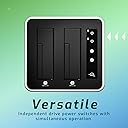
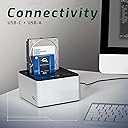
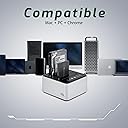
The OWC Drive Dock USB-C Dual Drive Bay Solution offers high-performance USB 3.1 Gen 2 connectivity with up to 522MB/s speeds, enabling simultaneous access to two bare 3.5" or 2.5" drives. Compatible with both Mac and PC, it features independent power switches for each drive and comes with all necessary cables and a durable aluminum enclosure, making it an essential tool for professionals managing multiple storage devices.


| ASIN | B07KRKBTXG |
| Best Sellers Rank | #38 in Hard Drive Docking Stations |
| Brand | OWC |
| Built-In Media | USB |
| Color | Multicolor |
| Compatible Devices | Laptop/Personal Computer |
| Customer Reviews | 4.4 4.4 out of 5 stars (488) |
| Enclosure Material | Aluminum |
| Hard Disk Form Factor | 3.5 Inches |
| Hardware Interface | USB |
| Hardware Platform | (1) USB 3.1 Gen 1 (ASMedia ASM1351) |
| Item Dimensions L x W x H | 6.3"L x 5.9"W x 3.3"H |
| Item Weight | 3.04 Pounds |
| Manufacturer | Other World Computing |
| Supported Devices Quantity | 2 |
| UPC | 810586031028 |
| Warranty Description | No Warranty |
R**D
Works great
Not much to say other than I’m glad I bought it, and it’s a great solution if you have bare drives. Works great with all my Macs. Plug and play.
A**F
Independent swapping
Other than having to reformat my drives, this thing is working great. Really like that I can turn the drives on and off and swap them independently.
B**Y
Good upgrade from the cheapies
This is a serious upgrade from my old Orico HDD dock / duplicator. Here's what I like about the OWC dock: This feels quite sturdy compared to many others I've used. Each HDD comnection is on a separate plane with a separate power button. The others I've used have the HDD docks on the same connection. With my old one, if I had a drive connected and I inserted another drive, it would disconnect the already connected drive. This meant I couldn't insert a drive while the other was working. With this OWC dock, I can insert a second drive without interruptions. The lights are very visible and informative. If a drive is inserted but not on, the light will be off. Turn the plane on and the number lights up blue. When the HDD is actively operating, it blinks red and blue. And when the drive is unmounted, it "snores" in blue. Press and hold the power button to power down the drive, and then it won't be spinning when you pull it out. There doesn't seem to be an offline duplication tool, which is fine. I had my Orico docks for a long time, and I've only used the duplicator once. I still have one of my Orico docks for duplication if needed. As far as speed goes, it's fine. Speed often depends on the drive. My WD RED drives are slower than my WD BLACK drives. But it's plenty fast enough for the job. Time will tell regarding reliability.
E**A
Works on my Synology NAS
I've been wanting to implement an offline backup rotation of my NAS data for a while. I was looking for a clean USB Drive solution where I could easily plug in a drive, have the backup run, and then store it back away when done. Most USB drive adapters can do this no problem, but I did want something a little more robust, cleaner looking, with modern USB connections. This OWC Dual Drive bay device fit the bill perfectly. To the point of cleaner looking, I have a personal aversion to power bricks; I rather the device be larger and use a conventional power cable than have to keep track of power brick with a quasi-proprietary connector. If this is "a thing" for you, in early 2022 this device is the only option available that I could find to meet those requirements. This ticks a lot of boxes, but also is possibly the most expensive option at just under $100. So far so good, it's working great for me so far, but will update this review later if anything changes. Side note, it may be my monitor, but on the Amazon product screens the device looks white in color, in reality it's a sparkly metallic gray. I experienced the same color differences with Unifi network devices. TL:DR Pros: +no external power adapter, simple power cord +USB-C +works on my Synology NAS using the USB Copy app. Also worked perfect on my Windows 10 PC. +materials: metal and build quality seem solid +clean looking Cons: -kind of pricey
J**D
Don't cheap out, get this one... It's worth it.
For reference, I sent back a cheapo dual dock that blatantly mischaracterized its capabilities. Be aware that the cheap units DO NOT support hotplug. If you pull or add a drive, the other will be unmounted momentarily. The performance of the cheap unit I had was also horrendous. Good with one drive, but barely better than USB 2 with both. I mean, that's the whole point. The OCW unit however is premium. Each bay is 100% independent. I used it to zero out roughly 30 drives (3.5 and 2.5, HDD and SSD) and it worked flawlessly, both drives operating at full speed. It takes a lot for me to spend 3x on something that looks equivalent, but trust me-- this is in a different league. CONS: * The buttons are fiddly and instructions are not super clear on how to power up / down each bay. It can look powered down but not be, you have to hold the button longer-- * It's expensive. * Provided cables are comically short. Had to buy my own. PROS: * It's legit. No hardware shortcuts. * Looks great, has some weight to it. TLDR; Don't waste your time with the no-name junk. This thing is quality and it's USB 3.1 gen 2, you won't need a new dock until SATA is phased out.
W**S
Fabulous - Well worth paying 3x more
After going through two of the cheaper $30 docks I decided to get this one and now I'm wondering why I didn't get this sooner. Build quality is fantastic. It just feels professional to use. It is also well thought out. Cheaper units have a single on/off button. This has a main on/off switch AND two additional on/off buttons for the bays. This means you do not need to power down both drives to remove one. For some reason OWC is the only brand with the smarts to build the power supply into the dock. The power bricks and DC connectors on the cheaper units always annoyed me. It just seems like an obvious thing to do given how hollow they are. Having a simple two prong power cord makes cable management and plugging into a power strip so easy. Speaking of, the included power cord is comically short. Like three feet. I needed a 10ft long cable for my setup anyways though, so the fact it was easy to swap out with another standard two prong cord is a big plus. This drive bay does not have a native cloning function but I actually prefer this. I would never blindly trust the cheaper units to clone drives. I'd much rather use software that will actually tell me what it is going to do. I was always nervous about accidentally hitting the clone button and wiping data. With the OWC I don't have to worry. Overall completely satisfied!
A**.
E molto solido, e fatto in allumino la parte inferiore e di un buon spessore, la parte superiore e in plastica. Ho apprezzato moltissimo la possibilità di abilitare o disabilitare uno alla volta le singolo Drive Bay. Si abbina bene al mio Mac Studio.
J**D
Excellent choix pour un doc usb c double disque mécanique ou ssd. Activation rapide des disque, très bon taux de transfert, alimentation intégrée au boitier, aucun défaut constaté, mérite l'investissement autour de 100€ pour connecter deux hdd à mon iMac
J**N
I had bought another dock a Sabrent with the ASMedia 1352R which has to reload both drives if one is pulled out taking up to 10-30 seconds or never re-initializing, this for me completely ruined my productivity sorting out 32-35 hard drives of varying sizes and capacity. This thing while not perfect is miles better having 2 independent ASMedia 1351 Chips one of each drive and a VL820 USB 3.1 Gen 2 bridge to tie them both together. The speeds are ALMOST SATA 3 6-Gbps, not all the way there but compared to the other dock I had the speed when running benchmarks drop to 200MB/s or less while this OWC dock sustains around 450-500 while bench-marking two SSD drives at the same time. I tested Two 128GB MLC drives and one 240GB MLC in a few benchmarks simultaneously like ATTO and Crystal disk mark, it performed very well and could not ask for much more. OWC like both struggles with Mixed random Read/Write not getting up to true Sata III speed, Still more consistent than the Sebrent but it's almost on point for Sequential Read/Write with just under the max 550 Read/Write. This thing is well build enough a far cry from the other dock feeling heavy enough not to get pulled off my desk and not having any catching issues with my hard drives getting stuck on the flaps. The two power on/off buttons while nice are a bit cheap feeling a shame since other wise this thing is built well enough inside and out, having good quality SMD aluminum caps inside and a decent looking PCB, the PSU on the other hand is nothing special, just a generic 65 watt PSU more than enough to power both drives with no problems. You may want to get a little desk fan or rig a pc fan to keep things cool over long sessions of use. If I had to sum up how I feel using this thing it's, it works very well, has some minor problems with QC my aluminum has a pitted defect, but overall it's miles better than anything else out there, I'd like to see better but this is the best right now. So if you need a dock and have a lot of hard drives or SSD's to work with get this dock, you will not be disappointed with the overall performance. After using this dock I would never go back to cheap docks that just don't work right, get one if you have a lot of hard drives or need speeds that are overall consistent on both USB-C 10-Gigabit and usable on 5-Gigabit USB 3.0. with both drives copy/reading constantly.
B**7
Compared to the 5 bay Orico Drive, this OWC unit is twice as fast and does not sleep the HDDs. On Mac Time Machine, have no issues using the OWC Drive Dock but sometimes have issues with the 5 bay Orico Drive, when the HDDs are sleeping too long. The other good thing is the OWC Drive Dock has two bays, with its own power button for each HDD bay. The issue with 5 bay Orico Drive, is when you insert or remove one drive from the HDD bay, it will disconnect and reconnect all drives, making the Mac show "Drive was removed improperly" error.
T**Y
This Dual Drive dock is a super convenient item to have it works transferring items from my pc to external hard drives I usually attain 230MB transfer speeds which I am quite content with there is zero noise level with this item super quiet I could not live without this item the functionality of this product next level for all your data transferring needs, it is great for data transfer of any hard drive to hard drive transfer. I have only good things to say about this drive dock it is weighty and well-made feels sturdy and definitely not light so it is built to last. Buy it without hesitation.
ترست بايلوت
منذ 3 أسابيع
منذ 4 أيام