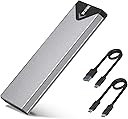
Desertcart purchases this item on your behalf and handles shipping, customs, and support to KUWAIT.
🚀 Unlock lightning-fast storage with style and ease!
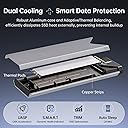
The SSK M.2 to USB NVMe SATA SSD Enclosure is a high-performance, portable adapter supporting NVMe and SATA M.2 SSDs (2242/2260/2280). Featuring USB 3.2 Gen2 10Gbps speeds, an aluminum alloy shell for superior heat dissipation, and broad OS compatibility, it enables ultra-fast, plug-and-play data transfers. Included accessories and thermal pads make it a complete, ready-to-use solution for professionals seeking reliable, stylish external SSD storage.


| ASIN | B07MNFH1PX |
| Best Sellers Rank | #8 in Enclosures |
| Brand | SSK |
| Built-In Media | 10Gbps USB-A Cable, 10Gbps USB-C Cable, Installation Package, heating pad |
| Color | NVMe based |
| Compatible Devices | Laptop |
| Connectivity Technology | USB |
| Customer Reviews | 4.5 out of 5 stars 21,739 Reviews |
| Data Transfer Rate | 10 gigabytes_per_second |
| Enclosure Material | Aluminum |
| Hard Disk Form Factor | 2.28 meters |
| Hardware Interface | USB 3.0 |
| Hardware Platform | Windows |
| Item Dimensions L x W x H | 4.53"L x 1.54"W x 0.43"H |
| Item Weight | 105 g |
| Manufacturer | SSK Corporation |
| Material | Aluminum |
| Memory Storage Capacity | 4 TB |
| Mfr Part Number | SHE-C325 PRO |
| Model Number | SHE-C325 PRO |
| Number of Items | 1 |
| Product Dimensions | 4.53"L x 1.54"W x 0.43"H |
| Supported Devices Quantity | 1 |
| Unit Count | 1 Count |
| Warranty Description | 1 Year |
O**M
Reliable NVMe SSD Adapter for Cloning and File Transfers
I bought this NVMe SSD adapter to transfer data from my old SSD to a new one, and it worked perfectly. I also use it for transferring files, and it has been reliable so far. The adapter is easy to use and provides good transfer speeds. It does get hot during longer transfers, but I have not applied the included thermal pad yet. Adding the thermal pad should help with heat management. Overall, a good NVMe adapter that works well for SSD cloning and regular file transfers.
B**T
It works as advertised!
Very well constructed. Easy to use, very fairly priced!
A**A
Fast and Well-Built SSD Enclosure with Excellent Compatibility
The SSK M.2 NVMe SATA SSD Enclosure is a compact and reliable option for turning internal SSDs into portable external drives. The enclosure feels solid thanks to the aluminum construction, which also helps with heat dissipation during longer file transfers. 💾 Setup is straightforward, and the enclosure supports a wide range of SSD sizes including 2242, 2260, and 2280 drives. The connection feels stable, and transfer speeds are quick with the USB 3.2 Gen 2 10Gbps interface, especially when paired with a fast NVMe SSD. The included chipset support for UASP and TRIM adds to the overall smooth performance, and the compact design makes the enclosure easy to carry in a bag or pocket. Overall, this is a well-built and versatile SSD enclosure with fast performance and broad drive compatibility.
H**H
So far, so good
The enclosure seems to be pretty good for it's worth. However, I ran into 2 minor issues: The directions provided are WRONG (screw A and the washer should be SWAPPED for sufficient SSD space in the enclosure.) Also, when I first plugged in the dual USB-C into my computer, it connected for only a quick second and then disconnected. I unplugged it, plugged it back in again with no response. Unplugged it once again, but this time I switched the USB-C sides, then voilà. It worked like a charm. Transfer speed is great. Heat transfer with the provided thermal pad also seems to be doing well. Moved 50+GB and the enclosure is hardly warm to the touch. So I'd say, so far, so good. However, I'm docking 1-star because of the initial connection dropping then not being recognized, since I'm not sure if that's a foreboding sign of what's to come in the near future. Will update if my opinion changes. Also, to anyone purchasing: TAKE OFF THE WHITE PLASTIC BACKING on the thermal pad. The plastic acts as a thermal insulator and BLOCKS heat transfer, so take it off and stick the pad directly on your SSD! You can remove it later.
Y**G
A must have for drive cloning! Maximum Speed is 1000mb/s Read + Write
This is a life saver and a must have to clone drives. Up until about two months ago there were no NVME compatible external drive enclosure on the market and the only m.2 enclosures were SATA drive compatible, NOT NVME. Most laptops only have one drive slot and whenever you wanted to clone a laptop drive, you had to undergo a long tedious multi-step process: 1. Clone the laptop drive to an external hard drive via USB 2. Remove the old NVME SSD 3. Install the new NVME SSD 4. Use some sort of bootable cloning usb drive like Macrim Reflect to copy the contents of the external USB drive to the new drive. 5. Restart and pray that it works and that nothing got messed up along the way. 6. If it does't boot or messes up, repeat the process over again With a NVME external enclosure the process is significantly simpler: 1. Plug in new NVME drive in to enclosure and plug into the USB port 2. Clone old NVME SSD to new NVME SSD 3. Remove old NVME SSD and replace with new NVME SSD 4. Done. The old way resulted in numerous annoyances and non-boots as Windows DOES NOT boot from external drives and you must rely on third party bootable cloning apps. If any errors pop up during any step in the chain, you'd have to redo the process all over again until you get it right. With a NVME enclosure you can direct copy from laptop drive to new drive and switch out the old drive with the new directly. Much less assembling and disassembling frustration. This enclosure works exactly like it's supposed to. The build quality is good but not amazing. The bottom and tops of the drive enclosure rub and get scratched on the metal sleeve whenever the enclosure opens or closes. This can be problematic if you open and close it often, but not if you plan on putting a drive in there and leaving it there. The drive bay PCB has exposed copper veins to help conduct heat. I'm not entirely sure this does much but I suppose it's better than nothing. Also worry not as the veins would only touch the tops of the memory chips or controllers, not any exposed leads so no shorts would happen. You can also put in a thermal pad to better conduct the heat from the drive to the PCB. There is also included a nut that has a low side and high side which should fit if you have thicker double sided SSDs or single sided SSDs. The included thermal pad is great for conducting heat to the aluminum sleeve for dispelling heat. During during disk cloning and sustained data transfers, the aluminum enclosure does get quite hot . The temps do cause transfer speeds to drop. However if I grab the enclosure with my hands it cools off quickly and speeds return. There's no active fan for air circulation so hot objects stay hot. However a metal enclosure is better than none. One annoyance is that they only include a USB-C cable and no USB-C to USB-A cable. Though USB-C is superior, many older systems do not have USB-C and having a cable adapter would have been helpful. One final observation is that the maximum transfer speeds of this enclosure is 1000mb/s read and write. This is a hard cap and no matter how fast of an SSD you put in here, the max speeds are capped. I've put in drives that were capable of 3500mb/s reads and 2900mb/s writes and the max speed is 1000mb/s. I've tried it on thunderbolt to PCIE ports, the max speed is 1000mb/s. This is likely due the internal controller of the enclosure. The speed is pretty good for an external drive as few thumbsticks or USB external SSDs are capable of hitting these speeds (they're usually around 500mb/s or SATA speeds). Overall this is a pretty good and cheap drive. I have few issues with it other than the aforementioned ones. ***If this review was helpful, please give me a helpful vote!***
T**I
Compact, thermally conductive, easy to assemble, practical......
Excellent, compact and easy to use aluminum enclosure with good heat transfer between an m.2 SSD and the case. It also has a nice hefty feel vs plastic although that's purely subjective. Comes with extra mounting hardware for the device and both a Type A to Type C and a Type C to Type C short (about 8"each) cable. A (blue) LED illuminates a good sized chevron that lets you know it's connected and that blinks during data transfer. The case can get hot with larger capacity/higher speed M.2's which means it is transferring heat from the memory device to the outer case where it can dissipate away. Some people will downgrade this as though it's a bad thing, but a hot case just means it's working/doing its job to transfer heat away from your device. The case is lightly textured aluminum, but flat on both sides, so if the surface temperature is too much of an issue, you can figure out how to mount an exterior heat sink with a thermal pad or some thermal paste. I'm just using mine as externally mounted local storage on a NAS for my Roon music server's database, so I'm only housing a 128Gig M.2 that I need to connect via a USB 3.2 and it stays on the high side of warm to the touch. So far every negative review I have read is complaining about either an incorrect assumption of what they received and how it works or a misunderstanding of high capacity and/or high speed solid state storage thermal characteristics. This is an excellent, elegantly designed product that does what it is supposed to and comes complete with necessary hardware including a small screwdriver for the one screw and standoff to mount the memory and if desired, a second screw to lock the case. It's the top seller for a reason, despite not being the lowest cost. Buy it and stop agonizing over the huge number of other products out there.
Z**N
Does what it needs to and good manual and all parts needed
I get right about 1gigabyte per second (byte not bit) read and write on my macbook pro and a samsung 980 pro. That is about the peak number you'd expect after overhead on a 10gbps link. You never get an effective rate matching the theoretical number. Device is simple to assemble with a good manual and includes a magnetic screw driver (cheap plastic but does the job great) that lets you easily deal with the tiny screws involved. It has a piece of one-use thermal pad that I chose not to use as I'm going to use this as a way of prepping m.2 drives for use in other computers not as a permanent usb storage device. I tested both with BlackMagic Disk Speed Test as well as just copying large files to it and confirming that the time was commensurate with the test numbers. GIgabyte files copy in about a second. edit: Connected directly to my iphone16 and it's awful, it takes about 20 seconds to perform any read operation - it just sits there 20 seconds before the access light starts blinking. It's basically unusable. However, I hooked it up to a usb c hub via usb A cable it comes with and plugged in external power (wouldn't even turn on without external power) to the hub and the device works as expected. Iphone 16 can't provide enough power directly, I guess? A usb-c thumb drive connected directly to the phone operates perfectly but likely uses much less power. edit: connecting it to the phone via a powered usb-c hub via the included usb-c to usb-a cable works great.
S**C
USB-C cable caused hours of headache
My SSD was not usable with this enclosure. Until I solved the problem. I'm using this SSD to create a full system backup image of a clean Windows 11 install with all my preferences and software. I like to tinker and break things so this will be a huge time saver as I reinstall my OS sometimes several times in a day. I could see the drive (in DISKPART and Disk Management) so I went about cleaning it (wiping it), partitioning, and formatting....still formatting...still at 0%...several minutes later nothing...cancel...try again. Wipe the drive, partition again, everything seems good....start to format...nothing....stuck "formatting" again...for ten minutes this time. I try several more times waiting in longer intervals, which tells me something is wrong. While I wait, I start researching. What's happening here? It's an empty SSD so it shouldn't take more than a few seconds to format. Fine, I'll go down the rabbit hole and diagnose this new SSD. An annoying problem to have, but I'm a tech junkie so I'll figure it out. Reading technical walkthroughs. Checking firmwares. Getting into enclosure properties from the Device Manager. Trying to find out why this hard drive is being such a pain. I can see the drive. I can interact with the drive. I can see it in Windows. I can even see my partition type is RAW, which is correct bc I haven't assigned a "file system" for it yet (NTFS, FAT32, etc). I am attempting to format it to NTFS so I have cross-compatibility between Mac/Windows computers. I have a top of the line machine with USB 3.2 Gen 2 interfaces. Top of the line CPU with strong motherboard. Yet something about formatting, this drive won't do it. Okay. I submit. You win, SSD. I'll return the drive and try again with another I guess. But one last thing... I know my way around networking, and a common problem with speeds is cable quality. I just upgraded a few ethernet lines in my house...cut and added new RJ45 connectors to the end so they could be plugged into PC's and routers and data outlets, etc. Only sharing for credibility. So, let's try changing the cable to another USB-C to USB-C cable I have. Thankfully I had one. Went through my SSD check list...wipe it, partition it, format it (using NTFS) and....voila. Instantly formatted to 100%. That crappy little 6" cable they provide was the weak link (USB-C to USB-C). I can't believe that was the problem. Hours of trying to figure this out. Maybe they're dumping poor quality cables and dealing with the customer fallout? Maybe that's why this is $16 and other brands are selling at $20-$30. Though it appears they're based in Shenzhen, which is pretty much the fast-and-cheap tech capital of the world because it's a prototyping hub. So it makes sense they'd be able to offer a more affordable version. Long story short, I wish I checked the cable sooner, but I was fully interacting with the drive other than being able to format it...so no reason to think the cable was the issue. The device comes with a USB-A to USB-C cable as well, but my preference is USB-C as I have a mixed Mac/PC environment. So, I don't steer away from that. Several hours and a few gray hairs later, and I have a working drive and enclosure...unfortunately using my a cable that is not a spare. You shouldn't have to buy the cable either. I'm hoping I just got a bad one. But I did read another buyer had another issue, which tells me cable quality may be suspect if you're going for the cheaper enclosure as I did. I'm going to reach out to them to see if I can get a new cable (or a couple to be safe if they were willing). The enclosure itself otherwise seems great. Simple to install the SSD. Solid metal construction. Drive fit like a glove. Everything works perfectly now that I replaced their USB-C to USB-C cable with my own.
D**N
Fast, robust, easy install - what's not to like?
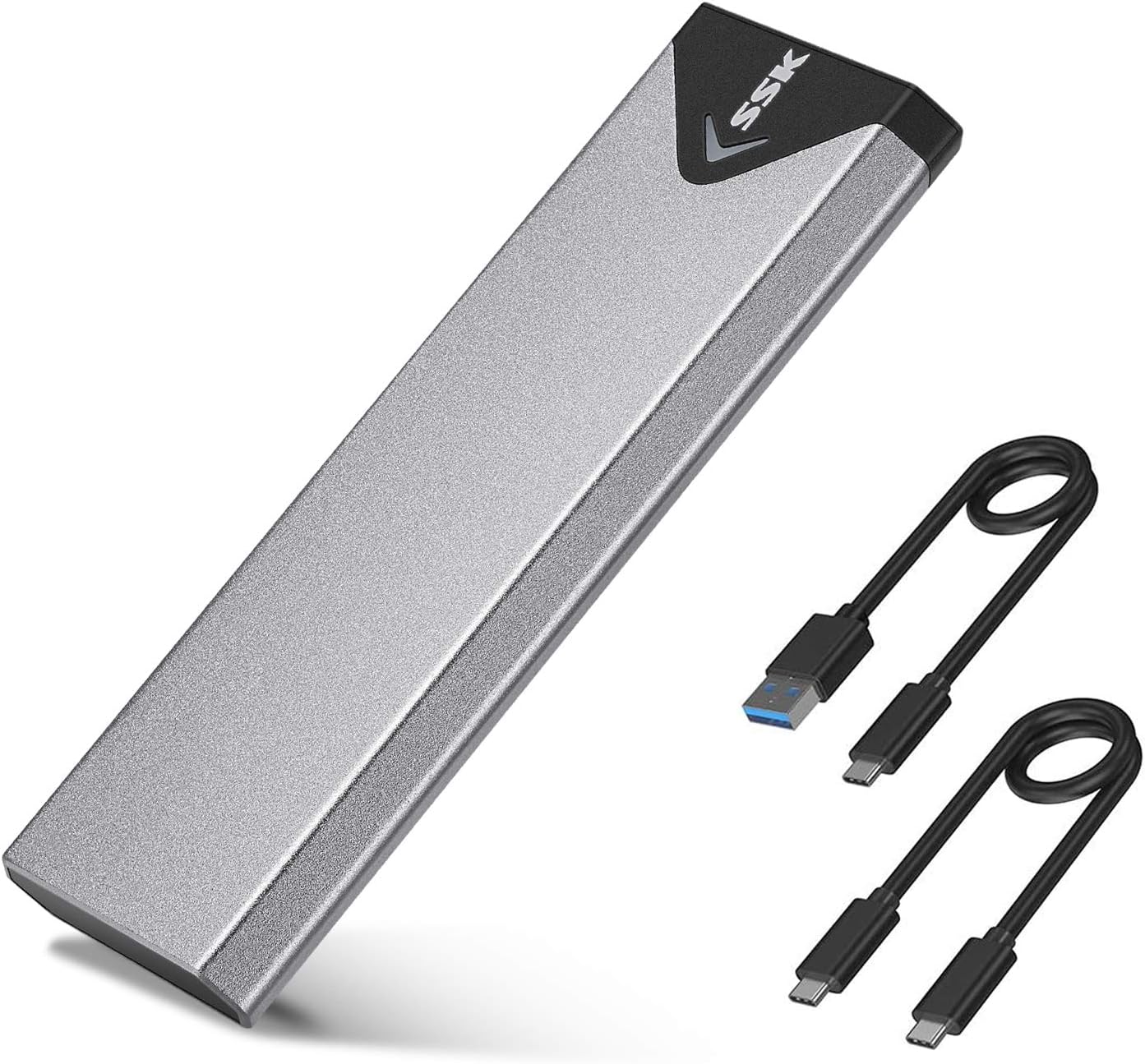
I'd decided that I wanted to use M.2 SSD devices as part of my travelling toolkit for server builds/software installation, so was looking for a suitable caddy. I particularly wanted a solid case; on the basis of reviews I went for this one, and it doesn't disappoint on that score. In short, I'm very happy that I went down this route, especially after the surprise I got described further down in the review! I was quite impressed with first one, so I've now purchased two more of these enclosures over the last 6 months or so - another one for me and one for a family member who does a lot of video work. They're easy to put together, everything you need is in the package including a screwdriver, a thermal pad (important!) for your NVMe device and two short USB cables (USB-A to USB-C and USB-C to USB-C). The small screws (2 needed) are slightly fiddly to fit if you have chubby fingers like me, but nothing unusual there. It takes about 5 minutes including unpacking to get it ready to go. I use Samsung 970 EVO Plus (256G and 1TB) devices in the caddies. The performance I thought was pretty darn good compared with the USB3 flash drives I used before, worth the 'upgrade' to NVMe. For mid to large file transfers I see typically 300MB/s+ even using Windows copy - see the first pic. But then I upgraded my home desktop PC, fitting NVMe devices alongside a Crucial BX500 SSD. Hmm... The first file transfers were pretty much the same, around 300MB/s+ from the SSK to the Crucial SSD. But then I did a copy from the SSK caddy to one of the internal NMVe devices... oh, my...! In the second pic, you'll see the rate at 1.8GB/s (actually it was faster initially), which is probably close to the USB 3.2 max. I'd forgotten that the transfer rate for SATA SSDs was probably the limiter... What this tells you is that the controller in the caddy has properly implemented NVMe and USB 3.2 Gen 2. One thing you will want to watch for. The NVMe drives run pretty hot, more so than USB flash drives, so it's a good idea to make sure they're in free air when you use them. The thermal pad applied to the device and the aluminium body help to get the heat away, which will help the life of the device; just be aware that yes, it really does get that warm!
A**S
Super good and original
Super awesome and original it is made in Vietnam and really super good, and I recommend this seller too much
M**A
SSK Adattatore per Custodia SSD SATA M.2 NVME: Compatto, Resistente e Performante
Ho recentemente acquistato l'adattatore per custodia SSD SATA M.2 NVME della SSK e devo dire che sono rimasto estremamente soddisfatto della sua performance e versatilità. Innanzitutto, il design compatto e leggero lo rende ideale da portare in borsa o in viaggio. Nonostante le dimensioni ridotte, il materiale di costruzione in alluminio conferisce una solidità e resistenza che lo rendono adatto anche per un utilizzo quotidiano. La compatibilità con gli SSD SATA M.2 NVME è ottima e non ho riscontrato alcun problema durante l'installazione o l'utilizzo. La velocità di trasferimento dati tramite USB 3.2 Gen 2 (10 Gbps) è eccezionale, consentendo di travasare grandi quantità di dati in pochissimo tempo. Un punto di forza di questo adattatore è sicuramente la capacità di dissipare il calore generato dall'SSD grazie al suo materiale in alluminio. Questo aiuta a mantenere le temperature del dispositivo sotto controllo anche durante utilizzi prolungati, garantendo prestazioni ottimali nel tempo. In conclusione, consiglio vivamente l'adattatore per custodia SSD SATA M.2 NVME della SSK a chiunque sia alla ricerca di un dispositivo affidabile, performante e versatile per il trasferimento e lo storage dei dati
M**T
Alabileceğiniz en iyi NVME SSD Enclosure
Cihazı Ubuntu kurulu, Hikvision 512Gb SSD takarak test ettim, masaüstü bilgisayarımda anakart üzerinde bulunan USB 3.2 Gen 2 x 1 portunun vaad ettiği 10 Gbps hızı tamamen sunuyor, okuma ve yazma değerleri portun tam desteklediği değerleri sunuyor. Piyasada satılan türevlerine göre bu farklı kontrolcü kullanıyor ucuz olan modellerde JMS583 kullanılıyor. Resmi olarak Windows\Linux ve Mac desteği sunuyor. Ucuz olan başka modelleri tercih etmek isteyenler olabilir, içerisinden çıkan kablo bende yazma problemleri yaşattı fakat bunun içerisinden çıkan kabloda hiçbir sorun yaşamadım. Parasını kesinlikle hak eden bir ürün, içerisinden çıkan termal pedde bozulmamış, sağlam halde geldi çok memnunum.
T**O
adapter
aansluiten en het werkt
Trustpilot
1 month ago
4 days ago