🤫 Power meets silence in a sleek 4K-ready mini powerhouse
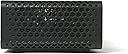
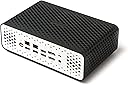
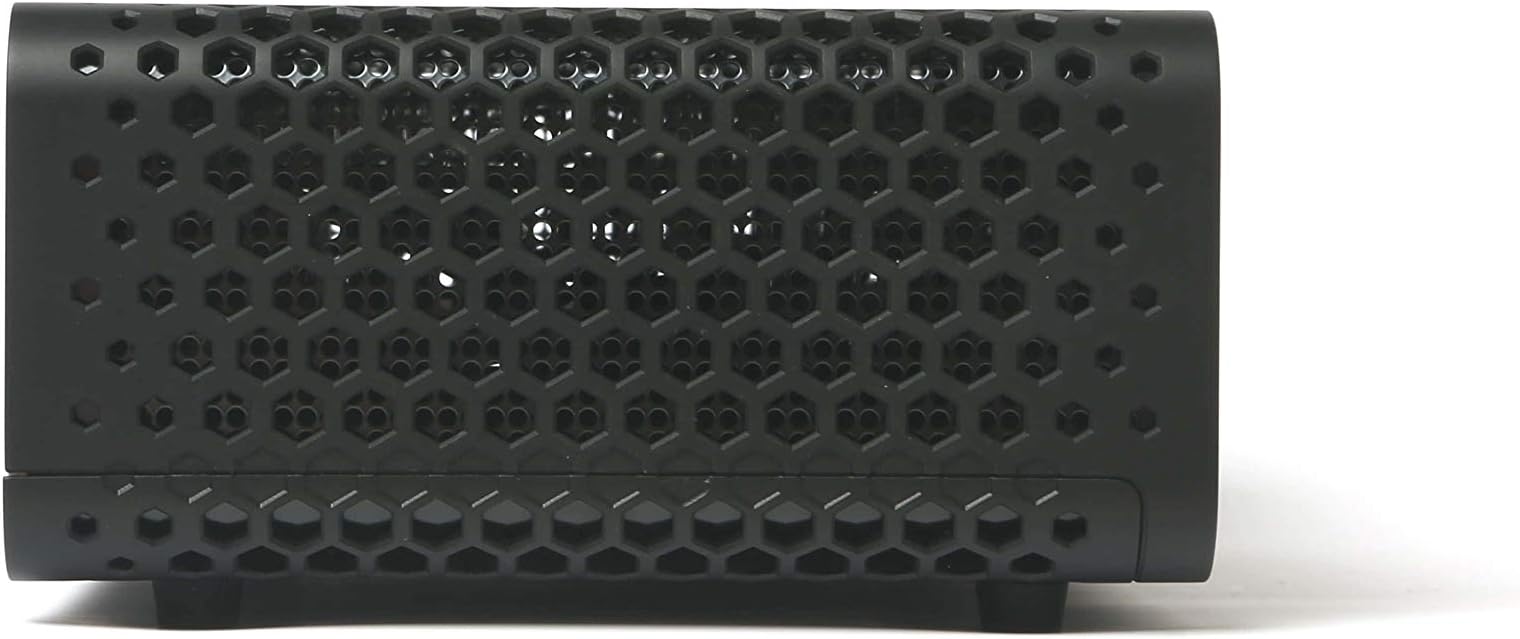
The ZOTAC ZBOX CI620 Nano PLUS is a compact, fan-less mini PC powered by an 8th Gen Intel Core i3-8130U processor with Intel UHD 620 graphics. It supports dual 4K displays at 60Hz via HDMI 2.0 and DisplayPort 1.2, offers robust connectivity including dual Gigabit LAN and 802.11ac Wi-Fi, and features a silent passive cooling design inspired by honeycomb structures. With 4GB DDR4 RAM and a 120GB SSD included, it’s ideal for professionals seeking a quiet, customizable, and space-saving desktop solution.


| ASIN | B07L9NCC7V |
| Additional Features | Microphone |
| Best Sellers Rank | #256,057 in Computers & Accessories ( See Top 100 in Computers & Accessories ) #7,228 in Mini Computers |
| Brand | ZOTAC |
| Built-In Media | Drive Disc, Power adapter & Cable, Quick Install Guide, User Manual, VESA mount (w/ screw), Wi-Fi dual-band Antenna, ZOTAC ZBOX CI620 nano PLUS |
| CPU Model | Cortex |
| CPU Model Number | Core i3-8130u |
| CPU Speed | 2.2 GHz |
| Cache Memory Installed Size | 1 |
| Cache Size | 1 |
| Color | Black |
| Connectivity Technology | Ethernet, HDMI, LAN, Wi-Fi |
| Cooling Method | fan-less |
| Customer Reviews | 4.1 out of 5 stars 69 Reviews |
| Display Resolution Maximum | 3840 x 2160 pixels |
| Global Trade Identification Number | 00816264019258 |
| Graphics Card Description | Integrated |
| Graphics Card Interface | Integrated |
| Graphics Card Ram | 1 |
| Graphics Coprocessor | Intel UHD Graphics 620 |
| Graphics Description | Integrated |
| Graphics Ram Type | 72-Pin EDO SIMM Memory |
| Hard Disk Description | SSD |
| Hard Disk Interface | ATA-4 |
| Hardware Interface | Bluetooth |
| Human-Interface Input | Touchscreen |
| Item Dimensions | 8.03 x 5.08 x 2.68 inches |
| Item Height | 2.68 inches |
| Item Type Name | ZOTAC ZBOX CI620 Nano PLUS Silent Mini PC 8th Gen Intel Core i3-8130U UHD 620 4GB DDR4/120GB SSD/No OS - ZBOX-CI620NANO-P-U |
| Item Weight | 4.2 Pounds |
| Manufacturer | Zotac |
| Memory Clock Speed | 1 GHz |
| Memory Speed | 1 MHz |
| Memory Storage Capacity | 120 GB |
| Model Name | ZBOX-CI620NANO-P-U |
| Model Number | ZBOX-CI620NANO-P-U |
| Native Resolution | 3840 x 2160 |
| Number of Component Outputs | 2 |
| Operating System | Windows 10 |
| Personal Computer Design Type | Mini PC |
| Processor Brand | Intel |
| Processor Count | 2 |
| Processor Series | Cortex |
| Processor Speed | 2.2 GHz |
| RAM Memory Installed | 4 GB |
| RAM Memory Technology | A8 |
| RAM Type | Unknown |
| Ram Memory Maximum Size | 32 GB |
| Resolution | 4096 x 2160 |
| Screen Size | 1 |
| Specific Uses For Product | business, personal |
| Style Name | 4GB DDR4/120GB SSD/No OS |
| Total Usb Ports | 5 |
| UPC | 816264019258 |
| Video Processor | Intel |
| Warranty Description | 2 Years |
| Wireless Compability | 802.11ab |
| Wireless Network Technology | Wi-Fi |
| Wireless Technology | Bluetooth, Wi-Fi |
M**.
Nice quiet, little computer for low power computing.
TLDR: The ZOTAC ZBOX Edge CI341 is a quiet, little computer that works well for low power computing if you don't mind installing the memory, SSD and OS yourself. MX Linux friendly. What I like the most of about the ZOTAC ZBOX Edge CI341 is its size. It's only slightly bigger than a 140mm computer case fan (not including the WiFi antenna) making easy to hide it behind a monitor or under a desk. Other than its size, I like that it is quiet. Very quiet. Being passively cooled means no noise from cooling fans and I haven't noticed any thing like coil whine coming from it under load. Performance wise, it was what I expected. It's a passively cooled Celeron N4100 with integrated graphics so you have to have realistic expectations. It's a low power computer. It works well for web browsing and light productivity tasks. It is not meant for video editing, AAA video gaming, etc. Since this is a "barebone" system you have to purchase and install the SODIMM memory and M.2 SATA drive separately but installation of the memory and SSD was easy. You also have to install the OS yourself too. The CI341's passive heat sink works well and keeps the computer cool under normal loads. The exterior doesn't get too hot. You can easily pick it up while it's under load. The only negative thing I'll mention is streaming 4K vids. Yes, it can stream 4K but don't expect it to anything else at the same time. Even moving the mouse will cause the video to stutter. Dropping down to 1440p results in a much smoother, stutter free, streaming experience if you want to do other things on the computer at the same time. Now for the more technical bits. I installed 8GB (4GBx2) of Crucial DDR4 2400 (CT2K4G4SFS824A) memory and for the M.2 SATA Drive I'm using a 240GB WD Green M.2 SATA SSD (WDS240G2G0B). So far no compatibility issues and both are working very well with this computer. For the record, unlike what another reviewer said, this computer uses a SATA M.2 not a NVME M.2 for the SSD. For curiosity sake I tried a NVME and as expected it didn't work. With the NVME installed I ran into some weird issues trying to boot into the USB drive I was using to install the OS. I think the other issues that reviewer had were due to him trying to use a NVME M.2 instead of a SATA M.2. For the OS I did not install Windows 10 but I have no doubts that Win 10 will install just fine. I installed MX Linux 19.2 (Xfce). I did not have any issues installing MX Linux and so far no noticeable driver issues. WiFi, Ethernet, Bluetooth, video, and audio all worked "right out of the box" with the drivers included with the 19.2 release (MX-19.2_September_x64.iso).
Z**S
Silent and Fast
I purchased the latest i5 model of the Zotac C series - i5 10210U - with no storage or RAM. Installation of a 1TB SSD and 2x8 gig memory modules was easy - just had to take off the bottom cover. Afterwards installing Windows 10 from USB was also seamless. I bought this computer to replace my existing custom built HTPC. It serviced me well but the heat and noise it was generating was starting to bother me. This little guy is completely silent (I haven't noticed much, if any coil whine even under load). Mostly using it to watch movies and for streaming. CPU temps at idle sit around 40-45 and the cover doesn't feel warm. When watching movies it usually sits in the 60-70 range and the chassis is warm - but not overly hot. I'd like to see the next version allow M.2 NMVe SSD as well as the 11th gen intel with IRIS XE - that would be a nice bump over the Intel HD620 in this one. If that becomes available I would upgrade. Everything seems snappy enough with the i5 and SSD - but all I am using it for is email/web browsing/media.
S**R
Easy-to-setup, Utterly Silent
Initially I tried a cheaper fanless NUC-clone system, build quality just wasn't there. Ended up moving up the range a little - the difference is night and day. Build quality is much higher, product is solid, easy to open and get set up. Worked out of the box with my 4K monitor, default BIOS settings were perfect. Threw 16Gb of RAM and a 1TB SSD into the box and booted it w/ K3os 0.9. Networking and device detection worked great, I was up and running in no time at all. This appliance is utterly silent, and only a very small lights on the front let you know it is on and working. Great job Zotac.
T**R
I love this little guy; fast and silent. Sound fix included. Be aware of coil noise.
Before I go any further, this is specifically for this model: ZOTAC ZBOX CI660 Nano Plus Silent Mini PC 8th Gen Intel Core i7-8550U UHD 620 4GB DDR4/120GB SSD/No OS (ZBOX-CI660NANO-P-U). It may be applicable to other models, but I wanted to be clear. I love this thing, but the most important thing you need to know: If the sound doesn't work (esp. if you've installed Linux or Debian or Ubuntu or Arch); don't panic! Just go into the bios and enable it. I spent hours debugging it, only for it to be turned *off* by default. No idea why. See enclosed picture. I'll update this review if I run into any major issues, but one day in this thing runs silent and cool and FAST. Not like CAD workstation fast, but like you took a Dell XPS 13 and stuffed it into a box that's 90% heatsink, which is exactly what this is. I replaced the 120g drive (I bought the plus model) with the a nice Samsung SSD; getting the case off took a little levering but nothing too bad (after I took the feet/thumbscrews off). You're going to need some kind of micro screwdriver to really get all the screws off for the HDD bracket; I cheated and just left the SSD in there plugged in and made sure that everything would squish it enough to stay in place. It's not like it's in a laptop or anything; it's just going to sit on my desk--very silently! Running smoothly with Debian Stretch 9, and also running great with Debian Buster 10 as of 2019-02-03, although there's a minor bug that spits out messages to the console on buster (which is still testing right now) that I don't want to mess with, so I'll downgrade to stable. Ubuntu 18.04.1 and Elementary OS 5 also worked fine. Yay GNU/Linux! I was so happy to find a truly fanless, silent computer. I hope you like yours too. ==================================================== Update, 2019-02-24, down to four and a half stars, rounded down to four: Still love this thing, except I have definitely noticed the coil whine sound that others have mentioned. It's not a huge deal, and it's pretty quiet, but you should be aware of it. The only time I really hear it is when I'm doing something graphically intense. In my case when I run Civ 5 (even in the background; like, I'm busy browsing the web and its' running in another window) I can hear it. BUT when I switch Civ 5 to strategic view (i.e. 2D not 3D the sound instantly goes away). So, when I'm just working with documents or browsing the web I don't hear it, but when I have a game running I do. Otherwise still love this thing and keep it running 24/7.
W**H
Avoid This Brand/Manufacturer If You Can Afford To
Full disclosure: I work in tech as an engineer and have a B.S. in Comp. Sci. This is the 2nd Zotac ZBOX C I've purchased in the last few years and both of them suffered catastrophic failures. I use these devices as network routers/firewalls and mini servers due to their small physical and electrical footprint combined with their computing power. The first ZBOX C I bought crashed suddenly after about a 1.5-2 years taking down my home network. One of the NICs stopped working out of the blue. I attempted to repurpose it as a server and within a few months the motherboard started failing whenever the system had been up for a few hours. This item arrived DOA and wouldn't even POST on startup. I received a semi-brief high-pitched beep followed by 5 short, lower pitched beeps. I tried multiple configurations of the RAM, m2 SSD, etc. by adding/removing them and nothing worked. Tech forums around the web suggest hardware failures to be a common problem with this brand with the general consensus being you should avoid Zotac. "Why did you buy it then knowing all this?" is probably what you're asking and the answer is simple: price. At the price point these devices are sold at it's a risk worth taking. For the price of nearly any of the Intel NUCs you can buy two or more of these and you get dual gigabit ethernet ports. A comparable but more expensive and very reliable alternative is the Protecli brand which I own and use for a firewall (VyOS). If you can afford it, go with the Protectli devices. If not, feel free to purchase this brand but know you might have to replace it sooner rather than later.
V**O
Superb, Silent, Powerfull and Very Low Consumption
Superb, Silent, Powerfull and Very Low Consumption. Great work with 3-4 VM machines simultaneous. Excellent job Audiophile with Audirvana HI-RES (DSD, 24/96, 24/192; extremely silent). Excellent like NAS UPNP DLNA (Asset UPnP) or any kind of Servers (ws2019 ad dns dhcp VPN into VM). Powered with Microsoft WINDOWS 10. All the above tasks are performed simultaneously by its INTEL i5/4 core processor. And more...
G**D
Perfect solution for my PFSENSE project!
Perfect quiet, low power, and efficient barebones for my PFSENSE project! The only catch is it uses dual Realtek NIC's vs Intel, however the workaround is to update PFSENSE's base FreeBSD drivers for RealTek NIC's upon install. If you do not update the drivers the system will only see 1 NIC. It has been up for 21 days since purchase without any issues!
O**N
Excellent build quality / Linux compatibility out of the box
It's completely silent with excellent performance. Really well made unit that comes in excellent packaging. Works very well as an OpenWrt router (has dual LAN) and as an Ubuntu server. Looking forward to future Mini-PC models from this company, especially if they manage to fit a passive cooling solution for a high core count Ryzen 4000 mobile CPU in one of those cases in the future.
Trustpilot
1 month ago
1 month ago