📠 Scan smarter, not harder — your ultimate mobile document sidekick!
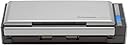
The Fujitsu ScanSnap S1300i is a compact, portable color duplex scanner designed for Mac and PC users who demand speed and efficiency. With a 10-sheet automatic document feeder and the ability to scan up to 12 double-sided pages per minute, it streamlines digitizing documents, receipts, and photos. Its intelligent image processing and seamless cloud compatibility make document management effortless, while dual USB and AC power options ensure flexibility for both office and mobile use.


| ASIN | B008HBFADQ |
| Best Sellers Rank | #179,697 in Office Products ( See Top 100 in Office Products ) #179 in Document Scanners |
| Brand | ScanSnap |
| Built-In Media | Computer Scanner |
| Color Depth | 24 bits |
| Connection Type | USB |
| Connectivity Technology | USB |
| Customer Reviews | 4.3 out of 5 stars 2,672 Reviews |
| Global Trade Identification Number | 00097564307904 |
| Item Dimensions D x W x H | 3.9"D x 11.18"W x 3.03"H |
| Item Type Name | Color Duplex Document Scanner for Mac or PC, Classic |
| Item Weight | 3.1 pounds |
| Manufacturer | FUJITSU |
| Media Type | Business Card, Paper, Photo, Post Card, Receipt |
| Minimum System Requirements | Windows 7 |
| Model Name | ScanSnap S1300i Classic |
| Optical Sensor Technology | CIS |
| Product Dimensions | 3.9"D x 11.18"W x 3.03"H |
| Resolution | 600 |
| Scanner Type | Document, Receipt |
| Standard Sheet Capacity | 10 |
| UPC | 808113035113 863121574245 799198553886 132017849089 804067422610 044113200667 872182839071 990053186106 012303034941 043396323933 042111662463 097564307904 897443698228 |
| Warranty Description | 1-Year Depot warranty |
| Wattage | 9 watts |
S**N
I Hesitated to Buy Because of the Price. Big Mistake! Great Product!
As I mentioned in the title, I hesitated to buy one of these. I thought about it off and on for months, and couldn't quite pull the trigger on the price. It seemed expensive, and why would I want to pay that much for a simple scanner? Especially when I already had a flatbed scanner in my office that would work just fine? Eventually, however, I got tired of the limitations of the flatbed scanner, and wanted more! So I bought it, and I don't regret it! A lot of the product reviews on here have already touched on the majority of the features of the scanner. So I will just quickly go over them. The best reasons to buy this scanner, over a flatbed / other scanner? Here's why: - Automatic color detection - Automatic size / crop detection - Automatic duplex / simplex detection - Automatic rotate detection - Multiple page sizes in a single scan (again, all detected) - Automatic OCR (Optical Character Recognition) after scanning - Automatic key / tag detection and sorting - FAST! While it's a scanner, and it scans (duh!), it's the corresponding software that makes it amazing. The scanner is nicely compact, with two scan heads inside of it, to be able to scan both sides of the page at the same time. But it's the fact that once it's scanned, it's run through some filters to automatically detect and perform all of the above functions. And best of all, it's all done before you've gotten your next stack ready to scan! And even better, since it comes complete with a built in ADF (Automatic Document Feeder), you can scan a whole stack of pages, rather than one at a time through a different scanner. The manual states that the ADF can hold 10 pages (I think). But I was able to get about 18 pages stacked together for it. So, that means that in one shot, it could scan 36 pages (double sides of the 18 physical pages). Awesome! Now, there is one slight negative that I've been wrestling with a bit. Unfortunately, the included software (ScanSnap Organizer) does not allow you to set up the organizer to point to a network file share. This may not be a huge deal for some, but it does limit some of the capabilities of a larger, networked company (or home). Many people prefer to have all of the files on a centralized network, so that they could collaborate with others, or access the files on a variety of devices. ScanSnap does not allow this. However, it does allow some workarounds, which include creating a shortcut to the network folder, etc. But they're a bit kludgy, and don't work perfectly. In addition, if the folders are saved on a network drive, and indexed on that computer, ScanSnap will be unable to find the files through it's search utility, even those it states that it's using Windows built in search utility. This doesn't make sense, as you could click on Start -> (Search), if running Windows 7, and find the networked files that way using your search criteria. Yet from within ScanSnap Organizer, it doesn't find these files using the same search string. Oh well. Either way, despite some minor limitations, this thing is great! It works great, it's fast, you can buy consumable materials for it (pick / pad) after using it for awhile instead of having to buy another scanner, and the included software leaves the files in a standard Windows directory format, so you're never locked into having to stick with a proprietary format for the rest of the life of your files. If you're thinking about buying it, stop thinking - BUY IT! It's well worth it, and your uncluttered office (and wife!) will thank you.
R**N
Perfect scanner to go paperless
After reading many reviews, I selected this scanner to allow me to go paperless for all my home records and papers. It is just about perfect for this! - Fast reliable scans - two sided. I am amazed at its speed - at 300 dpi it seems to deliver the full promised rate. - Handles 2-sided 10 page documents easily, or a few more pages with a little care - Can handle different sized pages in the same document with a little care (e.g., 8.5 x 11 invoice and the associated credit card slip). - Works seamlessly with Devon Technologies Pro Office software (DTPO) - Compact doesn't take up too much space on the desk - Use external power or usb power (Note: USB power is a separate cable and the scan speed is significantly slower) - With the software I use, the orientation of the pages doesn't matter - auto rotation works very reliably Going paperless: This scanner is a critical part of the way that I have been able to go completely paperless. In my case, it is the heart of the system I have devised to eliminate all the paper clutter and still be able to find anything I need: - Fujitsu scanner - Devon Technologies Professional Office (Separately purchased data base software which seamlessly imports and OCRs the scans, and even suggests which folder to file them. It allows annotating, tagging, amazing searches, backups, and much more) - Cosco 7 digit numbering machine to give every scan a serial number (I set the 1st two digits to the year, then sequentially number the fist page of every document as I scan it). - 10x13x2 Side open Tyvec envelopes to collect every 100 scanned documents - Bankers boxes for long term storage of the original documents in their Tyvec envelopes, in case I ever need the original instead of the copy. With my system, I can scan and store every document, confident that I will be able search and locate the document in the database whenever I need it, and also locate the original if that is required. This scanner is as important to the system as the software. The setup was extremely easy - this scanner is directly supported by DTPO, so I do not use the Fujitsu software directly. What happens is that when the document is scanned it is immediately run into the Fujitsu Optical Character Recognition software, and then everything is stored into DTPO as a searchable PDF with the image and the recognized text. This approach is extremely powerful. I like that I don't have to decide whether or not to keep something - I just keep it all, with my super easy filing system to make things easy. When things are old enough, I will just discard the old papers, keeping just the scanned versions. I can also scan documents in any convenient order, and then file them in the data base where they belong. I strongly recommend that you look carefully into the software you need, and don't be surprised if you have to purchase the document software separately. The software with any of the scanners I looked at was too limited for my needs. The reliability of this scanner look good, but I have been using it only a couple of weeks. So far, after two or three thousand scanned pages, I haven't had any problems at all.
G**N
EXCELLENT PRODUCT - I have too much paper...
Recently, I was searching for a hard copy receipt from a purchase made a year ago and after several days of searching, I finally found it. Yes, several days. I have receipts, bills, other important documentation, and way too much paper saved in filing cabinets, boxes, desks, and who knows where else (Hence, I can't find them!) It was finally time to reduce this volume of "crud" and go electronic. Upon searching for a scanner, I called my sister who has a business and does A LOT of scanning. Without hesitation, she recommended the ScanSnap S1300i. I purchased the scanner and was pleasantly surprised by its' small size. It is about 11" wide by 3" tall and 4" deep, portable, and light weight. It was very easy to start up, connect to my laptop, download updates, and get it running. I am putting this scanner to work from scanning papers (some crumpled), receipts, light weight paper, multiple sheets at once, pretty much anything I can think of. It works GREAT. The best surprise has been that it scans double sided - it is like a magic genie - if it realizes there is information on the front and back of a page, it creates a scan of both sides of the document. It also scans very fast. Much faster then the all in one printer / scanner that I have. Paper Jams are very easy to fix. It also will straighten paper should they start to scan crooked. Although you can scan and save scans several ways, I just choose scan to folder. I am surprised just at how well this product works and am very pleased with the purchase. The best part is as I am scanning documents, I am recycling the hard copies and saving a lot of space. GREAT PRODUCT! I should have purchased this a long time ago. Reviewed by G. Swanson
D**O
Great Machine Overall
I bought this in 10/2017. For the most part, this is a great little work horse as I strive to make my docs electronic. I've only used this for personal use, but I have boxes of papers to scan. My work uses this brand (but a much more expensive model) with our ECM software and are great. This is what drew me to this product. Pros 1. Has put up with hundreds of pages so far with minimal irritation on my part. 2. I really like the Scan Receipt software. There are a few minor things I would tweak, but overall it fits my needs for tracking my expenditures at a high level. 3. It is very small and takes up a small footprint on my desk. My desk is not too big, so I really appreciate the size. Closing up the ADF helps to reduce the space and keep dust out of the scanner. 4. The scans are fast compared to MFPs I've used in the past with or without ADFs. 5. You can create various scan profiles. In addition to the profiles it comes with, I have created a single-page PDF profile for when I have a bunch of 1 page docs and do not want to scan them individually, I have a multi-page PDF that is a standard scan profile with my custom PDF settings, and I have a large page count document scan multi-page PDF profile to allow me to dictate when to finish the scanning rather than when the pages run out in the ADF. (Image files are available, but I wanted PDF scans.) Cons 1. Even using the guides, the pages can get skewed about a 1/3 to 1/2 the time especially anything not letter size. When a letter size paper skews, it will jam, but clearing a jam is relatively easy. I wish they had a mechanism to lay on top to help apply a light pressure. I can usually reduce the skewing if I place my fingers and apply very light pressure, but doing this is onerous. I usually have to do this more with receipts as they will skew about 90% of the time and not always corrected by the software. 2. I wish the software could index documents, but that can be solved by purchasing 3rd party software I suppose. Just a minor thing. 3. I wish I could turn off the auto review of the scans. Perhaps it is available, but I have yet to find the setting. Because of the number of scans, at the moment, I prefer to review after I have finished scanning all of my docs. Just a minor thing. 4. I wish the page length could be longer than legal size. Many of my receipts are too long for the machine. But I just snip them at appropriate lengths and can combine them with the receipt software, so this is just a minor annoyance to me. Overall Most of the Cons for me are minor. The only one that bugs me and reduced my review by a star is the skewing issue (#1). If that were resolved, this would be a 5 star product. I love how it has worked through all of my scans. The Scan Receipt software and the ability to create multiple scan profiles are really nice. The only part I have not used is the Scan Snap Organizer software. I am waiting until I complete all of my scans.
D**C
Small, Fast, Truly deserves all these great reviews. Fantastic machine.
I purchased this scanner to replace a full size do-it-all cannon pixima. The cannon was in the office with my work computer but was connected wirelessly to our home computer in the kitchen. I hate piles of paper - so my plan was to scan incoming documents to our home computer and shred the actual paper. Doing this on the canon took FOREVER and often required many trips back and forth between the kitchen computer and the canon in the office. I finally decided I need a scanner connected directly to our home machine to make it less painful. We have limited desk space in the kitchen so I wanted a machine with a small footprint. I saw the Neat-desk setup at Sams but it was expensive and the reviews poor. After talking to someone at work who owned the neat-desk and told me to avoid it I ruled out that as an option. The reviews for this scanner were almost too good to be true. I purchased it after a night of being particularly angry at my few month old Canon. It took maybe 5 minutes to install the software and hook up. It was a bit smaller than I expected - a bonus in my case. As for the performance all I can say is WOW, what a difference. The scanner turns on when you open the paper feed tray - then you hit the big blue button and like 2 seconds latter you are done. It is so fast and scans both sides at once. I scanned a whole pile of paper that had accumulated in minutes....I was saving that pile to do on the weekend because that is what I had to do with the Canon. I was trying it out after connecting it and it was so fast and simple that I went through the whole pile. I scan everything to PDF and I haven't tried OCR-ing things into WORD because that is not what I wanted t for. All I can say is that it is refreshing wen something works better than expected. As I read in an earlier review It performs best with similar sized sheets. However, I have seen it straighten out a regular sized receipt that got hung up on another page in the stack of paper I put on there and it went through at like a 30 degree angle. The PDF looked as straight as the rest. This thing is small and Fast. Highly recommended.
�**R
Irritating software issues
Update: Aug 2020: I'm downstarring this product from 5 to 1. I've used this scanner for just over a year. At first, it was great. And, when it works, it's still great. However, about every two months it suddenly doesn't work and I get the following message: >>>"Unable to connect with ScanSnap due to an error in the program's operating environment. Uninstall ScanSnap Manager, and then install it again." This inconvenience usually happens at the most hurried time of my work day. I'm forced to uninstall the Manager, wait for my computer to re-start, re-install the Manager, and reconfigure any preferred settings. I don't have to do this for any other program I have on my PC. It's highly irritating and inconvenient. I cannot recommend this scanner if there's another less irritating one out there (which I don't know if there is because this is the only one I have). ----------------------------------- Original 5-star review: Gosh, this is a really great scanner. I say this as someone who is retired and is just using it to get rid of paper files in the house. It’s easy to set up and, once you get used to the software, it’s easy to use. The software took me a while to get used to it. First, I ended up having to download some of it from the Fujitsu (dot) com website. The download was an unusually long process. Then, I had to get used to where everything was in the software. I didn’t find it intuitive at all. For the life of me, I couldn’t figure out where the Settings button was (click the big round Application button in the upper left, then Scan Button Settings). I also couldn’t figure out how to edit my scans (right click the pdf, then select ScanSnap Organizer Viewer, then Edit); there is also a way to make this the default (big round Application button > Options > Popular >Mouse Operations). Occasionally, one page scans upside down; I don’t know why, but I now double-check every pdf to be sure it scanned correctly or else I edit whatever needs editing. I had one document of semi-transparent papers double in size because the scanner picked up the dark text on the back side of the pages; I had to go through and delete all those extra pages. Also, if the paper you are scanning is flimsy, it might be best to tape it to another page and scan it that way. My scanner tore up one of my flimsy pages. The software that comes with the device is called the ScanSnap Organizer; this is the base software. You can also install the CardMinder software for managing business cards and the Receipts software for managing receipts. There is also the Abbyy software for turning your pdf into an editable Word document (this works great!). I recently discovered there is a new software available for the 1300i (and other models). This software came out in late 2018. It’s called ScanSnap Home. I haven’t tried it yet. However, it can be downloaded from Fujitsu. It replaces some of the software in the above paragraph. You can’t have both on your PC. This new software offers a few new functions, but it also does not include certain functions that are available in the older software. So, it’s a trade-off depending on what functions you most need. Lastly, I find the pdf’s to be of decent (not the best) quality. I can also scan, though in a time-consuming page-by-page manner, on my HP printer, but the scans are better quality; side-by side, the HP scan is crisper and clearer. For what I want to scan, this isn’t a big issue. If you’re looking for top quality, maybe for photos, I’d suggest looking at other devices.
M**F
Fantastic scanner! Easy to use, bug-free, and no bloatware
I bought this on the recommendation of my boss who, like me, had struggled for years keeping file cabinets, receipts, and all his business documents organized. Watching him declutter his office - and especially his newfound ability to instantly provide any archive I might ask for - convinced me he was on to something with this scanner. I ordered one and couldn't be happier with it. As a computer programmer, I have a very low tolerance for crappy software. I'm very pleased to report that the included software with this device is great. It doesn't try to install a bunch of ad-laden bloatware (although I did not install all the included stuff like Evernote, but I can attest you have to proactively choose to install it, it doesn't automatically load it) like slow browser toolbars or Java runtime (it's a native app). The boot/startup time of my system was unchanged after installation. And the software isn't noticeable until you press the "scan" button. Then when you're done, it politely goes away. Thank you, Fujitsu, for designing this device for your customers and not for your marketing partners!!! As far as using it, it's very simple. The software has an Office 2007 feel to it, replete with ribbon bar. It's very easy to change the default settings to your taste (and pretty much everything can be altered, even the default filename created when you scan). The document manager is intuitive and simple: you just scan a doc and drag it to whatever cabinet it belongs in. A really lovely quality is that the cabinet and folder structure in the manager utility matches the folders in your file system, so you can easily access your scans using a regular file viewer (as in to open in Adobe Reader directly). This also makes backups easy - just point your favorite cloud backup provider to the folder and go. Regarding the scanner part: the scans are very good quality, and the OCR function works seamlessly. This isn't likely to be your scanner of choice for high-res family photos you want to archive (although I scanned some photos and the quality was very good on them), but it is a good general purpose scanner. Keep in mind it's primarily built for paperless document management. And in general, I'm a believer in the principle of building products to do one thing, and do it really well, and in this regard, this scanner succeeds perfectly. My only gripe is that documents (especially flimsy papers) can slide off-track pretty easily. I've found that simply holding it steady while the scanner pulls it in a bit to setup the scan makes the document scan straighter. The crookedness isn't a huge deal (especially for receipts) because the software does a great job of straightening and cropping the output, but it can be problematic on larger papers where the angle interferes with pulling the document into the scanner. Thankfully, the larger docs aren't as likely to lean as small, flimsy receipts. Still, the next version would benefit from having more robust adjustable tracks to hold the documents straight. In conclusion, this is an awesome little device that does its job very well. It's a product built to be used, not as a vehicle for marketing other services. If you're looking at that shoebox full of receipts or the banker's box fill with old invoices and credit card statements, do yourself a favor and order this thing!!
J**H
Excellent scanner
3/28/2020 update: Moved into a larger office and now have 3 of these. All connected to Windows 10 Pro machines, and all working without problem. I took one home during the coronavirus shutdown, hooked it up to my Win10 Pro laptop, dowloaded the software, and immediately started using it with zero problems. I am not tech savvy and this thing works fine for me. We have been using this scanner (x3) at my office all day ever day for the last 2+ years, and they're great. I felt compelled to write this update after reading some negative reviews - I have plenty of IT issues at my small business, but this scanner has always worked great. After having 2 of these at the front desk of a busy office for 18 months, I can say this scanner is great. It scans quickly, does duplex scanning, any type of ID/insurance card, and has excellent software. It automatically turns both sides of an insurance card into a one page PDF with both sides clear and right-side up. Allows us to export PDFs into EHR software with ease. We also scan forms that are in landscape format (we scan them vertically), and it recognizes the text and auto-rotates. It does a pretty good job of straightening images when the page or card doesn't scan through exactly straight. Hard to summarize how good the software is, but it is strong and intuitive, and has the most obvious options (recognizes and ignores blank pages, change page order, page rotate, fix skew, etc...). For comparison, we have another, more expensive fujitsu scanner (over $1k) that we used during our switch from paper charts to EHR. While that scanner is much faster (appropriate for bulk jobs), this software is easier to use, and this scanner is plenty fast. We also did try the Fujitsu ix100, but it wasn't quite fast enough, and having duplex capability (we have 2-sided intake forms) is a big timesaver. The ix100 didn't do that well with ID cards either. For a device that our front desk uses all day every day, it just works. Well worth the money.
I**I
Does the job. Not as portable as I thought it would be
Does that job. Same software as the bigger scanners. Page alignment is not as good though. Slower if powered by USB. Overall happy.
S**0
Very happy indeed
My previous scansnap had given about 15 years of solid service and was still going strong, but could not handle the latest OS on my Mac. Hence the need for an upgrade. I did not need a machine with the same level of functionality as the previous model (I don't scan as much as i used to) and this seemed to fit the bill. It seems less 'solid'/'robust' than the previous model (S510M), but is way cheaper and far more compact, which really helps. The most important thing is that it scans perfectly, it was a breeze to set up and the software seems to be far more intelligent. Overall seems to be excellent value for money.
J**F
Quick and easy
Perfect home scanner for me. Most of my scanning is business documents of 5 to 10 pages. Set up is a bit clunky but once you have the software installed it really is easy to use. Documents are scanned very quickly and ready to be saved as a pdf. The convenience and speed are really worth the extra $$.
E**L
Vale la pena la inversión. Se paga solo.
Es un excelente escaner, aun y cuando es muy pequeño, tiene muy buena velocidad y funciones muy practicas.
C**N
Exelente relación calidad precio
Portátil rápido y fácil de usar
Trustpilot
1 week ago
3 weeks ago