We remain fully operational. Our teams are working around the clock to ensure your deliveries continue safely.

DOWNLOAD THE APP


Copyright © 2025 Desertcart Holdings Limited
DOWNLOAD THE APP


Buy anything from 5,000+ international stores. One checkout price. No surprise fees. Join 2M+ shoppers on Desertcart.
Desertcart purchases this item on your behalf and handles shipping, customs, and support to KUWAIT.
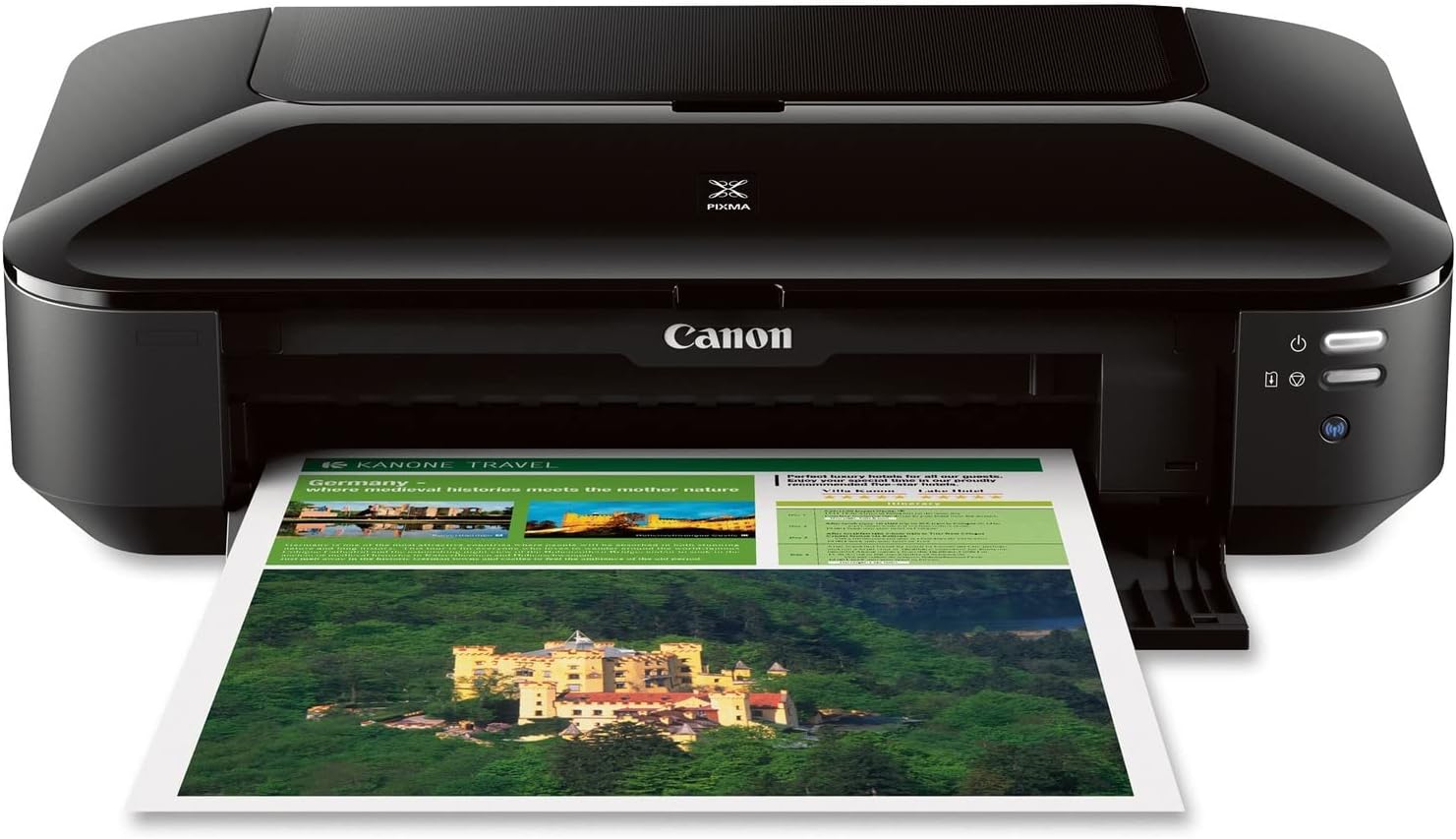
🖨️ Elevate your office game with pro-quality prints that demand attention!
The Canon Pixma iX6820 is a high-resolution wireless business inkjet printer delivering up to 9600 x 2400 dpi print quality. It features a 5-color individual ink tank system for cost-effective, vivid prints and supports media sizes up to 13” x 19” borderless. Compatible with Windows and Mac, it offers versatile connectivity options including Wi-Fi, Ethernet, AirPrint, and Google Cloud Print. Designed for professionals seeking sharp, vibrant output and streamlined productivity with smart software tools.


| ASIN | B00HM0IVDY |
| Additional Printer Functions | Print Only, Scan |
| B&W Pages per Minute | 14.5 ppm |
| Best Sellers Rank | #8,657 in Office Products ( See Top 100 in Office Products ) #20 in Ink Tank Printers |
| Brand | Canon |
| Built-In Media | Canon PIXMA iX6820 Wireless Business Inkjet Printer, Power Cord, CD-ROM, PGI-25 |
| Color | Black |
| Color Depth | 24 bpp |
| Color Pages per Minute | 15 ppm |
| Compatible Cartridge | compatible Canon ink cartridges |
| Compatible Devices | Windows 8, Windows 8.1, Windows 7,13 Windows 7 SP1, Windows Vista SP1, Vista SP2, Windows XP SP3 32-bit13 Mac OS X v10.6.8 - v10.913 / PGI-250 Pigment Black XL CLI-251 Cyan XL CLI-251 Magenta XL CLI-251 Yellow XL CLI-251 Black XL PGI-250 Pigment Black CLI-251 Cyan CLI-251 Magenta CLI-251 Yellow CLI-251 Black / Plain: Plain Paper, High Resolution Paper; Super High Gloss: Photo Paper Pro Platinum; G… |
| Connectivity Technology | Wireless;Ethernet; USB |
| Control Method | App |
| Controller Type | Android |
| Customer Reviews | 4.1 out of 5 stars 4,268 Reviews |
| Dual-sided printing | No |
| Duplex | No |
| Global Trade Identification Number | 00013803230260 |
| Hardware Interface | Ethernet |
| Ink Color | Cyan, Magenta, Yellow, Black |
| Item Dimensions D x W x H | 12.3"D x 23"W x 6.3"H |
| Item Type Name | Inkjet Printer |
| Item Weight | 17.9 Pounds |
| Manufacturer | Canon USA Inc. |
| Maximum Copy Resolution Black and White | 9600 x 2400 dpi |
| Maximum Copy Resolution Color | 9600 x 2400 dpi |
| Maximum Copy Speed Black and White | 14.5 ppm |
| Maximum Media Size | 13 x 19 inch |
| Maximum Print Resolution Black and White | 9600 x 2400 |
| Maximum Sheet Capacity | 1 |
| Maximum print Resolution Color | 9600 x 2400 dpi |
| Model Name | IX6820 |
| Model Number | 8747B002 |
| Model Series | PIXMA |
| Number of Trays | 1 |
| Other Special Features of the Product | Auto Power Off, Auto Power On, Borderless Printing |
| Output sheet capacity | 140 |
| Paper Size | 4 inch x 6 |
| Print media | Glossy photo paper |
| Printer Connectivity Type | Wireless;Ethernet; USB |
| Printer Output Type | Color |
| Printer Type | Inkjet |
| Printing Technology | Inkjet |
| Processor Count | 1 |
| Resolution | 9600 x 2400 |
| Scanner Type | document |
| Series Number | 8747 |
| Special Feature | Auto Power Off, Auto Power On, Borderless Printing |
| Specific Uses For Product | Multi-Purpose |
| Total USB 2.0 Ports | 1 |
| Total Usb Ports | 1 |
| UPC | 013803230260 |
| Unit Count | 1.00 Count |
| Warranty Description | 1 year limited |
| Warranty Type | limited warranty |
P**N
Excellent Machine, Comparison with Pro9000 II
I am very impressed by this machine and believe that Canon made a marketing error calling it a "business printer". I am an artist who uses photo reference, so I need a lot of good, detailed prints for my work. Previously, I was using the Pro9000 II. It made very nice photos, but I could not support its unquenchable thirst for ink. With 8 small cartridges, I was constantly ordering refills. The cost was terrible, but it was also extremely inconvenient--I never knew when I was going to be stuck in the middle of a project with no ink. I tried an off-brand refill system but it leaked all over the place. So, apprehensively, I decided to try one of the printers with fewer cartridges--at least with only 4 inks (I believe the pigment black is only for text) I could cut the problem in half. I decided that I could live with diminished print quality in exchange for the cost and convenience. Well, so far I am delighted with the prints from this model. With a little tweaking, I was able to get a near-perfect match to my monitor (I reset the printer with a bit less magenta and a tad brighter). I was never able to do this with the Pro9000 II, which was inconsistent from print to print. There is no visible deficit from having half the number of inks--transitions are just as smooth or better, colors are vivid, contrast is excellent. It's difficult to be certain, but details and textures might be ever-so-slightly sharper with the Pro9000 II, and the ink dots might be a tad more visible with the iX6820, but that's under very close scrutiny. So far I've printed about 12 8 1/2 X 11 prints and the ink levels are all above half--and that is using the smaller cartridges that came with the machine. That's already better than the Pro9000 II, which would have been demanding a fix by now. I have only been using it for about a week, so I can't attest to its durability--I hope it will continue to work this well. I also can't comment on the wireless capability. I just connected it to the USB cable I had from my last machine. It works fine with a cable but quite a few people have complained about wireless problems. UPDATE: Many months later, this printer continues to make excellent prints. I notice that when I don't make a print for a long time--maybe a few weeks--there will be a slight bit of banding in the first print that comes out, but that seems to work itself out quickly by the next print. This is excellent performance compared to the Pro9000, which had a lot of banding issues and needed to be cleaned and fussed with regularly. I have had 2 small problems that should be noted. The paper feed is somewhat unreliable--there have been a few times when I had to fiddle with the paper for 5 minutes or so to get the machine to grab onto it. Also, the ink sensor function is extremely premature, to the point of being useless. I was able to continue to make excellent prints for a very long time after the notification that inks needed to be replaced. Interestingly, when the ink finally does run out, the difference in prints is abrupt...you know right away. These are annoying defects, but the quality of the prints is still such an astonishing bargain that I am keeping the 5 star rating.
F**K
Great so far
I had to write a review of this printer even though I've only had it a week, because I am so impressed by the print quality. I am branching out into selling my artwork as greeting cards and needed something to replace my diabolical Epson WF-3640 printer/scanner combo. To be clear, I was only looking to purchase a printer, as the scanner on my Epson is ok. I wasted hundreds of dollars in time and on ink cartridges trying to work with the printer on it over the past 18 months, and finally gave in. It is AWFUL and I will never buy another Epson printer. I took the plunge on this Canon Pixma iX6820 because it received decent reviews in the art world, and on Amazon. I had my eye on other Canon printers, but couldn't spend more than $150 so this fit the budget. INSTALLATION: Relatively easy. I had to download the setup files twice before I was able to run the programs, but once installed, it was an hour tops. WIFI CONNECTIVITY: Not so easy. Still haven't gotten that sorted out. It would be nice if I had wifi connectivity, but as my printer is located right next to my computer, it's not a dealbreaker to me if I don't have this feature. I've never had luck with any printer and wifi connectivity, to be fair. PRINT QUALITY: Surprisingly good. I am still fine tuning the ideal print settings, as I work mainly in watercolor, pen & ink. Watercolor is challenging to reproduce accurately. That said, I've already printed higher quality, more color-accurate prints on PLAIN COPY PAPER using this printer, than I ever did using very expensive photo paper in the Epson. EASE OF USE: I have not used the My Photo Garden or whatever it's called yet, and you are not required to use it when printing. It's just an additional print formatting option. I have had no trouble printing from Photoshop directly, from PDF, or from my default Windows Photo Viewer. INK USAGE: Can't really tell yet, as it's only been a week, but the cartridges that came in the box were easy to install (not messy or difficult like I read in some reviews) and still show full levels after about 15 high quality full-page prints have been made, plus various smaller proofs. I will update this review if anything changes. UPDATE 1 MONTH LATER: I am still impressed. Ink cartridge life is great compared to my old Epson. The only 2 issues I have are: it is a pretty slow printer. Takes about 15 minutes to print 25 full color "photo setting" 8.5x11 documents. However, it is quiet, and the quality is gorgeous. The other issue is that it still doesn't work to connect wirelessly. Since my computer is always next to the printer, it's not a big issue for me, but for those who must have wireless print capability, plan to spend some time with tech support if installation doesn't go smoothly on our own. I haven't gotten around to it yet.
A**R
Basic, single-sided printing only
This printer would be good for a person who prints a single pages from the same one or two devices while on the same Wifi signal. This is not good for printing double-sided documents or for multiple users on different types of devices or who have different printing preferences. I bought this to replace an all-in-one Canon Pixma that finally died. This iX6820 uses the same ink cartridges, which was the primary reason I chose this model; we have a lot of left over ink to use. **Set-Up** The printer set-up was confusing because I was using my phone and the only instructions for connecting to the WiFi were buried in an app. It doesn't make sense there wasn't a simple 'connect to wifi' instruction in the Getting Started papers. Once it was connected to Wifi, it's easy for a computer or phone to connect. **Lack of information for errors** Once connected, we learned another challenge related to set-up. One of the default settings was to auto-detect the size of the paper, so when my daughter tried printing a photo 4x6, it refused to print and flashed yellow, indicating an error. The only way I was able to stop the job and reset the printer was by powering off and on. However, we still didn't know what caused the error and how to prevent it in the future. The problem is that the flashing yellow light is the extent of the information provided on the printer. This light is the only one on the unit that's not either the power or WiFi. It could just as easily indicate a paper jam as an empty ink cartridge. There no LCD screen to explain, and the printer status on the app is only described as an error. The trouble shooter is actually a link to the digital user manual, which basically told me to check the app. I eventually identified the problem was the default setting for 'auto-identify paper size' meant that the 8 1/2"x11" paper that was loaded was incompatible with the 4"x6" photo my daughter was trying to print. un-checking 'auto-identify paper size' then allowed the 4"x6" photo to be printed on the 8 1/2"x11" paper. **No Double-sided Printing** Beware - this does not print double-sided! However, the printer preferences allow you to select 'duplex' printing, which is very misleading. In reality, it'll print on the back-side if you manually move the paper. I'm annoyed that not a single review mentions this. Am I the only person who prints multiple pages at a time and likes to save paper????
H**.
Great Printer But Open Box Was DOA.
I bought this printer as an open box item through the Amazon Warehouse Deals. Sadly, the printer was pretty much DOA. The print head carriage wouldn't budge from its home dock and it made some strange noises along with every light flashing. I was going to return it to Amazon, but I decided to contact Canon instead because it would be a crap shoot if I would ever get a working open box printer from the Amazon warehouse. Canon's customer service is excellent. I emailed them about the problem and because I had bought the printer within the last 12 months (I only had it 1 day before contacting Canon), they replaced it (along with the printhead and ink) with a refurb that arrived within a couple of days via UPS. The printer prints beautifully. Although, I didn't get it for photo or color printing. I'm using it to print negative stencils on transparency film and I needed something that would print larger than the standard 8 1/2 x 11". This for the bill for $100. The instructions for the initial wifi setup could be a little better. I had a little problem with getting the printer connected via wifi because I am on a secured network and I was trying to connect as if I weren't. But once I noticed the WPS setup with PIN (in the right sidebar of the setup screen where it asks if you want to connect wireless or usb), everything was done within a couple of minutes. Make sure you are connected to your router through your computer and on your router's setup page. If you don't know how to do that, Google is your friend. Search for your router make and model number and configuration. You'll find how to get in there in no time. Follow the Canon setup instructions to print out the PIN. Input the PIN on your router configuration page (should be under Wireless and WPS). It should immediately find your printer. Go back to the Canon setup and follow through the rest and you're done. So for about $100, I basically got a priinter in mint condition. Refurbs are great ways to get your electronics cheaply. They are rebuilt with all of the bugs fixed and tested before they are sent out. They are better than new and still carry a manufacturer's warranty. All you need to do is get one of the open box deals, if it has a problem, contact Canon and tell them you got it from Amazon (I didn't say it was an open box). You'll get a working unit. This is the second Canon I own. My other Canon has been with me for over 6 years and I bought it on clearance from Best Buy for $30 (even now, it still retails for over $200). Usually, I end up having to buy a new printer every 2-3 years and that's pushing it on their lifespan. Also, Canons (along with Epsons) are easy to get generic ink cartridges with refillable tanks for and are the easiest to refill. So, I'll be sticking with Canon.
K**K
Good printer that does the job.
This is a good printer that does the printing job. Here are my pro and cons. Pros: -Prints perfect for your everyday printing needs (papers, resumes, PowerPoint, etc.) -Can print in different paper sizes Cons: -Bluetooth wireless printing stops working after a few usage. I believe other reviewers have stated this same issue. I had to use the ethernet cord to print instead. Make sure to have one on hand if you're still looking to purchase this printer -Printer ink runs out quicker then other printers I've had. If you print a lot, be sure to a stock yourself with lots of ink. -Ink cartridge is not compatible with the Walmart off brand. The printer comes with some ink. Walmart ran out of the regular brand and the customer service gentlement told me the off brand was compatible and cheaper. I purchased it and the printer rejected the ink cartridge, so I had to return it. -If you're making T-shirts with iron on paper, the color will turn out a little dull but still looks good if you don't mind it. Overall, it's not perfect but it's not bad either. It still gets the printint job done.
R**R
really great printers.
I have bought 3 of these. They are really great and I am about to buy my 4th. I have had the latest one over 3 yrs. but it suddenly is unrecognized with cable nor wi fi and another = the cartridge holder sticks and jams in the closed position. otherwise they have all worked perfectly even with heavy use - but no traid-ins and no area repair technitions. so I have no choice but to buy another. I really wish I could have them repaired they were working perfectly until...
A**R
Great Budget Art Printer
Despite using windows 11 and this being an older printer, the setup was relatively easy. Based on other reviews, I had anticipated the beat my head against the wall in frustration but it connected wirelessly with no problems. I haven't printed much yet but the test prints I have done have far surpassed what my old HP was doing. Did my ICC profile test sheet and the colors matched almost perfectly with incredible clarity for the size of each print on normal quality. Haven't done a high-quality print yet but I get the feeling it wont be needed. It's barely touched the ink that came with the printer, which is a relief and good to know not all printers are thirsty. Overall satisfied with the printer thus-far.
O**N
Great!
So far, so good. Had one of these for 8 years when the printhead went bad. The wireless printing had never worked on the older one. I had also ended up using a previous USB cord from forever ago from an old Epson 1280. However, the wireless connection on this new one I bought about a week ago works perfectly so far. Can print from laptops, phones, iPads etc. This is my second Pixma iX6820 and glad to see they are still being made and sold as it’s very reliable and produces high quality fantastic looking graphics and photos. Also prints quickly for everyday documents. It’s lightweight and very easy to use. Downloaded the driver from Canon to set up the wireless connection Let’s hope this one lasts another 8 years. I use it mostly for graphics and photography prints.
Trustpilot
3 weeks ago
1 month ago