


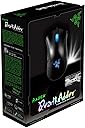

Deathadder Infrared Gaming Mouse
Product ID: 1261428
Details
- BrandRazer
- ColorBlack
- Connectivity TechnologyUSB
- Special FeatureErgonomic
- Movement Detection TechnologyOptical
⚡1ms Response
🔌Gold-Plated USB
🖱️Ergonomic Design
Desertcart purchases this item on your behalf and handles shipping, customs, and support to KUWAIT.
🎮 Elevate Your Game with Precision and Comfort!
The Razer Deathadder Infrared Gaming Mouse combines ergonomic design with cutting-edge technology, featuring a 1ms response time, a durable braided cable, and a precision scroll wheel, making it the ultimate tool for serious gamers.
| ASIN | B002Q4U5DK |
| Additional Features | Ergonomic Design |
| Antenna Location | Gaming |
| Brand | Razer |
| Button Quantity | 5 |
| Color | Black |
| Compatible Devices | Personal Computer |
| Connectivity Technology | USB |
| Customer Reviews | 4.4 out of 5 stars 1,307 Reviews |
| Enclosure Material | Plastic |
| Global Trade Identification Number | 00724155160975, 00724155160999 |
| Hand Orientation | Right |
| Hardware Platform | PC |
| Item Dimensions L x W | 5.04"L x 2.76"W |
| Item Weight | 16 ounces |
| Manufacturer | Razer USA |
| Mfr Part Number | RZ01-00151400-R3U1 |
| Model Name | Razer DeathAdder |
| Model Number | RZ01-00151400-R3U1 |
| Mouse Maximum Sensitivity | 3500 dots_per_inch |
| Movement Detection | Optical |
| Movement Detection Technology | Optical |
| Number of Buttons | 5 |
| Operating System | Mac OS X 10.4 Tiger, Windows 7, Windows Vista, Windows XP |
| Power Source | Corded Electric |
| Range | 7.0 feet |
| Special Feature | Ergonomic Design |
| Style Name | Standard Edition |
| Theme | Gaming |
| UPC | 724155160982 724155161019 897126000560 724155161026 724155160968 724155160999 724155160975 724155161002 |
| Unit Count | 1 Count |
| Warranty Description | 2 Years, Parts/Labor or Replacement |
T**R
After months, I will finally review this thing...
I was very hesitant to review this product. I had a horrible experience with the original death adder. Let me start this review with a bit of history. I bought the original death adder back in 2007. After putting my hand on this mouse at the local brick and mortar, I fell in love. I am a palm mouser, and I wear large/xlarge gloves. So my hands are on the larger size. This mouse is probably the most comfortable mouse I've EVER tried...and trust me, I've tried a TON of mice. The shape steals a lot from the intellimouse from microsoft, but it is somehow a lot more comfortable. So given how much I loved how this mouse felt in my hand, I never thought that razer would fail me in the quality control department. After a couple of weeks, the original Death Adder started squeaking. So much so that it was unbearable. After about 1 month of moderate use, the mouse completely failed me. It stopped working. I took it apart thinking it may be something simple. Nope, it just stopped working. Needless to say, I was heartbroken. This amazing piece of ergonomic supremacy was just a broken shell of a product. The innards were shoddy. Since then, having vowed to never get another razer product, I've tried hundreds of mice. Well, not quite hundreds, but quite a few. And all along, I was longing for the comfort of resting my hands on the death adder. Okay, I'm being a little bit melodramatic, but truly...there is no other mouse in the market that quite feels as good as the death adder, PERIOD. Whether you use the claw technique or the palm technique, the death adder is the perfect intersection of comfort, shape, weight and performance. So this is why I have been so hesitant to review this product. I've never had issues with how good this product felt in my hand, or how well this mouse performs with pinpoint accuracy. My only problem was its durability. When I heard that Razer was creating a remix version of the original adder, I broke my vow to never buy anything razer again and bought the 3500dpi version. I have now owned this version of the mouse for going on close to a year. The mouse wheel has yet to squeak. The mouse is still working. So if you had a similar experience with either the HABU(the microsoft version) or the original Death Adder as I, then I can safely tell you to throw that trepidation out the window. Buy this mouse. I will never get back the $80 or so I paid for this mouse's predecessor, but I can safely say they fixed all the quality/durability issues. This is still the most comfortable mouse you'll ever hold. Its ergonomics is unrivaled. The appearance is GORGEOUS, if you are into that. The new and improved 3500 dpi is fantastic. And I do not regret taking the plunge into a 2nd generation Death Adder. I waited a long time to review this product because I didn't want to steer you into purchasing a product with shoddy durability. Because I waited, I can safely tell you that this product appears to be built to last. The product after close to a year is still working like the first day I got it. My hand has never ached using it, and I am very happy to give it the FULL five stars. Enjoy this fantastic product with its improved durability!!! I know you will be very happy with this mouse; I know I am!!!
E**N
Price, Quality, and Performance gaming mouse.
I've purchased and used a Razer Diamondback and Razer Copperhead in the past. The Diamondback being the better mouse and essentially the same as the Copperhead. Although the Copperhead does provide a bit more sensitivity and slightly more options and technology. The Deathadder is probably the best gaming mouse I've used by far. It's a palm-rest mouse so gamers that "claw" will find this mouse frustrating to use. Like others have said, the Deathadder is a mouse for large-sized handed people. So if you have small or medium sized hands, it will most likely be uncomfortable for you. For me, it fits perfectly in my hand because I have long fingers. Making it extremely ergonomic for me. The shape and convex fits perfectly in my palm, hand, and fingers. The two side thumb buttons take some getting use to. My thumb seems to be too long or extended to reach back to the first thumb button. Good thing for me, I don't use it so no cramps for me. :P The scroll-button is perfect. Clicks down perfectly making the clicking noise and you feel it clicking down. It feels just right. There are 3 feet pads under the mouse, providing perfect gliding on any mousepad. I use a generic black mouse pad I purchased from Staples store so if you're using a gaming pad, you'll have even better experience with it. Several reviews have stated that the glossy black part on the sides aren't good when your hands start getting sweaty and they collect "gunk." This has been true for all Razer mouses in the past. It's a design choice that Razer made and continues to use. It gives the mouse a nice look. Also, my hands for some reason get really sweaty with this mouse, a lot more than with my Razer Copperhead. I don't know if it's the palm-rest shape (similar to Logitech G500 series). Although it may not look like a Logitech 500 series mouse, the palm-rest shape is there when you grip it in your hand. Like I said, it fits nicely for me though. It doesn't feel like it's a hunchback mouse, that forces you to claw it instead. The blue lights on the mouse scroll button and Razer logo in the center are subtle. Not blinding. But the Razer log blue led light does pulsate slowly. I haven't messed with it and I don't know if you could turn it off or not. I like it so I left them on. The cabling is rubberized. Which is a good thing! I hate the corded mouses like the G9/G9x because they cause friction against the edge of the desk and it's really irritating. Whether you're looking to spend $50 or a $100, look no further. Save yourself the extra $50 for a $100 and just buy the Deathadder. You won't regret it. I'd also like to note that my kill death ratio has gone up in games like Battlefield Bad Company 2. My hand hasn't cramped up or felt any kind of pain using it. Very ergonomic.
C**K
FREAKIN AWESOME MOUSE!!!!
First of all, this mouse is insane. The design is beautiful. It looks amazing just sitting on my desk. The blue pulsing razor logo on the back of the mouse adds a touch of life to what would otherwise be a boring mouse. It peaks the interest of all who walk by my desk. The cable isn't plastic on the exterior, instead, a black fabric coating allows the cable to roam freely without marking my desk or getting dirty itself. The speed of the mouse is incredible! I only use it to about 3/4 of its full potential but the option to have that extra is a nice feature. I use this mouse on dual 24" monitors, and the ease of travel with the slick feet razer puts on their mice makes for a nice glide when using the mouse. I purchased this mouse also due to its compatibility with mac osx. When razer originally came out with it's proclick v1.6 I purchased one. I have now been using that mouse for 6 years and it was time for an upgrade as the coating was completely worn through to the hard plastic underneath. Understand that this mouse is HUGE! In a good way. I have a smaller hand and can use the death adder very comfortably, I also have seen my friends with large hands use it smoothly as well. It's a palm mouse rather than a finger tip (as the pro click 1.6 was). If you don't know the difference, look it up on razer's site because it helps to understand the difference before choosing. It was, for me, an easy transition. ALL of the buttons on this mouse are functional and I use every one of them daily due to the custom programming allowed by razer. I could go on with other amazing features! However, to cut to the chase, my only major gripe with this mouse is software compatibility. Unfortunately, razer hasn't come out with the driver for Snow Leopard yet and thus the new driver on their site does not work properly with the mouse. A little google'ing and i found a past driver that fit like a glove. I'm sure this driver issue will be resolved, however, it was a pain and thus the 4/5 instead of the 5/5. Best feature of this mouse is the on-the-fly sensitivity... no need to open a program to change the speed, just click the side button on the mouse (custom programmed) and scroll up for down to change the speed. This is amazing when transitioning from a web-environment into photoshop and back! So easy and so helpful. Overall, I am really happy with this mouse.
R**L
Mac Gamer Review - BEST MOUSE I'VE OWNED!
Dear potential buyer- I hope you are reading this in the best of health! I'm a Mac-user. I play games on it, use it for entertainment and sometimes even work. :) One thing I've disliked from Apple's design department for years- and still do dislike- it their absurd mouse design, especially their lack of utility for the Mac gamer! That being said, I've owned [over the years] a Microsoft Intellipoint, Logitech MX580 Laser (Logitech has notoriously horrible Mac drivers for the keyboards and mice! It was better, usually, to use third-party mouse and keyboard configuration utilities for their products) and started using Razer's gaming mice religiously starting with the wonderful Razer Boomslang. The disadvantage of the Boomslang was that it required constant cleaning- the tight design required for it's level of sensitivity meant the gunk buildup that required cleaning was fairly (read; very) regular- that's about the worst that I can say about that wonderful accessory! I later purchased a Razer Diamondback which served me for years. The flaw of that design was that it was ambidextrous, the side/thumb buttons on one side or the other were nigh unusable when it came down to split-second decisions in videogame firefights (aka "Death Matches", "Team Death Matches", etc). Another caveat was that Razer, as with most of their products, had no Mac drivers for the Diamondback. I installed the drivers for a similar mouse made for the Mac (Pro|Click) and they worked fine. Enter the Razer DeathAdder 3500. Sure there was a Razer DeathAdder Mac Edition, but I missed out- I prefer the black edition anyway. Razer provides Mac and Windows drivers and Control Panel for the DeathAdder that prove easy to set up. The design of this mouse is on-spot! My kill:death ratio on Call of Duty is greatly improved- and that's an understatement! The ergonomics provide an extremely more comfortable feel after hours of gaming compared to the Diamondback. The fat curve allows my hand to rest more while playing, staving off hand fatigue. The left/right buttons are large and sensitive and the only required side buttons for me are much more friendly to my thumb than the Diamondback- I can feel the difference and select the right one- with the Diamondback I had to guide my thumb a bit more to prevent pressing both simultaneously. The side buttons being higher than the Diamondback's allows me to grasp the area below the buttons for more fluid mousing around the desktop and simply allows for better handling/control. As far as aesthetics go, it's a beautiful mouse. The matte black rubber on top, the pulsing, glowing Razer logo on the palm rest (with option to disable it via the Control Panel), the glowing scroll wheel, the well-designed, long cord and gold-plated USB connector lets one know that a high quality mouse was purchased. The one caveat of this mouse is the smooth plastic circumnavigating the base of the mouse. During heavy use this portion lends itself to slipping and because the base near the thumb angles in, I find myself losing a tiny bit of grip and having to hold down the mouse a little. If you want second best, go with maybe a Logitech. First place is reserved for this Razer DeathAdder.
C**S
Not bad at all
Before I give you a review of this product, I will give you a bit of my experience with mice because I know I appreciate reviews from people who put in the time and research before they commit to a product. I have been gaming for over a decade and I have researched and bought some pretty good mice in the past. My first "high end" mouse was the Logitech MX510 which is the older version of the G5 and it was amazing but it eventually broke and I was super sad because the right click got stuck and did not work. After that period I used a wireless mouse for a bit before I started researching for a new gaming mouse. When I came across the Deathadder, I did not know too much about it other than that it was relatively new and beecoming mainstream, pretty good reviews, and looked cool with the blue lights. I decided to buy this back in 2011 for somewhere in the $50 range solely based on those facts. I never tested it beforehand, I never researched heavily on the product, did not even know what DPI meant. Strangely enough, I did more research AFTER I got the product in the mail. I was so impressed with the feel and quality, it had been a very very long time since I was this satisfied. After 2 years, I am still using this mouse today without a problem and it does not seem like it is going to die anytime soon (crossing fingers). I really started to appreciate its value a few months ago because I bought the steelseries Akari which is a great mouse as well but for some reason I dont think it feels as nice. Granted the Akari feels better for FPS as the Deathadder is a bit large for twitch reflexes. I do feel for people who did not have the same experience I did. If I were in their shoes I would defintiely understand to never buy this product again or a Razer product again. And it does sound like Razer's customer service sucks that is part of the reason why I am holding back on buying their mechanical keyboards. But their mice are pretty good from my experience. Overall Pros: - Big - lights up blue - Value product - Lasted for 2 years and still going... - Solid feel, the clicks are sensitive but feel sturdy - Comes with software to adjust DPI and macros Cons: - It is defintiely rather bulky and big so I am fortunate to have a large hand so it is comfortable but my experience with FPS was poor because it is hard for twitch reflex games to move your mouse quickly and aim. - No carrying case comes with it? ( Just me asking for more value haha) Overall Comments: This is a mouse that I am super comfortable with and I am very impressed with the quality. I believe I am pretty hard to impress but a mouse to last 2 years through over hundreds if not thousands of hours of gaming... I am pleased. Games played with mouse: DOTA DOTA 2 HON CS: 1.6 CS: Source CS: Global Offensive BF3 Diablo 3 SC2: Wings Of Liberty SC2: HoTs
M**S
A higher learning curve, a satisfying experience.
I got this mouse because I wanted a gaming mouse to go with my new gaming keyboard, the Razer Blackwidow Ultimate. Since the keyboard was by Razer, I decided to try a Razer mouse. I settled in on this one because it had the right balance of price and functionality. I was previously using the Logitech M500 mouse, a great mouse but not a gaming mouse. After learning about all the features of this mouse and experimenting with the settings, I can see where this mouse has huge potential for a wide variety of uses. The mouse frustrated me at first, but as I learned more about it my experience and satisfaction with it grew. This mouse is very comfortable in my hand. I use more of a palm/flat style to hold my mouse, and this works well with the shape of the Deathadder. Users who are more claw-style holders may have more of a challenge with this than palm-style users (google mouse grip styles for more information). I like the light-up scroll wheel on the top of the mouse, and the side buttons are nice and large, so they are easy to press. They are also noticeably more smoother than the buttons on the Logitech M500, which are stiffer to press down. The light-up scroll wheel is cool, also the light-up Razer logo on the body of the mouse is a nice 1337 touch. The Deathadder has a braided USB cable and a gold connector to reduce latency. The top of the mouse is made out of a neat rubbery material that has a nice, smooth feeling. Like the other reviewers said, the sides of the mouse and the two side buttons have a shiny plastic finish that can attract finger grease, but I don't mind wiping it off every now and then. The feet of the Deathadder are made of a Teflon material that makes the mouse literally glide across your mousepad! This helps the sensitivity of the mouse and makes its movements smooth. The mouse does come with a bit of a learning curve if you are not used to gaming mice. The Deathadder will work fine with no drivers out of the box, but in order to get the full range of options available you need to go to Razer's website and download the drivers for the mouse. There is also a firmware update there as well. Navigating the Razer website for the correct drivers leaves much to be desired. It is a little tricky to find the correct drivers but after that, installing them is no problem. Once the drivers are installed and you restart, then you have access to the full configuration options for the mouse. This is where things can get a little confusing if you are new to the world of gaming mice. The driver software is not very visually appealing at all--the font is small, boxy, and the whole interface is a very dark and more than a little cramped. But beneath the ugly exterior of the driver software lies the mouse's true potential. Don't get discouraged here. If you take the time to learn what each of the configuration options means, you will find that the mouse has a lot of power in it. I initially did not like the mouse and was getting ready to return it to Amazon because it skipped around on my computer screen a lot (and I did remove the film from the bottom). I couldn't understand why the mouse would not work smoothly, but after I educated myself I found out that the polling rate on the mouse defaulted to 500Mhz, but the normal rate for most mice was 125Mhz. Also, the two USB ports on my computer that were reserved for the keyboard and mouse were USB 1.1. Combined, those two things accounted for the mouse skipping. I created a profile for the mouse with a polling rate of 125Mhz, and adjusted the sensitivity and the acceleration of the mouse, and the skipping problem went away. I also created a faster profile for when I am gaming. Again, this mouse does take a learning curve as far as the configuration goes if you are not into gaming mice. Please don't give up on the mouse until you have put the time it to learn about all the setting options and how they work together. I would have sent back a perfectly fine mouse if I had went with my initial feelings about it. Now I love the fact that this mouse can accommodate a wide variety of uses, from gaming, to everyday web browsing, to even photo editing (with the high DPI settings)! The only two features that this mouse doesn't have that I miss are horizontal scrolling and hyper-scrolling (like my M500). Still, I do give the scroll wheel on this mouse its credit as the clicks on the scroll wheel of the M500 were not as defined due to the unlocking feature of the mouse. Also, on the M500, using the mouse as a button was tricky because actually pushing down the scroll wheel required much more force and was not nearly as crisp as the Deathadder. I am now very happy that I did get this mouse. This was a good place for me to start learning how to improve my game with gaming mice. If you are looking for a mid-range gaming mouse that has some premium features but doesn't break the bank, this is the mouse for you. Just be sure to learn how to use it to its full potential.
M**T
Great product with lots of fakes (even from Amazon sellers)
This product is 4.5 stars, but the fakes like the one I was sent are less than 1 star. I own the actual product that I purchased from a Best Buy in 2012/13 and can do comparisons between my genuine product and the fake one I was sent by BIZBUY INTERNATIONAL. First it arrived in an obviously a fake box which I will include pictures of. - The first sign is that the front of the box does not even match the one from the picture. It is surprising that they didn't even put in effort to try the box art from the picture of the item. Also with a quick google search you can look up the original box art and comparisons against fake ones like the one I received. - The more obvious flaw is the bottom of the box. The bottom should always have a S/N code matching the one found on the Razer product being purchased. If it does not, the product is guaranteed to be a fake like mine. - And obviously to top it off the sides and back of the box do not match the picture or any genuine product picture online. Even though I knew the product was fake I thought I would check it out. I have seen some high quality fakes on eBay before so I thought I would check out the build quality on this one. - The first bad sign was that the plastic packaging on the product didn't correctly line up with the mouse, which is very common in fake mouses. You can go to any local store and check out one of their newer products to see how it should correctly fit. - After opening the packaging I was able to look at the mouse which was covered on only the bottom by some plastic which was also not correct. - More notably though was the poor build quality of the product. the sides that connected the top piece to the base were not even close to being flush. I have included a picture of mine for comparison of how the should line up. This shows that its not only a fake, but a low quality fake which probably means that other internal parts such as the censor were likely cheaply made as well. - Also checking the underside of the mouse I could see that the writing around the censor in the middle was slightly askew. - Looking at the S/N on the bottom you can also tell that it is not correctly lined up and is too big and out of focus. This is less noticeable with the writing underneath it, but is definitely there. - I also decided to check the length of the chord against my mouse as well. From my experience this seems to be one of the parts that is the most common indicator that the product is fake. And while this one was close it was still about 3 inches off what my original mouse had. In closing, remember that this product has been out of production for some time and is not longer created or distributed by Razer. If the company says they got their product from a factory, then it is also obviously a reproduction of the original product. Also be aware that these products can be spoofed to appear as real products on synapse so that is not a good way to check the authenticity. The best way to check is: - Looking at the box and checking that it matches the picture from the item, and matches the pictures you can find online. - The bottom of the box has an S/N code that matches the product inside the box - Checking the product inside. If it looks or feels like poor build quality then it probably is. - Check the underside of the product. Does the S/N number look skewed or out of focus? Does the ring around the censor look off center? - Check the chord length of the product. In my case I had one to compare but measuring out the 7 feet with a tape measure will work as well. I have seen high quality fakes where this is the more obvious tell. Remember that is product is not longer in production, but the demand for Razer products still is so fakes are very common with this product. Luckily, these factories cannot exactly mirror the original items so being vigilant can make sure you do not purchase a fake product from a seller on Amazon.
A**H
Wonderful - but it will take getting used to
I bought this for Starcraft 2 play in order to be more accurate and increase my APM (Actions Per Minute). I bought this along with the Razer Vespula dual sided gaming mouse pad. First off, I LOVE the look of this mouse, it is so nice to look at the slowly pulsing radiating blue dim of the mouse's internal light that makes me think it's alive with a heart beat. It's very smooth and the software is pretty nice. I set the two mouse buttons at the thumb to set up additional control groups in SC2, very useful! I have a problem with the feel of the mouse for I am a claw / fingertip grip. I didn't realize that this mouse strongly prefers a palm grip user, which is the most common grip. Being that I use a claw grip on the mouse, it makes it very difficult to grip the sides of the mouse without slipping due to oil from your fingers and sweat during intense play. I found myself frequently having to wipe the side of the mouse so that my fingers wouldn't slip every 5 minutes. I eventually got so fed up and put some tape on both sides of the mouse so that I could easily grip with the finger tips of my ring and pinky finger along with my thumb. I have no idea why Razer chose to use the material they did on the side of the mouse because it makes it very slick, while the palm area of the mouse is a terrific material that deters oil / sweat that causes grip slip. I LOVE the high 3500 DPI (Dots Per Inch), but it was too sensitive for me and I lowered it to 1800. I don't understand the functionality of on the fly sensitivity, it does not seem to work well for me without lagging - although I have no use for it and never cared so I didn't mind. The mouse is very smooth on plastic and cloth pads and functions on most surfaces (did not seem to function AT ALL on wood surfaces, but why would you be using such a nice mouse without a nice pad to go with it?) The mouse is VERY responsive at very high speed swipes, which is necessary for First Person Shooter gamers who use lower sensitivity for better accuracy, but most quickly make large swipes across. Another wonderful aspect about the mouse is its 'tangle free' wire. I was skeptical at first but it really does prevent tangle all together. Not once in my frequent movement of the mouse in a bag with other wires or any other transport has the wire tangled. It's stiff but movable with enough light force, its helpful to prevent any 'wire resistance' when moving the mouse around with light/slow movements during game play. I wasn't used to an ergonomic mouse when I first bought it, on top of the fact that I am a claw / finger tip grip, the mouse took a month or so to get used to, but after that month my APM increased dramatically and I never miss a click - allowing to provide superior micromanagement to my units in Starcraft 2. I'd recommend this mouse to anyone of any grip, but if you do have a claw / fingertip grip like myself, you should really look around a bit more before purchasing this one (or deal with the slight inconvenience of taping the sides of the mouse so your fingers don't slip!)
S**O
息子に買いました
ゲーム用に欲しいと言うので、買いました。ブルーに光るのがおてもカッコいいと、とても気に入ってます。
A**T
A fantastic gaming mouse! Not only can you bind the additionnal buttons ...
A fantastic gaming mouse! Not only can you bind the additionnal buttons to serve whatever function you want on your computer, they can also be useful when playing video games, which to me, adds a layer of liberty to my gaming life. Not only is the mouse worth the price, fast reponse & ergonomical shape is excellent when gaming for long hours ! It is a big difference if I compared the Deathadder to my previous wireless mouse. Comfort, precision & liberty has a very affordable price. I definetely recommend if you’re a gamer, for which mouse to choose, this one is ideal. Of course, it all depends on your budget.
A**N
A
A
A**Y
best mouse eva
coming from a logitech g35 it was a pleasure. the lights can be annoyingly bright at night but you can disable them. I used to have the 1800DPI model and liked it so much that i bought a second one (which is now 3500DPI). The 1800dpi one got about 3 years of daily (5 hour+) gaming/browsing use. I never treated it special, i sat on it a few times by accident, dropped it plenty of times and slammed it most of the times i lost a match. After i bought the new one i brought my old one into the office and it's made the transition of gaming to word processing quite well. With the lights off it doesn't even look like a gaming mouse. My only complaint is the scroll wheel isn't "perfect". By this i mean on both of my models sometimes it'll skip a line (instead of scrolling smoothly). This is rare but annoying. Also with the scroll wheel light on, dirt shows up very easily. Overall A+++++ will buy again.
H**S
Three Stars
It's not really that much better than some cheaper mice
Trustpilot
2 months ago
2 months ago