


🚀 Elevate your WiFi game—because buffering is so last decade!
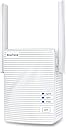
The BrosTrend AC1200 WiFi Booster is a powerful dual-band range extender delivering up to 1200Mbps speeds and expanding your wireless coverage by 1600 sq.ft. Designed for busy professionals and smart homes, it supports up to 32 devices simultaneously. Featuring easy WPS setup and adjustable high-power antennas, this compact extender ensures fast, reliable connectivity throughout your space with a sleek, unobtrusive design.


| Asin | B07L4BMD34 |
| Best Sellers Rank | 26,870 in Computers & Accessories (See Top 100 in Computers & Accessories) 174 in Network Repeaters |
| Box Contents | 3.3 Feet Ethernet Cable, AC1200 WiFi Booster, User Manual |
| Brand Name | BrosTrend |
| Colour | White |
| Compatible Devices | Any Wi-Fi Router, Wireless Modem Routers, Access Point, AP, PC computers, desktop, laptops of Windows, Linux, MAC OS X, Smart TV, game console, PS4, PlayStation, XBox, media players, Smartphones, Tablet, iPhone, iPad, MAC |
| Connector Type | RJ45 |
| Customer Reviews | 3.8 3.8 out of 5 stars (16,067) 3.8 out of 5 stars |
| Data Transfer Rate | 1200 Megabits Per Second |
| Frequency | 5 GHz |
| Frequency Band Class | Dual-Band |
| Frequency Bands Supported | 2.4 GHz, 5 GHz |
| Item Dimensions D X W X H | 4.5D x 5.7W x 7.8H centimetres |
| Item Highlight | DualBand 5GHz & 2.4GHz, WPS Easy Setup, 1200Mbps Wireless Signal Repeater, 1 x Ethernet Port, Access Point Mode, Wi-Fi Bridge |
| Item Weight | 158 Grams |
| Manufacturer | BrosTrend Technology LLC |
| Manufacturer Part Number | E1 WiFi Extender |
| Model Number | BrosTrend 1200Mbps WiFi Extender |
| Number Of Items | 1 |
| Product Warranty | 2 Years Worry-FREE Warranty from Date of Purchase |
| Range | 1600 square feet |
| Special Features | 2 X High Power External Antennas Deliver Better Wireless Range, Antenna Angles Adjustable, your Ideal Wireless Booster for WiFi |
| Upc | 742186982250 |
| Wireless Compability | 802.11a/b/g/n/ac |
User
Wi-Fi Issues solved - thanks to this clever device :)
I recently changed over to Virgin Media for my Broadband services and was supplied with the Hub 3 Router. Having set the route up I noticed intermittent connection issues and signal dropout.After numerous phone calls with Virgin Media Tech support I was told that I needed their Wi-Fi Booster Pod which would resolve my issues......one problem none were available.So a little hunting around on Amazon and I come across BrosTrend AC1200 WiFi Booster Range Extender. From receiving the item to setting it up took literally minutes. Their is a helpful YouTube video link card that came with the product. But the instructions included were simple and straightforward to follow as well. Many routers now have the WPS function which makes the setup process even easier.Do follow the instructions though and set the device up initially close to your Wi-Fi router before repositioning to a mid point in your house. You'll know when you've found the ideal spot as the signal light indicator on the front of the device will stay 'solid blue' rather than 'solid red'.In any case my connection issues are now resolved and I have strong Wi-Fi connection (2.4Ghz and 5Ghz) everywhere in my house and even out into the garden.If you are having issues like I have described above and aren't getting the support you need from you service provider - give this device a shot.....You'll be glad you did.I hope this helps.
User
Great device but with certain limitations
In the box you get the WiFi extender and a CAT5 cable and an instructions pamphlet. The extender looks like many other extender brands that plug into a 3 pin UK socket. It has 2 antennae, one on each side of the device, and these can be angled vertically only. Some other brands allow movement across the vertical and horizontal axis making the antennae multi directional.To set up the device, you initially need to place it in proximity to your router, so it can be identified and connected to. From there the configuration is fairly straight forward.The device offers 2 extended WiFi connections ( You still keep your existing one) a 5Ghz connection and a 2.4Ghz connection. You can keep the same WiFi password across all connections or create separate ones, if you prefer.Once the device is configured to your preference, it is a question of placing it in an optimum position to receive from your router and transmit to your intended device/s. The way these devices work to solve the problem of getting connectivity to hard to reach places is by providing a stepping stone. By doing this they need to split the bandwidth between each hop. There are lights on the device to indicate that it is receiving a good signal and that it is transmitting to connected devices. There is also a RJ45 port to cable to a receiving device.Everyone has their own set up , so I can only talk from my own circumstance.I have a virgin hub 3.0 on the ground floor and I get about 250mbps standing next to it. I'm in a 1930s terrace house, with a loft conversion. It is in the loft I need the WiFi extender. Up there I have a desktop PC with a BrosTrend 1200Mbps Long Range USB WiFi Dongle Adapter connected to my network interface card. Most of the time that connects to the router directly ok, and I prefer that.When I try the WiFi extender on 5Ghz , the signal is stronger but every so often it lost the connection, and when I run a diagnostics it tell me there is no gateway. So I prefer not to use it for my PC.I do need it however for my printer, as that only supports 2.4Ghz, and it cannot connect directly to the router over that distance. Connectivity with the WiFi extender is solid, and I have not had that irritating situation where you lose connection whilst printing a full colour photo.Given that this is the set up I want to use, I hoped I would be able to use the WiFi extender in 2.4Ghz mode only. I could not see how to do that, so i contacted tech support. I was dealt with quickly, but I did not get an exact answer. The reply I got was I could hide the 5Ghz connection , which is not the same thing.There are other brands that let you do that.Another configuration limitation was setting your device up so that the hop from your router to WiFi extender is 5Ghz and from WiFi extender to device in 2.4Ghz, which some other brands also allow.So in conclusion, reasonable solid device for basic connectivity extension, but with no extra configuration options.
User
Highly reccomend this for gamers!
When it comes to online experiences, I always try and aim to buy the very best peripherals that are available on the current market that will heighten my gaming experience. As an avid gamer, the trouble with having boosters in the past is that they tend to drop out the connection during crucial moments (whether it is in the middle of a COD match or fighting droids on Star Wars Battlefront), which tends to ruin the whole experience.Another problem of having boosters in the past is that when I try to run speed tests to determine the current download and upload speed from my router (which is situated in the living room) to all the way upstairs in the attic (where my gaming rig is currently based), the speed tends to rise by 5-10mpbs (70mpbs) before slowly fluctuating down to just 1-3mpbs (65mpbs). Which when you're paying for 100mpbs a month you'd expect at least the booster to give you the fully 100mpbs everywhere in the house.HOWEVER that being said, when I purchased this booster and connected it, I have found from running a speed test from the very same attic that I was reaching speeds of 111mpbs which had left me speechless. Not only am I getting the speed that I paid for through my broadband package but also have a fluid experience when playing online games. Other family members have also enjoyed watching 4K content without worrying about buffering or lag. For the past weekend in itself, there has been a newfound love for our broadband package and I honestly believe that it's thanks to the booster.Long gone are the days where the connection would drop when I decided to scroll through my social media while watching Netflix. Even now as I am writing this, I can happily listen to Spotify from the comforts of my bedroom with the pleasant knowledge that it won't stop to buffer.The booster in itself arrived nice and secure and unlike other boosters, it was so easy to install. The installation process took me less than five minutes (I opted to use the WPS method of installation) and before I even had a chance to take a deep breath, the booster was ready to be removed from its socket and ready to be installed wherever it was needed. I had it installed in the upstairs corridor where it currently resides.Overall I am very happy with this product and will definitely consider buying from BrosTrend in the future.Thanks guys!
User
Not worth the money, or time.
Set up initially seemed easy, found the new wifi network as explained in the instructions. Selected this via my mobile phone and was requested to key in the password, which the instruction (supplied with the extender) said is the same as my wifi password. But they are wrong. The password is not the same. The suppliers online chat facility said I should check with my isp for the correct password. I beg to differ, the password I used IS correct as I have used it to connect to my WIFI which I am in fact using at the moment. THEIR kit for some reason would not accept it and their IT Team clearly do not care to work out the issue or cannot. I even called Curry's PC world Know How team, who also confirmed I was not doing anything wrong. I am left feeling disappointed and frustrated. DO NOT PURCHASE.
User
Unreliable
I ordered this as a replacement for an older TP-Link model that had slowly deteriorated from "works most of the time" to "not very reliable" to "not only often doesn't extend the signal, it interferes with the existing signal". I never knew whether the extender would be working when I needed it, or when it would just give up partway through a task. The hope was to find something that would just extend the existing wifi signal (100 mbps) to a couple additional rooms. I looked at more expensive options, but didn't see the point in overpaying for what I didn't need.At first, everything went well. It was easy to install (via the website) and was a welcome improvement in reliability. No complaints for the first few weeks. It's dual band signal was weaker than the original (30-35 mbps), but that was still enough to do everything I needed in the additional rooms. After a few weeks, the occasional issue would crop up: the extended signal would drop significantly (to 1-2 mbps), or would show that it was a strong signal, but there wasn't any internet connectivity through the extended signal. I could usually resolve this by switching the power off and on, but it was annoying. As the weeks have gone on (I have only had this for 2 months), this has happened with greater and greater frequency. I had hoped to at least get a year of reliability out of it before it started to wear out, but no luck. And of course now I'm outside my return window.When it works, I have no complaints, but it certainly hasn't been the reliable product I had hoped for. If I had to do it again, I would buy something else.
User
At last a device that works without stress and hassle. Brilliant piece of kit.
I have nothing but praise for this great little hub wifi signal extender. I read lots of the very helpful reviews and decided this was the one to go for. Straight out of the box - read the useful leaflet instructions. Really clear and using the WPS method to connect it to my home WiFi Router/Modem the device took less than 2 minutes to be up and running fine. I have a WPS button on my router and this device so plugged it in to mains - waited about 30 seconds for the right lights to show. Pressed WPS button on Router and then the one on this device and it connected no fuss - no password peril. Strong signal showing. Tried connecting to it with Android phone no problem. Tried with Windows Laptop - straight on and EXT2 and EXT5 showed available and it went on immediately. Moved the unit upstairs where a stronger signal is needed for Zoom online meetings and wow no dropping out. Does the job and for such a reasonable price. Can't say better than that. 5 Stars it is.
User
No good with ethernet
I bought this to improve connectivity in a concrete walled flat where my best option is to use wifi access points connected by ethernet cables. I specifically bought this one because it has a *fast* ethernet port. An access point by TP link I'd already bought does not have this feature but is still better than this bros-net useless device! First up - though it was easy to install I couldn't do anything useful on the internet using the connection, and second up - the connection is not password protected if you use ethernet! I couldn't see a way in the manual to reconfigure to a secure connection, and in any case there was no connection to speak of. I am sending it straight back and am still trying to find a product that works for me. Really disappointed.
User
I am not just happy, I am over the moon with the BrosTrend WiFi Booster.
BrosTrend AC1200 WiFi Booster Range ExtenderThere have always been areas in my house where the Wi-Fi coverage is poor, it’s not a big house but for some reason, the Virgin Media hub doesn’t have enough signal strength for those areas. I have tried a couple of signal boosters before but they didn’t give a complete solution to the problem.I noticed that the BrosTrend WiFi Booster supported both 2.4 and 5GHz signals as well as 1200Mbps at a very reasonable price so I thought I would see if it could provide a solution to my problems.To begin with, the BrosTrend WiFi Booster has a very easy to follow video setup guide online as well as good printed instructions, I followed the video purely because it was easier. The video explains exactly what to do and the reasons for doing it, which make a pleasant change these days. I had the unit up and running within minutes of unboxing it and I found an ideal location to install it.I must admit that I wasn’t expecting miracles, I was just hoping for some improvement. However, I was very pleasantly surprised, after re-connecting some of the devices to the BrosTrend WiFi Booster everything now works and works very well. I have surveillance cameras in various places, previously the reception was patchy, at best and sometimes non-existent. Now I can get a solid, strong signal immediately from anywhere in the house.I am not just happy, I am over the moon with the BrosTrend WiFi Booster. Would I recommend it? Most definitely!
User
Work From Home / Cisco IP Phone
Purchased a WiFi Range Extender for my new work phone, which happens to be a CIsco IP phone. This required the phone be connected directly to either my laptop or my WiFi modem, which is in another room. I couldn't connect it to my laptop due to connectivity issues. another option was to run the Ethernet cable from my living room to my office or drill a hole in the wall and run the Ethernet cable through that. Neither of these options sounded ideal (to my husband). So after some searching and reading some reviews, I came across BrosTrend. I cant even begin to say what a life saver this little nifty gadget is! it was super easy to connect, and no connection issues throughout the day. Works like a charm! Definitely worth the $$
User
Easy to set up
Nice little unit. Very easy to set up and operate. It has done the job that it was bought for so no complaints. I would recommend it.
User
Best Wi-Fi Extender Ever! Small, Easy to setup, and Exceptional Performance
So far, I have nothing bad to say about this product. I ordered it after comparing it to other similar/more-expensive/more 'well-established' brands, and it lives up to the specifications and gets the job done just as well if not better (Don't waste your money on a 'fancy unit' just b/c it is prettier or more 'name-brand'). It literally 'pumped up' the Wi-Fi to the 1/2 of my house that had some Wi-Fi issues with coverage (e.g. garage door, security cameras, downstairs office devices, smart devices, phones, etc.), so things on that end are covered and work so much better. The unit is small, quiet/not noticeable, and comes with an ethernet-cord should I want to plug it in to another device (e.g. smart TV/NAS/etc.). The unit comes with I believe a 6-month warranty as-is, but when you register it online, it's extended to 30 months. I just registered it online, and got a response the next day. The setup with instructions took less than 5 minutes. There was also links and such for 'how-to' videos as well. Looking at how it impacts the rest of the internet in the house, it is definitely comparable to any over-the-top/over-priced 'mesh systems'. I have zero problems with any devices switching from the 'extenders zone' to the 'normal ISP zone' of coverage (e.g. cell phone) - so it 'plays nice with your ISP equipment'. I would say the device in total took about a 10-15 min to setup (to unbox, setup, register, etc.) and for ease of use, I have no doubts my parents (a bit older, not so 'techy'), would handle it in about the same time. With the price, the warranty, the performance, I am so glad I didn't make a 'big spend' and waste money on something more 'shiny'. Not my first purchase from BrosTrend (I bought an item from them before, and it has yet to fail me - which is super helpful as I'm a US med student/Biotech student who travels to a lot of developing countries for school/work).
User
WIFI BOOSTER
Wifi Booster works well, but ensure the doors are open where you experience wifi blackspots.
User
BUENA COMPRA
BUEN AMPLIFICADOR DE SEÑAL, FACIL DE CONFIGURAR, CONECTA MEJOR CON LA RED 5GHz, LO COLOQUE EN LA PLANTA BAJA DE LA CASA Y AUN VARIOS DISPOSITIVOS QUE TENGO EN LA PLANTA ALTA SE CONECTAN RAPIDO A ESTE AMPLIFICADOR DE SEÑAL, INCLUSO AUN CUANDO UNA DE LAS LUCES MARCA EN ROJO (LAS 2 LUCES DEBEN MARCAR AZUL) SE CONECTAN Y DAN BUENA SEÑAL, CREO PEDIRE 2 O 3 MAS PARA TENERLOS DE RESERVA YA QUE OTROS QUE HE TENIDO NO HAN FUNCIONADO DE LA MISMA FORMA O LO HACEN DE FORMA INTERMITENTE
Trustpilot
1 month ago
2 weeks ago