Desertcart purchases this item on your behalf and handles shipping, customs, and support to KUWAIT.
🚀 Upgrade to the SSD that keeps you ahead of the pack!
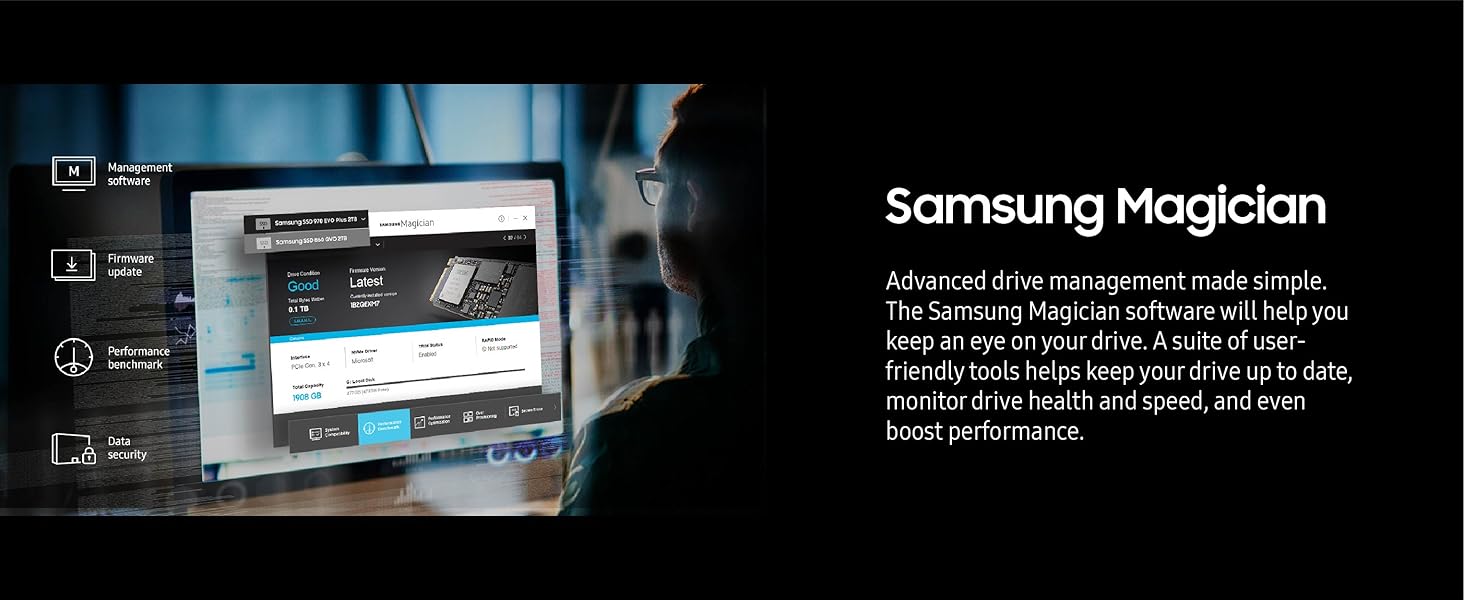
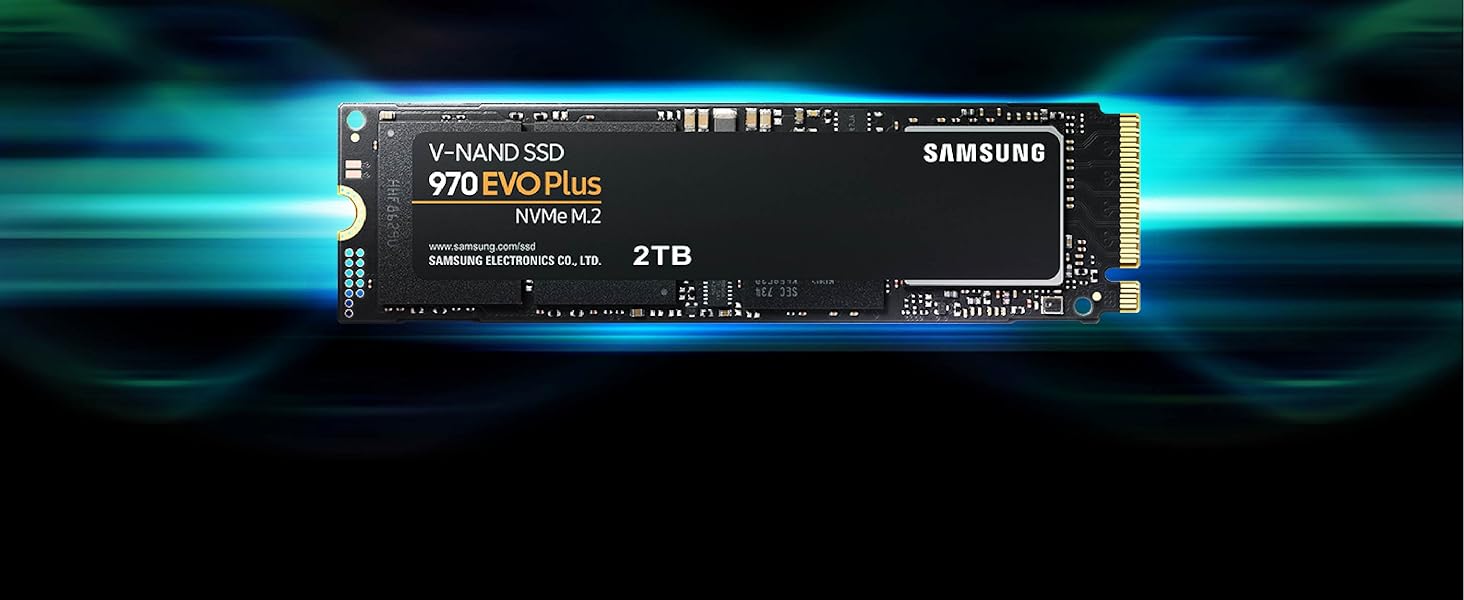
The Samsung 970 EVO Plus 2TB NVMe M.2 SSD delivers industry-leading PCIe Gen 3.0 x4 speeds up to 3500/3300 MB/s, leveraging advanced V-NAND technology and dynamic thermal control for sustained high performance. Designed for gamers, creators, and professionals, it offers massive storage, exceptional endurance (up to 1200 TBW), and intuitive management via Samsung Magician software, all backed by a 5-year warranty.
| ASIN | B07MFZXR1B |
| Additional Features | Backward Compatible |
| Best Sellers Rank | #132 in Internal Solid State Drives |
| Brand | Samsung |
| Built-In Media | SSD |
| Cache Memory Installed Size | 2 |
| Color | Black |
| Compatible Devices | Desktop |
| Connectivity Technology | NVMe |
| Customer Package Type | Standard Packaging |
| Customer Reviews | 4.8 out of 5 stars 17,613 Reviews |
| Data Transfer Rate | 3500 megabits_per_second |
| Digital Storage Capacity | 2 TB |
| EU Spare Part Availability Duration | 5 years |
| Enclosure Material | Samsung V-Nand 3-Bit Mlc |
| Form Factor | M.2 (2280) |
| Global Trade Identification Number | 00887276303765 |
| Hard Disk Description | Solid State Hard Drive |
| Hard Disk Form Factor | 2.5 inches |
| Hard Disk Interface | NVMe |
| Hard-Drive Size | 2 TB |
| Hardware Connectivity | PCI Express x4 |
| Hardware Platform | PC |
| Installation Type | Internal Hard Drive |
| Item Dimensions L x W x Thickness | 3.15"L x 0.9"W x 0.87"Th |
| Item Type Name | SSD |
| Item Weight | 9.07 g |
| Manufacturer | Samsung |
| Media Speed | 3300 megabits_per_second |
| Mfr Part Number | MZ-V7S2T0B/AM |
| Model Name | FBASAMMZV7S2T0B |
| Model Number | FBASAMMZV7S2T0B |
| Number of Items | 1 |
| Read Speed | 3500 megabytes_per_second |
| Special Feature | Backward Compatible |
| Specific Uses For Product | Gaming |
| UPC | 887276303765 887276302539 |
| Unit Count | 1 Count |
| Warranty Description | 5 year manufacturer |
E**S
Blazing Fast Storage Upgrade for Power Users
Blazing Fast Storage Upgrade for Power Users The Samsung 970 EVO Plus 2TB NVMe SSD is everything I hoped for in a high-end storage upgrade. Installation was straightforward—the M.2 form factor slid right into my motherboard slot, and Samsung’s software recognized it immediately. Once set up, the speed difference compared to my older SATA SSD was night and day. Boot times are nearly instant, large files transfer in seconds, and heavy applications (like Photoshop and Premiere Pro) open without hesitation. Gaming performance has also noticeably improved. Load screens that used to take 30–40 seconds now finish in under 10, and I can alt-tab between a game and background apps without stutter. The drive runs cool even under sustained workloads, thanks to Samsung’s thermal control technology, and I haven’t experienced throttling. At 2TB, the storage capacity feels generous—plenty of room for a large Steam library, work files, and media projects without worrying about constant cleanup. Samsung Magician software adds extra convenience, letting me monitor health, update firmware, and benchmark performance. If there’s one thing to note, it’s that you’ll need an NVMe-capable slot on your motherboard. For anyone still running only SATA, this won’t be compatible. Also, while not the cheapest option, the performance and reliability justify the price in my opinion. Bottom line: The Samsung 970 EVO Plus 2TB delivers blazing NVMe speed, stable thermals, and ample space, making it a fantastic choice for gamers, creators, and anyone wanting to future-proof their system.
J**A
Reliable, fast NVMe storage with a strong track record
The Samsung 970 EVO Plus is still a very strong NVMe SSD for desktops, laptops, external enclosures, and general storage upgrades. The 2TB capacity gives plenty of room for an operating system, applications, games, project files, or backups, and the performance is a major improvement over SATA SSDs or hard drives. Installation was straightforward in a compatible M.2 NVMe slot. This is a PCIe Gen 3 drive, so newer Gen 4 drives can be faster in benchmarks, but for most real-world use it still feels quick and dependable. Samsung drives also have a good reputation for software support and reliability, which matters for storage. I was very satisfied with this drive and would trust it for a main system or high-use secondary drive.
T**S
Excellent SSD Upgrade
Purchased the Samsung 970 EVO Plus SSD 2TB NVMe M.2 for my mid 2015 MacBook Pro (Excellent computers that many people still use and love). For some time Apple played evil by not permitting SSD upgrade other than from one company, which made prices expensive. I used a Sintech adapted (about $12) for the installation. Installation was very easy. It is quite fast and works very well. I am very happy. Installation/Migration recommendations: First, check out the Apple Support Boot to Recovery Options. There are a few way to reload or migrate files after purchasing the SSD upgrade. 1) Not recommended. Cloning the SD with specific cloning apps. I do not recommend. Too much hassle. 2) Mot recommended. Attempting to use an external USB enclosure for the new SSD and using the migration process through Disk tools (reboot to recovery). You will need to format the SSD, load system, and then start migration. Unfortunately, the disk or enclosure will likely not be recognized. You may very well get frustrated. 3) Best method. Create and use and external USB Boot drive. It will take a bit to load the files on the the USB thumb drive, but it is very worth it. This process will work. Make sure you do a little homework on how to make a boot drive and for migration. Then shut down the computer and install the new adapter with the Samsung SSD "internally." Then restart with the external Boot Drive that you just made, and make you way to Disk tools (pretty clear cut). The drive will now appear. Format the SSD and load system. You can now migrate files using either the Time Machine back-up that you should have made, or place the new SSD in the external enclosure and use the Migration tool. I chose to remove the SSD, place it in my external USB/SSD enclosure, and then use the Migration tool. To do that I restarted in Recover Mode (Not the external boot drive) again made my way to Migration. It took a while to migrate all of the data (over night for 900 GB) but it worked very well. You will need to log in to a few apps. You may also need to take care of any cloud services that will re-sync. DropBox may to a a bit of attention. I did not include all of the steps. Do a bit of homework. It is not that hard. But follow the steps. * Be patient and do the migration right. This SSD is very good and will work.
Q**.
The Unkillable King of PCIe 3.0
The Samsung 970 EVO Plus 2TB remains the undisputed champion of the PCIe 3.0 era, striking a near-perfect balance between price, performance, and rock-solid reliability that few modern drives can match. While it technically lags behind the newer, flashier Gen 4 drives like the 980 Pro in raw synthetic benchmarks, you would be hard-pressed to notice the difference in real-world tasks like gaming or booting Windows; it still feels snappy and responsive. Its write speeds are impressive, fueled by a generous SLC cache that handles bursty workloads with ease, though heavy power users moving hundreds of gigabytes at once might notice a slowdown if they exhaust it. The only real chink in its armor is its tendency to run toasty under load, so ensuring you have decent airflow or a motherboard heatsink is a smart move to prevent thermal throttling. Ultimately, if you don't have a Gen 4 compatible motherboard or simply want the most reliable "bang for your buck" storage upgrade without paying the "latest and greatest" tax, this drive is still an outstanding choice.
C**W
SAMSUNG 970 EVO Plus SSD 2TB NVMe
Great NVMe drive (however, it lacks memory caching unlike the PRO,) but AI, inflation and tariffs ruined it for everyone while Samsung is taking advantage of it and gouging retail customers.
F**Z
High-Performance Storage Solution: SAMSUNG 970 EVO Plus SSD 2TB
I recently upgraded my system with the SAMSUNG 970 EVO Plus SSD 2TB, and it has significantly boosted my computer’s performance. Here’s my detailed review: Performance: The NVMe interface delivers blazing fast read and write speeds of up to 3,500MB/s and 3,300MB/s, respectively. This translates to rapid boot times, quick file transfers, and smooth multitasking. Capacity: With 2TB of storage, this SSD offers ample space for storing large files, applications, and games, making it ideal for heavy users and professionals. Reliability: SAMSUNG’s V-NAND technology ensures durability and longevity. The SSD also features advanced thermal control to prevent overheating, ensuring consistent performance. Installation: The M.2 form factor makes installation straightforward, even for those with limited technical knowledge. It fits seamlessly into compatible motherboards without the need for cables. Conclusion: The SAMSUNG 970 EVO Plus SSD 2TB is a top-tier storage solution that combines speed, capacity, and reliability. It’s an excellent choice for anyone looking to enhance their system’s performance.
M**S
So good, I bought four
M.2 drives are great. They plug right into the motherboard and don't require cables. The questions are capacity, NVMe v SATA, and the specific model or tier. For capacity, I say get the largest you can afford. If you are even considering this product it is because you are an enthusiast who does PC gaming, development, or some other demanding task. Whatever your budget allows, get the largest capacity you can afford. Then you don't need to mess around in the future with copying to a second, larger drive. An M.2 slot is simply a physical connector: the drive itself can operate in either NVMe or SATA mode, or sometimes both. NVMe has potentially more bandwidth than SATA, but this is often minimal gain outside of synthetic benchmarks. Regardless, NVMe is slightly better. If the price is not much different, just get NVMe. Finally, the model. Samsung makes EVO, EVO Plus, and Pro. In real-world benchmarks, the EVO Plus actually slightly outperforms the other two tiers. It is slightly more expensive than regular EVO, and a lot cheaper than Pro. It is a no-brainer: just get EVO Plus. I have a total of five 2TB EVO Plus NVMe SSDs across four PCs and regret nothing. They perform well, have plenty of space, and after a year, I have had zero problems. Be sure to check your motherboard manual to make sure of compatibility and other issues. There are three ways an M.2 slot can be keyed, corresponding to the two different modes M.2 drives can use (plus "either mode"). This product is NVMe and will not fit in a SATA-only M.2 slot. Furthermore, some boards have restrictions where using an NVMe drive may disable an onboard SATA connection or two, or even a PCIe slot. Your motherboard manual will provide this information and reading it can prevent unpleasant surprises after you install the drive. Additionally, motherboards with M.2 may have one or two slots, and they may behave differently. Depending on chipset, one M.2 may be NVMe (maybe called "PCIe" in the manual) and the other may be regular SATA. One slot may restrict other connections, one might not. Be mindful of this to avoid surprises.
B**N
Winner... Turkey dinner... wait that right ?
Did have to purchase a screw to mount separately so it'd look good in the case. Capacity, speed, & reliability have all been exactly what you'd expect from Samsung a great product.
B**N
Samsung evo ssd
Works fantastic in my new pc. Great price too. Seems fast
1**Z
Zakupiłem dysk, ale nie był w środku.
Zakupiłem dysk Samsung 970 EVO Plus SSD 2TB, jednakże po otwarciu paczki zauważyłem, że brakowało w niej zamówionego produktu. Bardzo niezadowalająca sytuacja, która rodzi pytania co do jakości obsługi klienta. Oczekuję rozwiązania problemu w postaci zwrotu pieniędzy lub ponownej wysyłki produktu.
T**Y
Good
Good
D**H
Worst service Amazon and seller
Worst product. Product came with seal broken and defective product but Amazon and seller refusing to take it back and do refund for it.
A**R
منتج صحيح مطابق للوصف قبل الشراء 👍🏻
منتج صحيح مطابق للوصف قبل الشراء -اصلي 👍🏻
Trustpilot
5 days ago
3 days ago