Desertcart purchases this item on your behalf and handles shipping, customs, and support to KUWAIT.
⌨️ Elevate your iPad Air game—work smarter, anywhere, anytime!
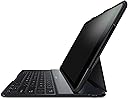
The Belkin QODE Ultimate Keyboard Case for iPad Air is a premium, aircraft-grade aluminum keyboard case that converts your iPad Air into a laptop-like device. Featuring three neodymium magnets for secure positioning, a tactile 78-key QWERTY layout, and an ultra-long-lasting 280mAh battery offering up to 1900 hours of active use, it combines durability, portability, and productivity. Its slim 0.75-inch profile and smart auto on/off keyboard function ensure seamless typing and protection, making it an essential accessory for professionals on the go.


| ASIN | B00EOE4G4E |
| Additional Features | Wireless |
| Antenna Location | Office |
| Best Sellers Rank | #6,529 in Tablet Keyboard Cases |
| Brand | Belkin |
| Built-In Media | Keyboard Case, Quick Installation Guide. |
| Button Quantity | 78 |
| Color | Black |
| Compatible Devices | Tablet |
| Compatible Operating System Family | iPadOS |
| Connectivity Technology | USB |
| Customer Reviews | 4.2 out of 5 stars 805 Reviews |
| Enclosure Material | Aluminum |
| External Testing Certification | Checkpoint/TSA Friendly |
| Global Trade Identification Number | 00722868957769 |
| Hand Orientation | Ambidextrous |
| Item Dimensions L x W x H | 11"L x 8.6"W x 0.9"H |
| Item Weight | 1.3 pounds |
| Keyboard Description | Multimedia |
| Keyboard Layout | QWERTY |
| Keyboard Plate Material | Aluminum |
| Manufacturer | Belkin |
| Mfr Part Number | F5L151ttBLK |
| Minimum Required Operating System Version | iPadOS 13 |
| Model Number | F5L151ttBLK |
| Number of Batteries Required | 1 |
| Number of Items | 1 |
| Number of Keys | 78 |
| Number of Packs | 1 |
| Power Source | Battery Powered |
| Recommended Uses For Product | Office |
| Special Feature | Wireless |
| Style Name | Ultimate |
| Switch Type | Tactile |
| Theme | Technology |
| UPC | 722868957769 523161323516 |
| Unit Count | 1 Count |
T**S
6 years in Mar 2020 and it’s STILL going!
3rd (or is it 4th?? lol) Update, Feb 24, 2019 Next month will be 5 YEARS that I’ve used this keyboard with my iPad Air. I adore this keyboard, and it has just been a champ! I use it daily, for multiple hours throughout the day/evening. As I mentioned before, one of my arrow keys fell off several years ago, but still works lol. And besides the A, S & E that I noted before that are fading, several others have faded a bit, but as I touch-type I don’t care about that. This keyboard hardly EVER needs charged: I’ll bet I only do it a couple of times a year... a YEAR! That’s amazing to me. It just keeps going, and going. On the back, the flexible material around the backrest is frayed, and came off in pieces... it just looks awful, but IT STILL WORKS GREAT! lol... I LOVE this keyboard, and if/when I get another iPad, I WILL want to get another Belkin cover/keyboard for it. Just terrific product. I hope the price comes down, though, as I don’t believe I paid near the going price for it! 2.5 Update, Aug 9, 2017 STILL love this keyboard, truly. Almost 3 1/2 years of daily use, and I don't know what I'd do without it! Great job, Belkin. 2nd Update, Sept 3, 2016 In March it will be 3 years since I got this keyboard and it is STILL hanging in there, lol. A few of the letters are fading, A, S and E and the up arrow key actually fell off a few months ago... But it still works! Lol. This keyboard rarely needs charged, and considering how much I use it every day of the week, still just amazes me. I think I certainly got my money's worth, go Belkin! Lol Update, Oct 12, 2015: I still love this case/keyboard! I don't turn off the bluetooth any more, as I did in the beginning, and it STILL keeps the charge for a loong time, it's terrific. I predominantly use my iPad in my house, but I use it daily. When I do take it out with me, I'm glad for the protection of the case, and it has protected my iPad. I love that it props open like a mini laptop, and usually sits right on the arm of the chair beside me, so I can type, use a stylus, or just read websites, etc. Since I do prop it ALL the time, the rubber tabs that cover the magnets have come off in the year & 7 mths that I've had it, but that doesn't stop it from working in any way, it just slightly mars the other side where it rests when propped. Not a big deal, truly. I'm not sure what trouble people have had with the camera not lining up, but I've never had that trouble. It IS a bit difficult to take photos, however, as you must keep the keyboard open and hanging to the side to take a pic from the back, but I rarely do that, so it hardly matters to me. Plus, having an iPhone, any photos I take with that, become available to the iPad via Photostream anyway. Overall, I'm very happy with this purchase, and I think it's lasted remarkably well since I use it every single day, lol. I decided to get this keyboard for my very 1st ipad. It is great quality, looks and feels substantial to guard the corners, etc, and the ipad fits into the case/keyboard perfectly. As I turnoff the bluetooth when I'm not using it, the keyboard holds a charge great! I think I've only charged it... maybe twice in the 3 mths i've had it! And I use it daily, repeatedly throughout the day. The only negative thing I can say about it, & the reason I haven't given 5 stars is: Since I'm a touch typist and don't need to look at the keys to type, I find it VERY annoying that a few of the keys are not in the standard Qwerty style layout! Obviously it is designed to make everything fit on a much smaller keyboard than a PC or even a laptop, but I end up typing things I don't want. Most notably the colon/semi-colon, the comma/quotes, backslash/question mark are period/question mark and comma/backslash on the Belkin keyboard, and possibly a few others I may have missed mentioning. Nothing world-ending I know, but still very annoying to me! lol I'm not sure if all small keyboards are designed in such a way, as this is my first, but buyer beware if it's important to you :)
R**B
LOGITECH Ultrathin Keyboard Folio vs BELKIN QODE Ultimate Keyboard case!
I decided that for my birthday I would get myself an iPad keyboard to facilitate my typing/writing. After considerable research (mostly on Amazon), it came down to the LOGITECH ULTRATHIN KEYBOARD FOLIO ($80) and the BELKIN QODE ULTIMATE KEYBOARD CASE ($106). True, they are not the same price but I decided, given how much I use my iPad (a lot, with hopes of using it even more post-keyboard) that the difference in cost would even out over time and that I wanted the best quality and qualities I could get for around $100 or less. In general, I've had good luck with products from both companies. (If you've previously read this review, note the additional FOLLOWUP COMMENTS added at the bottom! Thanks.) -------------------------------- So, let's start with the LOGITECH keyboard. First impression: Pretty nicely made. Fairly easy to get iPad in. Gotta push a bit to slide it in but then it fits tight. (Gotta work harder to slide it back out though) Oddly, the (minimalist) instructions indicate you should push it straight down to snap it in place. ?? Makes no sense. The upper corners are rigid and you'd just be risking snapping the plastic. (Read numerous complaints about the upper left one breaking a lot. Maybe because people were trying to fit it in the "Logitech" way. ?) Outside casing is some kind of dense rubber-like substance. Not crazy about the feel of it. Very solid though. Bit bulkier than the Belkin. The angle of the screen is fairly severe (upright) and not adjustable. iPad stayed in elevated position quite well. Screen bounces a bit when touching it, which, fortunately you don't have to do too much with the various helper keys on the keyboard. Keys are big and keyspacing is excellent, tho the proximity of the keyboard to the screen is a bit too tight as I keep touching the screen as I move up the keyboard. The rounded keys look cool but I don't think that helps. Feels/looks a little kids' keyboard-like. I love having cursor positioning keys! (both models feature them) Having to "finger" the exact position in a word with just your digit on the iPad screen is tricky at times, yah? Keyboard is almost "too hard" a surface to type on. Hard to explain. Just my impression. Bit tricky getting used to the far left column of keys. It's where I expect the Tab, Cap Locks, etc. The functions are there but only as alternates to the letter keys which are normally one column in from the edge. There is quite a bit of debate about the unusual rearrangement of the keys (they had to do to keep full-size keys). I can see why. Definitely slowed me down vs the Belkin. Probably could get used to it? If this were the only keyboard you were using. Might be more of a challenge if you're switching back and forth with a regular keyboard. The Logitech case did not turn off the iPad when closed. Even pushing the power button on the iPad with case closed did not turn off iPad. Had to open case, then press iPad power button. Also needed to turn off the keyboard switch, it appears. ------------------------------- OK, now onto the BELKIN. Also a quality build. Very easy to get into case. Just snaps down in. Also, almost as easy to get out. You can tell they're slightly smaller keys but the placement is just the same as a regular keyboard, and the key shape and feel is more familiar. I can tell I'm typing faster already. Not accidentally hitting the screen as much. Barely bounces at all when I touch it unlike the Logitech. I like the action on the keys here more but the space bar is a little noisy. Fairly loud clack everytime I hit it. Of course, I may just be hitting it harder than necessary. Sounds a little plastic-y but feels very solid. Still though, the Belkin action is overall a a bit quieter. The keyboard is much more like the Apple keyboard on my iMac and MBAir. Belkin has a dedicated Siri button below the Left Shift key, which I may have to be careful of, or not. Still hard not to occasionally accidentally touch the screen, although, the three angles available are much better than the sole one on the Logitech. And man, once in position, it stays in position. Serious magnets. With the iPad in the furthest away slot (and most upright), there's little risk of accidentally touching the screen, which speeds me up, and that angle is no more severe than the Logitech. Both have similar additional function keys, tho the Belkin has three mystery (optional) function keys on the numbers 2, 3 and 4. Will have to go to website to explore. (OK, they are music related: "Play more like this", "Never play again", "Add to iTunes Wish List". Feh.) I'm liking this Belkin quite a bit. Mostly because typing feels more natural on this and that's the primary function of a keyboard, no? Feels very solid. I like the (real?) leather feel of the back side of the case when closed. The aluminum front panel feels very solid also. Feels lighter than the Belkin, though in its packaging, I thought it would be heavier. The Belkin case did turn off the iPad when closed. I assume the keyboard shuts off too (as it's supposed to) but I can see no external light/indicator addressing this. Also no way to gauge the specific battery level. Amber light comes on when charging and off when full, or so they say. -------------------------- Both came charged already, with identical USB/microUSB charging cords. No idea at this point of the actual life of the batteries, but it'll likely not be an issue (I would hope not, at least). Virtually no documentation with either case, except how to place the iPad into them, and turn on BlueTooth. Both paired up quickly. Going bsck noew to try out the Logitech keybosrd sgsion. (thst'd how weell I did coming bsck from the Belkin. Not so grest!) Just switched back to the Belkin and this is e typing at my usual speed. With any typos (1). Definitely faster immediately on the Belkin. FINAL DECISION after 90 minutes of testing: Going with the BELKIN!! Goodbye, LOGITECH, nice try. Hope this helps others decide. --------------------------------------------- Thought a FOLLOWUP was in order as I had such a strong opinion when I first started using it. I discovered there IS a little blue light on the side that later indicated a BT hookup, which went out right after connection was made. One particular downside to the Belkin is that the symbol on the keys (letters, numbers, etc) kinda look like shiny decals, so depending on the light, they can have a bit of a glare to them. 2/11/14 OK, haven't used the keyboard a lot in the last few days but yesterday when I went to type something I noticed it wasn't responding. BT was on, had just charged both iPad and keyboard but nothing. Had other things to do so I just checked it now. Still inert. Restarted the iPad and it came right back. I realize now that I DIDN'T TRY PRESSING THE "PAIR" KEY up on the "=" key. That may have brought it back to life, although in Settings/BT, it showed the keyboard as CONNECTED. Hmmm... (another shortcoming-no indicator light on the Caps Lock key. Beware!) 2/15/14 Haven't had that previous problem reoccur. Although, sometimes when I first start to use it, and trying to sign into a network, the password doesn't take. No characters appear. I can copy & paste it from another app, but thats still odd behavior, tho not tragic. One thing which would make this thing totally great would be illuminated keys. If you tilt the screen to its most vertical position, you do get a fair amount of light from the screen, but not much from the other positions. Still, this thing is pretty damn solid. The touching-the-screen-accidentally has become less of a problem. If you keep your fingers over the keys like a proper typist, it's not a problem. I'm not that proper. It's also a bit too easy to hit the SIRI/mic key, as it's just left of the short Command and Alt/Option keys, before the Function key. Again, not a biggie but a bit of annoyance. 02/18/14 Overall though, despite the shortcomings of a narrower keyboard and a bit of occasional contentious key action, having what is close to a real keyboard for the iPad truly turns it into a mini laptop, with an increased sense of productivity. Me, I wouldn't give up my MacBook Air for it permanently, but since I can (and chose to) take the damn iPad with me virtually everywhere I go anyway, the added bulk is compensated for by the enhanced utility gained. Any future comments of notes, I'll put them here. (Update posted 03/29/14) UPDATE 12/28/14 Just a quick note to let people know that this model will also work with the iPad Air 2. It's a slightly looser fit but has never come out. The only serious problem, which I don't think is much of a problem, is that the alignment of the camera lens opening on the back does not properly line up with the lens. BUT, if you have unlimited funds, they've just come out with new models, the Ultimates, of which the Pro version (at least, at $150) has a lighted keyboard and can be used separately from the iPad (say, with an iPhone). The lighted keyboard is a dream to me since I llike to type in dark caves and the like, ;^)
A**E
Almost as if Belkin asked me what I wanted in a folio case
After researching for a month, I settled on the Belkin QODE and so far I have been extremely pleased with it. When I bought the iPad I already knew I wanted a keyboard folio for it. I had three major and one minor criteria which the Belkin was the only one that that did not violate at least one of them. The criteria (and how well the Belkin matched them) were as follows: Major: 1) Should fold in such a way that the keyboard is hidden away when holding the iPad in portrait configuration so that if I'm standing on the light-rail I can hold the tablet in the case with one hand comfortably. 2) Typing should be close to what I would experience on a full-size keyboard. 3) When using the keyboard the iPad should be stable as I want to use it to write on the light-rail. Minor Should be aesthetically pleasing or, at the very least, not ugly. I took a hard look at the Logitech Ultrathin and Fabricskin folios as well as the Zagg folio with the backlit keys. The Zagg was the keyboard I most wanted because of the backlighting but it failed criteria one which was non-negotiable. Which left me with the Belkin and the two Logitech keyboards. I tried both Logitech keyboards out at Best Buy and did not like the feel of either of them and the Fabricskin also manages to be horribly ugly (Mars Orange and Blue and Grey and Yellow Logitech? Really?). I decided on the Belkin and it meets all four criteria and the one where it was weak (aesthetics) are just not that important. The Belkin folds as it should and precisely as I wanted it to. It feels secure in my hand when it is folded up and Belkin was smart enough to have the keyboard shut itself off when in that configuration. The iPad itself feels very secure with those magnets and I am impressed with how well they work. I have not been on the train with the case yet so I don't yet know how it will do with the motion of the train but sitting on my couch typing is very comfortable and it does not feel the table will be going anywhere when the train decelerates or accelerates.* The case itself is good looking in a minimalistic sense. But it feels very well made. Pairing was extremely fast. It's as if Belkin knew the product I was looking for and built almost precisely that thing. The placement of the single/double quote key is a little offset than I'm used to so it will take a bit of practice to not hit enter everytime I try to write a contraction. The case is very well worth it and really does make the iPad a near replacement for my laptop. *Addendum: I've now commuted on the train with my keyboard all week and it has performed wonderfully. Sitting on my lap the tablet stays put when the train accelerates or decelerates.
D**D
Tried the Logitech and the Belkin.
I purchased the Logitech Utrathin Keyboard Case first. Frankly, that device was terrific until the latch broke, which turns out to be a common complaint. I replaced it with the same model Logitech. It too broke in the same location. After some consideration, and research, I bought this Belkin device. It has been working as advertised. A comparison between the two. 1. Logitech broke twice. Belkin has not. 2. Surprisingly, the Belkin feels less bulky. Not sure, but I thought the Belkin was heavier. If so, it doesn't feel that way because of the very trim design. Aluminum shell feels very nice. The shell has a blue tint to it. I suppose pure black aluminum is difficult to manufacture. 3. Magnets worked very well on both the Logitech and the Belkin. I had the first generation of the Belkin QODE for my iPad 4. That device had a single magnet in the middle of the bezel. It was not strong enough and twisted loose easily. It was my chief complaint with the previous Belkin QODE model. Belkin solved this problem with the new iPad Air version. The Belkin has two magnets, one on each corner, and a few more angles to view than the Logitech, which is a nice feature. They both resist twisting. 4. Key layout is subjective. I prefer the Belkin layout because I use the tab key a lot. Logitech requires a shift for the tab key. Colon and semicolon placement on the Belkin is a little odd. Because of the small size of these devices, one must make some compromises when laying out the keyboard. For keyboard enthusiasts, I am told the Zagg is very nice, though it cannot be used in portrait mode easily, and is a fair bit heavier. The key size on the Belkin is smaller than the Logitech. Both felt very nice to my fingers. 5. Belkin appears to disconnect a bit more frequently, and is a slight bit less reliable in reconnecting exhibiting problems about 1 in 10 attempts versus about 1 in 20 attempts with the Logitech. Sometimes it takes a second for the onscreen keyboard to disappear. Logitech has an advantage here, though slight. So, if Logitech fixes the cracking hinge epidemic, they are very much on par with each other. Just a matter of preference. Keyboard layout and aesthetics would be the deciding factor. Until then, buy the Belkin and don't frustrate yourself with the Logitech, whose latch design, in my opinion, is faulty. I read an internet rumor that Logitech is already working on a solution and it will resemble the Belkin. If true, it makes my recommendation all the more sensible.
D**S
If You're Serious About Typing This Is the Best... I've Tried Them All. :-)
Ok... This is THE ONE. :-) I think I've tried them all now. I bought an Anker bluetooth keyboard Anker® T300 Ultra-Slim Mini Bluetooth 3.0 Wireless Keyboard for iPad Air, iPad Mini 2, iPad Mini, iPad 4 / 3 / 2, Galaxy Tab and other Tablets - White some months ago... Very nice, and can't beat the <$20 cost, but I never seemed to have it with me when I actually wanted it. Recently started researching better solutions here... Ended up buying the new Anker TC930 [Upgraded Version] Anker® TC930 Ultra-Thin Keyboard Case / Cover for iPad Air - Smart Cover and Built-in 800mAh Lithium Battery (also very inexpensive) which is supposed to be a complete keyboard and case... again a very nice keyboard but I had no confidence in using it as a case as the magnets that hold it closed are too weak. So I ordered an Apple Wireless Keyboard Apple Wireless Keyboard MC184LL/B , and the Belkin Ultimate, knowing that I would have to return two of the three. I know... I usually hate when people do that. But my iPad has become an extension of me and it's too important to have the best solution, and anyway I spend a ton on Amazon every year so I figured they'll get over it this time. :-) Practically from the moment I took the Belkin out of the box and put my iPad Air in it I knew that this was the one. The keyboard/case has a hefty, very solid feel to it. The aircraft-grade aluminum that houses the keyboard itself (protecting the glass front of the iPad facing it when closed) is extremely sturdy. The fit and finish of the entire product is top-notch... the iPad clicks in perfectly, and comes out easily (but never unexpectedly.) There is a recessed opening for the volume/mute switches, and all of the other openings for rear camera, speakers and sensors are in perfect alignment with the iPad. Engineering gets an A+. Since the Apple Wireless Keyboard arrived on the same day I had them both out and was able to switch back and forth to test them easily. I thought I would want the Apple keyboard because it's kindof the Rolls Royce of keyboards, but was surprised to find that my fingers were at least as comfortable on the Belkin keyboard... travel and touch are very similar to the Apple, and the Belkin feels more solid than the Apple largely because it's actually attached to my iPad. The magnets on the Belkin are what really puts it over the top of everything else, especially the new Anker keyboard/case. The Belkin magnets are surprisingly powerful... There are no worries about the case opening by accident when you're carrying it. There are three separate sets of magnets to allow you to position your iPad at various angles during use. Just like the magnets that hold the case closed when you're not using it, these magnets SNAP into place and don't let go until you want them to... ever. The side that houses your iPad has a leather(ette) backing in the middle that provides an excellent grip when carrying the case closed; it also feels exactly right when you put your iPad down on a hard (or rough) surface: you don't feel like you're going to scratch the case. The same leather backing becomes the back support when you open the case and start working. The underside of the keyboard itself has two dimples on the edge closest to you, and the back of the keyboard rests on the leather portion that extends from the iPad side of the case to the edge of the keyboard. This provides a solid, slip-free surface while you're typing. If you're just sitting and using your iPad itself and don't need the keyboard the leather strap holding the two halves of the case together conveniently folds back on itself so the keyboard is facing inward behind your iPad. And of course you can very easily pop the iPad out of the Belkin for times like this, but I never do since I like the heft of the combined unit and the protection it provides when I close it back up before I get up and walk around with it. The Belkin has a built-in rechargeable battery (that only powers the keyboard... there's some confusion on this.) Based on other reviews the battery lasts for months even with heavy use. Belkin includes a mini-USB charger cable with the keyboard. If you're like me you have a dozen of these already for Bluetooth earpieces, etc., so I just left mine in the box. After two days of heavy use I plugged in the keyboard when I went to bed last night... A tiny green LED lit up on the edge of the keyboard to confirm it was charging, and it was off when I woke up. I figure if I remember to charge it once a month or so I'll be good, based on other reviews. But the internal battery also provides some of the heft that makes the Belkin case feel solid, durable and real, unlike the Anker TC930 (which again, to be fair, only costs a fraction of the price of the Belkin.) Last thing... The keyboard again. As I mentioned the travel and touch of the keys feel almost as good as the Apple. Because of the form-factor of the iPad itself Belkin decided, rather than making the keys smaller, to reposition a few of the keys. The only one that took me a couple minutes to get used to is the apostrophe ('). On full-size keyboards the L is followed to the right by the ; and then the '. Belkin moved the ;/: key down to the right of the space bar, so for the first hour or so I was using the Belkin keyboard I kept hitting ENTER when I meant to type an apostrophe, but I quickly got used to it. The forward slash has been moved to SHIFT-comma. The backslash and tilde (\ and ~) have also been moved and you need to press Function plus the key ([ and ' respectively) to get them, but I doubt if many people are going to lose sleep about these. The Belkin is more expensive than any of the other keyboards and keyboard/cases that I looked at, which is part of the reason why I thought I would be sending it back. But, as usual, you get what you pay for. Highly recommended.
D**E
Voice recognition is disabled when keyboard is on
I just purchased an iPad. I bought one of these cases because of the high recommendations. I need to use the iPad to dictate emails, messages, and Word documents. The case is sturdy, the design seems good, however when the keyboard is on, the microphone switch on the keyboard takes you directly to Siri, and does not let you dictate a text, email, or document. The only way to get that function to work on the iPad is to shut off the Bluetooth keyboard, and then you can only dictate, and if you need to type something, you need to turn the Bluetooth on again. I spent several calls with Belkin trying to discern if there was a way to override or work with this. I must say I am grateful that they are there 24 hours a day, but it was a large frustration trying to talk with them. It seems like every question has to go to a senior advisor, and I am put on hold for 10 minutes, and when they come back they simply repeat the question. I finally discerned that there was no way to use voice recognition when the keyboard is on, and no way to override this. I was speaking with a senior person at the time, and asked him why they would design it this way, and what would be the point of buying this case if you could not use voice dictation. He said that no one had ever asked that before. I said that it seemed to me that many people who bought an iPad would be using it in part at least for dictation. I told him that I hope that somebody in design could address this question. I told him that my Bluetooth earpiece was able to move between Siri and voice dictation. So if you are planning to use your iPad for dictation, may be there is another product that allows both functions to operate. That would be a better choice.
K**K
Fantastic keyboard but issues with magnetic screen lock
I've been looking for a good iPad keyboard case for some months now, as when I travel with my iPad alone, I want to type a decent amount sometimes, and the on-screen keyboard works for shorter compositions, but does severely slow me down when typing anything much more than a couple paragraphs. I tried my friend's QODE recently and was in love with it, with most of my initial impressions transferred to mine. I picked this one in particular, despite it being more expensive, due to being impressed with my friend's QODE, and the fact that when just using the iPad, it appeared to fold up much flatter (back against keyboard) than many others. However, in folding it up like that, with the back against the keyboard, comes a notable flaw. Doing this seems to frequently activate the magnetic screen lock on the iPad and lock the device (akin to using one of the smart covers). And depending on the position, sometimes the iPad will maintain that it be locked due to the magnet, and not even unlock on hitting the proper buttons, which is even more frustrating. It's a fantastic case otherwise, but I'm not sure I can deal with this, particularly not when it's 2-3x the cost of most other similar cases. Pros: - sleek, with a great keyboard size - very thin and fairly lightweight - incredibly easy to use and setup - works well on my lap or on a hard surface - magnetic lock works great - options of 3 different angles is nice, though I don't find them to be that meaningfully different for the most part Cons: - magnets commonly activate iPad device lock (for smart covers) when folded with the back against the keyboard - expensive compared to other keyboard cases, at 2-3x the price
R**S
Good not Great but Solidly Good
I purchased this keyboard case as a replacement to a Folio case that was starting to have problems recognizing key strokes. I purchased this particular item because, unlike the Folio, the keyboard could be put behind the ipad when I was consuming content rather than producing it. Generally it works the way that it should. Pros: 1. The keys have a nice tactile feel to them when pressed. Similar to that of an Imac wireless keyboard. They produce a nice click when pressed unlike other keyboard cases that I have used in the past. 2. The aluminum house is quite nice. It gives the case a solid feel without being too heavy. 3. The price is pretty good compared to alternatives. Considering the alternatives that I have used have been made of hard plastic and/or some sort of plasticy sued like material, I would consider the aluminum case a plus. 4. Connectivity was extremely simply. If you can look at pictures and have just a basic knowledge of your ipad you will have no problem connecting this to your Ipad. 5. The three level magnets are very strong and will hold your ipad in the location where you put it. Cons: 1. Fit and were ok but not great. The hole for the forward facing camera is off by about 2 mm which means that you get a nice black part of your camera when you are using the rear facing camera for face time. Since very few people take photos with their Ipads (i mean it is just weird looking), this should now affect you too much for general picture taking. 2. The three position screen is a bit gimmicky. While I certainly like the flexibility I am not sure that you would use any bot the one that put the screen at the greatest angle. 3. While the keyboard can be folded behind the screen, it is connected to the aluminum body by some sort of man made material that is very flimsy. I would think that connecting the keyboard to the screen with some sort of 360 degree hinge would work better or if there was a magnet on the back of the keyboard that held it in place when it wasn't in use. It isn't bad, but it is a bit awkward. I can imagine if I gave my ipad to my 2 year old on an airplane that this would present a problem. All in all, this was exactly what I was looking for. A relatively cheap keyboard for my ipad that can be tucked away when watching movies. While not perfect, it does what I need it to do and the price is just about right.
G**A
Bien
Lo recibi antes de la fecha fijada, el producto muy bien, si acaso falta alguna guía de configuración, no se como sacar algunos caracteres con el teclado!
A**R
Five Stars
Very nice product.
T**H
Very happy. Excellent keyboard and case.
I originally tried the Belkin Qode Thin Type Keyboard Case, having bought one for my husband with the thought of getting another one for myself. I found that case a bit heavy though and it isn't really a case. This one attaches around my iPad Air perfectly. The magnets work well for placing the viewing angle and the case feels secure when closed. It's also fairly light. The keyboard has good key return. My only issue is the placement of the : and ; keys. They are dropped down to the bottom row. As a touch typist that is hard to adjust to but I don't really write code on my iPad too much so it won't be too much trouble. Update Aug 2018 - I got the new Ipad 9.7inch (the one that works with the apple pencil) and my keyboard case works perfectly with it as well. The keyboard must charge from the ipad itself when it’s in use as I don’t think I’ve charged it since the initial charge over a year ago.
A**H
Great build quality & responsive. No backlit
The keyboard has high build quality & very sturdy. Keys are very close to any Mac keyboard and there is no delay when using across different apps. It does increase the weight on the ipad significantly... Although that was expected. The only downside I find after using regularly is the lack of a back-lit keyboard to use in the night, on an aircraft etc.
M**Z
Mike Chavez
Buen producto..llego antes del día y la hora esperados..bien empacado.funciona bien hasta el momento. Ligeramente pesadito..Sin problema de compatibilidad..lo Recomiendo.
Trustpilot
1 month ago
3 weeks ago