We remain fully operational. Our teams are working around the clock to ensure your deliveries continue safely.

DOWNLOAD THE APP


Copyright © 2025 Desertcart Holdings Limited
DOWNLOAD THE APP


Buy anything from 5,000+ international stores. One checkout price. No surprise fees. Join 2M+ shoppers on Desertcart.
Desertcart purchases this item on your behalf and handles shipping, customs, and support to KUWAIT.
🎨 Elevate your digital canvas — where precision meets portability!
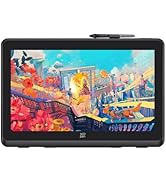
The XPPen Deco 01 V3 is a professional-grade drawing tablet featuring a 10" active area, 16,384 levels of pen pressure sensitivity, 60° tilt recognition, and 8 customizable shortcut keys. Compatible with major operating systems including Windows, macOS, Android, Linux, and Chrome OS, it supports seamless connectivity and optimized performance for artists, students, and educators. Its battery-free stylus and ultra-slim design ensure portability and ease of use, making it ideal for remote teaching, animation, and digital art creation.













| ASIN | B07VKB37HZ |
| Active Surface Area | 10 inches x 6.25 inches |
| Additional Features | 10" Active Area – 20% Larger Than Entry-Level drawing tablet, 16,384 pen pressure levels, 220 Report Rate for OSU, 60 degrees of tilt, 8 Custom Shortcuts |
| Best Sellers Rank | #16 in Computer Graphics Tablets |
| Brand | XPPen |
| Built-In Media | 1 x Deco 01 V3 Drawing Tablet, 1 x Glove, 1 x Protective Film, 1 x Stylus, 10 x Nibs, 1 x Stylus Stand, 1 x USB to USB-C Adapter, 1 x USB-C to USB-A Cable |
| Color | Black |
| Compatible Devices | Windows® 10/8/7, MAC OS X® 10.10 and above and Android 6.0 and above and Chrome OS 88.0.4324.109 or above. |
| Connectivity Technology | USB |
| Customer Reviews | 4.5 4.5 out of 5 stars (8,123) |
| Display Type | LCD |
| Item Dimensions L x W | 13.82"L x 8.54"W |
| Item Weight | 570 Grams |
| Manufacturer | XP-PEN |
| Model Name | DECO01V3 |
| Model Number | DECO01V3 |
| Native Resolution | 1920x1080 |
| Operating System | Windows, Android, Linux, Chrome OS, Mac |
| Pressure Sensitivity | 8192 Levels |
| Screen Size | 10 Inches |
| Specific Uses For Product | Drawing, Gaming, Online Education |
| Target Audience | Artist, Student, Teacher |
| UPC | 654913039529 |
| Warranty Description | One Year Warranty |
A**N
Big, pink, and effective.
After my old XP-pen Star05 finally died on me after many years, it was time to get a new drawing tablet. This new one is a nice and big tablet, runs smoothly, and the buttons are fantastic. The active drawing area alone is larger than the entire size of my old one. No complaints, I love it. Software is easy to set up and the pen pressure is decent. It's wired, so it does need to be plugged in, but the connection is fast and the chord is long. It's also just really cute. I'm so glad I found one in pink, and the price was great. The buttons are customizable which is great. The pen moves smoothly across it and even after taking the protective sheet off (because I was deforming it), there's no scratches on the surface. The replacement nibs fit into the pen holder. They come in a separate bag but you put them inside the pen holder in the little grooves. All you have to do to use it is plug it in and install the driver which you can find easily on the XP-pen website.
F**E
Perfect!!!
I. Love. This!!!!!!!!! I have been using the Deco 01 V2 for a long time now! (I bought it under this listing, but it seems to not be sold anymore?) It does everything I need it to do AND MORE!! Hardly any lag compaired to BOTH my old huion and wacom. 10x easier to setup as well, because all the drivers are easy to find/etc. The size of the drawing space/screen is honestly perfect for me + helps a lot since I take it to cafe's to draw, or college/etc! Love the design as well, and was very happy to have an option to make it feel more like paper! I REALLY fell in love with XP pen and will use them for years to come due to this experience :D!!
G**A
Way better than Wacom pro!!
I was a die-hard Wacom user for years. I professional retouched photography and the like. As a professional artist, I highly recommend this tablet. DO NOT waste your time or hard earned money with Wacom. XP pen has stepped up its game as a rival with this very tablet. The comfort, the drivers, the protective material, the ergonomics—everything is perfect! I’ve bought Wacom tablets recently, and returned them as the result of them falling apart the same day. Xp pen has proven itself and I am very impressed and will never go back again to any other brand. The affordability, quality, and professional structure wins.
A**D
Great for Linux, Maybe not for beginners
This is my first drawing tablet. In this review I hope to cover my "newbie" impressions, its Linux compatibility, and its general utility. First, my "newbie" impressions. Very soon after I received this device, I realized there are several things about it that aren't for me: 1) It too large. This was a surprise for me because I was convinced the size would be perfect, but for me as a beginner, I suspect that I would do better with one size smaller, and it would certainly sit better on my computer desk; 2) I very much dislike the upright pen holder. I realize now upon receiving it that I would much prefer to attach the pen to the side of the tablet. The upright holder isn't designed for being put in a desk drawer and having a separate piece is just annoying and amounts to clutter. Now, about Linux (2023, KDE, Debian): This tablet operated fully as a plug-and-play device, even before installing the manufacturer's drivers. I'm guessing that usability a side effect of Linux's WACOM support. What that plug-and-play support doesn't give you, though, is the detailed customization features that the tablet offers. For that you do need to install the manufacturer's Linux driver package. The manufacturer impressed me with the recency of its Linux driver support. I received the tablet on 2023-12-19; the model has been on the market for over four years, and the date of the driver package was 2023-10-23! There were drivers for multiple Linux distributions, and a detailed web page describing how to install them (standard, boring, nothing special). Once you install the drivers package, you do need to either reboot your system (what I did) or maybe just log out and back in. At that point, when you plug in the tablet, an icon is added to the system tray for the xp-pen configuration tool. Just beautiful - no hassle whatsoever. Finally, a few words about this tablet's general utility. Keeping in mind that I'm an absolute newbie: 1) It may be that the 'tilt' feature has been confusing me. I've shut the feature off, and I think the pen is operating better for me for now; 2) I really like how easy it is to change the tablet rotation using the configuration tool; 3) The pen works fine for drawing in programs such as Krita and KolourPaint, but because it's speed is calibrated for drawing it's slower than what you would want for a mouse, so it's annoying to use in order to move long screen distances quickly to press buttons and make selections from feature grids on the sides of canvases. What I've started doing is moving my mouse to my left side and using my left hand for the mouse so I don't need to put the pen down in order to quickly get fast mouse navigation. It would be nice to be able to program one of the pen buttons to increase the pen's distance-speed while pressed.
J**.
More versatile than it seems
I'm probably one of the few reviewers who got this to replace my pointing device. I suck at drawing, but I wanted to learn, and my mouse at work was bothering me, so I figured I would try this out. Surprisingly, it was basically plug and play with Linux, Fedora 30. I did NOT use it for anything art related at work, just as a pointing and clicking device. The Digimend drivers should work fine for it, just google for them, although configuring specific settings is more advanced, and required me to use the command line, and I'm unsure if there's a way to map the buttons. But for something that supposedly only works for windows and mac, it was great on linux. I have the protector on it in the picture, the keyboard is an Anne pro v2 60%, and the mouse is a Razer Mamba, so you can see the size comparison. Only changes I wish I could make would be allow me to switch between absolute mode and relative mode using the express keys; I think you have to go into the driver gui and click a radio button to pick the mode, but you're unable to bind it to a key. On Linux, I couldn't get the top button on the pen to register at all, so I had to create key binds to do middle click. Other than that, works great, the penholder is super convenient. I actually also ordered the XP-PEN gs640, the smaller one with no buttons, to use at work in relative mode, and that works great as well. This has pressure sensitivity and tilt functions that seem to work great in Krita. Definitely a worthwhile pick up if you're looking for an alternative input device or good quality, inexpensive drawing pad.
A**R
Bought for Christmas and my son loves it uses all the time , good price
J**D
Utilisée pour le dessin Paint 3D et en remplacement de la souris pour naviguer et lire des textes. Amélioration suggérée: possibilité de changer de curseur. Je n'utilise pas le driver.
F**I
Ich habe mir dieses Tablet vor gut 3 Jahren gekauft und verwende es hauptsächlich für digitale Kunst. Meist nutze ich dafür Krita unter Linux. Und hier kommt schon ein großer Pluspunkt: Das Tablet, sowie auch die meisten anderen Produkte von XP-Pen funktionieren nativ unter Linux. Für Druckstärken- und Arbeitsbereichanpassung sollte man sich allerdings den von XP-Pen zur Verfügung gestellten Treiber herunterladen. Ich wsr überrascht, dass Linux hier auch komplett abgedeckt wurde und ich das Tablet nach Belieben konfigurieren konnte. Der Stift ist solide und verfügt über 8192 Druckstufen. Damit lassen sich in Krita oder Clip Studio Paint organische Linien ziehen. Natürlich sei angemerkt, dass die Lernkurve bei einem displaylosen Tablet sehr steil sein kann und man die Hand-Augen-Koordination dafür erstmal trainieren muss. Die Ersatznibs lassen sich für den Stift problemlos hier für wenig Geld ordern, doch bis ein Nib erstmal abgenutzt ist, kann es schonmal ein Jahr dauern. Das Tablet ist also perfekt zum Einstieg geeignet. Durch den fehlenden Bildschirm gibt es kein Parallax und das Gefühl beim Zeichnen ist angenehm. In meinen Augen ist es den Wacom-Äquivalenten vom Komfort und dem Preis deutlich überlegen. Ein noch besseres Gefühl mit dem Stift habe ich mit dem Stylus vom XP-Pen Artist 12, das ich ebenfalls besitze, da dieser gefühlt noch sensibler auf die Druckstufen reagiert. Trotz dem Umstands, dass ich mit dem Artist 12 ein Tablet mit Bildschirm besitze, komme ich immer wieder und auch für den Großteil meiner Zeit zurück auf dieses Modell, weil es schlicht, günstig und effizient ist. Klare Kaufempfehlung von mir! Das gilt im Übrigen auch für die Firma XP-Pen allgemein. Seit Jahren bin ich dort Kunde und wurde nicht enttäuscht, nur immer wieder positiv überrascht.
A**S
J’ai eu l’occasion de tester la tablette graphique XP-PEN DECO01V3, et voici mon expérience avec ce produit. 🖊️ La prise en main s’est faite progressivement, avec une surface de dessin suffisamment large pour être à l’aise sur différents logiciels. Le stylet sans batterie est léger et agréable, ce qui permet de travailler sans se soucier de la recharge. 🎨 Lors de mes sessions de dessin et de retouche, la sensibilité à la pression se ressent bien et les traits suivent correctement les mouvements. Les variations d’épaisseur sont naturelles et donnent une bonne précision dans le geste. 💻 L’installation sur mon ordinateur s’est déroulée sans difficulté particulière, la tablette étant reconnue rapidement. Les raccourcis personnalisables sont pratiques une fois configurés et s’intègrent bien à l’utilisation quotidienne. 📐 Le format est facile à poser sur un bureau et reste simple à déplacer. La surface offre une sensation correcte sous la main, avec un glissement fluide pendant le travail. 🤍 J'espère que mon avis vous sera utile !
J**N
The delivery was a bit slow but honestly worth the wait. Responsive enough to let me draw the girlfriend I will never get. 5/5
Trustpilot
1 month ago
5 days ago