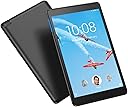
š Lightweight power, vibrant visuals, and immersive soundāyour pocket-sized productivity partner.
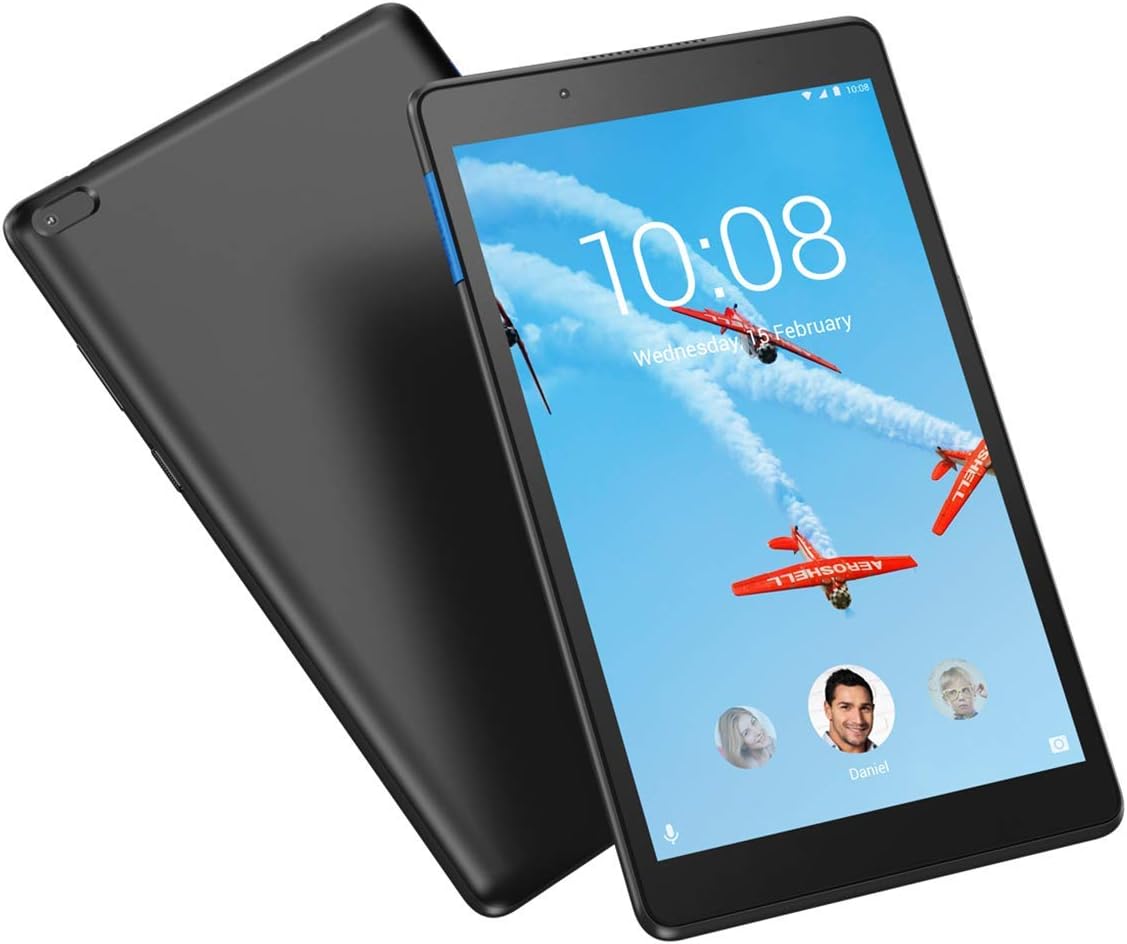
The Lenovo Tab E 8 is a sleek, lightweight 8-inch Android tablet featuring an HD IPS display, Dolby Atmos front-facing speaker, and a 10-hour battery life. With 1GB RAM and 16GB storage expandable via microSD, it supports multi-user profiles for family-friendly use. Ideal for streaming, light multitasking, and portable entertainment, it balances affordability with essential features for everyday productivity and media consumption.


| ASIN | B07NJ7KZCZ |
| Age Range Description | Kid |
| Aspect Ratio | 16:10 |
| Battery Average Life | 10 Hours |
| Battery Cell Type | Lithium Ion |
| Best Sellers Rank | #554,467 in Electronics ( See Top 100 in Electronics ) #5,816 in Computer Tablets |
| Brand | Lenovo |
| Built-In Media | microSD⢠Micro USB3.5 mm Audio Jack |
| CPU Model Number | MT8163B |
| Camera Description | Front |
| Cellular Technology | GSM |
| Color | Black |
| Compatible Devices | Keyboard |
| Connectivity Technology | Bluetooth, USB, Wi-Fi |
| Customer Reviews | 3.6 3.6 out of 5 stars (21) |
| Display Resolution Maximum | 1280x800 |
| Display Type | LCD |
| Frame Rate | 30 Frames Per Second |
| Front Photo Sensor Resolution | 2 MP |
| Generation | 1st Generation |
| Global Trade Identification Number | 00193268086012 |
| Graphics Description | Integrated |
| Hardware Interface | Micro USB Type A |
| Headphones Jack | 3.5 mm |
| Human-Interface Input | Keyboard |
| Item Dimensions L x W x Thickness | 0.35"L x 0.35"W x 0.35"Th |
| Item Weight | 1.1 Pounds |
| Lithium-Battery Energy Content | 4850 Milliampere Hour (mAh) |
| Manufacturer | Lenovo |
| Memory Slots Available | 1 |
| Memory Storage Capacity | 16 GB |
| Model Name | ZA3W0054US |
| Model Number | ZA3W0054US |
| Native Resolution | 1280 X 800 |
| Operating System | Android 7.0 Nougat |
| Other Special Features of the Product | Dolby Atmos Audio, Kid-Friendly Features |
| Processor Brand | AMD |
| Processor Description | MediaTek MT8163B Quad-core Processor (1.3GHz) |
| Processor Speed | 1.3 GHz |
| RAM Memory Installed | 1 GB |
| Screen Size | 8 Inches |
| Speaker Description | 1 front-facing speaker with Dolby Atmos |
| Specific Uses For Product | Entertainment |
| Supported Audio Format | MP3 |
| Total Usb Ports | 1 |
| UPC | 193268086012 |
| Video Capture Resolution | 800 |
| Video Processor | MediaTek |
| Warranty Description | 1 year manufacturer |
| Warranty Type | Limited |
| Wireless Compability | 802.11a, 802.11a/b/g/n, 802.11abg |
| Wireless Technology | Bluetooth, Wi-Fi |
B**H
Good Product Too Much Red Tape
The tablet itself works great, but it requires too many accounts to be created and logged into to use.
M**K
Slightly held back by 1gb, but still zippy, excellent screen
Got this by mistake from an Amazon vendor when I ordered the more upscale Lenovo Tab 4 8 under the Amazon Renewed program (which is by and large a great program). I played with it before returning for the correct product. The E8 surprised me by being zippy and it has a great screen, really fine for watching Amazon Prime and Netflix. The E8 has full access to the Google Play application store, which means some apps that aren't supported in the FireOS/Amazon Fire tablet ecosystem are available to me. I know there is an ardent fan base of enthusiasts who sideload Google Play onto Fire tablets, but for most of us it's nice to have that done by the maker. The main limitation of the E8 is the 1gb of RAM. It limits the amount of "multitasking" one can do before slowdowns. When I reach a certain number of browser tabs, I can feel the pause, albeit slight, when I switch back to a background tab. Also, and this is a nit, the thumbnails of apps in the multitask view are fuzzed out. Fortunately the E8 comes with 16gb of storage space for apps and there isn't any added bloatware/sellerware. So I can install my usual apps and still have 5gb or so of available storage for content and scratch space for the operating system. Also, I got to install 5 or 6 system updates (I kept clicking on "check for updates" in "settings" to make sure I had up to date security). To Lenovo's credit, they had mid-2019 security patches, which is a lot better than some makers that get updates out really belatedly. You can add an SD card, but that's really only good for content and not apps. However, I like to have at least 16gb just for content, so an SD card is mandatory for me. This also keeps the internal storage free for buffers etc. I DO format my SD card as "adoptable storage" so I don't have to consciously save content to the SD card (you select the option that ISN'T "portable storage"). That way I don't have to select where to store content. I highly recommend this as a competitor, with Google Play capability, to the Fire HD 8. However, if and when Amazon updates the Fire HD 8 (I though it would be end of 2019 but I'm still waiting!) you should check to see if Amazon is up from 1.5gb to 2gb and made any other improvements before making your final decision. The truth is the Fire 7 and Fire HD 8 are just killing it in the inexpensive tablet segment. They get the job done. This E8 gets the job done somewhat better, but you almost have to be a nerd to appreciate just HOW it is better.
C**N
An exercise in frustration
I am writing about my experience with the Lenovo TB-8504F tablet. First, somehow the tablet's pop-up keyboard will not appear; instead, I either get a screen that says Tap to Speak, or a screen that says Google Voice is not available for this input. Trying to reach Tech Support is another exercise in frustration. Lenovo has made it difficult to find out how to reach Tech Service; then, when I call, I am given options for keys to push if it is a Think Pad, or Server issue. I have no idea what option to push for a tablet. After reaching a representative, she say she doesn't actually have access to a tablet, so she is guessing as to watch my options under Settings are. I have sent the tablet back twice for a flickering screen issue. The flickering screen issue has not been fixed. The phone rep says that I should complain to Google about this issue! Then she says resetting the machine might help. The problem is that the tablet asks for my four digit password. I can't input the number because the keyboard won't appear, and a message says that Google Voice cannot be used for this field. Then the rep says this is a software issue and that she has not been trained in this area. She says that there is no supervisor or manager she can transfer me too. In emails I received from Lenovo about clicking on a link to leave feedback, I get taken to a page with a few words saying basically that this is an invalid page. How long has Lenovo been in the tablet business? I have a Lenovo Yoga laptop, which I like. But the company has made the worst tablet I have ever used.
T**Y
Get the Lenovo Tab 4 8 instead
Previous model Lenovo Tab 4 8 was a much better tablet. It had twice the RAM 2 GB versus 1 GB, a faster running processor, a faster memory interface, and two speakers instead of 1. Tab 4 8 is still available. It appears the Tab E8 is simply a cost reduced Tab 4 8, and the differences are significant.
D**O
La compra fue muy buenoa, pues llego como se describia en la publicación.
Trustpilot
2 weeks ago
5 days ago