Buy anything from 5,000+ international stores. One checkout price. No surprise fees. Join 2M+ shoppers on Desertcart.
Desertcart purchases this item on your behalf and handles shipping, customs, and support to KUWAIT.
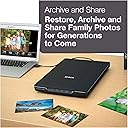
📸 Preserve your legacy in stunning detail—scan, restore, and share like a pro!
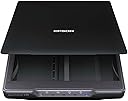
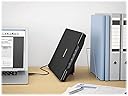
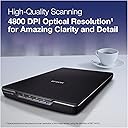
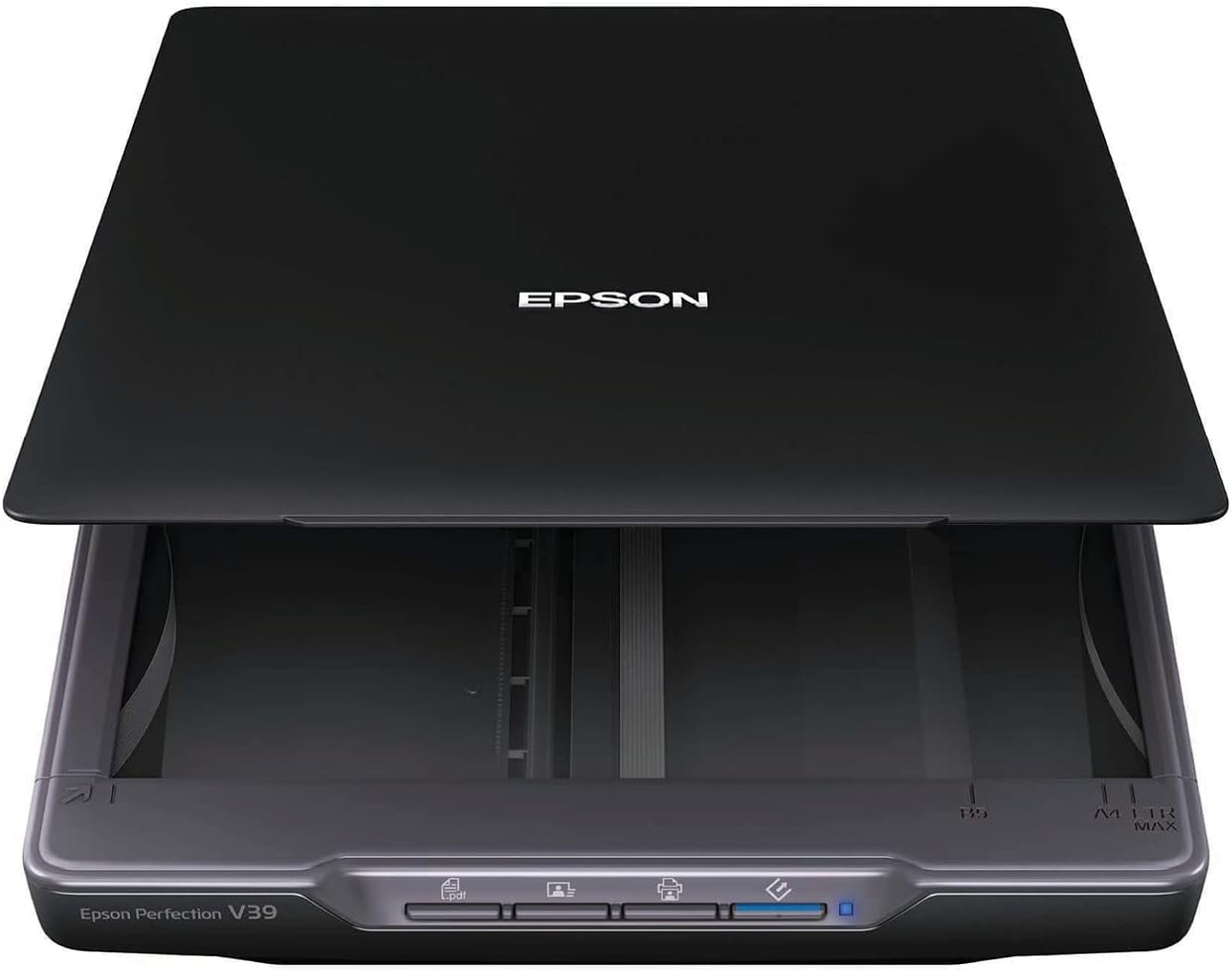
The Epson Perfection V39 is a sleek, USB-powered flatbed scanner delivering 4800 dpi optical resolution for high-quality photo and document digitization. Featuring easy-to-use buttons, built-in vertical kickstand, and software for cloud scanning, photo restoration, dust removal, and OCR, it’s designed to simplify preserving and sharing your most treasured memories with professional precision.


| ASIN | B00SSXQ7Q2 |
| Best Sellers Rank | #7,059 in Office Products ( See Top 100 in Office Products ) #3 in Flatbed Scanners |
| Brand | Epson |
| Color Depth | 16 bits per pixel (internal), 8 bits per pixel (external) bpp |
| Connection Type | USB |
| Connectivity Technology | USB |
| Customer Reviews | 4.2 out of 5 stars 4,435 Reviews |
| Global Trade Identification Number | 00010343916906 |
| Greyscale Depth | 16 bits per pixel (internal), 8 bits per pixel (external) |
| Item Dimensions D x W x H | 17.25"D x 12"W x 3.4"H |
| Item Weight | 3.4 Pounds |
| Light Source Type | LED |
| Manufacturer | Epson |
| Media Type | Photo |
| Minimum System Requirements | Windows 7 |
| Model Name | Perfection V39 |
| Optical Sensor Technology | CIS |
| Product Dimensions | 17.25"D x 12"W x 3.4"H |
| Resolution | 4800 |
| Scanner Type | Photo |
| Standard Sheet Capacity | 1 |
| UPC | 010343916906 001034391690 |
| Unit Count | 1.0 Count |
| Warranty Description | Limited warranty |
| Wattage | 2.5 watts |
B**.
Reasonable priced, nice quality scanner that GREATLY simplifies the job of digitizing those family photos
I got the job of scanning four big family photo albums into digital form, maybe a bit over a thousand photos. Almost all of them were 3x5 or 4x6, but when I used my multifunction printer as a scanner, it required two separate scans, with an intermediate dragging of a border to define the final scan. It was multiple minutes (or so it seemed) for each photo, and I knew that I'd never finish without a high degree of annoyance, something not really appropriate to a family memory preservation duty. I shopped around for a photo-specific scanner, hopefully one with an auto-feeder, looking to automate as much as I could, but basically struck out. A bit of reading and a few reviews suggested that though it was minus the auto-feed, this printer could be what I was looking for. It was reasonably priced and I took a chance and ordered it. I've now got several hours of use scanning pictures of my kids and family, and am pretty happy with the unit. The big surprise was that the quality of the scan, even at the same DPI was noticeably better than the multifunction printer. Truth is, the majority of the work in this task is removing the photos from the waxy album sheets and their clear plastic covers. The scanner just keeps on cranking, and it takes about 1 minute for me to load a picture, scan it, put it on the 'done' pile, and then begin the next. Would it be faster overall with an autofeeder? Maybe a bit, but most of the time in the sequence above is for the scanner to determine the size of each photo placed on the glass, and then doing whatever it must to scan only the image. It takes two passes, just like the multifunction unit, but the the passes are automated and require no intervention beyond removing the photo when the process is complete. Photos are saved in JPG format, and the filename with its 3 digit number is auto-incremented with each new scan. I use Windows 7, and the included Epson software puts the completed scans in the 'Pictures' section of the Library. I'm almost done with the first album, so it seems likely that I'll finish in an acceptable amount of time.
D**C
Working Great for Me
Despite all the bad reviews I took a chance.I wanted to scan mostly 4x6 photo prints to upload to an on-line site to make a photo book.Figured if it worked and lasted long enough to do 300 pictures, it would pay for itself compared to the cost of getting the scanning done outside.My level of computer savvy is I need a Dummies book to get anything done.So far I have done about 100 scans at 600-which is what the on-line site uses,on my windows 10 computer.Quick and easy to save and upload.I have experienced zero of any of the problems reported by others and am at a loss to understand some of the concerns. 1.Software.There was no disk included.Simple link to their web site.Download and install the software.Puts an icon on the desktop.Click on it and operate the unit.Works perfectly with my new windows 10 .Didn't try any of the, to me "fancy" alternate modes,like Professional or scan multiple pages to a single PDF or "stitching",so can't speak to any of that. I just set the resolution and get a nice JPEG digital image.Of course you can't do multiple scans at the highest resolution.Takes too much space on the hard drive.Seems to me some of the negative people may have unrealistically expected high end professional level performance,which you can only get from units at much higher price points. 2.Buttons.Don't get this concern.Didn't try them-why would you want to? Scan and save to my computer, so you have to turn it on.Also turns on the scanner.Easy to click on the icon.Used basic screen.Just click on "start scan". 3.Borders.The manual that downloads with the software tells you about the minimal edge reduction.Wasn't a problem for me.There are two marks on the lower right hand corner.I just put the photo down by the marks,less than 1/4 inch from the edges.Doesn't have to be exactly square or straight.Program scans it perfectly for me. 4.Smudges.People are amazing.Yes if you put your fingers on the glass that isn't good.Exactly like any other scanner.I just put the photo down and move it around by touching the photo. I use a soft plastic tooth pick to lift the photo up a bit off the glass, so I can remove it without touching the glass.Haven't had any problems, nor had to wipe the glass so far. 5.Noise.Another concern I don't get.Some people must have very tender ears.The first pass is about 5% louder than my Brother MFC-8660DW, 3 in 1 printer-copier-scanner.Then you get a thumbnail of the scan to decide if you like it.Then the second pass is the same sound as the Brother. All scanners make a noise,don't they? 6.Plug.I don't know the technical name but the mini USB end of the 4' cable that plugs into the unit is not exactly robust.The comments alerted me to a possible problem so I plugged it in and put a little duct tape around it and I leave it alone.Just use the other end which is a normal USB, to plug in and out of my desktop.Mostly I leave it plugged in all the time and it automatically turns on when I boot up my computer and off when I log out. 6.Time. It takes me 30 seconds to scan a 4x6 photo-from the time I click on start scan until the process is complete. 7.Saving.This is another concern I don't get.Probably because I am mostly clueless about computers.When a scan is complete a window pops up automatically, New Scanner under Pictures.The scan is placed there and saved by itself.I drag it to my desktop.The on-line site sees it there when I click on add photos.Drag and upload.Then I make a new folder in Pictures for that book, and drag it off the desktop into the folder.I am sure there are better ways but that works for me. 8.Lid. It was heavy enough for me to flatted slightly curled photos.The hinges are a light plastic so I try and be careful.It stands upright while I place another photo.The manual says it is removable to scan bigger items but I haven't tried anything except scanning photos as big as 8x11. Conclusion:I couldn't be happier so far.The unit does exactly what I hoped for at what I consider a bargain price.
M**D
Great Scanner, but short cord....
Needed a basic scanner for one of the office work stations, mostly for scanning the occasional document for emailing. Super easy set up, came with a CD to load up the software. Can operate it from the scanner itself with the push of a button, or pull up the ESPON Scan program and launch from there. Scans to PDF, scans into a basic editing program for photos and has both auto and manual functions. We didn't need to mess around with any of that, and were glad for the simplicity of plug and play -- loaded the software, connected the scanner, and were instantly able to scan documents as needed. As others mentioned, very lightweight, if one needed it to be portable for some reason, plus is USB powered, which is handy. Only problem we had is that the cord it comes with (USB to Micro USB port on the scanner itself) was only 5 feet long, and that didn't work for the particular work station area, where the PC tower was located under the desk, and the best place available for the scanner, on the desk top, put it more than 5 feet away. EPSON was pretty useless at recommending anything longer, and we learned the hard way that not just any USB to Micro USB cord would do the job. A bit of trial and error on ordering a longer, replacement cord, finally yielded this product: Mediabridge USB 2.0 - Micro-USB to USB Cable (10 Feet) - High-Speed A Male to Micro B - (Part# 30-004-10A ) This ten foot replacement cord worked perfectly. Other cords would only power the unit, but would not transmit data, but this cord, as a Hi-Speed USB 2.0 cord, capable of data sync at 480 Mbps, is what we needed. And, for about six dollars, it was a super affordable fix for the short cord problem we had. Terrific scanner, does exactly what we needed it to, very happy! UPDATE: Mediabridge cord quit working with the scanner. Not the fault of the cord itself, just this scanner doesn't seem to like any other cord other than what Epson sent with it, so there must be some proprietary element to the cord itself, I don't know. Anyway, switched back to the Epson cord, and have to keep the scanner on top of the PC tower, since the Espon cord is too short to have the scanner on the desk top (PC tower is under the desk) but scanner still works great. Just wish it came with a longer cord, or wish Epson was any help at sourcing a longer cord that would work. Knocked off one star (from five down to four) because Epson customer service was useless at trying to solve the short cord issue and their recommendation of any Hi Speed cable clearly is not accurate, since the Hi Speed one we bought is now not liked by the scanner, after only a day of use. Cord itself tests fine, so it's something with the scanner, on what cord will work with it. So, be advised it only has a 5 foot cord, and finding a longer one seems a fruitless effort.
L**E
Just wonderful!
I'm so happy with this! After researching for way too many hours, I decided to try this and am glad I did. I needed this to scan scrapbook pages I made of family pictures. That is why I chose a flatbed scanner. I've scanned over 1300 pages so far and it is so wonderful and easy to use. My husband had to set it up for me, but he's computer savvy. If I had to do it myself, it would have been a huge problem. I appreciate the price compared to other scanners that were $300 and up. I hope it works for a long time. And it is pretty fast; less than 20 seconds per page. I'm thrilled with it. The image quality is incredible. The pictures look better scanned than they do on the actual page I scrapbooked.
G**D
Software is terrible...So many issues...DO NOT buy this scanner.
I originally bought this scanner to create high-res digital images of my artwork. The instructions were a tad confusing at first, but I figured it out. I then installed the software needed to operate the scanner, onto my computer. I went through all of the proper steps, following the installation instructions to the letter. Then, I tried to use the scanner. And that is when the first issue occurred. I placed a piece of my artwork on the scanner bed and opened the proper program on my computer. I then tried activating the scanner. The software popped up a little window saying: "No Scanner Detected." Okay. So I tried plugging the USB cable into a different port and restarting the program. Same issue. I repeated this process multiple times, trying the cable at least three times in each of the four USB ports on my computer. I tried using the buttons on the scanner to scan the picture, to no avail. I tried restarting the computer and doing it all over again, but that didn't work. Finally, I figured I should try re-installing the scanner software. I uninstalled the software, restarted my computer, then re-installed the software. Then, I tried scanning again. And that is when issue number two manifested. After I re-installed the software the scanner was finally able to connect. So I tried scanning the picture again. I would like to mention that every time I opened the program it took about one minute to finally open, and took about ten to twenty seconds to register any clicking I did within the program. As well, it crashed just about every time I opened it. Back to the issue at hand: Both the product description, the operating manual, the box, and the scanner itself testified that it could scan at 4800dpi. So, I trusted the description and all that and attempted to scan at 4800dpi. The software then popped up a window saying that I couldn't scan at that resolution. It did not give a reason as to why. I tried again and achieved the same results. I tried 1200dpi. Same. Thing. Happened. I tried 600dpi, it wouldn't let me do that either. Finally, it said the scanner was ready to scan. But...it could only scan at 300dpi. I did the scan at 300dpi, and that is when issue number three happened. The image was scanned successfully at 300dpi. Then, I tried to save it. The software itself is not very user-friendly, and I had to look at the manual several times, and online, before I finally figured out how to save the scanned image. I followed the instructions...but, you guessed it, the program gave me an error saying the image could not be saved -- again giving no reason as to why that was. The program then crashed. I tried again...eight times, the program crashing every time until the ninth time worked. It told me the image had been saved. I went to the destination folder to find that the image had, in fact, not been saved at all. I did a search of the entire hard-drive for the image, but it did not exist. So I tried saving it again. The program crashed. I did this about three times, everything following the same pattern. I troubleshot the program, I looked online for tech support, but none of the 'solutions' worked in the slightest. So, I re-installed the software. The same thing happened, every issue the same. I re-installed the software, restarted my computer, checked my computer for updates, multiple times, and in multiple orders. But, every single time, the program had the exact same issues. And, for the record, I checked the system requirements for the operation of the scanner, and my system exceeded every single one by a mile. After about ten more attempts, something finally seemed to work. Seemed being the operative word here. I opened the program, the scanner connected, the program didn't crash, and it let me select the option of scanning at 4800dpi. I would like to emphasize again how completely user-UNfriendly the software is. Despite spending an hour and a half reading the manual and doing research online, the program was still hard to figure out. And that's coming from a guy who is not generally stupid when it comes to this sort of thing. Anyway, I clicked "scan". But, lo and behold, again an error window appeared, telling me I couldn't scan at 4800dpi. This time it gave a reason: I did not have enough room on my hard drive for the image. I had over 1 Terabyte of empty space on my hard drive! That's far more than enough for the estimated size of the file! I tried scanning again, with the same result. I tried 3600dpi. I tried 1200dpi. I tried 600dpi. Every, Single. Time. I got the same error message. Then, like before it let me scan at 300dpi. I did that but ran into the same saving problem as earlier. Being the extremely stubborn person I am, I repeated the process of uninstalling the software, restarting my computer, reinstalling the software, troubleshooting, scanning the software for problems, trying the buttons on the scanner itself, trying to scan at different dpi's, trying to save the 300dpi image. I counted: I repeated this process, occasionally changing up the order of steps sixteen different times! But, every single time I ran into all of the same issues that I had been constantly having! Finally, I said enough is enough, packed up the scanner, and returned it. I would absolutely recommend not getting this scanner. The software is terrible, and it's confusing to figure out. Do not get this scanner.
A**R
Perfection!
I totally love this scanner, it's perfect for what it is and for what I need. I'm not going to compare it to high priced scanners, because that's not what I bought. This was quite economical and I wanted it to scan boxes of family snapshots. I read the reviews and took the other reviewers suggestions to heart. First install your program disc before every attaching the scanner. It went fine for me on a Windows 10 laptop. When I then attached the laptop, per USB port, it powered right up and was recognized by the computer. No power cord needed. I had better luck starting the scan from the icon on the computer that pushing the button on the scanner. There were a couple of times when it didn't communicate, but I didn't have that problem by going right to the icon to bring up the scan box. I scanned in the pre-set auto mode of 300 dpi since I was scanning simple snapshots, in black and white, for viewing. I still have the originals, so if I want to do anything with them I can always rescan at a higher resolution. Initially I was scanning one at a time, and it was going fairly quickly. I could scan, rename, tweak exposure, and file in about a minute to a minute and a half. You can scan several pictures at once, as long as you keep a nice buffer around the edges so that the scanner differentiates separate photos. It takes longer per scan, but goes quicker over all since you're getting multiples at once. Each photo pops up in the pictures folder individually. If they are too close together you get one scan of several images together. I've scanned almost 600 photos already and I'm very pleased with how it's worked. It wasn't noisy as some have complained about. There is some whirring sounds as the mechanism moves over the images, but it's not loud and you know it's working. I found it extremely convenient, very easy to use, and the results more than acceptable. It's lightweight, you don't need a power source other than the computer itself, and very portable. Throw in a price well under $100 and it's a great value. I couldn't be happier.
A**R
Louder grinding than a coffee grinder!
Having been forced to change from my Canon LiDE scanner because they dropped support for anything beyond Windows 7-32 bit OS and I now have a new computer with Windows 10 on it, I can appreciate how Epson supports it's customers from day 1 for a much larger group of operating systems and their inevitable upgrades. Pros: More customer support from day 1 of ownership than Canon. Cheaper than the comparable Canon scanners that are currently sold and offers more features than them as well. Very easy to use software that can automate the resolution, fix orientation issues and skip a few steps to go from scan to the final output format you're trying to get to. This includes going straight to pdf without anything from Adobe! Cons: It sounds like the gears or the whole motor inside it is broken from day one. If you have neighbors close by, don't plan on using this scanner late at night, as everyone within 100 feet can hear it grinding. I took off 2 stars for that. Yes, it's that bad. The scanner it was replacing worked for over 15 years and never sounded this poorly put together. Overall: I needed a new scanner and couldn't get away with pictures from my camera phone anymore, so I'm stuck with it since I can't afford to devote any more time to getting a good scanner that's quieter, but that's just me. It meets and exceeds my requirements for an easy to use and feature-packed software solution but the noise this puts out is loud and the grinding disturbing, so I can't recommend this for others to buy for this reason. Disclosures: NONE. I've worked in IT 15 years and definitely DIDN'T do this review to get the product for free or at a discount so I have a lot of experience with many different consumer and professional grade scanners and no incentive to review it one way or another.
F**W
Works great with MAC OS10.12.6
I wanted to leave a review for people looking for an easy affordable solution for Mac scanning. I'm still using High Sierra OS, and haven't upgrade yet to Catalina, so take that into account. So, I was up and scanning 5 minutes and the first scan was awesome. All I had to do was unpack, plug in the USB cable, download and install the V39 driver software from the Epson site (the site does not specify that the driver works with Mac but apparently it works fine). I then placed the object to be scanned on the platen, opened Mac's Preview application, went to Preview's File menu and selected "Import from Epson Perfection V39. After the scanning window opened up, I selected "Detect Enclosing Box" from the drop down menu on the bottom left (this automatically sense the edges of your object and sizes the scan accordingly), I hit the scan button. I've uploaded the first scan here- looks great huh? Every detail is sharp,, the colors are accurate That was my first scan... On the next object I scanned, the auto detection feature trimmed about a half inch from one edge. I tried it again, and got the same result. So I switched to the A4 paper size option in the drop down menu and tried again. This scanned the entire image, but there was plenty of unwanted white around the object. No problem, I used the Preview's selection tool to drag a box selection around the object, selected Copy form the edit menu, then selected New From Clipboard from the top of the File menu. Presto, another excellent scan. Also, using the Preview app allows you to save as either JPEG, PNG, PDF or TIF. Very nice. So a little buggy, but for only around $70, I'm very happy. The scanner is about as big as a large laptop, and very light, so it will be easy to move out of the way, like drop it into a drawer, when not in use. It's also pretty quiet and the scans take about 15 seconds. There's apparently more features available (there's four buttons on the front of the unit that I haven't explored yet).
M**L
bon produit
tres facile a brancher car un seul cable USB, pas de soucis de fonctionnement avec Mac, il le reconnait de suite, ( normal c'est du Mac ! ) logiciel tres simple a utiliser, toutefois 2 petits défauts : pas de bouton d'arret on dois débrancher l'USB, sinon il reste allumé en permanence, et bruyant en fonctionnement, mais pour le prix rien a redire
R**L
Es el producto que esperaba
Lo esperado
M**.
A great scanner for photos.
Used it to scan all the family photos for up load to NAS, a stable and fast scanner.
C**H
Excellent
This is the third scanner that I own in more than 20 years. I use scanner a lot, since I digitize everything in my household, including receipts, manual, etc., etc.... I like this scanner very much. Here is why. a. It’s small, taking less space. b. It is light. c. It is VERY easy to open the cover to scan book. d. It is easy to use. Whether I scan photos or documents, it is EXACTLY the same step. Just loading different profile. f. It does not require a PDF (or another software) to start. g. It’s just one small standard USB cable. No separate power cable with transformer. h. It's not too expensive. h. Support is quick. I get a response in a day. They respond on Saturday. Some other company will not reply on Saturday. At this time, I can not comment about reliability and quality, although these criteria are VERY important to me. I have to use for at least one year to have an reasonable idea. May 14, 2019: One important thing that I forget to mention in my original submission. This product has a feature to allow me to scan legal document. It is done by software. You scan top of the page, then scan the bottom of the page. The software will merge them into one PDF file. This is great to me. I had lots of difficulties over the years with legal documents. Oct 08, 2025: ========== I am putting this comment in the hope of helping users who migrate from Windows 10 to Windows 11, or who just buy this scanner for Windows 11. Avoid my frustration. I have been using Epson Perfection V39 (not V39 II) many years. This is a very good product. In fact, it was so good that I bought a second unit after long time use. One of the extremely useful features is the ability to scan large documents, such as legal (or anything else). In Windows 10, it is called Scan-n-Stich, or ArcSoft Scan-n-Stich Deluxe. When migrating from Windows 10 to Windows 11, I correctly go to Epson official website. It says I should download V39_Combo_AM.exe, which is consistent with what I did in Windows 10. After installing, I cannot find the ArcSoft Scan-n-Stich Deluxe anywhere. After some research, I find that Epson replaces ArcSoft Scan-n-Stich with ScanSmart. ScanSmart is included in V39_Combo_AM.exe, but it does not work. It complains that Epson Scan 2 is missing. V39_Combo_AM.exe includes Epson Scan (i.e. Scan 1). I am frustrated. If ScanSmart requires Scan 2, why Epson includes Scan 1? Anyway, here is the steps that you can avoid the frustration: • Download V39_Combo_AM.exe. Install it. • Uninstall Epson Scan (implied Scan 1) • Disconnect the cable from the scanner to the PC • Download “Scanner Driver and Epson Scan 2 Utility v6.6.60.0 (or maybe higher) from Epson website. It is hidden in the Driver section. • Install Scan 2 and restart the PC After that, you should be OK. In summary: • This is a good scanner. I highly recommend; especially the feature of scanning oversize documents. • Uninstall Scan 1 and install Scan 2. • The feature Scan and Stich feature is in the utility named ScanSmart. My initial feel is ScanSmart is easier to use than ArchSoft Scan-n-Stich.
A**N
Works well with a Mac
Great for photo scanning. Easy to work with. Works well on my Mac with the software that came with the scanner.
Trustpilot
2 weeks ago
1 week ago