Buy anything from 5,000+ international stores. One checkout price. No surprise fees. Join 2M+ shoppers on Desertcart.
Desertcart purchases this item on your behalf and handles shipping, customs, and support to KUWAIT.
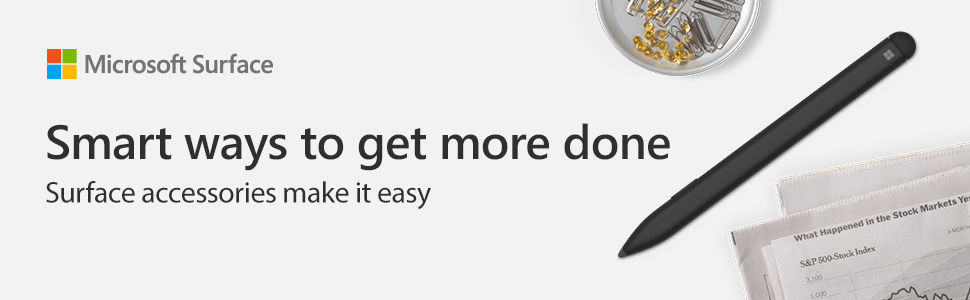
✍️ Elevate your digital creativity—write, sketch, and shade like a pro with the Surface Slim Pen!
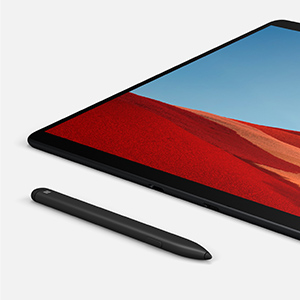
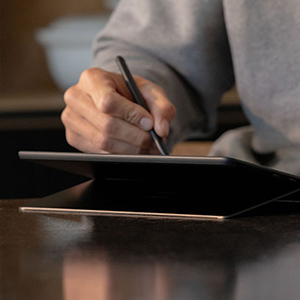
The Microsoft Surface Slim Pen redefines digital writing and drawing with 4096 pressure sensitivity levels, tilt shading support, and a rechargeable USB-C battery. Its sleek, lightweight design offers exceptional comfort and control, while magnetic attachment and a secure dock keep it ready for action. Perfect for professionals and creatives seeking precision and convenience in one elegant tool.


| ASIN | B07YNLS53W |
| Are Batteries Included | Yes |
| Are Batteries Required | Yes |
| Battery Description | AAAA |
| Best Sellers Rank | #341 in Digital Pens |
| Brand | Microsoft |
| Color | Slim |
| Compatible Devices | Surface Pro 7+, Surface Laptop 4, Surface Go 3, Surface Pro 8, Surface Laptop Studio, Surface Du 2, Surface Laptop 3 (13.5 & 15), Surface Pro X, Surface Studio 2, Pen Tip Kit, Surface Duo, Surface Hub 2S, Surface Pro X¹, Surface Book¹, Surface Book 2¹, Surface Studio 1st Gen¹, Surface Studio 2¹, Surface Laptop 1st Gen¹, Surface Laptop 2¹, Surface Laptop ¹, Surface Go¹, Surface Pro 3¹, Surface Pro 4¹, Surface Pro 5th Gen¹, Surface Pro 6¹, Surface Pro 7¹ and Surface 3¹. Compatible Devices Surface Pro 7+, Surface Laptop 4, Surface Go 3, Surface Pro 8, Surface Laptop Studio, Surface Du 2, Surface Laptop 3 (13.5 & 15), Surface Pro X, Surface Studio 2, Pen Tip Kit, Surface Duo, Surface Hub 2S, Surface Pro X¹, Surface Book¹, Surface Book 2¹, Surface Studio 1st Gen¹, Surface Studio 2¹, Surface Laptop 1st Gen¹, Surface Laptop 2¹, Surface Laptop ¹, Surface Go¹, Surface Pro 3¹, Surface Pro 4¹, Surface Pro 5th Gen¹, Surface Pro 6¹, Surface Pro 7¹ and Surface 3¹. See more |

| Compatible Tablet Computer Models | Microsoft Surface Duo, Microsoft Surface Go 3, Microsoft Surface Pro 7+, Microsoft Surface Pro 8, Microsoft Surface Pro X |
| Customer Reviews | 4.6 out of 5 stars 661 Reviews |
| Enclosure Material | Graphite |
| Global Trade Identification Number | 00889842508949 |
| Item Dimensions | 5.23 x 0.44 x 0.25 inches |
| Item Weight | 9.07 g |
| Manufacturer | Microsoft |
| Material | Graphite |
| Mfr Part Number | LLK-00001 |
| Minimum Required Operating System Version | Windows 10 |
| Model Number | LLK-00001 |
| Number of Batteries | 1 Lithium Ion batteries required. (included) |
| UPC | 889842508949 |
| Unit Count | 1.0 Count |
| Warranty Description | 1 year manufacturer |
V**N
Great Surface Pen, definitely my favorite so far. Not perfect, but still great.
Really impressed with this update to the Surface Pens. The glide on screen is a big improvement, the flat shape is a little different but I actually like it, and find it comfortable to hold and write with. I don't draw or do art, I use Handwriting Recognition instead of typing, and this pen works great. The dock is very well made, pen snaps into place and doesn't move so the dock becomes a case when tossed into your bag. The Good: Pen feel on screen Rechargable, no hard to find AAAA batteries to deal with. Uses USB-C to charge Dock protects own in my bag About a week of battery life, sounds short compared to 6 month on previous Pen, but you just toss it in the dock when you head to lunch and it'll be ready for another week. I actually like the shape, finding it very comfortable to write with over the workday. Some people may not like it. Magnetically attaches to my Surface Go 2 Tablet on the front (not side like the older Pen) Doesn't roll on a desk, stays where you set it. What's not great; No colors like the other Surface Pen. You can have any color you want as long as it's dark grey. No lanyard loop, I use a pen full time, and my other PC uses Wacom EMF Styluses, and I have 3 from different makers and all have a thin hole for a lanyard so I can keep it around my neck so it's always available. Just a click tab to remove and I'm back to work. This pen has no such hole. Battery life is ok, I'd like it to be more but it's ok, not bad, not great. No tips. The older Surface Pen could change tips allowing you to pick the tip that you preferred, for the screen cover you are using. This one has one too style - it's better than any of the former styles on the older Surface Pen, so it's great - for me. If it isn't great for you, no tips to adjust it to your liking. That's a great feature of the older Surface Pen. I think that's about it. Overall, I really like it. Good pen, great on screen glide feel, nice soft touch finish, works well. If I could have only 1 surface Pen, the older Surface Pen or this one - I'd pick this one. Highly recommended.
F**R
Finally a great Surface Pen
This pen is great. It works so much better than any of the other digital pens, including the microsoft surface pens, that I have used previously. Those pens made me hate to use digital pens and consider them useless. Not with this pen. It is comfortable to hold and easy to use. I much prefer it . I already bought multiple back ups for use so that I don't have to worry too much if I loose one while traveling or at work. ... Yes, these are definitely expensive, but comparatively, much preferred.
J**Y
Great product with charging cradle.
Setup was straightforward. I like the shape of this carpenter-style pen but I've read it's a hit or miss with people. Battery life last awhile & the magnetic charging cradle's nice. Only complaint is I wish Microsoft would enable a specific color on the LED to let you know when it's fully charged. I chose this because I originally had the bundled version & didn't like it. The bundled keyboard (charging cradle built-in) with the Surface Slim Pen was annoying because when attached to the Surface Pro X, it's mounted slightly higher (on the bottom bezel) than this version. Thus, it would block off the bottom of the screen at times (harder to view & tap). Also, there are no magnets in the middle of the bundled version (since that's where the charging cradle & Surface Slim Pen are) so the keyboard isn't as stable (wobbles) when in use. The only advantage (I'm nitpicking here) with the bundled version is the slightly better texture on the keyboard. Overall, I highly recommend these two products.
J**O
The Regular Surface Pen Magnetizes Better
I bought this to use with my Surface Go 2. While it works fine on the screen, it seems like the magnets are quite right. It doesn’t stay magnetically connected to the edges of the Surface Go 2 like I had hoped. I bought this because it was newer than the more rounded Surface Pen, and realize it was made to go with the Surface X. I eventually bought the regular Surface Pen, which lets you change the tips and magnetically holds to the edges of the Surface Go 2 perfectly.
D**.
Good product
Received product in time and worked like it should. Will do business again.
S**R
works as intended
Don't use it a lot, but works well when we do with our Surface Laptop 3. I like that it isn't gigantic in my hand.
T**Y
Not as nice as I was hoping.
Went for the expensive Microsoft Pen hoping for better results. Well truthfully a $30 generic Surface Pen works better than this $100 one. Sent it back after using it for 1 hour. First issue - The magnets to hold the pen on the side are NOT placed correctly. Only one will grab at a time. Was afraid the thing would fall of. Second issue - responsive has some lag. It's not bad. But noticeable. I can adjust for it, but should not have to. Third Issue - not as comfortable to hold as it looks, for long periods of time. Likes: I did like the charging cradle. But not enough to keep it. The $30 stylus I really like (and in my option is WAY better) RENAISSER Stylus for Surface, Made in Taiwan, 4096 Pressure Sensitivity, 100% Match Surface Pro X/7/6/5 Magnetic Attachment, First D Shape Body, Quick Charge, Rechargeable, Raphael 520
D**L
Perfect.
Once you've tried writing on a Surface device with this pen there's no going back to any other tablet. Good weight and balance, low lag, and smooth writing experience.
B**M
Awesome, feels nice to use and magnetic is priceless
I have three of these using it with my second phone (Microsoft Duo), Microsoft Surface Pro 3 and my new Microsoft Surfacebook 3. Plays nice with all and love the magnetic which keeps it in place on all devices.
A**D
Excellent product
Surface slim pen is awsome. It is rechargeable, better than previous version of surface pen. Packaging & delivery was perfect . I am using this pen with surface Pro 7.
P**R
Best pen for any surface device
I'm currently using a surface pro 7 and i bought this slim pen instead of the normal surface pen and believe me it is the best decision ever. I'm into character designing and this pen makes the best line art it is smooth and the pen pressure is really really good. I suggest buying this instead of normal surface pen if you're into digital drawing like me. :)
T**E
Nice pen
Good
V**Y
The battery of the pen is very bad
The battery of the pen is very bad. Even if you do not use it, the charged pen only lasts 2 days
Trustpilot
1 month ago
1 month ago