

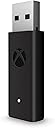


Microsoft Xbox Wireless Adapter for Windows 10
Product ID: 19506151
🎮Seamless Xbox controller pairing
🔌USB extender for flexible setup
🔗Stable wireless connection
Desertcart purchases this item on your behalf and handles shipping, customs, and support to KUWAIT.
🎮 Elevate your PC gaming with true Xbox wireless freedom—no wires, no limits!
The Microsoft Xbox Wireless Adapter for Windows 10 enables seamless wireless connection of Xbox controllers to PCs and tablets running Windows 10. It supports in-game chat, high-quality stereo audio, and multiple controllers simultaneously, delivering a console-grade gaming experience on PC. The included USB extender cable enhances placement flexibility, ensuring stable, low-latency gameplay that outperforms standard Bluetooth connections.
| ASIN | B00ZB7W4QU |
| Best Sellers Rank | #7,742 in Video Games ( See Top 100 in Video Games ) #29 in Xbox One Adapters #2,117 in PC Games & Accessories |
| Brand | Xbox |
| Color | black |
| Compatible Devices | PC, Tablet |
| Connector Type | USB |
| Customer Reviews | 4.4 4.4 out of 5 stars (16,523) |
| Finish | Stereo |
| Global Trade Identification Number | 00889842174175 |
| Item Dimensions | 5.4 x 5.9 x 1.8 inches |
| Item Weight | 0.1 g |
| Manufacturer | Microsoft |
| Mfr Part Number | HK9-00001 |
| Model Number | 1790 |
| Number of Items | 1 |
| Number of Ports | 1 |
| Package Quantity | 1 |
| Power Plug Type | No Plug |
| UPC | 889842174175 |
| Unit Count | 1 Count |
| Warranty Description | Limited Warranty |
| Warranty Type | Limited |
L**S
Xbox controller adapter for pc
Product: Xbox controller adapter for PC Pros: 1. Easy setup: The adapter is easy to set up on your PC, allowing you to connect your Xbox controller quickly without any hassle. 2. Compatibility: Works well with a variety of Xbox controllers, including Xbox One and Xbox Series X|S controllers, offering a wide range of options for users. 3. Seamless connectivity: Provides a stable and reliable connection between your Xbox controller and PC, ensuring a smooth gaming experience without any lag. 4. Customization options: Offers customization options for button mapping and settings, allowing you to personalize your gaming experience to suit your preferences. 5. Affordable: Reasonably priced compared to similar products on the market, making it a great value for the functionality it provides. Cons: 1. Driver updates: Some users may encounter issues with driver updates or compatibility with certain games, requiring occasional troubleshooting to ensure everything works smoothly. 2. Build quality: The adapter's build quality could be improved, as some users have reported durability issues over time with repeated use. 3. Limited range: The wireless range of the adapter may be limited in some cases, so users may need to stay close to their PC for optimal performance. Overall, the Xbox controller adapter for PC is a solid product that offers convenience and versatility for gamers looking to use their Xbox controllers on a PC. While there are some minor drawbacks, such as occasional driver issues and build quality concerns, the adapter provides a great value for its price and functionality. I would recommend this product to anyone looking to enhance their gaming experience on a PC with an Xbox controller.
R**Y
) I am happy with this and would recommend to anyone
This is a review of the Microsoft Xbox Wireless Adapter for Windows Summary – Wanted a way to connect my Xbox One controller to my laptop as I was using the corded wireless Xbox 360 controller. Using a Windows 10 64 Bit o/s, this installed in less than 2 minutes flat. I plugged in the receiver and windows auto installed the software needed. When I paired (binded) the controller, Windows then loaded another small piece of software. Nothing else was needed. When using, there was no noticeable lag, however, I am not an avid gamer. Worked well for pinball fx which would certainly be non-playable with any type of lag. I have yet to have any connection issues or dropping of signal. (Again, using directly plugged into a laptop and only a few feet from the controller.) I am happy with this and would recommend to anyone. As with all my reviews, I will update this review should this item develop any issues with ongoing use. Pros Allows use of Xbox Controller on pc, laptop or tablets. Feels like a solid device, is light and button for binding worked well. This is compatible with Windows 7, 8.1 or 10. This can be used on either USB 2.0 or 3.0 and does not require an external power source. The data transfer rate is low enough that you would not see any difference using 2.0 USB vs. 3.0 USB. This can be setup for 8 controllers as well as 4 chat headsets or 2 stereo headsets. ( I am only using with one controller and cannot attest on other devices.) This comes with a three-foot extension USB cable. Notes Not a con as this was clearly stated, however, not compatible with Xbox 360 Controllers. This has firmware. Always a good idea to make sure you have the latest firmware.
S**W
PERFECT ADAPTER FORMY CONTROLLER!!!
This Microsoft Xbox Wireless Adapter for Windows 10 is an excellent accessory for anyone who wants a smooth, console-like gaming experience on PC. Setup is quick and effortless—plug it in, pair your controller, and you’re ready to play within minutes. The connection is incredibly stable with no noticeable input lag, even during fast-paced games. What really stands out is how well it supports multiple Xbox controllers and headsets at once, making it perfect for local multiplayer sessions. Compared to standard Bluetooth, the performance feels more responsive and reliable. Overall, this adapter delivers exactly what it promises: seamless wireless connectivity, strong performance, and true Xbox-quality gameplay on Windows. Highly recommended for PC gamers using Xbox controllers.
J**S
Getting this Wireless Adapter for XBOX One controller made my Gaming on Windows 10 "10 times better" LIVE UNBOXING REVIEW VIDEO
Getting this Wireless Adapter for XBOX One controller made my Gaming on Windows 10 "10 times better". I also have a live unboxing Review of the XBOX ONE Wireless adapter on my PC/TECH YouTube Channel LUE GAMING TECH. Connection and Hook up: Being that the XBOX One controller is the 2015 model (NO Bluetooth) , if you want to play with this controller with your pc wirelessly, you will need to purchase this XBOX wireless dongle that will fit into your USB port on your computer. This connection is fairly simple with windows 10 as it is just a Plug N Play type of installation. You are however able to connect this controller to your pc through the USB to USB mini wire that comes inside of the box. The setup for this was really easy to do. Windows found the adapter and the controller with out any problems on the first set up. I did find that after a couple days of use, when I turn on my PC the controller would have lost its sync to the adapter. I had to unplug and replug the adapter back into my Gaming PC. Windows has since than updated this problem. You are able to connect up to 8 controllers to this adapter, and it really makes Gaming on my PC like playing on a console with PC graphics. This also works well with other programs connected to windows 10 through the XBOX One controller. Controller Compatibility and Use: I have had this controller for over a year now, and I have review my unboxing of this controller on my PC/TECH Review Channel [...] I have played mostly every AAA titles from 2015 (with some older titles as well), and this controller has been seamless with using this as my main driver for gaming on a PC. Games like Call of Duty Infinite Warfare, Battlefield 4 &1, The Division, Just Caused 3, Star Wars Battlefront 2015, Over Watch, Project Cars, and many other AAA titles have shown no issues with compatibility. I have even found that some games in the windows store, created for the window phone, can be played with this controller as well. Steam, Origin, and Uplay have all updated their systems so you know which games are compatible and which games are not, but most of the games that I have seen are compatible with this controller. The UI on these system can also now be controlled with the controller, so it gives you the comfort of sitting back and picking your games with out getting close to your keyboard and mouse. Steam's big picture Mode is great for this. Overall Review: Since my purchase of this wireless adapter, using my XBOX ONE controller has been my main driver for PC gaming. I have no concern if the games that are coming out in the future would be compatible for the pc games, because most of the games coming out are cross platform games; especially with Xbox and Windows 10. This is a great way to get the best of both worlds when gaming on a PC. Play Station Now Gaming Streaming Service and XMBC is also great for picking this up a distant remote. I would encourage you to pick this up. Check out my video unboxing to get a physical representation of my review
A**N
For PC Users with constant bluetooth disconnects, this is the solution
I was frustrated for months with disconnects from bluetooth while gaming with an Xbox One Controller on the PC. I searched all over for solutions and disregarded comments suggesting to buy this dongle at first believing there had to be a software or some other solution that I could administer for free. I sit literally a foot and a half from my wifi/bluetooth antenna and have a very modern computer with a core I-9 9900k, 32 gb of ram, an RTX 2080ti, and an Aorus Master Z390 motherboard which is an excellent board with strong wireless connections. I updated all different drivers, but nothing I tried would fix this problem of bluetooth controller disconnects, and you will find researching the problem that this is COMMON and not due in any way to user error or something you did wrong on the software side. Something is just wrong with the Xbox controller bluetooth connection on many different types of windows PC's. You can be in the middle of a game and the controller would either go completely unresponsive, or rumble uncontrollably while your game would dip to a few frames a second as you lose complete control of the game without a full power down and restart of the controller. Disabling vibration would help slightly, making it occur less often, but it still occurs and is unbearable when playing a game where you need to maintain control at all times. I got sick of having to throw out batteries after a few hours of use as only a brand new pair of batteries would result in the least disconnects. Note that I also have a dual shock 4 that I use via bluetooth in certain situations, and have never had an issue with the Sony controller disconnecting from my PC in the same way that the Xbox one does. After weeks of using this dongle all issues have evaporated. Not a single disconnect, and I can run my batteries down to complete death before the controller becomes unusable. As much as I hate the fact that I had to buy this to get the functionality that should work via bluetooth and windows 10, I am 100% satisfied that I did. You will also get the ability to use a headset with the controller using this dongle as well, which is a nice bonus.
J**A
Controller Support - Simplified!
I've been using this device for about a week now, and in that time, I've tested it using The Witcher 3, One Piece: Burning Blood, and Attack on Titan. After extensive testing, I can say that this is the most ideal solution for someone looking to play PC games using an Xbox One controller. I've heard that you cannot use this device with any operating system aside from Windows 10, which is perhaps the only real caveat about this device, but since I am running a Windows 10 system, this was not an issue for me. The device worked the instant I plugged it into my computer. I stared at my screen for a few moments waiting to see a driver notification pop-up, but nothing happened. I thought there was an issue at first, but it wasn't until I synced my controller that I realized everything was working well. It's like Microsoft built Windows 10 with this adapter in mind, and not vice-versa! I didn't even need to map the controller or change any settings in the three games I listed above, as they all instantly recognized the layout of the Xbox One controller and adapted accordingly. I'm sure not all games are going to go this smoothly, but we can map the buttons any way we'd like, so there is no need for instant recognition. If you're someone looking to play third-person titles with a controller, or just looking to play the Xbox Play Anywhere titles with your friends on the Xbox, this is the best solution for you. Of all the controller adapters I've tried in the past, this has been the easiest one to use, so I cannot recommend it enough!
J**L
Fails Consistently
All this has to do is provide a standard connection from a paired Xbox controller to a computer. That's it. Just pair to the dongle. Xbox controllers should be a no brainer for Windows to handle, but Windows approaches this official dongle with total and utter bewilderment. Plugging this into a computer requires an update, even on an up to date Windows machine. Once updated, it is suggested that you update the firmware of your controller. This cannot be done wirelessly, even with a wireless controller, but must be done with a usb C cable, which does not come with the controller, and does not come with the dongle. Once you wire the official xbox controller to a computer running Microsoft Windows, the company that owns both Xbox and Microsoft, and run Windows update, it does not update the controller. For that, you must install an xbox accessories program from the Windows store, a storefront that no one needs, and no one wants. Once you install that, the program approaches your controller with confusion, a "thinking" wheel spinning over and over, and then a pop up comes up for options you do not want. Sifting through the menus, you find the option to update the firmware of the controller, which it tells you both to turn on and don't touch. Once updated, restart the computer, and -you guessed it-, dongle has no clue where controller is. You will go through a kind of dance where the controller is flashing once you've held the pairing button, then you'll hold the dongle button to pair, and nothing happens, maybe 5 or 6 cycles in a row as it times out. When it finally pairs, it works fine, but guess what. It doesn't stay paired. Resetting or restarting the computer puts either the dongle or the controller into a kind of fugue state where it has no earthly idea it was ever paired. Based on how it is supposed to work, one could theoretically pair the xbox controller to the dongle even if it weren't connected to a computer, but simply powered on. This is far too much to ask, however, as it doesn't even stay paired as it is. Also, frequently both lights will be solid lit, but the computer is totally unresponsive to the controller until the dongle is unplugged and plugged back in again. If you pair this to a Windows computer, then boot this same computer with a different operating system, (Batocera) you would think that it would either work, or not, but no, again, you are asking far too much of this machine with only one function. About 35 percent of the time, it works perfectly, and the other 65 percent, you have to monkey with it. It never requires re-pairing, so you are well informed it CAN function, it just DOESN'T. You'll need to either turn off the controller and turn it on again a few times, or you'll have to re-plug in the dongle, or some inconsistent variation of the two, but rest assured, there will be no tried and true way to solve this dirt-simple task that should require no difficulty at all. If I get any of the 200 colored Nintendo Switch controllers, and pair 8 of them at the same time to a Nintendo Switch, they will all work rock solid all day every day, and if I pair a new set, they'll pair in a matter of seconds and work perfectly forever. If I get an off brand Power A controller for my switch, it pairs exactly as quickly and consistently. Microsoft not only manufactures the controller in question, but also the dongle and the operating system on which they are both controlled, and this is having at best a 50% connection rate. Don't buy this, get a 2.4 ghz off brand controller. Logitech makes some great stuff, and you won't even need an update.
C**N
A small accessory with a happy family experience behind it
This Microsoft Xbox Wireless Adapter for Windows 10 was among my purchases in 2016. My child was happy with it, and I enjoyed exploring and learning together rather than simply handing over another purchase. Being part of that experience made the purchase feel worthwhile to me, and I was pleased to see my child's positive reaction. I also introduced this adapter to a friend's child, who was happy with it too. It is satisfying when something that has been appreciated in your own family is also appreciated by someone you recommend it to. Those shared experiences are the basis of my five-star rating, and I look back on this purchase positively.
J**Z
Buen adaptador
Funciona perfectamente, plug and play, pero si se calienta como un demonio la usb, eso no afecta su rendimiento durante un periodo de juego de 1 hora, después tiene leves desconexiónes de pocos segundos
R**T
game changer
I can finally plug my headphones in to my controller and it works flawlessly!!! also you can connect up to 8 controllers at once. at this price this is a steal buy it without any hesitation!!!
D**N
It Just Works
A bit more expensive than other options, but good value, as it just works. Good quality, easy to use and connection is solid.
J**E
A must have for PC owners
If you own an XBOX this does not add any value but if you are using xbox controllers on PC, this is a must have. This is infinitely better than bluetooth connection. Bluetooth connection are mediocre at best and they add micro stutters in the frametime. For a seamless console like experience on PC, buy this without a second thought. Also this doesn't add as a "Device" on your microsoft account with the serial number. So don't be surprised if you see "S/N not recognised". I contacted MS Support for this and they confirmed that Adapters do not add as a device under your account but you are able to claim warranty if anything goes wrong - within 90 days of purchasing (with genuine bill).
J**S
Plug and play
Works as advertised. Just plug it in and pair your Xbox controller and off you go.
Trustpilot
3 weeks ago
1 month ago