![ARRIS (SB6190) - Cable Modem - DOCSIS 3.0 32x8 Gigabit Modem, [Check with your provider for compatibility]1 Gbps Port, 800 Mbps Max Speed, 2 Year Warranty - White](https://m.media-amazon.com/images/I/51vl+LrVPpL.jpg)


🚀 Upgrade your internet game with ARRIS SB6190 — speed, reliability, and savings in one sleek package!
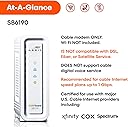
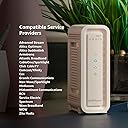
The ARRIS SURFboard SB6190 is a high-performance DOCSIS 3.0 cable modem featuring 32 downstream and 8 upstream bonded channels, supporting internet plans up to 800 Mbps. Equipped with a single 1 Gbps Ethernet port, it offers fast, stable wired connectivity compatible with major cable providers. Designed for durability and cost-efficiency, it comes with a 2-year warranty and helps users avoid rental fees, making it a smart choice for professionals seeking reliable home networking.


| ASIN | B016PE1X5K |
| Best Sellers Rank | #4,308 in Computers & Accessories ( See Top 100 in Computers & Accessories ) #33 in Computer Networking Modems |
| Brand | ARRIS |
| Built-In Media | SURFboard Cable Modem SB6190 DOCSIS 3.0 |
| Color | White |
| Compatible Devices | Personal Computer |
| Connectivity Technology | Ethernet |
| Customer Reviews | 4.2 out of 5 stars 4,685 Reviews |
| Data Transfer Rate | 1400 Megabits Per Second |
| Global Trade Identification Number | 00612572210727 |
| Internet Service Provider | cox, optimum, xfinity |
| Internet service provider | cox, optimum, xfinity |
| Item Dimensions L x W x H | 6.4"L x 2"W x 8.7"H |
| Item Type Name | Cable Modem |
| Item Weight | 0.75 Pounds |
| Manufacturer | CommScope |
| Maximum Downstream Data Transfer Rate | 1400 Megabits Per Second |
| Maximum Upstream Data Transfer Rate | 232 Megabits Per Second |
| Modem Type | Cable |
| Number of Ethernet Ports | 1 |
| Number of Ports | 1 |
| Product Dimensions | 6.4"L x 2"W x 8.7"H |
| UPC | 612572210727 |
| Unit Count | 1.0 Count |
| Warranty Description | 2 Year Limited Warranty |
I**A
Works better than the standard Xfinity unit
We got this to replace the Xfinity router and paired it with the Orbi system to cover our house. We've had some issues recently with the internet going out, but it appears it was a problem with Xfinity and not the router. We have had fast up and down speeds and good strenght of signal.
W**R
Fantastic cable modem. Long lasting.
My cable service allows me to use my own modem. Saves rental fees of $5 per month. These last a very long time. Keep on a spike strip and will last for years. The best brand for me.
J**Y
Works
No box or paperwork, but it works fine.
C**E
15 MONTH UPDATE 12/23/17: Its like using Afrin nose spary for a clogged nose :) with out the crash after 24 hrs.
Easy to set up. had to call comcast to manually activate the device and after 30 minutes my internet was up and running. replaced my working SB6121 (4 channels) to this baby. Basically our speeds are the same. But now our bottle neck is not the modem, its our very old linksys router. So now my wife can stream to her phone and her computer and allow us boys to play PS4 and steam down stairs with no issues. Update: Added new router (Netgear AC5300 Nighthawk X8 Tri-Band WiFi Router (R8500-100NAS)). Now my speeds are pushing 100Mb. But these speeds are dependent on your internet service. But since the upgrades my frustration is not our set up but Comcast lake of care for customers. 15 MONTH UPDATE 12/23/17: Ok i am updateing this guy.. at the time i bought this it was expensive 130.00 now its 97. up untime a few days ago i was always locking around 28 channels and now im at 32 channels due to comcast increasing my bandwith from 70mbps to 100mbps. but actually my real downloads have decreased from high 80s to mid 70s.So thats a provider issue not my issues. WHat i like about this guy .. it has helped me trouble shoot my local connection.. in the staus tab you can see you power and signal numbers. at install my upload power numbers were in the low 50s.. and lots of errors.. then a few months in i notced my cable line on the pole was moved to a different branch and my powers were spiking in the 57 which droped my uploads.. which with no upload you basicly have no internet,. its like you can recieve a call but cant talk and you cant call out. ok so i called comcast they came out and yes confirmed i had TONS of noise on my line.. so much so that the MAINTENCE crew moved me to a different line so i wouldnt jam the entire branch. so we put a ne cable from the pole to the cable modem and POW now 40 power and stable.. it turned out that i have 2 smart metters right next ro the cable into the house.. the EMF which i now own a emf meter was UNGODLY. and leaking into the connection at the exter wall. since fixed no issues from my home to the pole. SO i like owning my own modem for this one aspect. I proved to comcast many times its not me its them. and it proved once it was me and not them. Since that fix i have little to no errors in error log and i can monitor noise and trouble shoot issues. IS it worth the price now.. YES and i might buy a second one as back up. Now that comcast is locking at 32 channels i might even expand to next up. but not yet. SO this is a GOOD buy . specially if you can trouble shoot your connection your self. It has helped with my connection and I am hoping i will not have to update for a few years. i did see this at costco for like 80.00 just last week but it was on sale.
T**A
Horrible Product. Horrible Company. Avoid At All Costs.
Pro: The ridiculously bright LEDs make this product an effective (albeit very expensive) nightlight. Cons: Prior to Motorola's sale of the Surfboard line to Arris they were rock solid, as you would expect from a Motorola product. I have used various versions of the Surfboard line for 15+ years now and until I purchased this modem I had no reason to complain. They. Just. Worked. You plugged them in and forgot about them for years. Not anymore. Issues abound with the SB6190. In no particular order: - There is a known latency/jitter issue. Google "SB6190 latency" and you'll see countless people complaining about it. In short, this modem is useless for gaming, VoIP, or any other application sensitive to latency and jitter. A firmware update -- which you can't install yourself, your provider has to approve it and thus far only Comcast has; Cox and TWC customers are out of luck -- mitigates but does not entirely solve this problem. - The unit runs RIDICULOUSLY hot. If you fish through the other one star reviews you will find several unhappy customers whose units quite literally melted down. They came home, smelled burning plastic, and discovered their modem had overheated to the point of melting the plastic case. Several of these reviews include pictures; they're worth a thousand words. - The unit takes FOREVER to (re)boot. From cold start to online is more than two minutes. Every other modem I've ever owned did this in about 30-45 seconds. This wouldn't matter, except.... - The unit slows down the longer it has been online. Reboots will fix this, but this is a far cry from yesteryear's Surfboards, which could be left online for years without issue when you had a good UPS protecting them from power outages. - The unit has a lousy tuner. Mine logged countless (seven and eight digit) uncorrected errors despite in-spec signal levels. It lost sync on a daily basis, sometimes multiple times per hour. My provider -- Cox -- did everything they could be asked to do and more to solve this problem, replacing my drop, all my inside wiring, literally every piece of wiring and equipment between pole and modem, to no avail. They provided me with an old Cisco DPC3010 to test and it worked flawlessly on the exact same connection. Now I'm on the hook for four truck rolls and a modem rental fee because Arris sold me a lemon. I'm also out four days of leave at my job. - Arris customer support does not deserve the name. They will not acknowledge that their product is to blame even when presented with unequivocal evidence that it is. I provided them with documentation of service calls from Cox, status screens from the DPC3010 showing it working for days without issue, status screens from the SB6190 showing numerous issues after only an hour of uptime, and so forth. Despite this they continued to blame Cox throughout for all my issues. It took SIX phone calls to get them to issue an RMA. They have no process for a "swap" -- most companies will do it if you let them place a hold on your credit card -- so if you don't have a spare modem you're going offline for weeks. Oh, and guess what? Even with an RMA they will steadfastly refuse to provide you with a return shipping label, so you get to pay for shipping, even if your product is less than three months old, as mine was. I'm now on the hook for return shipping, plus the $150 purchase price, whatever Cox charges me for the four unnecessary truck rolls, my PTO at work, and countless hours wasted on the phone with both Arris and Cox. Do yourself a favor, if you're thinking about buying this modem DON'T. Get the Netgear CM600. It's only 24x8, not 32x8, but there are very few providers running 32 downstream channels (Cox only has 12 in my market) and by the time you need that many channels DOCSIS 3.1 will see widespread deployment. Arris has lost this particular customer for life.
J**4
Warm and bright, but quick and capable
No complaints here! Connected to a Synology RT2600ac, and together they keep our whole house connected, all 9-13 devices online at a time. It was easy to set up, following the manual it comes with. Called Comcast to let them know we have our own modem, and to tell them the MAC address (on the bottom) and model number. After that, they needed our customer account information to link it, and it didn't take long to get it hooked up. We couldn't figur eout why it wouldn't connect.... until we found and resolved a second issue, which was the coaxial cables in our home being so old and worn they could barely carry a signal, so the modem wasn't seeing it. We got Comcast to lay new cables the next day, it took us 40 minutes and we were up! And we get a couple Mbps more up and down than we pay for, actually. (Thank you, ISP overprovisioning!) This hasn't disconnected us even once, aside from the times a Comcast van worked in the area, killed internet for everyone for a bit, and only told us so when we called them and confirmed the problem wasn't on our end. You know. Comcast. Whaddaya gonna do? Their speed plus outages, vs. AT&T slow-but-steadiness. This little machine works fine. But do not put it in your bedroom, or somewhere the light can bother anyone. Unless it is facing the wall. Give it some good air circulation (just the open air of your house will do), because it's pretty darn warm normally. And the lights, as I said, are quite bright in evening or night. All that aside, it works with Comcast, it's fast as promised, and should be able to carry us for what we hope will be years without needing to upgrade. We have not seen any slowdown or glitches from this thing yet, and if we're lucky we'll never have to.
S**T
Love the new modem!!
I just upgraded from the Motorola SB6141 to the new modem which still works but wanted to be future proof for a few years. DOCSIS 3.1 modems are due to be released this year but at this point not even sure if Comcast can support it in my area. Also said to be much more expensive than the 3.0 versions. Figured for $149 can't go wrong with it. Now I've read through the comments of some issues with Comcast of not getting an IP after the modem is hooked up. For me I was able to successfully activate this modem online without issues. It took awhile for the modem to get the configuration file and firmware updates from Comcast. Then I opened up Firefox to be greeted with Comcast activation page. Then the modem rebooted which is expected to get the final configuration file. After that everything worked perfectly. Same speeds as SB6141 but wanted updated hardware and much better WebGUI. There are a a few things I have noticed with this new modem. I will list those in PROS and CONS: PRO: Same size as the old modem. Can't complain They moved the activity light to the back directly onto the network port. Love it. Had to use electrical tape on the old modem because the bright flashing light is too distracting. Much improved WebGUI that it no longer looks like website from the 1990s. Not that it really matters once the modem works you rarely ever see it. CONS: The boot up process takes alot longer than the old modem. I suspect is due to number of channels it has to go through and start bonding them. Once it's up and running it should stay up without issues. It will run hot. Right now it's winter in Northern California so it's pretty cold in my house. Before I disconnected the old modem the heat feels the same as the new one. So it will get hot during the summer same as my old unit. I don't think it's going to be an issue but beware to give it plenty of space around the modem to breathe. Not a fan of white case but it works. This is my forth Motorola modem over the years. Had SB4100 all the way up to this new one and none of them gave me a problem. Even though Arris now owns Motorola with Arris label it is still a Motorola to me which is a good thing. I do need to mention for those with IP problems during the initial setup is the the router connected to the modem needs to be set to DHCP on the WAN so Comcast can send special DNS server IPs for the activation. Once that is done and modem reboots it'll revert back to 75.75.75.75 DNS address. From there you can use Google DNS 8.8.8.8, OpenDNS or even Comcast's. If you can't change the router DNS to use DHCP WAN then best just plug your computer directly into the modem until it's fully activated and updated. Then from then on you can use it normally. Hope this helps to save you some grief.
K**R
Works for a Single Woman in her Heavy Internet Using Home
I’m a single female who was having marked internet issues and refuses to rent a modem from my provider. I consider our household a heavy internet-using household. I am a photographer who backs-up/uploads large photos to the cloud. I have a son who games, games a lot. We also have cut the cord, as in everything, streams. We have 4K TV’s and smart devices including Echos and Hue Lights. I have an elderly mother who lives with me and does hours worth of HD streaming per day. In short, Internet speed and consistency is important to our household. My son and I are also Mac users. We have two MacBook Pros, two iMacs and an assortment of iPads and iPhones. It was important to me that my new modem was A.) Easy to figure out. B.) Reliable. C. ) Could handle speeds up to 1 gbps, as we are considering that upgrade. D.) Was Apple/Mac-Friendly. I have owned this modem for a solid three months now. All it took was a call to Mediacom and reading numbers off the bottom of the modem to get it set up. Easy breezy. It seems to work well with my several-year-old Airport Router (An Apple Brand). In fact, this new modem checked every requirement I had with flying colors. I immediately noticed a speed hike. Our speed tests prior to this new modem were routinely 10-30mbps, measured at different times and places within the house. Immediately after plugging everything in it we shot up between 160-300 mbps depending on what we were doing, how much internet we were using, and where we were in the house. We love the modem. Today we only have one Internet issue, but we have narrowed that down to an LG Smart TV we purchased at Christmas time. It seems the modem in the TV is flaky as it continually buffers and stops, but if you hook up a different streaming source to the tv such as an APPLE TV to watch HULU or DirecTV... no problem. So, no fault of this modem or our Apple router. I would highly suggest buying this especially if you are in one of those $10/month contracts. You will have it paid off in just a few months. When you outgrow it just sell it! This router is genuinely trustworthy and easy to operate. If you found my review helpful please click/tap the yes icon. Thanks so much for stopping by!
Trustpilot
1 day ago
3 weeks ago