We remain fully operational. Our teams are working around the clock to ensure your deliveries continue safely.

DOWNLOAD THE APP


Copyright © 2025 Desertcart Holdings Limited
DOWNLOAD THE APP
Buy anything from 5,000+ international stores. One checkout price. No surprise fees. Join 2M+ shoppers on Desertcart.
Desertcart purchases this item on your behalf and handles shipping, customs, and support to KUWAIT.
🚀 Dual-Drive Luxe: Power, Portability & Prestige in Your Pocket
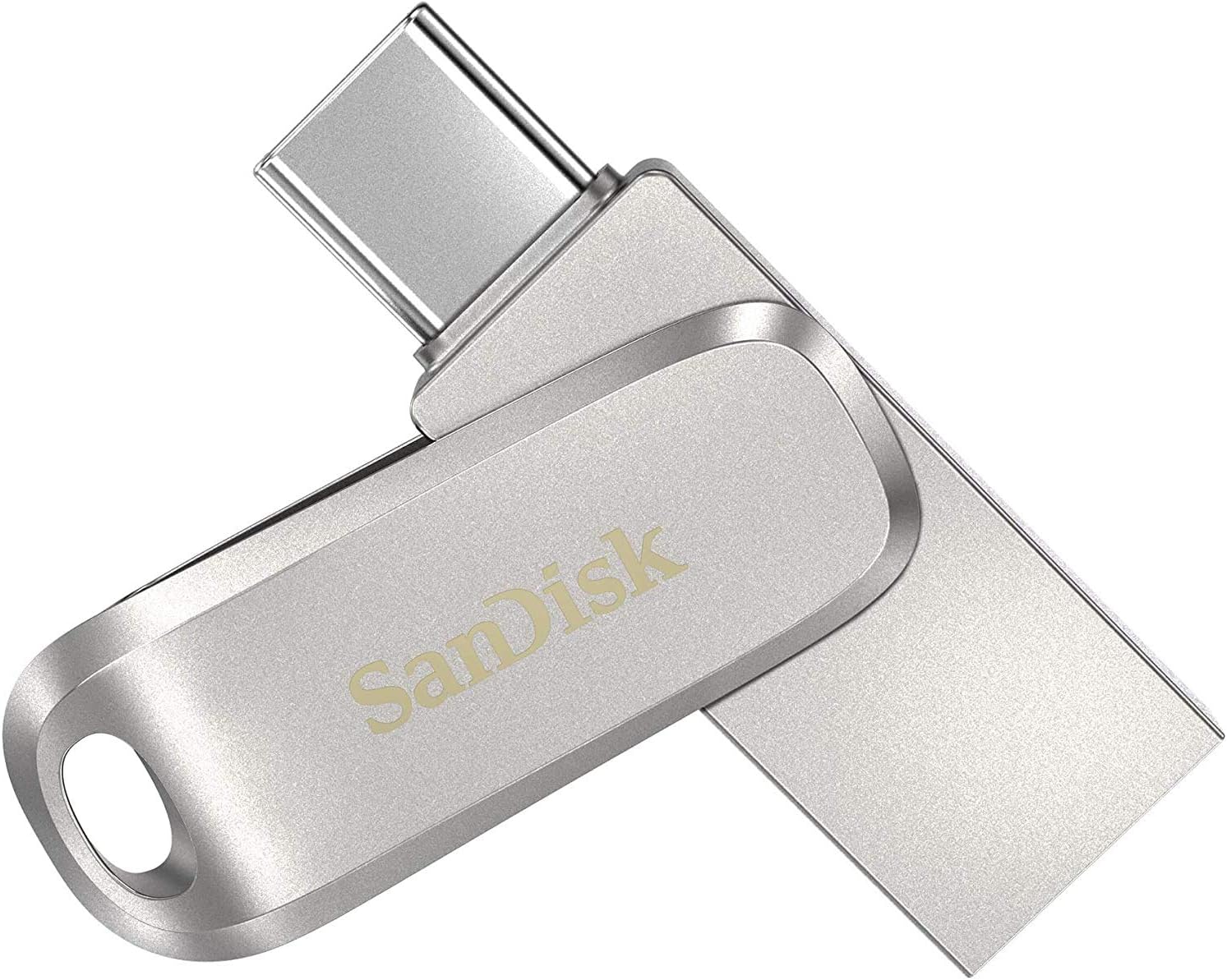
The SanDisk 512GB Ultra Dual Drive Luxe is a premium all-metal 2-in-1 USB flash drive featuring reversible USB Type-C and traditional Type-A connectors. With blazing read speeds up to 150MB/s and a sleek swivel design, it effortlessly bridges modern smartphones, tablets, Macs, and PCs. Its compact form factor includes a keyring hole for ultimate portability, while the SanDisk Memory Zone app enables automatic photo backups, making it the perfect stylish storage solution for busy professionals on the move.


| ASIN | B0842NYBHN |
| Additional Features | Reversible;Swivel |
| Best Sellers Rank | #32 in USB Flash Drives |
| Brand | Sandisk |
| Built-In Media | Contents: 1 item |
| Color | Silver |
| Compatible Devices | Mobile, Tablet |
| Compatible Phone Models | Tablet |
| Connectivity Technology | USB |
| Customer Reviews | 4.4 4.4 out of 5 stars (23,359) |
| EU Spare Part Availability Duration | 1 Years |
| Flash Memory Type | USB |
| Global Trade Identification Number | 00619659179182 |
| Hardware Interface | USB 3.0 |
| Item Dimensions D x W x H | 5.91"D x 4.33"W x 3.94"H |
| Item Type Name | Flash Drive |
| Item Weight | 18 Grams |
| Manufacturer | Sandisk Technologies, Inc. |
| Memory Storage Capacity | 512 GB |
| Model Name | Ultra Dual Drive Luxe |
| Model Number | SDDDC4-512G-G46 |
| Read Speed | 150 Megabytes Per Second |
| UPC | 619659179182 |
| Unit Count | 1.0 Count |
| Warranty Description | 5-year limited manufacturer warranty |
| Write Speed | 150 |
M**X
USB-C + USB - A
Great thumb disk both for USB -C and USB -A ports. Very easy to use across different devices. I don't need a separate transfer hub any longer. The only downside is that it can get hot during use because of his metal body, but the heat dissipates quickly as well.
A**R
Excellent SSD replacement
I purchased this to replace several old spinning disks and a bulky 500GB SSD. It is very well constructed in metal and feels more substantial than the usual plastic USB flash drives. It's amazing to think that something so small can hold up to 1TB of data. I've only used this on a Mac (which was super easy) so I can't imagine it's any more difficult to use on Windows or Linux. The transfer rate is excellent and performs quite a bit better than my old 500GB USB SSD drive connected to the same USB C port. For those who don't have USB C it also has an old-style USB connector although I suspect performance will not be as good. The only downside to this product and probably due to its metal construction is it gets very hot. This seems to be normal however according to the limited Googling I did. There are several cheaper higher capacity USB flash drives out there but I'd rather stick with a well known brand for this size of drive. All in all, recommended.
J**E
A True Thumb Drive
This 3.1 USB Flash Drive Is Small, Smaller the Size Of a Pair Of Fingernail Clippers. But, Don't Let the Size Fool You. It Will Hold Every Bit of 1 Tb. And The End Flips Over Give You Both a USB Type-A Connector and a USB Type-C Connector, (Which Will Fit The Modern Androids and Apple Products). So That I Don't Have To UpLoad To My DeskTop Computer Then DownLoad To My Tablet. I Can Connect Straight To The Tablet. I DownLoaded Lots Of Video Files All Over 1 Gb Each and That's a Little Dicey. It Depends On the Memory in Your Computer DeskTop, But I Would Recommend Just DownLoading a Few Files At a Time or a Few Folders At A Time. Do It Quickly One After Another and Windows 10 Will Put These Files To Be Copied In The Copying Que, Then Select the Two Vertical Bars In The Copying Display To Pause Each Copy and Stack Them Up And When One Folder Has Been Copied Then Click On The Arrow For The Next Set In The Que. You Normally Only Have To Do This Once Then Just Update Any File or Folders One At A Time. If You Put Too Much Strain On the BandWidth, It Might Come Back and Tell You Errors Were Found and Ask You To Scan & Repair The Flash Drive, (an Easy Thing To Do). But, Chances Are That If You Just Let It Copy Files While You Are Not Using The Computer It Will DownLoad about 35mb to 65mb Per Second and Be Done, Just A Little At A Time. So, Far, I Highly Recommend This Flash Drive and It's Not Too Bulky to Carry in my Pants Pocket. I Have Mot Experience Any Heat Problem as Others Mentioned. It Get A Little Warm, but No Warmer than My Other SanDisk Flash Drives. I Like The Brand, (Always Quality Products), and I Would Say That This A Genuine SanDisk Product.
M**W
Would recommend the plastic variety actually...
I have one of these and also own several of the plastic variety in various capacities. Still seems to be the best and most compact USB flash drive with both USB-C and A connectors, and enormous convenience and something that I consider essential these days. What I've noted over owning the metal one for some time (at least a year): - It does get hot compared to the plastic one for some reason. Whether this has any effect on functionality? Probably not. - The hole through which you would attach it to a key ring is actually a bit small than the plastic version, and so it can't swivel around the ring on thicker key rings which is kind of annoying. - The mechanism which keeps it locked in position to either the USB-A or C side wears out over time to the point where I worry it may actually fall apart and there is a danger of losing the drive as it would no longer be attached to the key ring I have it on. Verdict: it functions perfectly well as a USB flash drive, no issues, but the physical construction of the device has some issues which the plastic variety doesn't have. I plan to keep buying versions of the plastic one, which come in quite a number of cool colors too! If you aren't going to carry it around a lot on a key ring, if at all, then these issues won't affect you. In that case, yes it's quite pretty and feels great in the hand with the metal enclosure. Buy it in that case!
G**E
Amazing speed of delivery, great speed of file transferring, and very small size 👏🏻 very satisfied with this purchase and I bought one for my mom and another one is for my partner. They're all satisfied with the convenience and performance. It only got hot once used but other than that, no issue.
I**N
Jag har en Xiaomi 11T mobiltelefon med över 100 appar och behov av att kunna kopiera in en stor musikfil på ca 20 GB. Den nya trenden hos nya Androidtelefoner är att ta bort minneskortplatsen, vilket försvårar arbetet. Musikfilen är sparad i min PC via överföringsprogrammet HighSuite från min gamla Huawei mobiltelefon. Då Xiaomi inte har något motsvarande överföringsprogram blir frågan hur jag skall kunna få över filen smidigt till min Xiaomi telefon. Jag har köpt en ytterligare Xiaomi 11T mobiltelefon, då jag anser att den är prisvärd och tekniskt mycket bra. Jag vill kunna enkelt överföra allt från den gamla Xiaomi telefonen till den nya telefonen när allt är installerat i den gamla telefonen. Jag ringde Kundsupport på ett stort elektrotekniskt varuhusföretag i Sverige och frågade om dom hade en lösning på mitt problem. Det hade dom då det finns en enkel och prisvärd lösning på mitt problem. Den har använts under många år på Iphone mobiltelefoner. Man köper Sandisk Ultra USB-minne med vändbara USB-A och USB-C anslutningar och installera Appen Sandisk Memory Zone i min gamla och nya Xiaomi 11T mobiltelefon. Jag kollade priset på SanDisk USB-minnet hos dom och tyckte att det var alltför högt och letade runt på internet och fann att Amazon.se hade det bästa priset. Jag köpte SanDisk SDDDC4-128G-G46 Ultra Dual Ride, 128 GB, Silver för 234 kr på Amazon.se. Storleken 128 GB valde jag för att matcha USB-minnet till storleken på internminnet i min Qiaomi mobiltelefon. Då jag har stor erfarenhet av filhantering i PC och även på Android mobiltelefoner så skriver jag ned hur jag utförde överföringsjobbet. Säkerhetskopiera innehållet i gamla Xiaomi telefonen och föra över till nya Xiaomi telefonen: För att rädda telefonuppgifter, SMS , bilder och skärmdumpar så använde jag Säkerhetskopiera via Google Drive på gamla telefonen. Det gör man i Inställningar_Google_Säkerhetskopia. När jag skapade Google kontot i nya telefonen så valde jag att hämta säkerhetskopian från Google Drive. Pefekt nästan alla appar räddades över och allt annat. Nu följde ett arbete med SanDisk Memory Zone appen i mobiltelefonerna som krävde att man har har bra koll på vad man gör. Man blev tvungen hoppa mellan gamla mobiltelefonen, nya mobiltelefonen och PC. Installera SanDisk memory Zone appen i gamla och nya Qiaomi telefonerna: Laddade ned SanDisk Memory Zone appen i varje mobiltelefon. Nästa operation blev att installera appen Memory Zone i båda mobiltelefonerna och ansluta SanDisk Ultra minnet i USB-C porten på gamla mobiltelefonen. Därmed blev minnet formaterat med ett lämpligt format (troligen FAT32), som mobiltelefonen kan hantera. Viktigt att man inte sätter in USB-minnet i en PC som första åtgärd. Den riskerar då att bli formaterad för PC och kan inte läsas av mobiltelefonen. Skapa en undermapp i Phone Internminne Musik i gamla mobiltelefonen: Sandisk Memory Zone appen kan inte skapa undermappar (enda nackdelen). För detta krävs appen File Manager. Du gör så här: Start File Manager_Main Storage_Musik_tre prickar_New_Folder_Skriv in "Musik f PC"_OK. Nu ligger Musik f PC inne i internminnet som en egen rad. Om jag i framtiden vill lagra en ytterligare Musikmapp så är det enkelt att skapa en till mapp i Musik mappen med File Memory. Gör Backup #1 på hela innehållet i gamla Xiaomi telefonen: Jag bytte till Sandisk Memory Zone appen i Xiaomi telefonen för att kunna göra Backup på hela gamla mobiltelefonen till USB minnet. Gör så här: Välj Tools_Backup and Restore_Manual backup_5 Items är förbockade_Klicka på röda Backup. Backupen startar och vänta tills allt är kopierat. Storleken på Backupen ca 3 GB. Kopiera den stora musikfilen i PC till gamla Qiaomi telefonen: Därefter satte jag in USB minnet i USB-A porten i min PC och kopierade den stora filen på 20 GB till USB minnet. Gör så här i Windows 10: Gå till Din Dator_USB-enhet (D) om det endast finns en C-disk. Klicka på den och den lägger sig på nedersta raden som en mapp. När man klickar på den ser man en kort lista på innehållet i min gamla mobiltelefon. Du skall kopiera till Musik f PC, som nyligen skapades. Den är tom. Gå tillbaka till DinDator och leta upp mappen där den stora filen ligger i mitt fall på skrivbordet och kopiera innehållet till Musik f PC i gamla mobiltelefonen. Vänta tills kopieringen är klar Kopiera innehållet i Musik f PC till Phone internminne på gamla mobiltelefonen: Detta är inte nödvändigt att göra. Det går att köra musikfilerna med val från SanDisk Drive. Jag tyckte att det var mest smidigt att lägga musikfilerna i internminnet, vilket blir enklare när jag vill lyssna på musik. Sätt nu in USB-minnet i USB-C porten i gamla mobiltelefonen. Klicka på SanDisk drive. Det är här den kopierade stora filen till mappen Musikf PC ligger. Den följande operation för kopiering är rörig och lite svår att förstå och utföra. Beroende på hur man klickar får man olika vägval. Den mest direkta är min angivna nedan. Gör så här: Klicka på nedre raden My Files. Klicka på SanDisk Drive. Ger nytt fönster. Håll ned raden Musik f PC. Klicka på nedre raden röda Copy. Klicka på Phone. Klicka på raden Musik f PC. Ger nytt fönster, som är en tom mapp. Helt OK. Copy ITEMS HERE. Kopieringen startar nu. Vänta tills kopieringen är klar. Redigeringsarbete efter kopiering till Musik f PC i internminnet: Då musikfilen var väldigt stor 142 mappar och 1292 filer blev det en del fel vid kopieringen. Flera mappar hamnade inne i enskilda mappar och måste flyttas ut till huvudmappen Musik f PC. Efter någon halvtimmes arbete var det åtgärdat. Gör Backup #2 på hela innehållet i gamla Xiaomi telefonen efter Kopiering: Jag bytte till Sandisk Memory Zone appen i Xiaomi telefonen för att kunna göra Backup på hela gamla mobiltelefonen till USB minnet. Gör så här: Välj Tools_Backup and Restore_Manual backup_5 Items är förbockade_Klicka på röda Backup. Backupen startar och vänta tills allt är kopierat. Restore på innehållet från gamla mobiltelefonen till nya mobiltelefonen: Kopplade in USB-minnet i USB-C porten i nya mobiltelefonen. Välj SanDisk drive_Tools_Backup and Restore_Backup_Restore from latest backup_Backup_Klicka på röda Restore. Restoren startar och vänta tills allt är kopierat. Nu körs en Restore på ca 23 GB till min nya mobiltelefon. Det blev perfekt. Den stora Musikfilen blev helt korrekt. Inga fel. Viktig information har nu valt Backup helt på SanDisk USB-minne: Viktig information: Nu har jag ca 23 GB i min Backup från gamla mobiltelefonen, som gäller för båda mobiltelefonerna och ligger sparat i mitt USB-minne. Om jag skulle vilja göra en ny Säkerhetskopia med Google Drive så passerar jag 15 GB som är gratis och måste betala för tjänsten att ha mer än 15 GB. Jag tycker att detta är en onödig utgift, när jag har en ett bra USB-minne att lagra på. Vill man kan man ha två USB-minne som extra säkerhet. Avslutande omdöme i min nya mobiltelefon: Efter flyttning av appar och tillverkning av samlingsappar för vissa appar så är nu mina mobiltelefoner helt lika. Jag kan inte nog berömma appen Sandisk Memory Zone. Det är den första appen för filhantering, som fungerar enkelt och klarar av kopiering, göra backup och restore. Sandisk har gjort ett toppenjobb. Om du vill rädda över allt innehåll från en gammal mobiltelefon till en ny mobiltelefon så kan jag inte nog rekommendera appen Sandisk Memory Zone och Sandisk Ultra USB-minne med USB-C 128 GB.
A**R
It's metal and feels very sturdy. At 128gb it's got a huge capacity for its small size. It does get quite warm though. Unsure if this is normal, but it seems to work well. Note there is no cord to attach and one end is not protected so could get da.aged or dirty if not handled carefully.
A**Y
Good product works well no problems with it, it does get a little bit warm with lot of transferring of data, but I would expect that to happen. Very happy with it.
A**ー
車両側が、USB-Cで PCが USBーAなのですが ・余計なアダプター無しでデータの転送ができるので便利です ・熱もそれほど気にならないです ・動作も安定して認識しています ・外観の質感も良いです ・耐久性につきましては今のところ不明です
Trustpilot
2 weeks ago
1 week ago