Buy anything from 5,000+ international stores. One checkout price. No surprise fees. Join 2M+ shoppers on Desertcart.
Desertcart purchases this item on your behalf and handles shipping, customs, and support to KUWAIT.
🚀 Upgrade your workflow with speed and space that means business!
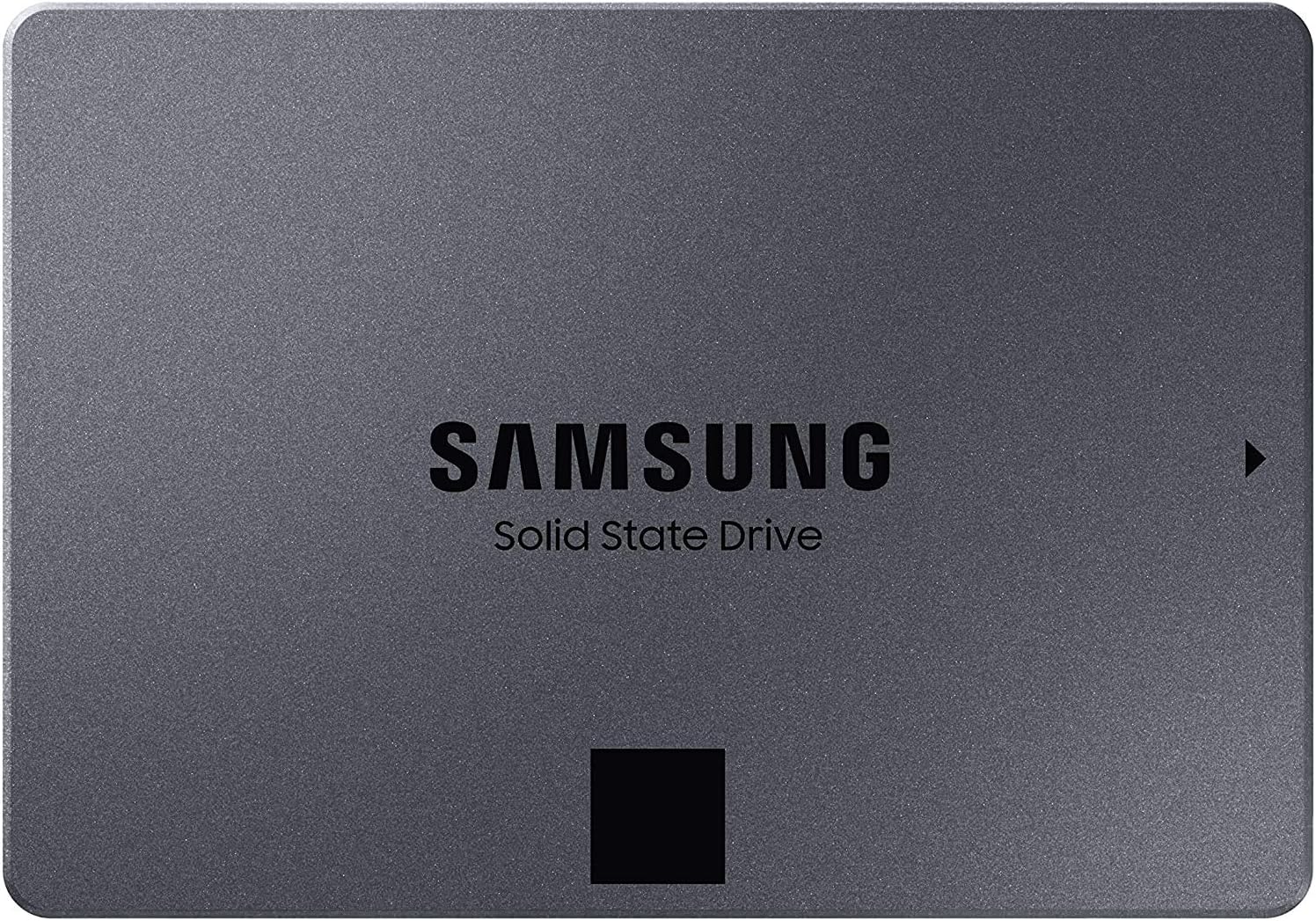
The Samsung 870 QVO 1TB SATA III SSD delivers a perfect balance of high capacity and fast sequential speeds (up to 560/530 MB/s), designed for professionals and creators who demand reliable, long-lasting storage. With a 360 TBW endurance rating and seamless compatibility with standard 2.5-inch SATA slots, it’s an effortless upgrade for desktops and laptops alike, backed by Samsung’s trusted in-house components and Magician software for ongoing performance management.


| ASIN | B089C73T72 |
| Additional Features | AES 256-bit Encryption, Auto Garbage Collection Algorithm, Read Speeds of up to 560 MB/s, Samsung Magician Software, Write Speeds of up to 530 MB/s |
| Best Sellers Rank | #138 in Internal Solid State Drives |
| Brand | Samsung |
| Built-In Media | Hard Drive |
| Cache Memory Installed Size | 1 |
| Color | Black |
| Compatible Devices | Desktop, Laptop |
| Connectivity Technology | SATA |
| Customer Package Type | FFP |
| Customer Reviews | 4.8 out of 5 stars 20,883 Reviews |
| Data Transfer Rate | 6 Megabits Per Second |
| Digital Storage Capacity | 1 TB |
| Enclosure Material | Solid-state materials |
| Form Factor | 2.5-inch |
| Hard Disk Description | Solid State Hard Drive |
| Hard Disk Form Factor | 2.5 Inches |
| Hard Disk Interface | Solid State |
| Hard-Drive Size | 1 TB |
| Hardware Connectivity | Solid State Drive |
| Hardware Platform | PC, laptop |
| Installation Type | Internal Hard Drive |
| Item Dimensions L x W x Thickness | 3.94"L x 2.76"W x 0.27"Th |
| Item Type Name | External Solid State Drive |
| Item Weight | 0.09 Kilograms |
| Manufacturer | Samsung |
| Media Speed | 530 Megabytes Per Second |
| Mfr Part Number | MZ-77Q1T0B/AM |
| Model Name | SAMMZ77Q1T0B |
| Model Number | MZ-77Q1T0B/AM |
| Number of Items | 1 |
| Read Speed | 560 Megabytes Per Second |
| Special Feature | AES 256-bit Encryption, Auto Garbage Collection Algorithm, Read Speeds of up to 560 MB/s, Samsung Magician Software, Write Speeds of up to 530 MB/s Special Feature AES 256-bit Encryption, Auto Garbage Collection Algorithm, Read Speeds of up to 560 MB/s, Samsung Magician Software, Write Speeds of up to 530 MB/s See more |
| Specific Uses For Product | business, personal |
| UPC | 887276417882 |
| Unit Count | 1.0 Count |
| Warranty Description | 3 year limited warranty |
M**C
way faster than my old spinning drive
Swapped this into my laptop and the difference is genuinely insane, my computer goes from off to ready in like ten seconds now. Moving files around is so much snappier and everything just feels more responsive overall compared to the old hard drive I had. Samsung always comes through on their SSDs and this one is no different. Totally worth it if you are still running a spinning drive in your machine.
J**E
Fast drive
Picked this up when it was still 100 bucks, thankfully. Its very fast and easy to install, its best to install the samaung magicians software as soon as possible. That way you can set up and verify authenticity of your drive (in the off chance you get a fake one). Overall a very good drive but id wait for prices to settle back down.
L**R
Mac Fusion cloned to Samsung SSD and boot from external enclosure
Works really well I have a 2018 Mac, 27" with 32gb memory and a 2 TB fusion drive and I try to keep about 350-400 GB free space, but sometimes it isn't easy! The reason why I got an SSD is that I use Parallels for Mac and have three Windows VM's and a few Linux and over time with the fusion drive, I was losing performance from time to time. Seems that I have no issues or complaints until I install an update from Apple or an update from Parallels then it slows down again and I have to go and optimize and then it runs pretty fast for 3-4 days until another update! The intent of the SSD was to remove the fusion issues and just go solid SSD. If I bought a 2 TB drive, it would solve ONE problem but would not solve the needed space to give me more flexibility. I chose the 4 TB, even though it wasn't in my budget, to solve both problems at once and I am glad that I did and would recommend anyone to invest the money and move up to the extra space. This is really interesting for those who have a Mac but don't want to open up the computer to replace the drive. I bought a USB-C enclosure and made sure the cable has USB-C on both ends. USB will work fine, but why not go with USB-C and get better performance? I placed the SSD in the enclosure and after booting up the Mac and logging in, plugged the enclosure with the 4 TB SSD into a USB-C port. I formatted it (don't format as encrypted). I have been using Acronis True Image for a couple years now, so I didn't have to buy any software. I opened the app and chose to "Clone" and ensure that I chose the correct drives! Triple check so you don't lose your host drive. I started the process at 1:45 p.m. and by 7:30 p..m. same day cloning 1.6 TB of data, it was done. Next, I went to the disk utility to rename the cloned drive! Obviously since it is a clone, it will clone the name as well!!!! I put SSD as part of the name so I would be able to verify that I am actually booting from it. I was able to reboot and holding down the option key able to boot into my SSD. Important step - go to the "About This Mac" and verify the startup disk is the cloned one! Now that I had a faster system, I chose to do some more updates on the OS and clean up my Windows 10 VM's. At first, everything seemed a little slow. That was expected as your Mac is optimizing things, as well as the Windows VM. When we buy a drive with more space than we may feel we need, something good happens... we alleviate risks and remove bad habits! With Parallels for Mac, it is essential that you take snapshots and create backups. Parallels will do this automatically, but you do need to ensure that you have the room. I was able to go to the settings and now, I will be able to access a backup up to two months old, a week old, and every other day. I feel better! Of course, backup to external drive but I feel better one of the most important part of my system is now being backed up automatically. The first few hours, I noticed a little bit of speed but not much but I knew why. Before I did the SSD upgrade, I never gave a lot of the VM's room to breathe or do the necessary updates and I had a lot of bottlenecks. I would use one VM for awhile but not another so I feel that Fusion was trying to optimize my experience but because of the size of the VM's (400gb +), it just wasn't getting it. After about 8 hours of updating, uninstalling apps I don't need in each of the Windows VM and just working through it, I am finally able to see some very fast appreciable and consistent speeds on both the Mac and the VM's. Could I have optimized my Mac and Windows experience beforehand and would that have helped with performance? Yes, I do admit that I could've done that and seen some improvements. In fact, my original fusion drive is still inside the Mac, so I could go back to the fusion drive and do all the optimizations! I always trust Samsung for SSD and have used them in servers before without having any issues. I am more than pleased with the performance and performing my work is so much faster now. I may choose to have the drive installed as an internal drive. I am grateful that I am able to boot to the SSD as an external drive and still see a major performance boost. It's well worth it! Overall, very pleased. The 4 TB was a bit out of my price range, but I made it happen and thankful that I did. I would love (as anyone else would be) for SSD 4TB and 8TB prices to come down 50% below what they are now. I have 24 TB of data that I would really love to convert to SSD but not at $800-$1,000 for the 8TB one. Come on Samsung! Let's do it and save the environment!
H**R
A very satisfied purchase
I purchased the 870 QVO 1TB. What a world of difference compared to the HDD I had in my laptop. The time that it takes for my laptop to startup and be able to use, is so far less than the what it took to get the HDD fully going and be able use the laptop. To me, this is money will spent. There are more pluses as well. Opening my excel documents is also lighting fast compared to the HDD drive. I love that it's unbelievably fast. Have I mentioned that?? What seemed to be an eternity is now only seconds. For Outlook, I open it, and boom it connects right away, there is no "Trying to connect, and then it connects. It's instantaneous. The one reason I got the Samsung SSD is the migration option. It was super easy to do, and didn't take that much time, granted I don't have much on the drive. Total time to transfer took about a half hour. The more you have stored on the drive, the longer it's going to take. Make sure all programs are closed before you do the migration. I did have trouble with the drive not popping up on the laptop when I connected it. I did find it and it was connected, but I couldn't get it opened to find the migration software. That was kind of bothersome, but it was not a stopper. I simply googled "Samsung Migration Software," went straight to Samsung's section of downloadable software, downloaded the software opened it, and followed the directions. The software knew my HDD was the only and main drive and the "Target Drive" was the Samsung Drive. I clicked okay. This is what happens, the information is not being copied from one drive to another, it's migrating/moving over to the Samsung Drive. Don't be afraid of clicking yes. Do it. Once the migration is complete you will remove the old drive and put the SSD in its place. Of course your laptop/PC is off while doing this. Turn on your laptop/PC and F9 while it's starting, click or arrow to the drive that needs to be the main one for start up, and let the start up process. I had no problem with this at all. In my case, the SSD now has windows, and is the startup drive / and the only drive. The reason why I used F9 at start up, I wanted to make sure the SSD was set as the main drive, since it needed to be. I was at the sign in screen in no time. Super Awesome!! You will also want to download the "Samsung Magician Software." In other reviews on Amazon, people have said it's worth it, it works, and I believe them. It really does optimize your drive and makes it streamline. How, I don't know but it works. I can say you will not be disappointed getting a Samsung Drive and taking advantage of the software that is available to make the migration happen. BTW, this is the USB to SATA cable I used to connect the drive to my laptop, so that I could do the migration. https://www.amazon.com/gp/product/B00XLAZODE/ref=ppx_yo_dt_b_asin_title_o00_s00?ie=UTF8&psc=1
S**K
Wait for memory prices to drop again
Great drive. I've had no issue at all and have been complete pleased with it. in Q1 2026 is it 500.00USD of awesome? I would wouldn't, but you might need it. I bought mine when the price dropped to 190.00USD and I snagged one. If you can wait up to a couple of years, I would recommend pushing this purchase out. Data centers are ruining the things.
E**N
QLC nand is really not it, otherwise, great drive
Before I begin, if you're looking at getting a 4tb 2.5 inch ssd, just go with the Crucial MX500. It's consistently the best one for the money. I bought this one since it was $350 when the 4tb MX500 was $360. I regret not spending the extra $10. I'll elaborate further in the review, but to summarize, the MX500 uses TLC nand, where as the 870 QVO uses QLC nand, so write speeds in particular are much faster over sustained periods of time on the MX500 4tb than the 870 QVO. Now, to my actual review. 2.5 inch hard drives seem to cap around 2tb, so if you want something of this capacity within that form factor, you have to resort to these 4tb+ consumer drives. This one is generally the cheapest within this category, hence why I chose it. Here's what you need to know about this drive: Pros: 1.) This drive comes in a premium box, is well secured in it's place, is built in a nice metal case with a fine, black wrinkle finish. Every part of the experience of building your pc with this drive is great. 2.) $/GB is great. Lots of storage for your money. You can thank QLC nand for that. 3.) It's snappy enough to not feel like a bottleneck for most regular workloads. You can 4k video edit off of it, you can download games at the peak of most internet connections, and you can transfer normal sized files, like 20gb or smaller, in 35-40 seconds or less. Not even enough time to get up to pee. 4.) There's an SLC cache of around 70-75gb that keeps the ssd feeling very snappy for workloads within that 0-70gb size. You get the usual speed of 550mbps reads and 300-500mbps writes depending on file size within this workload. This is necessary for QLC drives to feel snappy, as QLC nand flash is far slower than TLC, MLC, or SLC nand flash, so this large SLC cache is awesome to have. This also brings me to what I dislike about this drive Cons: 1.) It's a QLC drive. These are the slowest SSDs available on the market. Thankfully, this one isn't slow for most use cases, but once that aforementioned 70gb SLC cache fills up, the drive gets slow. REALLY slow. You write at the speed of hard drives, or even slower. 60MBps-100MBps is what I see during these workloads. 2.) Although it's cheap for a 4tb ssd, for an extra $10 on the regular, you can get the Crucial MX500. That's a TLC drive that mops the floor with this drive for write intensive workloads. For most people, they wouldn't notice the difference, but for me, the extra speed after that 70-75gb mark means the difference between getting to download a large game like COD Warzone in one night and game with my friends vs waiting for the next day to game with them. 3.) At this price point, you have the option of NVME drives. If you need speed, go with those. 2tb gen 4 ssds are commonly available at this price, and although it's half the capacity, they're more than 10 times as fast for sequential workloads. I'd recommend the XPG Gammix s70 blade, since it's $230 at the time of writing this, and competes with drives that cost $300-$350.
J**A
A Lot of Bang for Your Bucks
After receiving and successfully installing this Samsung SDD (870 QVO 1 TB), I decided to review my experience with this product. I purchased this to install on my HP Compaq Elite 8300 SFF desktop PC, that I use for my business. When I purchased this PC it came with a 500 GB standard hard drive. In addition, the buyer will need to download and install the free data migration software from the Samsung product website. It is also very helpful to download the PDF installation and user information files. Another free software program called Samsung Magician, allows the user to tweak and optimize the SDD once it is successfully installed. The magician software likewise allows you to run benchmark tests to establish a baseline for system performance. All software and PDF files must be preinstalled on your computer prior to adding the new SDD. I made the required connections to the SDD and to my PC using the power & data cables that I purchased separately. (Note, this device does not come with a power cable or data cable, so the buyer must research the needed cables for the installation) However, when I powered up my system, it did not “recognize” the Samsung drive. Others may also experience this depending on what type of computer you are trying to upgrade. The fix for this is to make adjustments to your system BIOS. I will not, for this review, go into the technical details, because that are ample online resources or user manuals to refer to for these tweaks. Or ask your teenage child or neighbor how to do this, seriously. Generally, as in my situation, the BIOS did “see” the Samsung drive, so I had to instruct my system to make this drive usable. Here are just a few of the benefits of using this drive: 1. Increased speed in boot-up and accessing data for applications. a. My system data access speed increased by a factor of 500% based on read/write benchmark tests. b. My boot speed reduced from 90-120 seconds to 20 seconds. 2. The benefits of using a stable drive without any moving parts to wear out. 3. Low cost for the size and stability of an SDD drive based on previous mechanical HDDs. 4. Allows you to run more and faster applications within a business environment. 5. The small size and weight of this drive allows you to easily install even when minimal space is available. a. You could easily replace an existing HDD with 2 of these SDD drives, with space to spare.
D**N
One of my Two PC's Did Not Want to Initialize - Otherwise Easy Upgrade
I am using this drive to upgrade the SSD in my HTPC. I usually back up my Samsung SSD to an equal size Seagate HDD. The Seagates are bullet proof and almost fire proof. SSDs and SSHDs need cooling fans in the case (mine stay less than 40C). But, Barracuda HDDs can fade the heat in a cradle outside the case. Additionally you have to have a Seagate drive in the mix to use Discwizard, so the Barracuda is perfection. I have had stellar results with Diskwizard since 2008 when Maxtor became part of Seagate. The Samsung migration software has left me in the lurch on 2 occasions when I upgraded to Samsung SSDs. The boot sectors fell apart on both within a year. I had to format both and reinstall. I find that really weird because Samsungs SSDs and Magician are rock solid. So backed my 4TB SSD to my 4TB Barracuda using the Discwizard clone and automatic. I defragged and optimized my HDD. And I put my NEW 8TB Samsung 870 QVO in the (C:) location in the case. I left my Seagate attached as the "second" drive and booted from it. But, when I got to the desktop, neither Windows (Manage/Diskmanager) or Discwizard recognized the new Samsung SSD. I ran SFC on my HDD. Then, I ran CHKDSK /f. Still no go. I opened Magician, and when I saw there was no Samsung SSD recognized, I knew I had trouble. But, before I got into a panic, I opened the case and took out the Samsung 8TB and took it another PC cabled it to the second drive to my MSi desktop. After boot to the desktop, the uninitialized SSD was in Diskmanager just as pretty as you please. I right clicked to add new drive and selected GPT. And when I put it back in HTPC it was now recognized. The migration went smooth. I don't know why it was was unrecognized on my HTPC, maybe I need a bios update?
V**X
The PRICE was RIGHT ....
I was contemplating building a 5-bay NAS using SSDs for quite a long time but prices were prohibitive. Finally I found these 8TB SSD at an offer price I was willing to pay, so here they are delivered as promised by Amazon. I tested and checked every drive and they are the REAL thing and NOT knock-off clones. Luckily I bought them when I did because the price has gone up significantly. Vigilance does pay dividends.
B**A
Bueno
Genial
R**P
大容量8TBの記憶装置
も,当方ではついにSSDになりました. 夏場,自室ではエアコンを控えめにしていることもあり, デスクトップPCのケースを開け扇風機で強風を当てても, HDD温度が40度を超えてしまいます.室温まではなかなか 下がりません. SSDに交換することで,大容量HDDの故障の不安が, 今夏以降は多少は払しょくされるだろうと期待しています.
M**D
Easy installation.
Upgraded from the 250gig Samsung. Transferred operating system and many programs/apps using Samsung magician software. No problems. Slightly dearer than othet similar products but worth it.
G**S
Ótima qualidade
Adquiri 3 no Day Prime (promoção excelente) e nenhum apresentou defeito, por enquanto. O número de série dele vem escrito também na caixa. Vem com um manual bem completo. Geralmente, os SSDs não apresentam defeito.
Trustpilot
2 days ago
4 days ago