Buy anything from 5,000+ international stores. One checkout price. No surprise fees. Join 2M+ shoppers on Desertcart.
Desertcart purchases this item on your behalf and handles shipping, customs, and support to KUWAIT.
📡 Transform your old TV into a smart entertainment powerhouse!
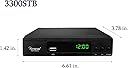
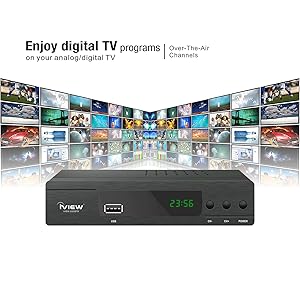
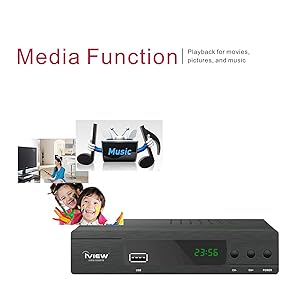
The iView 3300STB ATSC Converter Box effortlessly converts digital and ClearQAM cable signals to analog TVs, unlocking over 50 channels with crisp picture quality. Featuring built-in recording, a universal media player supporting up to 4TB USB drives, HDMI output, and a digital clock, it modernizes legacy TVs while offering firmware updates for optimal performance across the USA, Canada, and Mexico.


| ASIN | B089GLM4WM |
| Best Sellers Rank | #8,038 in Electronics ( See Top 100 in Electronics ) #3 in Analog-to-Digital (DTV) Converters |
| Brand | IVIEW |
| Brand Name | IVIEW |
| Compatible Devices | Analog TVs, Computer Monitors, USB Drives, HDMI Devices |
| Customer Reviews | 3.9 out of 5 stars 4,266 Reviews |
| Interface | HDMI, USB |
| Interface Type | HDMI, USB |
| Item Dimensions L x W | 6.61"L x 3.78"W |
| Manufacturer | IVIEW |
| Material Type | Plastic |
| Model | 3300STB |
| Mounting Type | DIN Rail |
| Number of Channels | 4 |
| Number of Pins | 23 |
| Part Number | IVIEW 3300STB |
| Product Dimensions | 6.61"L x 3.78"W |
| Smart Home Compatibility | Not Smart Home Compatible |
| UPC | 880010017287 |
| Unit Count | 1 Count |
| Warranty Description | One Year Warranty |
R**B
Great! Picked up 50+ channels and clear picture
Worked great picked up 50+ channels which is good for its location. Remote works well. Clear picture
A**R
New converter box
This converter works well and it came in early and good thing it did because mine went out 3 days before.
K**M
Good value!
I use this converter box with my old CRT Magnavox tv. It is hooked up to my over-the-air indoor antenna (won't work without an antenna on an analog tv) & then out to my RF modulator. Works seamlessly & picture is quite clear. Was very easy to set-up. I get more channels with this hooked up to the antenna than my newer HDTV does with the indoor antenna alone. I have tried timer recording, using an external 2TB hard drive. Worked fine, recorded in mts format & was able to watch later on my computer too, as well as on the TV. The instruction manual is fairly detailed, although some of the features are kind of clunky to use with the remote provided & the firmware on the unit. The remote is not really that great, functions are not particularly intuitive. So far I've been able to figure out everything I've wanted or needed to do, even if it's taken multiple attempts or a little longer than I'd like. Others have noted the power cord isn't very long & I had the same issue, had to place the unit a little lower than is convenient, so I just need to remember to point the remote correctly! I really miss having an on-screen programming guide. The descriptions & info given for programming are pretty limited, but they are a function of what the channels themselves provide and not a fault of the unit itself. Most of the issues I have with this are similar that people have with this or other inexpensive units in the same price range, so I'm generally happy with this purchase. For the money, I think it's a good value & hopefully will hold up for some time. Updated 3/22/21: I installed the 02/21 firmware update provided at the manufacturer's website for this specific model. When I did, I lost all sound output from the unit. I belatedly saw that others had the same problem. I contacted iView & they promptly replied the next business day with a different firmware to install (appears to be a rollback for this model) & now the sound has returned. I noticed the firmware version I used, that they had listed for this model, appears to have been removed from their website in the meantime. Just wanted to supply the info, in case anyone else has had the issue & not yet contacted iView. Also, the unit doesn't correctly adjust for DST, which I noticed last weekend. To solve this, you just need to manually adjust the time zone for the unit to the GMT either one higher or lower than what you had been using, depending on whether it's spring or fall, to get the right hour on the unit (which still displays in 24 hr format unfortunately).
M**L
had some problems -customer service by phone was "no one is available. leave your name and number"
had 1 main issue that made it a return. i bought this specifically to record ota tv shows (and get a numbered remote too- i hate roku style modern remotes). when you record a program (on a usb stick), and then go to play it, you first get a screen of your recorded programs with identifying info, some commands, and a "preview" panel which will show a small video of recorded show you highlight. when you want to watch it full screen, you have to hit the "rec" button on the remote while the video is playing in the small preview panel to switch it to full screen. the manual says you have to hit "schedule" to go full screen which does NOT work on this model. the big problem is the command "PAGE DOWN" paired with the epg select button on the preview menu continues onscreen, in it's exact prescreen position, superimposed over the full screen picture. i find it very annoying. it not too large and is lower center right, but it's a very annoying design flaw. i tried calling iview customer service, thinking there may be an update to fix this, and was told at 2 different numbers no one was available, leave name and number. i figured out their misinformation to get full screen, and tried to give them a chance to fix the page down superimposition, but they don't seem to care much. also, the remote is super-weak and must be pointed Directly at device...which is weird because the remote also turns on a tv that is 20 feet and 180 degrees away from remote, and away from straight line of sight...3x the working front facing range of the i view device with the remote. the manual is poor, and has wrong information. i have a homework brand unit i am using but wanted to buy a backup since it is about 4 years old- before trump's tarriffs doubled? tripled? my cost. the homework unit (3.5 stars) remote went bad last year , costing close to $10 to replace. i thought i would try a different manufacturer in hope of improvements but iview has proved way worse. one star to amazon for charging 6.99 to return items to my local close ups dropoff that used to be free. now i have to drive 4 miles to amazon store, and pay to park in a highly congested traffic area to return defective items for 'free" (not counting my gas, time, aggravation).
J**B
Solid and Crash Proof record.
The tuner is about the same, but the real improvement is with the record, if the signal is strong and steady, the record will be solid, no matter if you use SSD or Flash stick. They finally recommend NTFC over FAT32, but if you've tried to make programed recording over an hour, you've probable stumbled on that. Even with a spotty recording you can fast forward at x32 and review the full track. The manual is better too.
V**C
Works but there are quirks to be aware of
After using this for a month, I think I have a pretty good idea of the pros and cons. I purchased it to use as an over the air DVR. It does work, records programs, etc. I've had no problems with the remote as others mentioned. I attached an SSD drive via USB, that works great. Generally it functions well when watching recordings, the FF and RW work well, mostly. The HD quality seems to be very good. Tuner works great with my own digital, amplified antenna. For the price, I would say you probably can't beat it. There are quirks though- 1. it doesn't save the show with the title of the program (even though it knows what it is in the program guide), it only will show the network and a date stamp. You also can't rearrange the sorting of the programs. Always sorts by channel ID (Like WKRP or whatever the call letters of the station are). You can rename them but, with the remote only, that is no fun. 2. When previewing recorded shows and you want to delete one or move to the next, it will always take you back to the first page and you have to find where you were again, without any show titles. That's frustrating. 3. It only can do one thing at a time, for example, if it is recording you can't watch a recording or another channel. It only has one tuner, so no recording two items at the same time. If it is recording, you can't schedule or do anything else. 4. It sometimes decides to change the start date of your recurring scheduled recordings to a week later and you miss some daily shows until you realized this. It sometimes decides to delete recurring schedules and you won't realize until you go to watch and there isn't a new recording that you were expecting. 5. It sometimes will delete all of your schedules (did this after daylight savings time change). 6. When using the EPG button to look for programs to schedule on the channel you are on, it will only show a few hours in the future and it is very slow to load episode info if it ever does. So most often you need to manually schedule items. The manual scheduler is a bit funky. 7. The only option for recurring recordings is daily or weekly. So if you are recording a program that is on weekdays, it will record on the weekends too, and you have to find and delete those wrong recordings. Which is a pain (see #2) 8. The time shift works, but it is not automatic, you have to remember to start it. Also, if you accidently press stop while watching a time-shift it will take you all the way back to the beginning of the time-shift and you have to FF to get where you were. This also happens if you reach the end of the time-shift (catch up to regular time of show) when FF through commercials. 9. 2 or 3 times in the last month it has locked up and needed to be unplugged and plugged back in to get it to reboot. 2 times it said the hard disk drive was disconnected when it wasn't. This requires a reboot. This could be the drive I am using though. 10. It takes more than a few seconds to boot when you first turn it on. So you may want to always leave it on. I expect that would use more power, but don't know for sure. 11. iView says that there is a firmware update on their website to fix "all problems", but the version on their website is older that the one my unit has installed. Other than that, I have no complaints ;o)
T**Y
Decent Converter box for an older TV
My mother was using a simpler version of this decoder for a TV that was designed for the pre-hdtv signals. It started acting strangely and unpredictably. I ordered this box to replace it. It was the cheapest option I could locate anywhere - locally or online. The box performs as expected but it doesn't seem to allow the tv tuner to control the channel. In the other setup, the tv tuner still would pull in channels but with this box we have to use the tuner built into the box. It isn't a terrible change but now 2 remotes are needed to power on the tv and then control this box.
C**1
Very happy with the iView!
It found so many more channels than priors units from other manufacturers... definitely I give Reception 10 stars! Functionality does what is supposed to do: records, live tv, schedule recording, etc... picture quality is not 4K, but it is just fine at 1080. Sturdiness seems perfect and is beautiful too. I dont' know how long it will last, but for the price if it works for a year, I save lots of $$$ in live TV subscriptions!
D**G
Great piece of technology
It's really good to be able to go digital and be able to record
C**.
Schlecht
Sehr schlecht, da es keine deutsche Gebrauchsanweisung gibt
S**C
Works great.
I had an earlier model from the same company, it lasted 15 years until the remote conked out. The quality of the image is even better.
R**W
Check with friends to see if they get many stations
Unless you have many tv stations broadcasting over the air in your area and can’t more than 3 it’s not worth It unless you like them. Works good for me in the Toronto,Niagara, Buffalo areas.
W**E
No built in digital clock that you can set.
I purchased this item to automatically record my local news from an over the air broad cast. For this I need a built-in digital clock, one that does not require the time from the broadcaster. This does not have that even though it says it does. My local news station does not broadcast a time signature so when you set a record time the system does not know when to start to record or stop. I was not impressed by the fact the unit sent to me was used, lots of scratches, box seal already broken and only Spanish instructions. I would have overlooked this if it had worked for me, but it does not. If you are buying this item to record over the air broadcast be certain that the station broadcasts a time signature.
Trustpilot
3 weeks ago
3 weeks ago