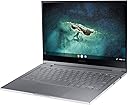
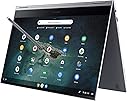
🚀 Elevate your hustle with the sleekest 4K powerhouse on the go!
The Samsung Galaxy Chromebook combines a breathtaking 13.3” 4K AMOLED touchscreen with an ultra-slim 2-in-1 design, powered by a 10th Gen Intel Core i5 processor, 8GB RAM, and 256GB SSD. Featuring WiFi 6 for lightning-fast connectivity and a built-in stylus for creative freedom, it boots in just 6 seconds and runs Chrome OS for a secure, intuitive experience. Perfect for professionals craving premium portability without compromising performance.


| ASIN | B088TDDNGT |
| Audio Output Type | Speakers |
| Automatic Backup Software Included | Chrome OS |
| Battery Average Life Standby | 8 Hours |
| Battery Cell Type | Lithium Ion |
| Battery Life | 8 Hours |
| Best Sellers Rank | #13,265 in Computers & Accessories ( See Top 100 in Computers & Accessories ) #1,829 in Traditional Laptop Computers |
| Bluetooth support? | Yes |
| Brand | Samsung |
| Built-In Media | Adapter, Pen, Quick Start Guide, Warranty Card |
| CPU Model | Core i5-10210U |
| CPU Model Generation | 10th Gen |
| CPU Model Number | 10210U |
| Cache Memory Installed Size | 6 |
| Cellular Technology | WiFi |
| Chipset Type | Intel® Core™ i5-10210U |
| Color | Mercury Gray |
| Compatible Devices | Bluetooth devices, USB devices |
| Connectivity Technology | Bluetooth, USB, Wi-Fi |
| Control Method | Voice |
| Customer Reviews | 4.0 out of 5 stars 980 Reviews |
| Display Resolution Maximum | 3840x2160 Pixels |
| Display Technology | AMOLED |
| Display Type | Amoled |
| Form Factor | Chromebook |
| Graphics Card Ram | 8 GB |
| Graphics Coprocessor | Intel UHD Graphics |
| Graphics Description | Integrated |
| Graphics Ram Type | Shared |
| Hard Disk Description | SSD |
| Hard Disk Interface | Solid State |
| Hard Disk Size | 256 GB |
| Hard-Drive Size | 256 GB |
| Hardware Interface | USB |
| Human-Interface Input | Touchscreen with Stylus Support |
| Item Dimensions L x W x Thickness | 11.92"L x 8"W x 0.39"Th |
| Item Type Name | Chromebook |
| Item Weight | 2.29 Pounds |
| Keyboard Description | Traditional |
| Lithium-Battery Energy Content | 2.6 Watt Hours |
| Manufacturer | Samsung Electronics |
| Memory Speed | 2666 MHz |
| Microphone Form Factor | Built-In |
| Model Name | Galaxy Chromebook |
| Model Number | XE930QCA-K02US |
| Model Year | 2020 |
| Native Resolution | 3840 x 2160 pixels |
| Number of Ports | 2 |
| Operating System | Chrome OS |
| Optical Storage Device | No Optical Drive |
| Other Special Features of the Product | Support Stylus |
| Processor Brand | Intel |
| Processor Count | 1 |
| Processor Series | Core i5-10210U |
| Processor Speed | 1.6 GHz |
| RAM Memory Installed | 8 GB |
| RAM Memory Technology | LPDDR3 |
| RAM Type | DDR4 SDRAM |
| Ram Memory Maximum Size | 8 GB |
| Resolution | 4K |
| Screen Size | 13.3 Inches |
| Specific Uses For Product | Personal |
| Total Usb Ports | 2 |
| Touch Screen Type | Capacitive |
| UPC | 887276405261 |
| Video Processor | Intel |
| Voltage | 240 Volts |
| Warranty Description | 1 year Manufaturer |
| Webcam Capability | Yes |
| Wireless Compability | 802.11ax, Bluetooth |
| Wireless Technology | Bluetooth, Wi-Fi |
A**R
Love it despite flaws.
* The left arrow key doesn't reliably connect unless I hit it much harder than I have to hit the other keys. * It's a roll of the dice whether the laptop shuts off or merely sleeps when I close the lid, which means when I re-open it I'm often faced with a full restart, and Chrome has to re-load all my tabs etc. This seems to reset brightness preferences: the screen starts up intolerably dim, for some reason. * Even worse, occasionally when I re-open the laptop it's in this weird state where it seems to think it's on, but the screen is completely black and I have to force a restart. This is both annoying and concerning. * The keyboard is technically backlit, but the light is so dim that it barely helps even when it's dark. * The trackpad is easily pushed down to click near its bottom, but gets increasingly difficult as you go up, which just feels really weird and inconsistent. More than 1/2 of the way up, it's too hard to press for me to practically want to. Despite all the flaws, I love this machine. It's super light. I like the feel of the construction. I like the color. I really like having the browser back/forward/refresh on the keyboard. The stylus, working with Android art programs I already knew and loved, has been a delight. It's really nice to be able to go right from typing an article to drawing illustrations for it on the same device. Being able to run android apps natively on a 2-in-1 is really cool (even though realistically I'd often be better off using the desktop versions of apps on a mac or windows machine -- for example, Slack and Discord do not provide a great experience running their android app in chromos, compared with the experience of their desktop applications on mac. And in other cases, like Webtoons, I'm realistically better off just visiting the webpage. But running the app natively is so cool!).
T**D
Slim Sleek Beautiful Power Hungry Beast
A good place to start would be that I got this chromebook at a discount ($749, down from $999). And my needs are mainly to run Citrix (through browser or Chrome app, either works) for work and to casually browse, read magazines/books or listen to Spotify. Not a "Power User" by any means, though not sure any Chrome OS user is. That being said, this is THE BEST CHROMEBOOK I'VE EVER USED, and it is more than perfect to suit my needs. Build: The thing is beautiful, a really premium feel to the materials, and the red is really classy and not too gaudy as I was a bit worried and almost went with the more drab grey option - I'm glad I didn't. The chrome ring around the outside is also a premium touch that looks great. It's the thinnest and lightest 2-in-1 laptop I've ever seen, and I know that I like to use 2-in-1s in tablet mode and this is the first time it actually feels comfortable and feasible to do that for more than a brief period of time. The 2.2lbs was a big draw for me when comparing this laptop to the Galaxy Chromebook 2, Asus C436, or the Acer Spin 713 - upon using it I am glad I took it into consideration. Other great things about the build are the relatively loud stereo speakers and the built-in stylus. Minor drawbacks would be the weak hinge that doesn't always hold the screen in place when moving the laptop if open (though for the most part it does the job) and the lack of ports (you just get 2 USB-C ports, which also function as charging ports, so if you're charging you only have 1...adapters easily solve this). Also the cameras are weak but I don't use those - if you're buying for camera quality only for some reason (Zoom?) then this isn't the one for you. Screen: The SCREEN is AMAZING. The OLED is top notch and better than any Chromebook I've ever seen, at full brightness the colors are insane. That being said, the high resolution and the brightness eat at the battery life a lot, so in most cases I've got brightness scaled way down and I don't really miss anything, it works fine. Touch works perfectly, the stylus allows for really detailed notes/drawings in Canva or other apps. One drawback might be the bezel placement, there are 3 super-thin outer bezels and one larger bottom bezel... in tablet mode that one larger bezel functions well as a "handle" of sorts, but the other sides can't be touched without accidentally hitting the screen and scrolling or clicking a link, etc. A very minor nuisance at most. Another minor issue is that the resolution is SO GOOD that when I run Citrix, the session almost appears blurry, but still workable - on high resolution windows machines Citrix has addressed this with DPI scaling, but they've yet to master this on the Chrome OS app or the Chrome web app. Not Samsung's issue, but still part of my experience with the machine so I thought it worth mentioning. Performance: This thing is a BEAST. There's arguably no need for an Intel i5 in a Chromebook, but here we are, and the thing is FAST. Scrolling is smooth and even with tons of tabs open I've never experienced lag when playing videos or games. With lots going on under the hood, and no fan, I've heard mention from others that the computer can get really hot under heavy loads - I've barely experienced this while using a decent amount of processing power, and would elaborate that when I did feel heat it was very minor and not unbearable by any means. I'm thinking unless you are gaming a lot or developing in linux or doing something really really processor heavy, you'll be fine. A small performance gripe in general is that Android apps don't always play well with Chrome OS and have re-sizing issues or some lag, but this is not a Samsung problem, more of a Google problem. Battery Life: Some people have called this the achilles heel of the laptop, but I don't have much issue. Again, I'm not a real gamer/developer/super user - I am Joe Basic using it for administrative work and browsing/music/reading. On an average day at like 70% brightness I can unplug at 8am and make it to about 3 or 4pm before having to plug back in while working in Citrix doing basic tasks on MS Access, Excel, etc - nothing intense but that's pretty much constant screentime for about 6-7 hours before it starts getting low and I've got to plug in. Obviously this is not great in comparison to 10+ hours at full brightness seen on other Chromebooks - but you are getting more than the average Chromebook here and this is a bit of a concession made on Samsung's part to provide the rest of the goods. Overall if you don't need to be away from a charger for more than 6 hours every day, you shouldn't have an issue. Should you buy it: If you have read this far and think your needs/usage are similar to mine and you want the sleek-est, coolest, thinnest chromebook out there, DEFINITELY BUY THIS (especially if on discount, which it frequently is between Amazon, Best Buy, and Samdsung's own site).
N**E
Beautiful image poor battery.
Bought this Chromebook because it was decently priced (under $600), didn't have a Celeron, was thin and wanted to try my hand at something that wasn't Windows based. Took a bit of time figuring out how to navigate and am kind of still learning but this laptop is very appealing for what I was wanting to use it for. It's the only Chromebook I know with a 4k resolution screen, not that I was wanting it for that, but the image quality looks stunning. The i-5 processor is fast enough to handle most any daily functions and the thin stylings of the laptop itself is very appealing. It comes with a stylus that's installed directly into the machine and works flawlessly. Audio isn't anything to brag about but does get plenty loud for most entertainment options. I normally use it to watch a sports game while playing board games with friends or watching Youtube videos to learn said board games. Convertible mode is exactly what you'd expect but was surprised the laptop doesn't get extremely hot when the screen is folded to block the air vents. Is small and light enough that it doesn't seem so burdensome but large enough that it doesn't feel like I'm typing on something meant for a child. My biggest issue though is the 4k screen. I can watch all forms of resolution on this laptop but have no options to force the resolution to something lower to help save on battery life and boy is the 4k screen a energy hog. My entire view point before buying this was that I knew the battery life wasn't that great but figured I'd just lower the resolution and get whatever I could out of the battery but was disappointed to find out that's impossible. Don't get me wrong the 4k screen is beyond beautiful but now I need to plan accordingly if I'll be out and about with this Chromebook, something I didn't really expect when purchasing the product. All in all I'm happy with this product and as long as the battery life isn't a complete deal breaker then I highly recommend.
B**N
Excellent deal. I paid only $100 CAD for a laptop that sold new only 5 years ago for... $1000+? I was almost entirely expecting a scam, but decided to give it a shot anyways. If true, the deal would be too good to pass up. And, MAN, was I not disappointed. This thing arrived in near-perfect condition, passed its diagnostics tests, wasn't enterprise-locked, and only had 3 charge cycles? All this, plus its 4K touchscreen AMOLED display, 10th gen i5, 8GB RAM, at $100?? A steal. An absolute steal. Be warned of the short battery life, but I'm perfectly content with that myself.
A**R
Absolutely love this chromebook! Yes it has a sub-par battery and it's certainly not a workhorse. It's a leisure laptop, browsing/youtube/movies the screen is amazing, with included stylus and effortless touchscreen. The fit and finish is solid, the red colour is eye catching. I consistently get 4 hours plus with 70% brightness with a mix of browsing/youtube/movies. Also it is super light. Mine does get slightly warm under the chasis with 10+ tabs open etc or when playing high res video, but general browsing it's cool to touch underneath.
J**S
Jahre lang das Samsung Galaxy Book benutzt. Aber das Windows Betriebssystem wird immer schwächer und bietet nicht wirklich viele Neuerungen. Deshalb habe ich mich für ein Chromebook entschieden. Und zwar das Samsung Galaxy Chromebook in Rot. Verarbeitung: Das Chromebook sieht super aus. Ist leicht, dünn und hochwertig verarbeitet. Mit integriertem S-Pen. Die rote Farbe leuchtet schön. Sieht Edel aus. Ausstattung. Das Gerät kommt mit Ladekabel (USA), man braucht einen Adapter für deutsche Steckdosen. Ersatzspitzen für den S-Pen. Kurze Anleitung. Display: 4K 8 GB RAM Speicherplatz: 256 GB. Kann durch eine Micro SD Karte noch erweitert werden. Sehr nützlich ist der Fingerprint Reader. Damit lässt sich das Gerät sehr schnell entsperren. Betriebssystem: Chrome OS. Ich selbst nutze Chrome OS Beta. Läuft rund ohne große Probleme. Batterie: Das ist das Problem bei diesem Gerät. Die Akkuleistung ist nicht gerade berauschend! Man kommt auf 4 bis maximal 8 Std. Je nachdem wie voft man es benutzt und was man alles eingenstellt hat. Ich kann mit der Batterieleistung leben. Nutze es nur Privat und nicht für den Job. Man kann es ganz aufklappen und dann den Tablet Modus nutzen. Ideal um mit dem Stift zu arbeiten. Fürs zeichnen ist der S-Pen nicht geeignet! Da es nur in Amerika erhältlich ist, kommt es ohne deutsche Tastatur aus. ẞ,Ö,Ä,Ü gibt es nicht. Fazit: Es wäre das Perfekte Chromebook wen die Akkuleistung besser wäre. Kann es aber trotzdem empfehlen. Für den Gelegenheits Chromebook User. Wer es für den Job braucht, sollte zu einem anderen Gerät greifen.
B**R
Still the best Chromebook on the market. The newer models suck compared to the thinness and beautiful 4K display on this product released in 2020. Yes battery life is not as good as others but still all I need.
I**,
I like everything in this laptop, 😌 its build Quality is superb 👌 two thumbs up Samsung, this review I read here in the review section most of them are bad but in my experience I research everything I need to know in this device, 😀 so for me I appreciate what this device can do and its limitations. 😌 so overall its a best buy.
Trustpilot
3 weeks ago
1 month ago