

Buy anything from 5,000+ international stores. One checkout price. No surprise fees. Join 2M+ shoppers on Desertcart.
Desertcart purchases this item on your behalf and handles shipping, customs, and support to KUWAIT.
⚡ Elevate your workspace Wi-Fi game with invisible power and cloud control!
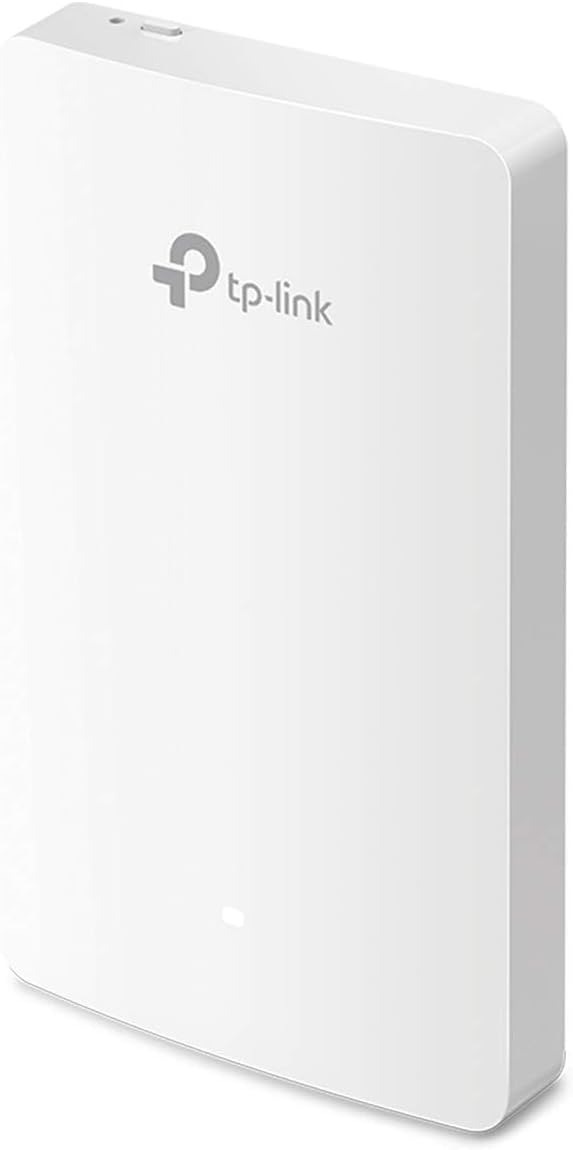
The TP-Link EAP235-Wall is a high-performance AC1200 dual-band wireless access point designed for seamless in-wall installation. Featuring MU-MIMO technology, 4 Gigabit Ethernet ports with PoE support, and full integration with the Omada SDN cloud platform, it delivers enterprise-grade Wi-Fi speeds and centralized network management. Ideal for offices, hotels, and smart homes, it combines sleek design with powerful connectivity and remote control capabilities.


| ASIN | B08HSNYH57 |
| Antenna Location | Home |
| Antenna Type | Fixed |
| Best Sellers Rank | #24 in Computer Networking Wireless Access Points |
| Brand | TP-Link |
| Built-In Media | EAP225-Wall, Installation Guide, Mounting Screw |
| Compatible Devices | Personal Computer |
| Connectivity Protocol | Wi-Fi, Ethernet |
| Connectivity Technology | Ethernet, Wi-Fi |
| Control Method | App |
| Controller Type | Switch |
| Coverage | Room or small area coverage |
| Customer Reviews | 4.5 out of 5 stars 367 Reviews |
| Data Transfer Rate | 1200 Gigabits Per Second |
| EU Spare Part Availability Duration | 5 Years |
| Frequency | 5 GHz |
| Frequency Band Class | Dual-Band |
| Global Trade Identification Number | 00845973088972 |
| Has Internet Connectivity | Yes |
| Has Security Updates | Yes |
| Is Modem Compatible | No |
| Item Dimensions L x W x H | 5.63"L x 0.78"W x 6.17"H |
| Item Type Name | Access Point |
| Item Weight | 0.49 Pounds |
| LAN Port Bandwidth | 1000 Mbps |
| Manufacturer | TP-Link |
| Maximum Upstream Data Transfer Rate | 1167 Megabits Per Second |
| Mfr Part Number | EAP235-Wall |
| Model Name | EAP235-Wall |
| Model Number | EAP235-Wall |
| Number of Antennas | 2 |
| Number of Ports | 4 |
| Operating System | Omada SDN |
| Other Special Features of the Product | Access Point Mode, WPS |
| Security Protocol | WEP, WPA, WPA2 (PSK, Enterprise) |
| Smart Home Compatibility | Not Smart Home Compatible |
| Special Feature | Access Point Mode, WPS |
| UPC | 845973088972 840460605274 |
| Unit Count | 1.0 Count |
| Warranty Description | EAP225-WallInstallation GuideMounting Screw |
| Wi-Fi Generation | Wi-Fi 5 |
| Wireless Communication Standard | 802.11ac, 802.11b, 802.11g, 802.11n |
| Wireless Compability | 802.11ac, 802.11b, 802.11g, 802.11n |
R**A
WORTH IT!!!!
I placed this upstairs to cover just the upstairs corner of my home. This thing puts out a wireless signal stronger than the enterprise equipment that it replaced. The enterprise equipment I had was a mixture of Cisco APs and Watchguard APs. I had them in use for a few years with adequate coverage and quality of the signal to all my devices. Eventually, the Cisco APs were starting to show their age and the Watchguard APs have built-in licenses that were set to expire. I placed this smaller device in that corner of the home to test it and it just took over the entire AP duty. I get complete coverage, more than I expected. That is in standalone mode. I purchased another one for the downstairs a couple of months later and still have not had the need to put that up because.. this thing is just rocking it. The setup was easy and all documentation is online and easy to find and understand. You can set these to be managed with an Omada controller which would help if you have multiple AP's to manage. The nice thing about the wall plate model I have is that it's slim low profile and that you can pass PoE on to nearby devices is pretty darn awesome to boot. Couple that with the abiltity to tap an ethernet jack in when needed for older devices. This is the AP most homes need.
M**E
Easy to install
Works like a dream. Used this in my existing omada system to replace an 8 Port switch in my living room that the wife found distracting under the tv. Installation and set up were easy, and with a few settings changes the connectivity and speed are reliable and fast.
A**K
Pretty Good
Pretty good. A little complex to get connected. But once set up properly, they work great and look good. I had to use Chat GPT instructions to help me because it didn't like the way it was supposed to via the box directions.
J**S
Omada is incredible!
Omada is incredible! Such a seamless and powerful pro-level network ecosystem! I am very impressed!
J**R
EASY WIFI ACCESS POINT ADDITION, IF YOU HAVE ETHERNET
My third one, after finding that our 2012 home was wired with CAT5E cables, after which I converted the phone receptacles to Ethernet, and these are simple to install and control with a phone app.
C**C
TP-Link EAP235-Wall AP works great allowing me to move home networking equipment to the basement.
I had previously asked here if TP-Link EAP235-Wall Access Point could possibly cover a 2-story 1800+ sq ft home, each structure is different but proper placement can help a lot. I installed mine on the first floor indoors in the center of an outside wall where there was a phone outlet 4-ft above the floor. The 2.4 & 5 GHz WIFI signal is very good to excellent anywhere in the house including the basement. The signal is usable to good in the backyard. The modem, router, HDHomeRun TV tuner were moved to the basement resulting in much less clutter where the equipment was previously located.
S**P
Tp Link is great
Working great..I have a bunch of tp link stuff..I have the 605 Router with Omada Oc200 cloud controller running the 615 and a outdoor 225 access points and all cameras and other clients are connected fine...Its all in the settings with these access points...You have to make sure the wifi channels are right and set the power to get the system to work right..Band steering is also working ok but i wish more of my clients would move over to the 5 stream.If you use the tp link router and cloud controller and there poe switches you can set up a great network..I i even use a firewalla purple that blocks all the bad..Hope fully they will make a newer version of this for the new wifi
E**R
Can't trunk outbound port. POE passthrough buggy
CONS: - Can't trunk (meaning pass multiple tagged vlans) on the external ports. (Standalone mode.) - Can't tag outbound ports with a single vlan. (Standalone mode.) - Plugging a non POE device into the POE port while POE pass through is enabled causes the entire device to reboot. (Standalone mode.) - (edited to add) Drops wifi connections under sustained load with most recent firmware. (Drops star rating to 1.) PROS: - Reasonable price point. - Look and feel of this product is good. - TP-Link has resolved bugs with this product in the past. There's a reasonably chance that my above complaints will be solved with future firmware releases.
Trustpilot
1 month ago
2 days ago