


🚀 Elevate your home Wi-Fi game with seamless speed and coverage!
The D-Link DIR-L1900 AC1900 Mesh Wi-Fi Router delivers robust dual-band performance covering up to 3,000 sq.ft., perfect for modern homes. Its scalable mesh system ensures seamless connectivity with a single network name, enhanced by smart technologies like MU-MIMO and AirTime Fairness. Easy setup, parental controls, and voice assistant compatibility make it a top-tier choice for professionals seeking reliable, high-speed home internet.
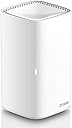


| ASIN | B08KTX3SX7 |
| Antenna Location | Business, Gaming, Home Office, Streaming |
| Antenna Type | Fixed |
| Best Sellers Rank | #46,508 in Computers & Accessories ( See Top 100 in Computers & Accessories ) #1,185 in Computer Routers |
| Brand | D-Link |
| Built-In Media | AC1900 High Performance Wi-Fi Router, Adapter (12V/1. |
| Color | White |
| Compatible Devices | Gaming Console, Smart Television, Smartphone, Tablet |
| Connectivity Protocol | ethernet, wi-fi |
| Connectivity Range | 3000 Square Feet |
| Connectivity Technology | Ethernet, Wi-Fi |
| Control Method | Voice |
| Controller Type | amazon_alexa, google_assistant |
| Coverage | 3000 square feet |
| Customer Reviews | 3.7 out of 5 stars 137 Reviews |
| Data Transfer Rate | 1900 Megabits Per Second |
| Frequency | 5 GHz |
| Frequency Band Class | Dual-Band |
| Global Trade Identification Number | 00790069455988 |
| Has Internet Connectivity | Yes |
| Has Security Updates | Yes |
| Is Modem Compatible | No |
| Item Type Name | D-Link WiFi Router AC1900 Whole Home Smart Wi-Fi System High Performance Dual Band Parental Controls (DIR-L1900-US) |
| Item Weight | 0.81 Pounds |
| LAN Port Bandwidth | 1000 Mbps |
| Manufacturer | D-Link Systems, Inc. |
| Maximum Upstream Data Transfer Rate | 1900 Megabits Per Second |
| Mfr Part Number | DIR-L1900-US |
| Model Name | DIR-L1900 |
| Model Number | DIR-L1900-US |
| Number of Antennas | 2 |
| Number of Ports | 5 |
| Operating System | Linux |
| Other Special Features of the Product | Guest Mode, Parental Control, WPS |
| Router Network Type | mesh |
| Security Protocol | WPS |
| Smart Home Compatibility | Smart Home Compatible |
| Special Feature | Guest Mode , Parental Control, WPS |
| UPC | 790069455988 |
| Unit Count | 1.0 Count |
| Voltage | 12 Volts (DC) |
| Warranty Description | Limited Warranty |
| Wi-Fi Generation | Wi-Fi 5 |
| Wireless Communication Standard | 802.11ac, 802.11b, 802.11g, 802.11n |
| Wireless Compability | 802.11ac, 802.11b, 802.11g, 802.11n |
M**R
Worth the Money!
This worked really good. I have spectrum cable internet. They provide you a free modem, but they charge you about $10 a month for a wifi router. For this price, I bought my own and connected it to the spectrum modem and it provides my 1200 sq ft with wifi. I have about 30 smart devices (switches, dimmers, lights, camera) 2 Apple tv's, Apple home Pod. I can stream 4k on my tv. It handles the amount of internet your service provider offers. It pays for itself if you are looking to provide your own equipment instead of renting it from your internet provider!
A**R
keeps dropping causing data overage on my cell--SKIP THIS ONE
I needed to buy a new router since Google is discontinuing support for OnHub at the end of this year. This seemed like a good value. I am a single, non gamer in a small house so I wasn't looking to spend a lot on a router that I really didn't need. It was easy to set up. App is so so. Major issue I have with it is that it is dropping out at least once a day. This has caused me to go over my data limit on my cell phone at my house even though I was connected to wi fi, or so I thought. It was a bit of a hassle to have to switch over my thermostat, blink cameras, and alexa gadgets to a new, more reliable router but at this rate I just might. And of course, I am past the return window. I have never had this issue before. And I don't want to constantly have to remember to turn off my mobile data at home when I never had to before. My advice is skip this one
M**K
Work well, much faster than my previous router
Ordered two of these for the house to create a mesh system. The app will sync them together and helps you easily set them up as either two separate routers or as a mesh system. Super easy set up. Plenty for what I need and it gives me full bars of coverage over my entire upstairs and downstairs. House is about 2500 square foot and I have one unit downstairs one upstairs. Can’t beat the value on these.
D**K
Okay but an annoying blinking orange light
It works fine but has a blinking orange light that will not turn off!
P**L
D-Link is Quality
I upgraded from the D-Link DIR-860L that I had since 2015. There was absolutely nothing wrong with that model and it was extremely stable. The only time I had to factory reset was when I forgot the admin password. I wanted this one because of the WPA3 security and to reduce buffering issues I had because of my first gen Chromecast, which I also upgraded to the 3rd gen model. In addition to the speeds for all my streaming, the price point was beautiful for under $90 including tax. I’d love to utilize the mesh capability, but there’s no need in an apartment. I hope to keep this for years to come when I upgrade my TV and I’m certain I’ll maintain brand loyalty due to my positive experiences with D-Link. Lastly, using the app it only took 15 minutes to configure, but I required advanced settings for my living situation, so there was an additional 15 minutes, for 30 minutes total.
S**S
Slow and not meant for high traffic like games and streaming
Fair for a small home or apartment. Good only for minimal number of connections. We had 2 TVs, 2 PCs, 4 cameras, a cell phone and a tablet connected. All wireless. The signal stopped frequently. I opted to use the router for cams only.
E**T
Inconsistent Connection
Ill preface this by saying im not a tech wiz. However, router only allows you to use WPA2 connection for your internet, which doesnt really cooperate with many of our roku and apple decices. I find i have to reset the router frequently to get any use out of it. Good price, and works for the most part but if I could go back I would probably go in another direction
J**R
Freakin’ Awesome Wifi Router
This little thing is awesome!! Tried another traditional wifi router and couldn’t get it configured to connect to xfinity. This bad boy was a breeze. Set up is thru an app… it auto detects the connection from the modem and configured the settings. I was up and running in about 5 min. Love the 4 Ethernet ports in the back… directly connect my computer to the router. Can’t be happier with this router!!
S**F
Bad
Its very bad compare to my old router
Trustpilot
1 month ago
1 month ago