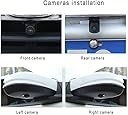
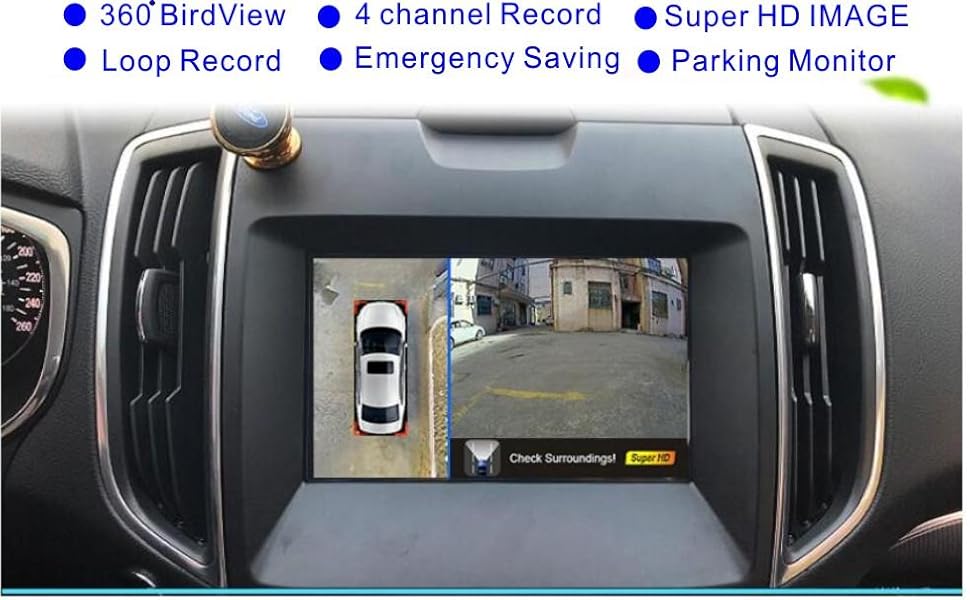
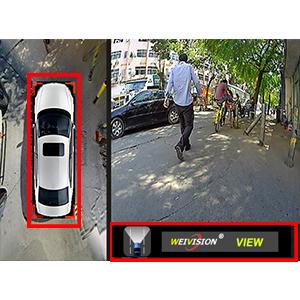
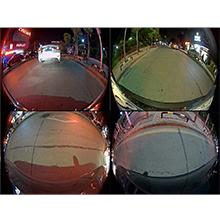
🚗 See it all, miss nothing — drive smarter with 360° HD clarity!
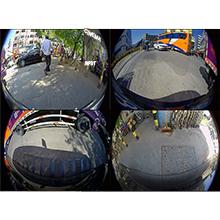
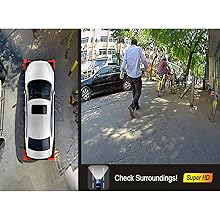
The Weivision Super HD 1080P Car 360° Bird View Surround System is a professional-grade DVR backup camera setup featuring four 1080P HD fisheye cameras with 190° wide-angle lenses. Designed to eliminate blind spots and enhance parking safety, it offers real-time 360-degree panoramic views that automatically switch based on driving direction. Compatible with most AV IN monitors, it supports up to 32GB of continuous recording and includes night vision and waterproof sensors for reliable all-weather use.


| ASIN | B0105XR91O |
| Are Batteries Included | No |
| Auto Part Orientation | Drivers Side |
| Auto Part Position | Rear |
| Battery Cell Type | Lithium Ion |
| Best Sellers Rank | #64,991 in Electronics ( See Top 100 in Electronics ) #942 in Vehicle Backup Cameras |
| Brand | weivision |
| Built-In Media | DVR Recorder, 4CH 1080P 190° wide angle fish eye camera, Memory Card |
| Color | 360 birdview for car |
| Compatible Devices | Monitor |
| Compatible with Vehicle Type | Car |
| Connectivity Technology | RCA |
| Control Method | Remote |
| Customer Reviews | 3.8 out of 5 stars 171 Reviews |
| Display Type | LCD |
| Field Of View | 190 Degrees |
| Flash Memory Supported Size Maximum | 128 GB |
| Flash Memory Type | USB |
| Frame Rate | 30 FPS |
| Manufacturer | Weivison Technology |
| Mfr Part Number | BDV01-HD |
| Model Name | BDV01-HD |
| Model Number | BDV01-HD |
| Mounting Type | Dashboard Mount or Windshield Mount |
| Optical Sensor Technology | CMOS |
| Other Special Features of the Product | 360 Degree |
| Photo Sensor Size | 1/3 Inches |
| Real Angle of View | 170 Degrees |
| Screen Size | 0.33 Inches |
| Special Feature | 360 Degree |
| UPC | 705701934905 |
| Vehicle Service Type | Car |
| Video Capture Resolution | 1080p |
M**T
If you’re on the edge. Just buy it
It’s well designed product with very few flaws. Installed this on my work van with recently added Jensen car1013 radio(10.1 inch screen) I’m gonna try to explain what I did, The install instructions are sort of vague so do this: -side mirror, use the provided hole saw, Drill holes on bottom of each mirror on the flattest surface possible. Or use the 15 degree subbed seals to adjust accordingly. Install cameras with markings facing 90degrees away from car. Straight as possible to the outside. Camera plugs are color coded. Install properly and route cables through. -front and back cameras as long as they are around 40cm or 12-14 inches should be good. Camera plugs are color coded. Route cables trough. -back camera has a very short wire. Buy an extended one maybe 4-6 feet. The new cable will come and you won’t be able to plug it in, you will need to size down the part of the new cable that’s gonna plug in- needs to be thinner. -plug in all your connections, for power and ground, cameras into “brain box” and trigger wire to radio according to your setup. Ir sensor needs to be visible or you won’t be able to control the unit with remote. -software part. Setup the mats like they are in the picture manual in the menus go to bird eye view calibration, passcode 111-ok. Manual calibration. On EACH camera you view, you need to move the cursor in This order top left,top right, bottom left, bottom right. Next camera same thing. If you don’t do this properly your images will look flipped or weird. Took me awhile to figure this part out! You are always aiming for the very corner of each mats corresponding black rectangle for the corner. When you’re done you must hit SAVE. Or you start over. After this is all done you can enjoy your new 360 cameras! If you want you can mess with other settings now, change car, adjust the centers of each camera and so on. System uses the 32gb stick to record all cameras at once which is pretty cool! Your camera view should look like this: 360 view plus reverse camera when activated. If it doesn’t you will have to contact weivision for a new file to make this happen. I have the file and it’s very easily uploaded into the system using the same usb port that is used to record cameras. I don’t usually write such lengthy reviews but it took me hours if not days to figure out some of these things. Hopefully this will help someone out there.
B**H
Great product and even better customer service
This device is a must have for Jeep Wrangler JK owners. As Cheezpuff can attest to, this thing work great as a 360 bird's eye camera. You can even drive at night with limited lights. I have the 430N factory radio and paired this device with a PAC BCI-CH21 Backup Camera/Navigation Unlock Interface (for Select Chrysler/Dodge/Jeep/RAM Vehicles) . The PAC device has 3 programmable wires that control camera activation -- I have it set to switch automatically in reverse and when I enable either of my turn signals. I installed it in a vacant space behind my glove box and dangled the USB connector into the box for easy access. Running the cables was a cinch (I was also installing a Rockville RW10CA 10" 800 Watt Under-Seat Slim Amplified Car Subwoofer +Wire Kit at the same time and I used the passenger side hole in the firewall with no drilling). The only thing I had to tap into was the cig lighter for accessory power. After everything was configured, I took it for a test drive and could see the cracks in the blacktop along with the curb in my blind spot. I posted some questions to Lucy about firmware and updating the car image. She sent me instructions (it is a bitmap image with a second bitmap for black/white outline masking). Should be pretty simple once I have a chance to break out GIMP for editing. Excellent customer service by Lucy for sure. The only issue is that my side cameras are pointed a bit forward from where I'd like. This is because I mounted them as "pods" on my A-pillar using conduit clamps (because mirrors on a Wrangler are removable with the doors). As such, they capture a bit more of the Wrangler's fender flares than I'd like and hence block the image stitching for the 360 view. It is not terrible, just more of an annoyance that the graphic colors don't stitch properly. I plan on using some curtain rod brackets holding a 35mm film canister upside down as my camera "pod." This should function very much like Cheezpuff's angle iron, but should extend the cameras a couple of inches off the body, hence clearing the fender flares. Once I craft, I'll post a picture. Again, great product, easy install, responsive seller.
S**A
Do not buy.... IF you can't program or your battery dies... NO BATTERY BACK UP for your car!
So I thought this would be a great deal, BUT my vehicle battery died so I need to get a new one.... well, once that was installed the Camera system DOES NOT WORK. It was all installed by BestBuy for me, and now I've either got to return this, get a refund or a replacement. I wish I had looked to see what camera system has a backup battery... Oh and the program for this whole thing looks like it's from 1989, the user interface is so blank and not very user friendly. Oh and you cant pull the video from the DVR "USB" right to your Head unit, so you if something happened to your vehicle you would need to remove the USB drive then plug it into your PC then you can see it.... which to me is VERY LATE... what happens if someone messes with my car and I can't look at the images until I get to a computer? That's neither here nor there now.. because I can't even use it at all. SO it goes back... This wasn't a great purchase at all. Hope this helps!! Oh and the fish Eye angle is terrible.
S**E
Functions as intended
I got this installed this weekend and it functions as described. I installed it on my 2012 Ford E-150 work van. Installation wasn't that difficult, but I had to supply a little wire to catch the turn signal wires. I had previously installed an Android head unit and this camera system connected to that easily. I have a few things I don't like about the system: I don't like the fact that it doesn't connect to my head unit and have an Android app that could control it. The remote control is a little cumbersome and seems like a bad idea to use while you're driving. Using the touch screen I already have would make it easier to use. Also, the menu items don't scroll through. You have to navigate over to the up or down arrow button and go to the next page of stuff. It all functions, but it's just overly complicated and the user interface could be more streamlined...especially if it were it's own app. Another thing, the videos it makes show all 4 cameras at once. It's a little disorienting to watch on the screen in the van. Things I really like: Camera quality is very good. I can read the license plate of the car in front and behind me. Setting up the configuration mats and tape took about a half hour and it all worked out quickly. (Make sure to hit the "Save" button. It wont prompt you.!) Physical installation was pretty easy, but the manual isn't as helpful as it could have been. Another user linked to his video and that was pretty helpful. The included hole saw cut through the plastic part of my mirrors very easily, but I wouldn't want to use that thing on any metal. All in all I think this system will be helpful and useful in my business.
L**7
Difficult to install. Works well. Resolution?
It was really difficult to install. But I guess any system like this would be. I'm no professional. The resolution does not appear to be 1080p as advertised. It wasn't easy to configure / calibrate the camera. The auto-calibrate feature is poor. But that doesn't stop it from being effective. Its a great enhancement for vehicles that didn't ship with a 360 degree camera.
N**E
Great product
Great product works perfectly. Thank you
T**N
If you're thinking of this, do it!
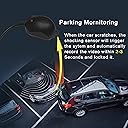
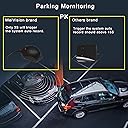
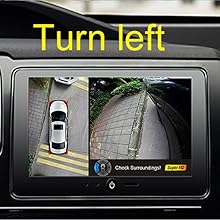
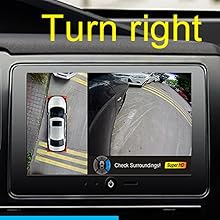
UPDATE 2-17-19: The system has been working flawlessly since being installed two months ago. However, I did manage to lose the remote (blaming that on my 4 & 5 yo kids). I sent a message to the seller, and the shipped me a new on (no cost) from China, no strings attached. A couple of weeks ago the front camera started displaying a rainbow/interference/noise over the video signal. I contacted Weivision and they immediately replied with some troubleshooting suggestions. However, by the time I had a chance to try them, the problem resolved. Then, last week, the rear camera went to all yellow. I un/re-plugged all the harnesses from the camera and main unit, but the problem did not resolve. I took a picture of the screen, and sent it to Weivision. Despite it being the weekend, they replied within a few hours, and are sending me replacement cameras! Incredible service! While it'd be best if there were never any issues, sometimes it's only through these problems that you get to know a seller and how they treat their customers. In this case, I'm very impressed with their speed and generosity. ----------------- ORIGINAL REVIEW 12-15-18: I installed this on my 2011 Sequoia Limited. I had previously replaced the stock head unit with a Hizpo Android head unit - which provides a larger, clearer screen, and WAY more functionality than the factory radio. Installation took about 5 hours, spread over two days. I could have done it in half that time, but I was being very particular about how to run the cables, leaving no trace of the installation. The supplied cables were just long enough to reach the main unit - which I installed under the passenger seat. The cable to the rear camera had about 6" of remaining length, so it was very close. The rear camera is exactly the same size as the stock backup camera. Though, the mounting points are not. That meant I was able to pop the original camera out, and 'glue' the new camera in its place using double stick tape (to hold) while black caulking dried. There was no trimming or cutting needed, so everything is reversible. The side camera mounts were tricky and required dismount of the mirrors so I could run the cable in the existing chase. The efforts paid off, as now there is no sign of the install (other than the cameras). The front camera was mounted below the hood grill, on the bumper. I did this to avoid any possible vibration, since the grill itself moves with the hood. I ran an extra coax/RCA cable from the back of the head unit to the passenger seat, as well as constant (battery) 12V, accessory 12V, the remote trigger wire (used to tell the radio to switch to rear input), and a reverse signal wire (to tell the Weivision unit that the truck is in reverse). None of the wiring required cutting/splicing factory wires. There were no changes made to any part of the vehicle (other than the holes in the side mirrors) that cannot be reversed. Calibration was a bit tedious due to windy conditions. Ultimately, I ended up moving the vehicle into my barn where I had better control of the environment. And that seemed to work, as the cameras display just as good as my wife's 2018 Highlander Platinum, and its factory surround view. In fact, I like this unit better because it has the following features which the Toyota surround does not: 1) Recording all channels. Imagine being accused of running a red light. The front camera catches the instant the light turns red. The side cameras, which record the placement of your front tires, show exactly where the wheels are relative to the stop bar as the light turns. Priceless... And I don't run lights. 2) Turn signals switch views to that side of the car. That makes it ideal when trying to squeeze through a narrow spot, or if you need to see exactly how close you are to a curb/item. 3) Digital adjustment of individual cameras. Each view can be manipulated (without affecting the surround view stitched image) to meet your expectations. Want to see more of the trailer hitch than the person's face in the car behind you? Simply adjust the view down with the remote. 4) Vibration recording even when parked. If someone bumps your car while it's parked, the unit wakes up and starts recording. Thus, even when you're not there, it will monitor your vehicle like a security guard. I'm sure there are more upsides to this that I haven't found yet. But for the money, this is probably one of the most practical and safety-minded things you can add to a vehicle. I'm seriously considering adding one to my Tundra (which I rarely drive).
P**R
Great addition to security/awareness while in reserve
I installed it in a Sprinter cargo van. The van is long and has fully enclosed back doors so there was a desire to add some more visibilty around the vehicle specifically while backing up. Found fair previous reviews about this system so gave it a chance and so far so good! I had my own head unit with a screen so I only needed the system/sensors/cameras. The front and rear cameras are fairly straight forward to be installed on the grill/license plate (though be aware, the rear camera bracket has been designed to be installed on a flat horizontal surface, so if you dont really have it-as my back door is almost fully vertical/straight, need to be creative, I have used an additional L bracket). Also the rear camera cable was short for my van so I needed to contact Customer Service for an extension cable. While they were fast to response, they charged me for the cable which in my opinion, considering the real cost of the cable should be simply covered by the actual unit price (same cable length issue with my Wolfbox digital rearview mirror and they sent the cable free of charge). The side cameras require drilling a hole with the provided hole saw. Not a big deal, just properly locate the place and the cameras need to be pushed in. It is not in the manual but read in a review, the white dot on the camera must be facing to the outside!! Once I have located the battery/switched power wires (along the reverse sense) and the GND connection, it was up and running in no time. Before calibration, was just making sure everything is correct so made the required SW settings and I realized there was a reverse image problem (between the individual vs 360 view) along the reverse guide could not be switched off on the screen. Started a concersation with the Chinese customer service and they were super fast to response (some cases were able to exchange multiple emails with them withing a day (while still regular US hours). Got a SW update file, was able to install it, reverse guide went away but an unexpected “stand by” mode kicked in after a couple of sec run time. I continued interacting with customer service and shortly I got a second SW update file. After installing this one, all my previous problems has been solved! I went ahead, followed the calibration instructions and the system is finally up and running. Time will tell if the product is reliable long term, but let’s have faith! Pros: -absolutely fast customer service -pretty easy installation, actually it is based on you/your vehicle how easily you can route/fish wires throug -most importantly absolutely providing the promised 360 view!!!! Cons (some is a combination of my vehicle specification and product together): -for my extended lenght Sprinter the rear cable was not long enough, had to spend an extra ~12$ to buy an extension cable -I believe my van’s lenght (rather front location of the side cameras) is pretty much the upper limit for the HW, around the very back I can see how the 360 image is not as clear -some HW installation (white dot facing to the outside) and SW setting explanation is not in the manual, you either figure out or talk to Customer Service All in all, so far I am satisfied, cameras have good enough picture quality individually, 360view is working and really does show the perimeter around the vehicle. Great addition for my van!
Trustpilot
1 month ago
1 month ago