We remain fully operational. Our teams are working around the clock to ensure your deliveries continue safely.

DOWNLOAD THE APP


Copyright © 2025 Desertcart Holdings Limited
DOWNLOAD THE APP
Buy anything from 5,000+ international stores. One checkout price. No surprise fees. Join 2M+ shoppers on Desertcart.
Desertcart purchases this item on your behalf and handles shipping, customs, and support to KUWAIT.
⌨️ Elevate your desk game with compact power and vibrant style!
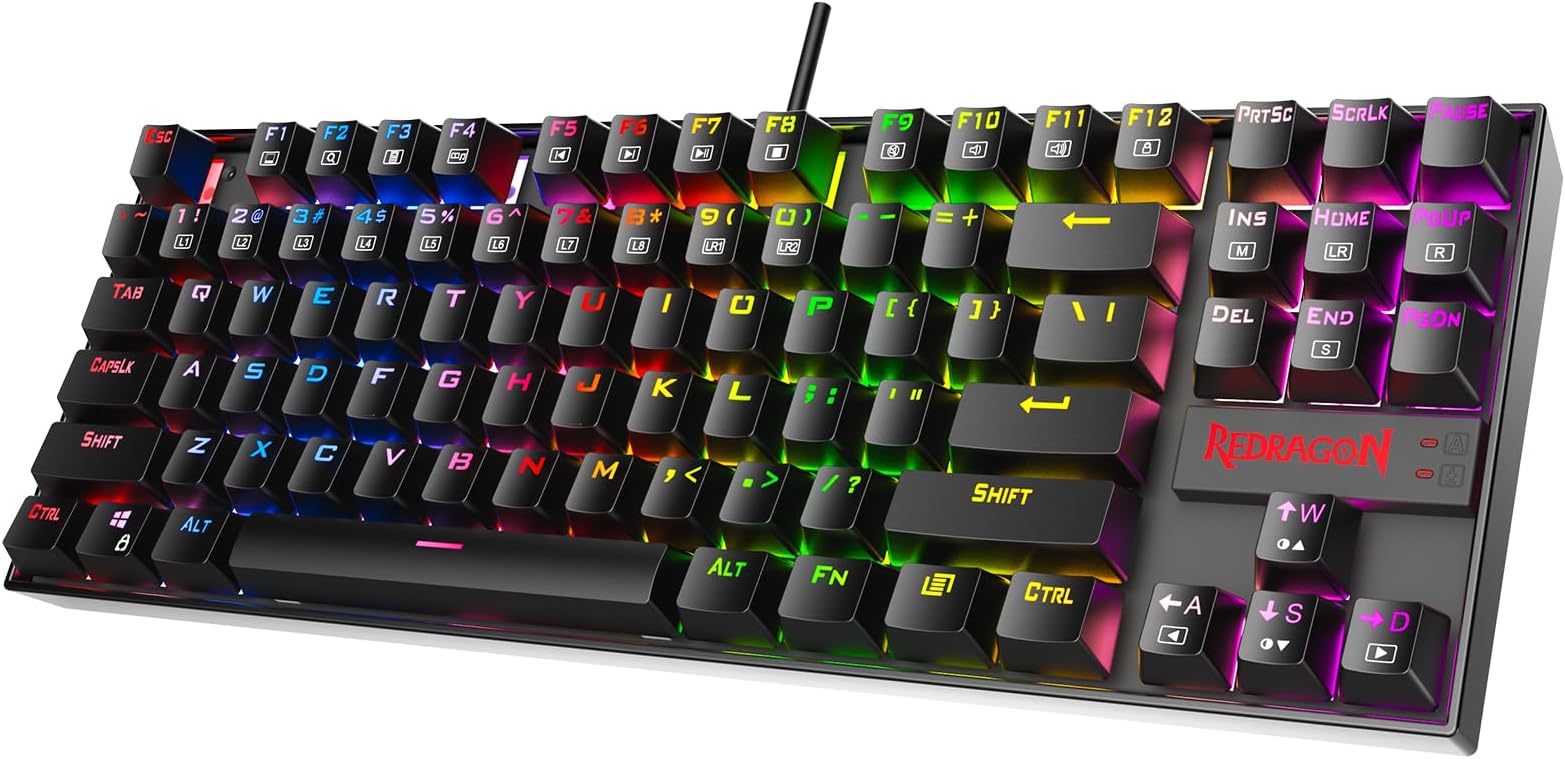
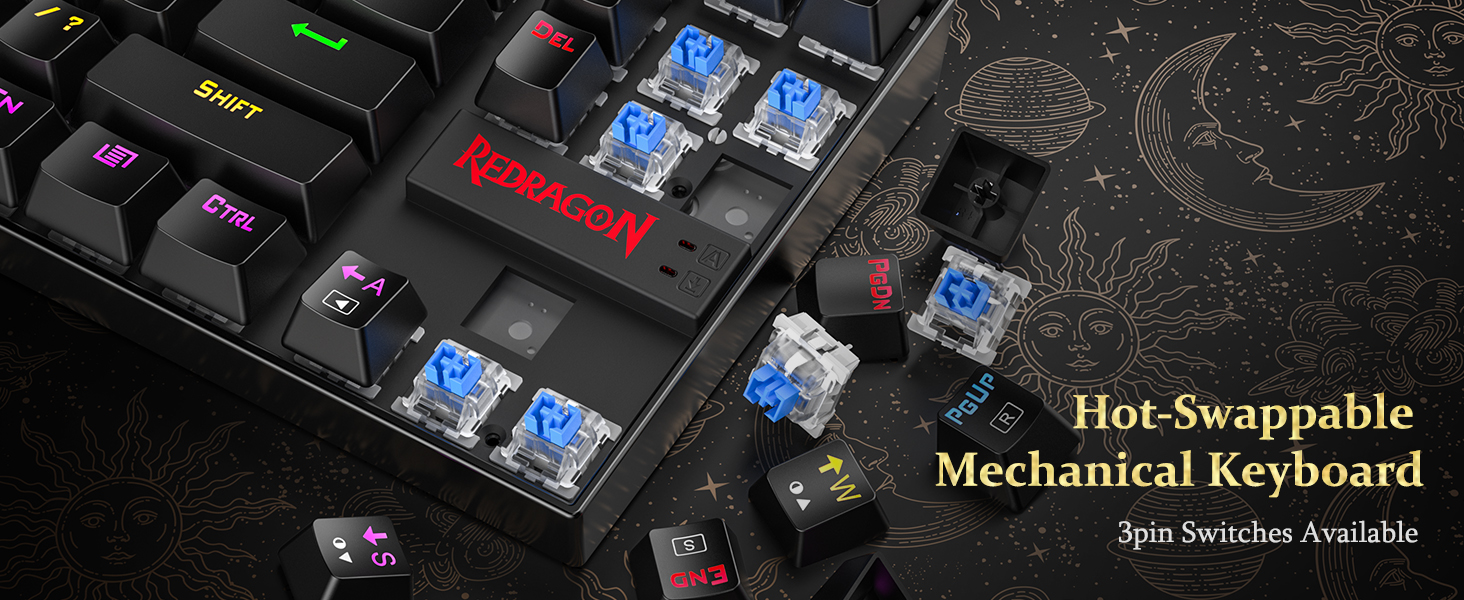
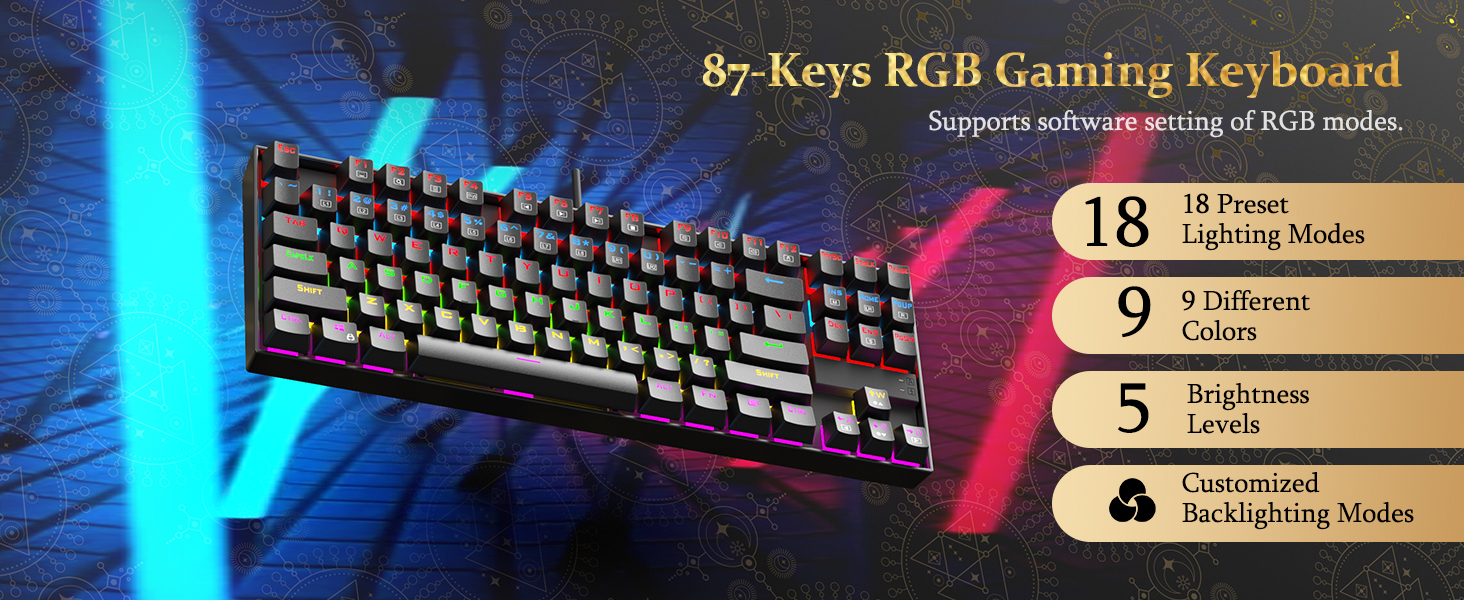
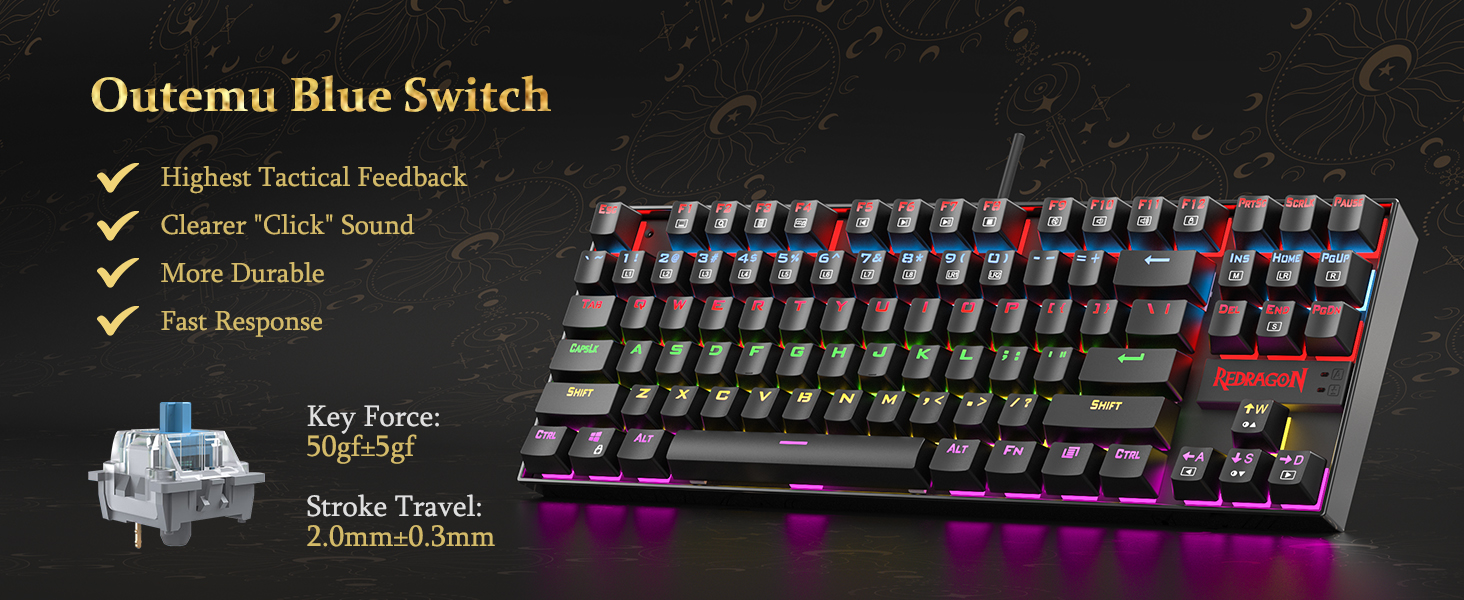
The Redragon K552P is a compact tenkeyless mechanical keyboard featuring 87 keys with hot-swappable red switches, 18 customizable RGB backlight modes, and a durable metal frame with spill resistance. Designed for gamers and professionals alike, it offers N-key rollover, programmable macros, and a portable ergonomic design that maximizes desk space without compromising performance.





| ASIN | B019O9BLVY |
| Additional Features | Backlit, Ergonomic, Hot-Swappable Blue Switches, Portable, Programmable Keys |
| Antenna Location | Business, Everyday Use, Gaming, Student |
| Best Sellers Rank | #673 in Video Games ( See Top 100 in Video Games ) #64 in PC Gaming Keyboards |
| Brand | Redragon |
| Built-In Media | Keycap Puller, USB Cable |
| Button Quantity | 87 |
| Color | Black RGB |
| Compatible Devices | Gaming Console, Laptop, PC, Tablet |
| Compatible Operating System Family | MacOS, Windows |
| Connectivity Technology | USB |
| Customer Reviews | 4.5 4.5 out of 5 stars (49,603) |
| Enclosure Material | Aluminum |
| Global Trade Identification Number | 04895173505935 |
| Hand Orientation | Ambidextrous |
| Is Electric | Yes |
| Item Dimensions L x W x H | 13.94"L x 4.86"W x 1.46"H |
| Item Weight | 900 Grams |
| Keyboard Backlighting Color Support | RGB |
| Keyboard Description | Gaming, Mechanical,Keyboard |
| Keyboard Layout | QWERTY |
| Language | English |
| Manufacturer | Redragon |
| Mechanical Keyboard Switch Model | Cherry MX Blue |
| Mfr Part Number | K552 |
| Minimum Required Operating System Version | Windows 10 |
| Model Name | Kumara |
| Model Number | K552-RGB |
| Number of Keys | 87 |
| Number of Sections | 87 |
| Power Source | Corded Electric |
| Series Number | 552 |
| Style Name | Classic |
| Switch Type | Clicky |
| Theme | gaming |
| UPC | 619257218733 796172194219 791334442481 727196136206 619257218740 |
| Unit Count | 1.0 Count |
| Warranty Description | NO |
| Water Resistance Level | Water Resistant |
J**P
I really enjoy typing on this keyboard so I ordered another for work.
I'm a software engineer and can type anywhere from 85 - 110 WPM and those who code know the challenge of hitting special characters frequently; I should never miss a ; end line now :). I use to use an apple wireless keyboard with the chiclet style keys extensively the past several years and didn't realize that was slowing down my typing. I actually purchased this keyboard for gaming at home but then bought another for work since I noticed a huge improvement in my typing speed. The reason I didn't purchase a mechanical keyboard is due to the windows vs command key. The only mechanical keyboard I've found that has the command key is a das keyboard that is > $100 which is way over budget; can get 3 of these awesome keyboards for the price of one das. I've gotten use to using the windows key as the command with my pinky rather than the left thumb on command. I use both windows and mac so the switch has been great and it took a couple days to get use to replacing the thumb for command and using pinky for it but it has also made my windows typing much better since I use my pinky for windows anyway. For those who can't give up their mac specific keyboard should look into buying one of these since you will make it work due to how awesome the keys feel. It's identical to the more expensive cherry ones. I won't feel bad if this keyboard breaks a year later since it's only $30 and the ones that have the common cherry switches cost > $50. The apple wireless keyboard is double the price of this... # Pros - Identical to cherry switch that other more expensive keyboards use such as Das. - Increased my typing speed by at least 15 WPM. - Tactile feedback you do not get with chiclet style keyboards. - Solid and quality made. It's heavy so it won't move around the desk. Has nice grippy rubber pads too. - Don't have to switch between the apple wireless keyboard and the windows keyboard since I use the same one off the KVM now. - I don't have to recharge and replace the batteries in the wireless apple keyboard since this is corded. Got so sick of replacing batteries just to have wireless when it's going to sit on the desk anyway so it was pointless. The apple keyboard would lose connection with the bluetooth too so again, it was pointless. - Compact size is better than a full size keyboard. Removing the number pad provides a better ergonomic experience which prevent strains due to widening the arms with the mouse. Research this if you don't believe me. Some ergonomic keyboards put the number pad on the left side of the keyboard. - Best bang for the buck. Amazing value so I purchased 2 of them. Perhaps all the big brands such as Das will lower their price since this one seems to own the Amazon market right now. It's 2018, people who are sane know that a mechanical keyboard shouldn't cost > $100. C'mon, the IBM Model M in the 1980's original price was around $250 but that's some dated technology! It's like paying the same price for an OLED TV for a tube tv. Who they trying to fool and that is why Redragon is here. They know the other manufacturers are price gouging. # Cons - None so far. # Neutral - My coworkers find it distracting since it's loud but they can put headphones on. A mechanical keyboard is... loud. - Noticed some sound interference with my Logitech speaker setup at home. It sounds kind of cool because the breathing effect will also output in the speaker. Breathing will make it sound like a badass intro to a sci-fi action scene (think star wars lightsaber) and the solid light will make an ongoing high pitch noise. This is probably an issue with the KVM I use to switch between mac and pc. I don't have this issue with the pc but when I switch it over to the mac the interference occurs.
C**S
Good buy in 2026f
Not a bad keyboard, even in 2026. As long as the noise levels isn't a dealbreaker with you, the switches sound good and the keyboard is responsive. This keyboard is known for being a reliable tank, at a good price. The stabs aren't bad, maybe it's masked by the blue switch noise. Colors are nice and bright. It's a excellent buy for 30$, but once over 40, I'd advice looking into the Aula F75, especially if you aren't into Clicky switches, as the Aula doesn't provide anything other than Linear options but those linear options are better than the linear option for the redragon k552. Keyboard is a buy it and it just works.
A**1
Redragon K552
I had been contently using basic keyboards for years at work and home, without a second thought. Then, a few weeks ago, a colleague introduced me to the world of mechanical keyboards. At first I thought it was a little bit stupid that this was even a thing to be excited about. But immediately after talking to that person, I knew I needed to have one. This is why Prime exists - It was a purchase that couldn't wait. I always liked the feeling of those old school IBM keyboards. I'm not much of a gamer, but I do use a keyboard all day long for work - programming, writing documents, endlessly revising wording in controversial emails, etc - so why not invest in a keyboard that makes me a little happier during that time? I chose this keyboard because it had the clicky blue switches, looked solid, had nice RGB, was tenkeyless, and had an overall good reputation. I was not disappointed when I received it. It feels very satisfying to type on. The tenkeyless form factor is perfect for me - I had never used num pads, but would find it frustrating not to have dedicated arrows, function keys, and Insert / Home / etc they way they are here. With the RGB, I find myself sticking to the mode where all keys are one static color. The flashy effects are distracting to me, but might be inspiring to some folks. The typing angle is comfortable with or without the legs extended, but the keyboard slides around the table a bit without them. There was another very similar Redragon keyboard (Visnu) that I was also considering. I went with the Kumura because it has a more compact form factor. Now that I've been sucked into the mechanical keyboard world, here's what I think I would change. (Many other reviewers have already mentioned all of these things). The keyboard has a little bit too much of a "gamer" look to it, partly due to the font of the keycaps. It sounds like PBT keycaps have a nicer feel to them than the stock ABS ones anyway, so I would consider swapping to a custom set at some point. The raised Redragon logo is also a little bit too "gamer" looking too - I noticed that some other Redragon keyboards have a more subtle logo. A detachable cable, and maybe Bluetooth, would be nice too. I enjoy the clicky switches a lot, but am curious to try tactile but non-clicky switches which are apparently a little less obnoxious in an office environment. (Like many folks, I have been working from home during COVID). Maybe I would go with a white keyboard too. Overall, I think the Kumura succeeds in being a very nice entry into mechanical keyboards. It was under $40 when I purchased it. In retrospect, I would also have considered something like the Ajazz K870T, which is about $60 but has the features left on my wish list. But then again, $60 sounded like it was out of my price range at that point. UPDATE Here's an update after three years. This keyboard is still my daily driver, and I have modded it a bit. - Rubbed out the logo on the front of the keyboard with an eraser. - After about year one, I swapped out the stock keycaps for a set of Matcha PBT dye subs with ZDA profile (ASIN: B08QJGH5VT). These were about $38. - About 1.5 years later, I swapped out the clicky blue switches for Akko Jelly Blacks (ASIN: B09K7QX9QK). These are linear with a bit of resistance, and are compatible with the Outemu sockets in the board. It costed about $34 for two boxes of switches. - I lubed the switches and stabilizers with the lube from this kit (ASIN: B09YLLVGX4). - I added a slab of mass-loaded vinyl to the case to dampen some of the case noise. This also makes the keyboard much heavier, which I prefer. A 12" x 12" square of MLV costed about $10. I have enjoyed tinkering with the keyboard and trying various mods suggested on YouTube. One particular channel that inspired me is Consumer Tech Review. The look, sound, and feel has changed substantially from the stock setup. Especially with the clicky actuation gone, most of the sound comes from keys bottoming out and feel comes from the anticipation of them bottoming out from when they are pressed. The Matcha keycaps completely change the vibe from "gamery" to "retro" / "enthusiast". The RGB doesn't shine through these, but it does show up in the gaps between keys which is good enough for me. It's kind of stupid, but the sensory experience of the keyboard makes working just a little bit more pleasurable, and it's been interesting to vary the experience through the customizations. The budget TKL market seems competitive now, but I like this one because the case is solid and the PCB has been reliable. More recent keyboards include things like gaskets to improve the feel and layers of foam to improve the sound. I'm curious to see what kind of differences those things make in person, but I am also trying to avoid blowing too much money on this stuff. The main thing on my wish list would be a detachable USB cable. It appears possible to do that by soldering and making some alterations to the case, so that's an option.
ا**ه
ولا غلطه كم معي 3 سنين
M**O
Un excelent clavier mécanique pour un prix bas. J'adore travailler avec ça longues journées de programmation et écriture sur l'ordi.
J**L
Lo utiliza mi hijo, esta muy contento con el producto, los materiales son de buena calidad y permite una limpieza completa, eso nos gustó mucho.
F**A
Exceeded my expectations
D**Y
Had it for a year or 2 now and I'm using it right now to write this. if you look online and look at some of the good mechanical keyboards you can definitely tell the difference by sound. it is quite loud but I like it and definitely recommend if your looking for a good budget keyboard for gaming. It is a little bit of false advertising it terms of the fact that it isn't RGB but instead only red. Its my fault for not reading it properly but its a bit misleading if you look at the photo.
Trustpilot
1 month ago
3 weeks ago