We remain fully operational. Our teams are working around the clock to ensure your deliveries continue safely.

DOWNLOAD THE APP


Copyright © 2025 Desertcart Holdings Limited
DOWNLOAD THE APP


Buy anything from 5,000+ international stores. One checkout price. No surprise fees. Join 2M+ shoppers on Desertcart.
Desertcart purchases this item on your behalf and handles shipping, customs, and support to KUWAIT.
🎨 Stick with the best — print, peel, and wow your world!
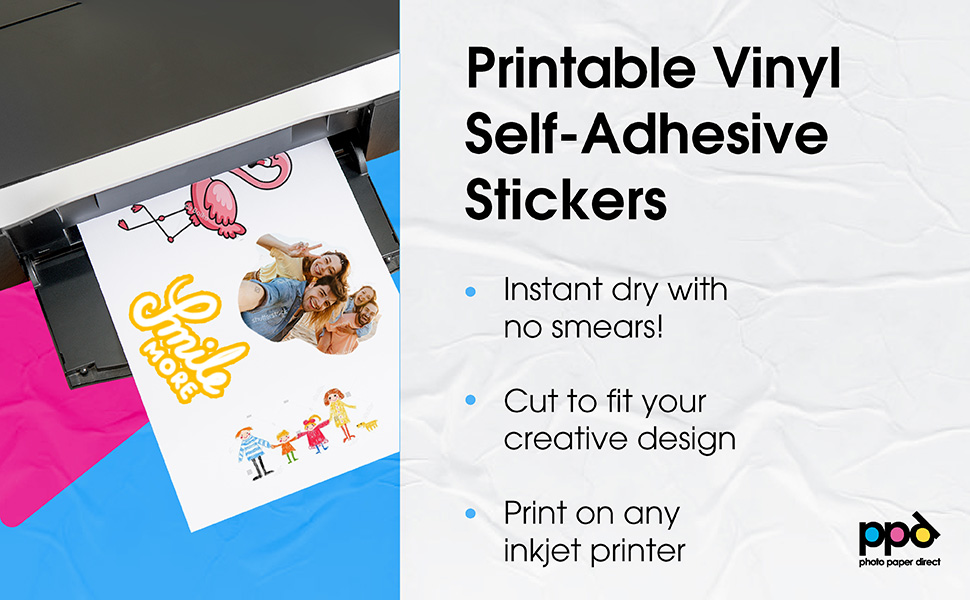
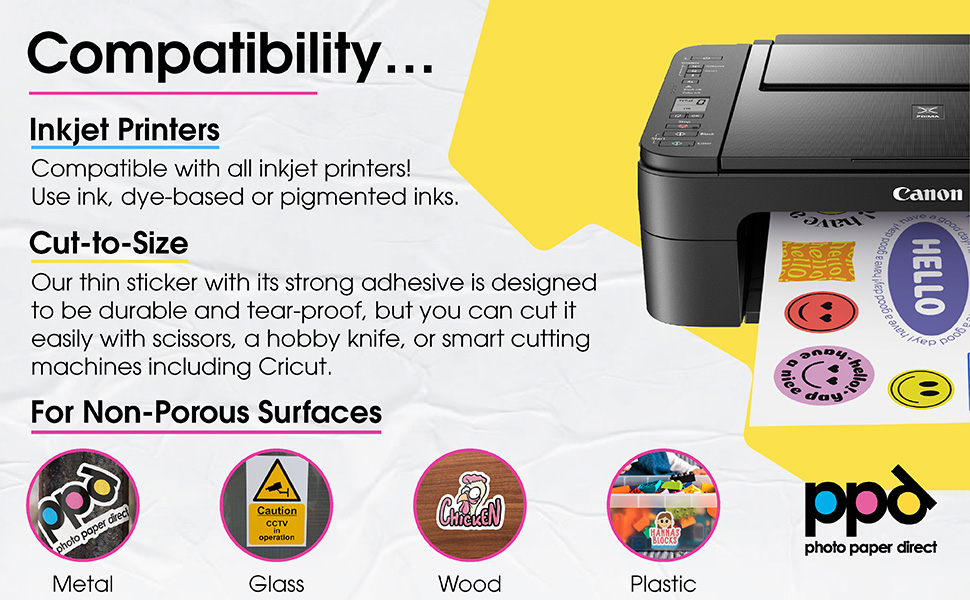
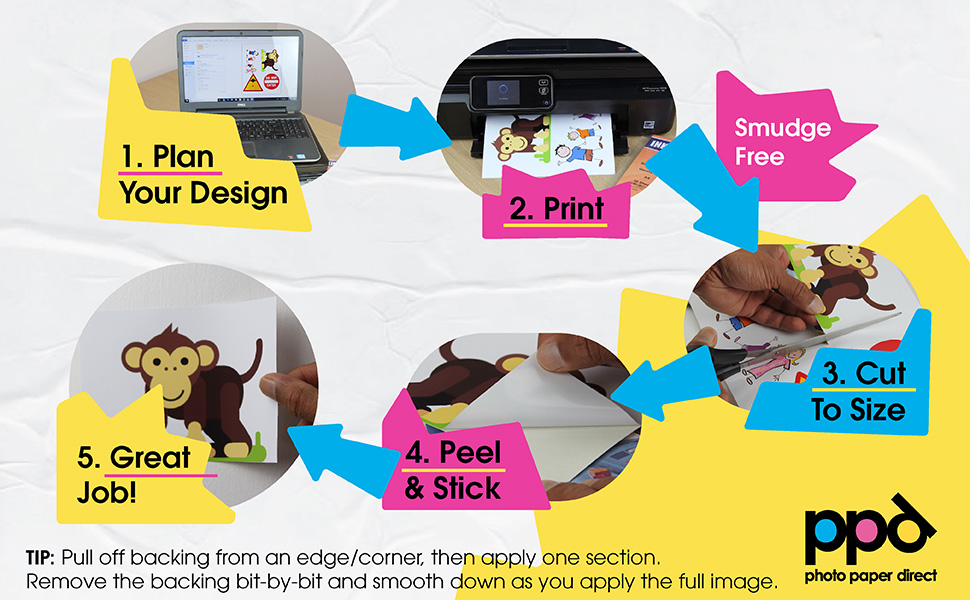
PPD Premium Printable Vinyl Sticker Paper offers 20 sheets of high-quality, matte-finish, waterproof vinyl designed for inkjet printers. Its instant-dry, tear-resistant surface delivers professional-grade photo-quality prints with strong self-adhesive backing, perfect for creating durable, custom stickers for personal and professional use.




| ASIN | B001W9LJ94 |
| Best Sellers Rank | #17,471 in Office Products ( See Top 100 in Office Products ) #104 in Inkjet Printer Paper |
| Brand | PPD |
| Brand Name | PPD |
| Brightness | 85 Lumen |
| Color | White |
| Customer Reviews | 4.4 out of 5 stars 8,965 Reviews |
| Global Trade Identification Number | 05055523300552 |
| Item Dimensions L x W | 11"L x 8.5"W |
| Item Type Name | Inkjet Creative Matt Vinyl Stickers |
| Manufacturer | Photo Paper Direct |
| Material Features | Waterproof |
| Paper Finish | Matte |
| Paper Size | A4 |
| Paper Weight | 20 |
| Sheet Count | 20 |
| Sheet Size | A4 |
B**S
Great Quality! Great Price! 10/10 will buy again!
I started to ordered this paper with Avery Self-Adhesive Laminating Sheets to make them more Water and Weather Resistant instead of purchasing AIVA Paper Group Matte sticker paper, which at one point was costing the same amount to get this Vinyl Matte Sticker Paper and the Avery Laminating sheets. When Printing, I use my Epson Ecotank Photo Et-8550 using the rear feeder rather than putting it in the paper tray below so it wouldn't bend, crumple, skew, or just be ruined. I would HIGHLY RECOMMEND to check if your printer can handle this paper before making the purchase. I use the paper with my Cricut Explore Air 2, and because of the laminating making the paper reflective, the censor can have a bit of trouble picking up the guidelines. I set my printer to high quality and put some Matte tape over the guidelines and to take care of this. Because High Quality uses more ink to make the design look it's best, after printing I let the PPD Sticker paper dry between 5 minutes to even 2 hours before laminating mattering on the design. I will say, when setting it up with your Cricut, this paper can take some messing around with, so be prepared to lose a couple sheets while getting setup for the first time, because this is Laminated Vinyl, I set the pressure to Poster Board + to cut ALL the way through the sheet to get die cut stickers. You may have to do some more testing for yourself if you do not laminate the paper. Overall I am immensely satisfied, My customers have been immensely satisfied, and I will be purchasing more PPD Matte Self-Adhesive Vinyl Sticker Paper in the near future!
T**O
Makes wonderful labels/stickers for our soap company!
Bought these after lots of research on vinyl paper, and couldn't be more impressed with their performance! We are a small soap company that uses this sticker paper on an Epson ET-8550 printer, with absolutely fantastic results! Zero payment or kickbacks for this review! We actually stopped buying stickers because the price per sheet is so much cheaper, and clarity is brilliant. Completely waterproof, smear-proof, even on liquid soap bottles! Think bumper-sticker strength, these stick so well to our products. Worth your money!
R**.
It's a great product to print your own stickers.
I think this product is great no problems printing on the material with great cohesion. When I went to apply the stickers, it was a little slow to stick to the cleaned surface I was attaching the homemade decals to. I am showing an image of the finished item I was sticking these on so you can judge for yourself if this product is for you. I think with a little bit of heating to the surface you are attaching them to they will do great holding the color as well as sticking to the surface of where you apply them. Great seller and quick to ship them out to me, thank you for the purchase.
J**A
Good, but not perfect.
I'm printing on an Epson ET-2550, which uses pigment based inks. Let me start by saying I've been testing a lot of papers for a very specific purpose in printing my own trading card game, and for this process, I need an adhesive paper and a paper that can print on both sides. At least one side needs to be a high quality print. I have also been looking for a very specific feature of being able to easily slide cards against each other without having to do anything extra to them to make that happen, but understandably, no paper is ever going to tell me whether it can do that before I try it. I figured I would try this in hopes that with it being vinyl it might be more slippery and slide against other papers better while printing with the high quality for one side that I need. The print quality is good, certainly better than regular paper, but maybe not quite as good as other photo papers. You can see the vinyl sticker on the left compared to PPD's canvas textured photo paper on the right in my attached photo. The colors and black looks slightly faded in the vinyl sticker in comparison. Ignore the weird black lines that appear out of alignment, one of the printer's nozzles was messing up, so that had nothing to do with the paper. I tested the water resistance by getting my finger wet and gently rubbing the corner of the card a few times. You can see the bottom right corner of the vinyl sticker smudged a bit, so it was less water resistant than expected, especially considering the pigment inks from my printer should be more water resistant. I have produced more water resistant prints on other papers where I have seen others say water washed the ink nearly completely off. So perhaps this product is somehow formulated to be more water resistant with dye based inks rather than pigment based inks. Lastly, in case anyone else out there is looking for sticker paper for making playing card games, my cards using these vinyl stickers did not slide against each other any better than most regular paper. My current method for making them work is rubbing them for a few seconds with the wax paper backing removed from sticker paper, which worked just as well with this product, though I'm not sure if I used its own backing or one of the others I had laying around. In conclusion, I would say this product mostly does what it says it does, and if you are looking for a matte adhesive paper that prints with close to photo paper quality, this could work for you. It just wasn't quite perfect for my project. It's also a bit expensive for my project since I could more or less achieve the same quality of card at a lower cost by using a cheaper matte photo paper for the front with a low quality sticker paper for the back. I'm sure I can use it for some other project though.
S**Y
For all your labeling needs
This paper stands up in the coldest of refrigerators by far the best for cold labeling needs
D**T
Great Ink Absorption but Prone to Bending
This matte vinyl sticker paper absorbs ink much faster than most other brands I’ve used, which is a big plus. However, when printing with my Epson ET-2800, I ran into a few issues. The sheets bend easily, especially at the corners, and this sometimes causes them to catch on the curved edges inside the printer. As a result, the first sheet often smears, while the rest usually print fine. Because the paper is sensitive to bending, proper storage is important. Avoid stacking anything uneven on top of the sheets or storing them upright, as the corners can curl. Overall, the print quality is great, but the paper does require a bit of extra care to use smoothly.
A**E
Tricky to work with but amazing quality
First off, I will say this paper can take some messing around with, so be prepared to lose a couple sheets if it's your first time. I got this paper to use with my Cricut, and because of the gloss, the censor can have a bit of trouble picking up the guidelines. This is because the paper is very reflective. The Cricut is more designed to work with matte items when printing. I set my printer to high quality to take care of this. High quality uses more ink and makes the guideline darker. Make sure to let it dry 5 minutes before putting it into your Cricut or silhouette machine. Also, because this is vinyl, I set the pressure very high to cut ALL the way through to get die cut stickers. Play around with it if you're not sure. At first, I tried to print these with a standard printer, but it sort of "chugs" the paper because it's quite thick. I already have a poster/large printer, so I was able to use that since it can handle heavier papers. Check if your printer can handle this paper before buying! Overall, I'm extremely satisfied because the paper is a good price, and the stickers are very high quality (and waterproof!)
D**E
My go to for stickers
This is the only sticker paper I have used and will be using going forward. This is my second purchase. Colors are vibrant and it cuts easily. I use the sticker function on my cricut and use the sticker paper transparent holographic setting for die cuts. I will say, idk if it’s full blown waterproof (haven’t tested over regular use on a tumbler for example) but it is definitely water resistant. I’ve ran it under water multiple times and nothing happens. In my video there is no laminate on top and you can see the ink is not going anywhere. I use an Epson printer. Love it!
Trustpilot
2 weeks ago
1 month ago