We remain fully operational. Our teams are working around the clock to ensure your deliveries continue safely.

DOWNLOAD THE APP


Copyright © 2025 Desertcart Holdings Limited
DOWNLOAD THE APP
Buy anything from 5,000+ international stores. One checkout price. No surprise fees. Join 2M+ shoppers on Desertcart.
Desertcart purchases this item on your behalf and handles shipping, customs, and support to KUWAIT.
🎬 Unlock your media universe in stunning 4K—because your content deserves the spotlight!
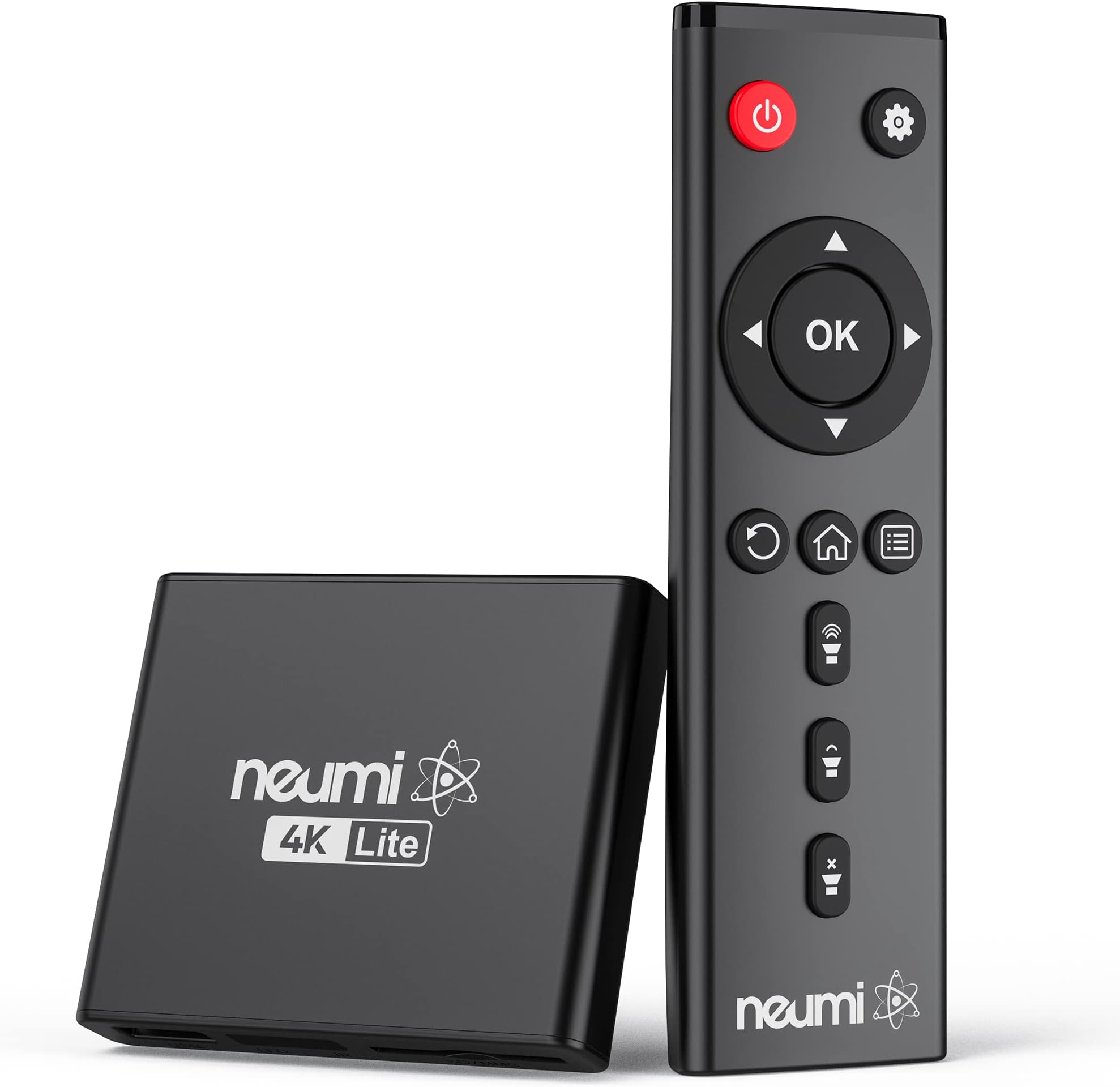
The NEUMI Atom 4K Lite is a compact, user-friendly digital media player that delivers ultra-HD 4K video at 60Hz via HDMI, supports massive USB (up to 8TB) and SD (up to 1TB) storage, and plays a wide range of media formats. Featuring automatic playback, looping, and a unique trigger input for interactive use, it’s designed to effortlessly upgrade any TV setup—old or new—into a versatile multimedia hub.
| ASIN | B08MFFVD1P |
| Best Sellers Rank | #8,959 in Electronics ( See Top 100 in Electronics ) #48 in Streaming Media Players |
| Brand | NEUMITECH |
| Color | Black |
| Compatible Devices | Television |
| Connectivity Technology | HDMI, USB |
| Connector Type | HDMI |
| Controller Type | Remote Control |
| Customer Reviews | 4.3 4.3 out of 5 stars (541) |
| Form Factor | Media Player Box |
| Item Dimensions L x W x H | 3"L x 2.6"W x 0.6"H |
| Item Weight | 9.9 Ounces |
| Manufacturer | NEUMITECH |
| Memory Storage Capacity | 4 TB |
| Mfr Part Number | ATOM 2K |
| Model Name | digital media player |
| Model Number | ATOM 4K Lite |
| Other Special Features of the Product | Seamless video switching, trigger capability |
| Resolution | 4k |
| Smart Home Compatibility | Not Smart Home Compatible |
| Unit Count | 1.0 Count |
| Video Codec | H.264/AVC, H.265/HEVC |
| Video Output Resolution | 2160p/60Hz (4K/UHD) |
B**C
A tiny, no‑nonsense 4K player that just works
This little NEUMI box surprised me with how quickly it boots and how reliably it plays files from a USB drive. The interface is barebones, but that’s exactly what makes it easy — plug in storage, power it on, and it starts playing without any fuss. It handled 4K files smoothly, and the HDMI output looks clean on a projector or TV. Build quality is lightweight but solid enough for a set‑and‑forget setup. If you just need a simple media player for looping videos, signage, or basic playback without streaming apps or complicated menus, this one gets the job done with zero drama.
K**R
Good in a pinch for needed use, certainly worth the $.
It's working as advertised and well worth the $. I've had connectivity issues on one part of my room and where my bed is so I've put lots of stuff on chip - also my own music, music, photos - and these devices play it well. The ONLY complaint - not worth a star but it's a warning in case - they seem largely in one "Mode" or another. That is you have to go to the root menu to play Videos, to play audio only files and then again to view photos... I don't see why they can't make them just do all of it. This particular model does load most files rapidly and has more options but can't rotate photos without going to the setup it seems. An earlier one (different brand) did rotate photos and had a cool zoom feature BUT it took forever for any image > old school SD media to load and did it EVERY time so if you backed out of the photo into the same directory you'd have to wait fora slow crawl. Not here. It also plays more files without error or saying non-supported format vs the earlier model (different brand I think) bought 5+ years ago. Also this thing's remote doesn't disrupt a Insignia or Samsung TV which that earlier one did. I'm just posting these in case anyone has those issues. This is an edge tech but pretty fun and worth the $.
J**T
Good little device that does what it's supposed to!
We ripped much of our music CDs to an external hard drive and also stored our music videos on it. We were surprised to learn we could connect the hard drive to our Sony Blu-Ray/dvd player with a USB cable and play these files over our TV. However we have more than one TV and didn't want to move the dvd player back and forth. With a quick search we learned there was such a thing as a media player. We bought the NEUMI device because it was the cheapest on Amazon at the time and it had good reviews. We plugged it in (hard drive to NEUMI by USB, NEUMI to TV by HDMI) and ta-da! it worked. It actually recognized the hard drive with less fuss than the dvd player does. The picture and sound quality are, as far as I can tell, the same (although the small TV is a limiting factor for the sound). The remote is pretty easy to use and has positive "feel" to it - no delay or need to press more than once. We play .flac, .mp3 and even .wav audio files and .mp4 video files and have had no problems (some of the video files are over 2 Gb in size.) We use a 4 TB Western Digital external hard drive also with no problems. One criticism is the NEUMI usually doesn't show the metadata (artist, song title, album) for the music files although there is a place for it on the screen--it does show the file name which is usually the song title. The Sony dvd player does show the metadata for the same files. Also, sometimes it is hard to navigate backwards without going past the screen you want. All in all, it's a good little device than does what we want it to. I'd say 4 and a half stars but I'm rounding up to 5. (If it starts having problems or stops working, I'll update my review.) We're in the process of downsizing and we think that with a decent sound bar we won't bother with a separate stereo system.
G**E
Easy to use.
So far this device has been working very well. It's easy for less tech savvy individuals to navigate.
J**G
Best media player I have used so far.
This is the perfect media player for all my downloaded videos. It plays all formats.
P**N
works for TV-based slide show; no USB power
Modern TVs should be able to do slide shows all by themselves, but I've never found one that could be programmed to turn itself on at, e.g., 10 am every day and start going through images on a USB stick. An LG TV, at least, can be programmed to turn itself on and show whatever is on HDMI2, for example. If you plug this Neumi device into HDMI2, therefore, you can have a digital photo frame on your wall during the daytime instead of a big black void. There are two menus that you need to use, one for the overall device (set to autoplay photos) and one for the slide show itself. The settings seem to be sticky so they should survive power failures. For autoplay you need to format a USB drive as NTFS and put all of the photos at the top level of the drive (can't organize into folders). This device comes with a wall wart, which makes no sense in our age of USB/USB-C. This makes it tough to have the device turn on/off with the TV. Also, the remote is infrared-based instead of radio/Bluetooth. It would be better if one could control this from a phone via Bluetooth or at least with an RF-based remote so that the box could be hidden behind the TV. It doesn't seem to have an option to display either the filename or a caption associated with each photo. The device is compact enough to travel with so if you need to do a slide show on a TV at an event and don't want to rely on a laptop computer this could be useful.
C**Y
Bought two, the both just stopped working - complete waste of money
Didn't last a year. Bought it the end of May 2025, broke mid-April 2026. Just stopped working. Gave me a black screen, like a DOS screen. Wouldn't come up. Tried everything. I don't know why I buy these no-name electronics that come directly from China when they're so poorly made. This is no exception. And the dumb thing is I bought two and they both broke, making me the dumbest person ever. AVOID this waste of money.
M**A
Notice en chinois, il faut le renvoyer aux USA 35 euros de port pas un bon achat
P**A
Hatte mich für dieses Gerät entschieden da es nach Beschreibung alle gängigen Formate wiedergibt. An sich Kein schlechtes Gerät, leicht einzurichten und die Menüführung selbsterklärend. Das Problem ist nur das es kein einziges USB Gerät größer als 64 gb erkennt. Egal ob Stick oder Festplatte, egal wie es formatiert ist. Ein Stick mit 32 gb läuft super. Meine sämtlichen Festplatten, auch neuester Generation werden nicht erkannt, nicht mal eine SSD !!! Keine Ahnung wie die positiven Rezessionen zustande kommen. Das Ding ist Schrott, Finger weg davon.
B**2
Buen producto, no me fijé que era el "lite", sin embargo trabaja muy bien como el 4k normal
T**R
So läuft‘s auf dem Messestand mit jedem TV. Davor hatte ich immense Probleme, vom USB-Stick die Videos abzuspielen. Benötigt Netzanschluss 220 V
C**R
Funcionando perfectamente en una honda Odyssey 2025. Inicialmente me habían recomendado un Google Chrome, pero no funciona de forma correcta para solo guardar y reproducir muchas películas.
Trustpilot
1 month ago
4 days ago