Buy anything from 5,000+ international stores. One checkout price. No surprise fees. Join 2M+ shoppers on Desertcart.
Desertcart purchases this item on your behalf and handles shipping, customs, and support to KUWAIT.
🖌️ Unlock your creative edge with precision and portability!
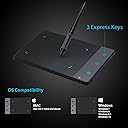
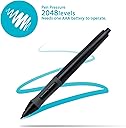
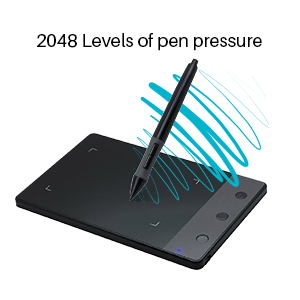
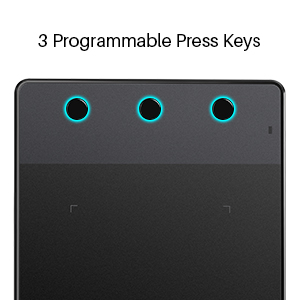
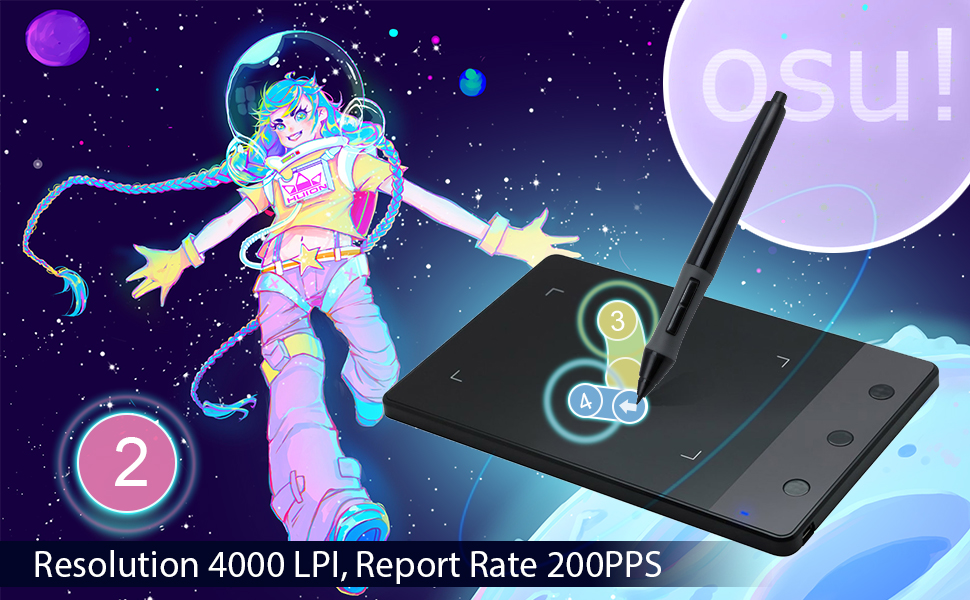
The HUION H420 is a sleek, ultra-portable graphics tablet featuring a 4x2.23 inch active area and 2048 levels of pen pressure sensitivity. Designed for beginners and professionals alike, it offers plug-and-play USB connectivity, 3 customizable express keys, and broad compatibility with Windows and Mac OS. Perfect for digital drawing, photo editing, note-taking, and even OSU gameplay, this tablet transforms your workflow with natural pen input and customizable shortcuts—all in a compact, lightweight design.


| ASIN | B00DM24HNE |
| Active Surface Area | 4 inches x 2.23 inches |
| Additional Features | Stylus |
| Best Sellers Rank | #221 in Computer Graphics Tablets |
| Brand | HUION |
| Built-In Media | Tablet, wireless pen, user manual (English language not guaranteed) |
| Color | Black |
| Compatible Devices | Desktop, Laptop |
| Connectivity Technology | USB |
| Customer Reviews | 4.1 out of 5 stars 2,628 Reviews |
| External Testing Certification | não aplicavel |
| Global Trade Identification Number | 06020615194882 |
| Item Dimensions L x W | 6.97"L x 4.41"W |
| Item Weight | 127 Grams |
| Manufacturer | ShenZhen Huion Animation Technology Co., LTD |
| Mfr Part Number | H420 |
| Model Name | H420 |
| Model Number | H420 |
| Native Resolution | 4000 LPI |
| Operating System | Windows 7 and above, Mac OS 10.12 and above, |
| Pressure Sensitivity | 2048 Levels |
| Screen Size | 23 Inches |
| Special Feature | Stylus |
| Specific Uses For Product | Digital Drawing/Online Learning/Remote Working |
| Target Audience | Student |
| UPC | 601706976448 519670707916 |
| Warranty Description | 1 Year warranty |
O**R
osu! approved
For the price, this tablet is great. For those of you who want to test the waters and see if the tablet play-style is better for you, you may have found the tablet you've been looking for. I was a mouse player at first, but felt restricted due to the amount of wrist movement involved in completing large jumps or going through fast-paced songs. There was a lot of friction/drag that I was dealing with and it was recommended that I play on a low mouse sensitivity (800-1k) even though I thought higher sensitivity reduced the amount of effort involved in completing a song. I saw that a friend of mine had this tablet and he said he had noticed an improvement over mouse, so I pulled the trigger. I thought, why not see what this is like. Upon receiving the tablet, I plugged it in and instead of using the (possibly older) drivers that came with it on the CD, I downloaded the latest drivers from Huion's website. The install went through and allowed me to configure the tablet. First thing I did was change the screen to match my osu! Unchecked "Support TabletPC". Went into advanced settings and selected "Screen ratio" so that the tablet area 1:1 matches what you're seeing in game. Make sure the "Control cursor" option is checked. Next, press start and search for the "Pen and Touch" setting (Win10). Double click the "Press and hold" option, uncheck the box. Click on flicks, make sure that these are unchecked. Having these checked will cause any fast movement of the pen to preform an action, which we don't want to happen in this case. Click apply. -----osu! settings :Settings\mouse : **Raw input enabled **Map absolute raw input to the osu! window: Disabled (optional, but theres no need for this to be enabled since we have this configured in the drivers). **Disable mouse buttons in play mode : Enabled (Not optional. If you don't have mouse buttons disabled, when you press the pen to the tablet it will count as you holding left click. Since you're already pressing left click, it won't let you use Z/X to hit notes and you'll miss everything. F10 is the hotkey to disable or enable these, so be careful if you use the other F keys. :Settings\Other : **OS TabletPC support : Enabled (Optional) I used a small knife to pry the button off of the side of the pen. If these buttons are pressed they will stop the movement of the cursor in-game, even if you have them set to do nothing in the driver. I kept accidentally pressing these and i decided that they HAD to GO lol. The button will come off easily and is not held in there by any wires. The good thing about this is that if you ever want to have the side button back, you can simply put it back in. Just don't lose it ;) That should be all of the settings that you need to configure. Seems like a lot but it doesn't take long and once you do it you're set and only need to open the driver again to switch the monitors that the pen is active on. Onto the actual review. When I first started trying to play on the tablet there was a bit of a learning curve. I had never used a pen before and wasn't sure on how I should grip the pen or where I should keep the tablet itself. I am also left handed, so I had to switch hands (left for the pen, right for tapping num keys). Within a couple of days though I had this thing down. I was going all over the screen easily without any friction and found that I could now keep up with long jumps and fast paced songs. Before I would fail spinners, causing me to lose my FC, and I had a tough time going from a spinner to immediate next note whereas now I can get additional points from spinning so fast. This seems to have resolved the issues I had with a mouse. Once you get past the learning curve I feel that the improvement is very noticeable. To me this is the best way to play osu! Yes there are pro mouse players out there, not hating on mouse players (tablets aren't for everyone) but for me I was able to exceed the amount of skill that I had with the mouse in a very short amount of time. If you regularly play osu!, then I would recommend trying a tablet and seeing if it improves your experience. This tablet has not given me any issues 5/5
S**W
Responsive Tracking, Responsive Pressure Sensor, And Works Flawlessly In Graphics Programs (Adobe Photoshop, Corel Painter, Etc)
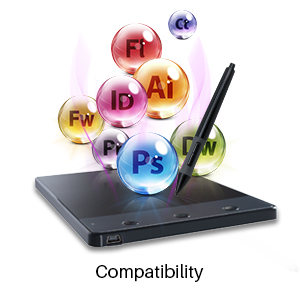
I've used this tablet on Photoshop CS5, Corel Painter 12, Corel Painter Essentials 5, and even Microsoft Paint! And this tablet works flawlessly on all of them. The pen is pressure sensitive. In Corel Painter, the harder you press, the broader the brushstrokes or pen strokes. The pressure can be adjusted in settings. The pen can also be used as a mouse. The cursor moves in response to movement of the pen when the pen is hovered over the pad. Touch the pen to the pad for left-click. You can drag and drop windows, re-size windows, and perform other functions as easily with the pen as with a mouse. The tablet is compatible with a multi-monitor setup. I have no problem mapping the tablet to my dual monitors. You can also map your tablet to just one monitor or a PORTION of the monitor (by specifying the x-y coordinates). Nifty! Installation is easy. Important: BEFORE you connect the tablet to the USB port on your computer, you want to install the driver FIRST, and THEN connect the tablet to the computer. The driver is located on the CD (the Huiontablet Website was down when this review was written, so I was unable to access the latest driver on the Website). If Autorun doesn't kick in to auto-launch the setup program when you insert the CD, here's what you do on a PC: Navigate to [CD Drive]\Windows Driver\Driver for 680S_H420_420_H58L_H690 and double-click on Setup. (On a Mac, the installation files are located in [CD Drive]\Mac Driver\H690_H420_420_PenTablet setup.mpkg). The only thing I dislike about the tablet is you can't change its orientation for lefties like myself i.e. orient the tablet so the 3 shortcut buttons are on the right, not the left. Still, despite the downside, this tablet has exceeded all of my expectations. In fact, it is light years ahead of my antiquated Wacom Graphire "Steel-Blue" Tablet. I don't know this tablet compares with a modern Wacom tablet, but I'm pretty sure it's a safe bet to say this tablet is a very, very good alternative, especially if you're on a tight budget.
F**N
Difficult But Easy
So when I first got it in the mail, it was in a over sized box, a much bigger box than needed for something on the smaller size, but when I opened it, there was no bubble wrap or anything to protect it from bring thrashed around inside the big box, but as for the tablet itself, it's nice and small, defiantly on the lighter side when it comes to the weight of it, the pen feels decent in weight (after putting the AAA battery in it), the quality doesn't feel cheap but doesn't feel high grade either, had some issues when it came with drawing with the tablet, the main issue it seems is that the two buttons on the pen don't seem to function very well, when I would press and hold one of the buttons on the pen, the cursor wouldn't move at all, somehow I fixed it, not sure how, but the cursor is moving fine now after reinstalling the drivers, the response from the pen to the tablet when drawing is pretty good, no issues when connecting it to my computer, overall it's a nice drawing tablet for someone wanting to get into digital art for a very good price, just with a couple of issues to work out at the start, so keep that in mind when purchasing this tablet.
H**W
The issue is with the pen it's the most useless hunk of junk you will ever encounter
The tablet itself works well enough. The issue is with the pen it's the most useless hunk of junk you will ever encounter. First due to the battery it's much heavier than the competition's pens. Second of all the drivers leave a lot to be desired. Third the pen is so fragile you could drop it from a foot and i'm pretty sure it would find a way to break. If you try and change the battery you will likely crack the part that screws into the head of the pen. To top it all off the support is 100% useless. They walk you around the bush again and again and they do eventually admit the pen is defective. Though to get them to do so is a quite the process and if you need to do so i wish you luck. The feet on the bottom of the tablet are quite bad and fall off quite quickly. Honestly i wouldn't bother and would just get a used wacom off of ebay.
K**T
Great for the Under $50 Pricepoint
This is a great graphics tablet for this price range! Here's why: *It's bigger than it looks, but small enough to not take up a lot of desk space if your space is limited. I was able to draw using this tablet with no issue, the surface area is large enough to capture larger strokes of the brush. *The pen pressure is sensitive enough to work well with watercolor and paintbrush tools on graphics programs so that you can still achieve a gradient or tapered brush look. The pressure is also adjustable so that you can adjust for heavy-handedness if need be. *Express buttons -- I'm used to the express buttons from my personal Wacom tablet(this is a gift for someone) and it's nice to see them in this tablet, they're great to create shortcuts when working. *It takes very little time to get used to the way the pen works. *Great starter tablet or tablet for casual users who don't want ti spend 100+ on a tablet they aren't using everyday. **CAUTION** the pen can lose pressure because it registers your hand if you are someone who touches the side of your hand to the tablet when writing or drawing(like I do), I recommend adjusting your hand position when using this tablet or getting a half glove :) I've attached a quick test sketch made with this tablet for demonstration purposes
J**N
It's not bad, but it's not terrific.
(Review solely done for OSU, not drawing) To sum it up quickly, it works, but not amazing. But for the price, its well worth it. The pen that comes with the tablet feels very cheaply made. It takes 1 AAA battery and battery life is pretty average. The pen will crack if dropped on a hard surface and then will not flushly screw back the tip to the base. This can be easily fixed with the better version of the pen that is rechargeable. But also, for god sakes, let me disable the buttons on the side. It's so unpractical to have those on the thing! If you press the button during play, your cursor will lock up while holding the button and cause you to fail instantly. Disabling the buttons don't do anything either, same outcome, major flaw. The tablet, oh boy, what mixed feelings I have about this. It works, don't get me wrong, but its just barely not the right size. You won't be using the whole surface area to play OSU as that's just not pleasant jumping all around like that. I have my area size at the very top left of my tablet, but my hand can't rest on the rest of the tablet. This just makes playing a little awkward as half my hand has to hang off the side of the tablet. And I have some pretty small hands. Overall, it works and it works pretty well. It's very cheap, an entry level tablet and for that, I can't bash it much. Only three major problems to weigh in on buying this tablet. 1. ) The pen is honestly poor 2.) The pen locks up when clicking the pen buttons 3.) Hand lays off tablet, making it uncomfortable
A**R
i ordered the wrong kind of tablet but its ok i guess
I ordered this without looking at the photos enough because I was in a rush and was surprised when it was so tiny. Looking at the photos now I can only curse myself because the size was made very obvious with comparison to the pen. Though it wasn't the product I was actually looking for, it works very well. It needs batteries for the pen, which is surprising to me since I usually use the bigger desktop laptops, but I'm assuming this is for one of the other capabilities of this device that isn't just drawing on your PC. It's a good tiny tablet, works well, very much the tiny size the photos show it being.
J**Y
Works well! Daughter uses for school and drawing
My daughter loves it. Works well. Fairly well made. Good purchase
S**E
Great for the price
Great for the price. I use firealpaca with this and it works great. You can change the function buttons, adjust pen pressure and make it left handed (which is handy for when my brother borrows it. He says its great) Its easy enough to set up. I think its a good product to start out with. The pen buttons can be annoying but I've kinda gotten used to it and use it fine now.
M**O
Buena, bonita y barata (la quinta estrella va por el servicio técnico).
Antes de nada he de decir que es la primera tableta que compro para dibujar, con lo cual no voy a ser muy específico en los detalles ni voy a dar una súper-opinión. La tableta cuesta 30€, hay que amoldarse a eso. Es pequeña (lo cual hace que te la puedas llevar a cualquier lado) y fácil de usar, no te va dar la precisión que otras tabletas de la marca HUION y el espacio de dibujo que tiene al ser tan pequeña es reducido, pero para empezar y hacerse una idea de este tipo de productos basta y sobra. Debo añadir que el servicio técnico al menos a través de e-mail fueron muy rápidos a la hora de responder a mis mensajes y además con gran trato.
A**S
Best product Best quality Best price
Best product for this price. Nice experience. It's little bit small but it's ok for this price. Good performance. Solid build quality. Easy to use. No need to install anything, just plug in and enjoy.
N**O
Für den Preis ein sehr gutes Grafiktablett
Ich habe mir das H420 bei den Amazon Blitzangeboten für 24€ gekauft, habe es nun seit knapp einem Monat in Benutzung und bin positiv überrascht. Da ich erstmal testen wollte wie gut ich mit einem Grafiktablett zurecht komme, wollte ich auch keine 50€ aufwärts ausgeben. Wie hier in anderen Rezensionen zu lesen ist, ist das Preis-Leistungs-Verhältnis erstklassig. Ich nutze das Tablett unter Windows10 mit dem Freeware-Programm Krita zum hobbymäßigen Zeichnen. Unter Gimp habe ich die Druckempfindlichkeit leider nicht zum Laufen bringen können - auch nicht in der älteren Version 2.8 wie es in einigen Foren empfohlen wird und bei manchen auch zu funktionieren scheint. Anscheinend ist das jedoch ein Bug im Programm, was ich deshalb auch nicht dem H420 ankreiden würde. Glücklicherweise bin ich bei meinen Web-Recherchen auf Krita gestoßen (ein kostenloses Grafikprogramm mit einer Fülle an Funktionen), welches super mit dem Tablett zusammenspielt. Durch den Treiber von der Hersteller-Website ist es möglich, die Druckempfindlichkeit anzupassen sowie die 2 Tasten am Pen und die 3 Tasten am Grafiktablett frei zu belegen: z.B. Links-/Rechtsklick, Tastenkombinationen, Bildschirm wechseln etc. Die Einstellungsmöglichkeiten sind im angefügten Screenshot zu sehen. Der Pen läuft mit einer AAA-Batterie, die ich, seit ich das Tablett habe, noch nicht wechseln musste. Hier merkt man jedoch den Preis: komplett aus Plastik, nicht ausbalanciert, Spitze sitzt nicht zu 100% fest und hat minimal Spiel. Nichtsdestotrotz konnte ich mich doch relativ gut daran gewöhnen und kann damit arbeiten. Leider nutzen die "Pen Nibs" (Spitzen) relativ schnell ab und müssen dementsprechend auch ausgewechselt werden. Bei diesem Artikel sind lediglich 4 Ersatz-Spitzen dabei und müssten entweder hier auf Amazon nachbestellt werden... ODER wie ich es nun gemacht habe: eine Schutzfolie raufkleben, welche es im 2er Pack für ca. 5€ gibt (einfach mal bei Amazon nach "H420 Folie" suchen), damit die Spitze besser gleitet und somit auch keinen (oder zumindest minimalen) Abrieb hat. Zur Genauigkeit des Grafiktabletts: Ich nutze eine Bildschirmauflösung von 1280x1024 und habe beim Zeichnen keinerlei Probleme - zur Not gibt es im Zeichenprogramm auch immer noch die Zoom-Funktion. Zur kompletten Bedienung des PCs würde ich das H420 aber nicht benutzen - da komme ich mit der Maus um einiges besser klar. Die Zeichenfläche ist mit 105mm x 140mm nicht winzig, aber natürlich relativ klein und erfordert logischerweise eine präzisere Bedienung als bei einem größeren Tablett. - Fazit - Für meine Zwecke ein klasse Grafiktablett und eine gute Anschaffung. Funktionen sind ausreichend, Bedienung ist okay und mit der Schutzfolie halten auch die Spitzen. Für den Preis kann ich mich da wirklich nicht beklagen und finde 5 Sterne durchaus angemessen. Ich werde mir aber eventuell mal einen etwas höherwertigen Pen besorgen, der mit dem H420 kompatibel ist. Falls jemand aus eigener Erfahrung einen empfehlen kann, der günstig ist und Zusatztasten hat, lasst es mich gerne wissen!
S**O
Ottima tavoletta grafica dalle poche pretese
La tavoletta è molto piccola, diciamo che le dimensioni sono all'incirca quelle di un tablet da 7". L'area sensibile, ovviamente, è ancora più ridotta, circa 11x6,5 cm. Per alcuni potrebbe sembrare troppo piccola, ma per la come la vedo io (che la uso per il fotoritocco), più piccola è la tavoletta e meglio è: la mano si deve muovere meno e quindi si stanca meno, e la precisione è comunque garantita dagli strumenti di zoom dei vari programmi. La penna è abbastanza ben bilanciata, la punta è responsiva e non troppo dura come avevo letto su alcuni commenti. Anzi, io provengo da una Wacom e mi sembra addirittura più 'soft'. Purtroppo la penna necessita di una batteria AAA (non fornita) e non è a induzione come sulle Wacom. Esiste in vendita una penna ricaricabile tramite USB, che forse vale la pena di acquistare. Naturalmente questa tavoletta non ha funzioni avanzate, a parte tre bottoni configurabili a piacere. Il costo però è decisamente contenuto, e per chi ha un budget limitato o vuole provare come si trova con questo tipo di periferica di input, può essere un buon punto di partenza. Io, come ho scritto prima, l'ho comprata per sostituire una Wacom Bamboo di dimensioni A5, la cui penna si è inspiegabilmente "sciolta" (la parte gommosa che la ricopriva è diventata appiccicosa) e devo dire che con questa mi trovo meglio di prima (a parte la penna che necessita di batteria): le dimensioni per me sono perfette, ed è anche comoda da portarsi dietro. Anche se non è specificato, funziona anche sotto Linux. In modo del tutto trasparente (Plug & Play) se usate un kernel >=3.17, in caso contrario è necessario scaricare gli appositi drivers dal progetto Digimend (cercate su Google), la cui installazione è abbastanza facile: se avete già installato i linux-headers del kernel che usate (molto probabile) si tratta di dare due comandi da terminale (make e make install). Tutto qui. Spero di essere stato utile!
Trustpilot
2 weeks ago
3 weeks ago