


Buy anything from 5,000+ international stores. One checkout price. No surprise fees. Join 2M+ shoppers on Desertcart.
Desertcart purchases this item on your behalf and handles shipping, customs, and support to KUWAIT.
🎤 Elevate your voice, own your stream — sound like a pro, look like a legend.
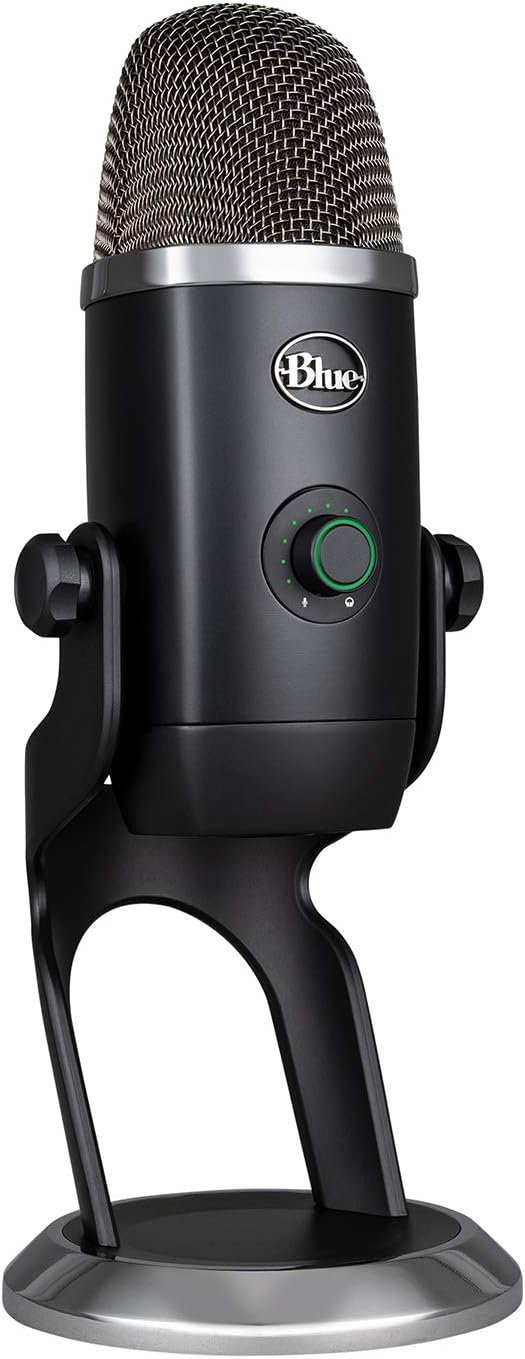
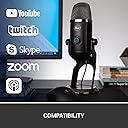
The Blue Yeti X is a professional-grade USB condenser microphone featuring a four-capsule array for superior sound clarity, high-resolution LED metering for real-time audio monitoring, and a multi-function smart knob for intuitive control. Compatible with PC and Mac, it integrates Blue VO!CE software for customizable vocal effects and personalized LED lighting, making it the ultimate tool for gamers, streamers, podcasters, and content creators seeking broadcast-quality audio and style.




| ASIN | B07QKQJL17 |
| Antenna Location | Gaming, Streaming |
| Audible Noise | 120 Decibels |
| Best Sellers Rank | #693,013 in Electronics ( See Top 100 in Electronics ) #273 in PC Microphones |
| Box Contents | 2 Meter USB Cable, Quick Start Guide, Yeti X Microphone |
| Brand | Logitech for Creators |
| Brand Name | Logitech for Creators |
| Colour | Blue |
| Compatible Devices | Personal Computer |
| Connectivity Technology | USB |
| Connector Type | USB |
| Customer Reviews | 4.6 out of 5 stars 4,442 Reviews |
| Enclosure Material | Polycarbonate |
| External Testing Certification | Grau 1, Não aplicável |
| Frequency Range | 20Hz 20kHz |
| Frequency Response | 20 KHz |
| Global Trade Identification Number | 00836213000441 |
| Hardware Platform | PC |
| Impedance Unit of Measure | 16 Ohms |
| Item Dimensions | 11 x 12.2 x 28.9 Centimeters |
| Item Type Name | USB Microphone |
| Item Weight Unit of Measure | 2.8 Pounds |
| Manufacturer | Blue |
| Manufacturer Part Number | 988-000105 |
| Microphone Form Factor | Condenser |
| Model Name | Blue Yeti X Professional USB Microphone |
| Model Number | 988-000105 |
| Number of Batteries | 1 Lithium Ion batteries required. |
| Number of Channels | 2 |
| Polar Pattern | Unidirectional |
| Power Source | Corded Electric |
| Recommended Uses For Product | Gaming, Streaming |
| Signal-to-Noise Ratio | 95 dB |
| Special Feature | Mute Function |
| UPC | 836213000441 |
| Unit Count | 1.0 Count |
| Warranty Description | 2 years limited hardware warranty. |
B**U
Amazing Product
I love its metal body 😍 its a perfect mic i use quality is super cool 🩷💜❤️
M**A
Why not currently available in INDIA ??
Why not available in India 😓😓 pllzz how can i buy this mic Blue Yeti X ... I'm waiting😐😐 .
G**R
Extremamente bom
A qualidade de áudio dele é incrível e ele tem sensores muito bons para captar nos diversos modos dele. Uso diariamente e nunca apresentou nenhum defeito!
A**R
Worth every penny!
I decided to purchase this microphone to record my podcast. I opted for USB microphone instead of XLR because it easily connects to my computer (plug & play). Not only the mic looks professional and well designed, it has a very strong build and the LED metering makes a big difference since it allows you to easily access to the controls (gain/mute/volume) and get visual feedback while recording. The free Logitech G HUB audio software brings your voice to another level. The sound quality is crisp and clear, and there are many options to use vocal effects and turn your voice the way you want it to sound. I use the mic with Rode PSA1 boom arm and Blue Radius III shockmount, and my recordings are spectacular. Strongly recommend it if you are looking for a reliable and quality USB microphone.
F**N
Great USB microphone for my needs, However GHub not so great!
I bought this USB Yeti X specifically to be used in my Music Production Studio, in particular for my Arturia Vocoder V and Ableton Live. I think it’s a great sounding microphone and the interface with headphones and Microphone levels is well thought out. I use it on a Boom Arm instead of the supplied desk stand. The only issue I’ve had is not with the microphone but with the “Buggy” GHub Application. It would not install on my MacBook Pro M1 Chip but it did on my older iMac with a Intel Chip. After going back and forth with Logictec support here was how I had to install it in my MacBook Pro “I would like to confirm if your Mac Book PRO has an M1 or Intel Chip. If your Mac Book PRO has an M1 chip. Please kindly try the troubleshooting steps below. Drag "Logitech g hub installer" into the default application folder in terminal: sudo /Applications/lghub_installer.app/Contents/MacOS/lghub_installer ; exit; hit enter and enter your password. It'll download and install. It'll look like it gets stuck at 99.894669, but give it a minute and it ill prompt you to finish and relaunch.” So I had to use Terminal on my MacBook Pro to finally get it to install. Now here is the other issue, some of the features in GHub work fine, like changing the Polarity or selecting the different Blue Voice Presets but the feature to Record your voice in order to reference how you sound does not work properly. I can get it to record my Voice ONCE, then it will not do it again. The only way is to quit GHub, launch it again and try to record again. But same issue I can only record my voice sample 1 time. It won’t let me try to record a different voice sample after that Also none of the Ambient Sounds or Expressions in GHub play either. Logictec has been notified of the issue but has yet to resolve it. BTW, it is the same issue on my iMac so it’s not the computer. In any event I still think it’s a great microphone, nice quality, good sounding, easy USB Interface and the price was right. I hope the GHub issue gets resolved but it’s not stopping my workflow. UPDATE 4.14.2023 After several emails with Matt at Tech Support is was determined there was a problem and an Update to GHub would be done. Yesterday I received notification that the Update Version was available. I downloaded the Update and GHub is now working perfectly. One note, for some reason when I launched it my recorded voice sounded like an Alien. Anyway Matt mentioned to check the Effects settings and sure enough the an Effect was turned on. Once I set the Effects to off everything is working as it should. By the way if you record your voice for a long enough time (like 45 seconds or so) you can play it back and switch between hearing all of the Preset Mic Sounds and the Effects without having to re record or stop and start again. I have to say as much as the troubleshooting was annoying at times Matt and the Logitech Support Team did a great job.
C**Z
¡SÚPER RECOMENDADO!!!!!!
No me arrepiento de haber hecho esta compra!! Sin duda es mayor a mis espectativas, la calidad del material, calidad de sonido, en verdad me siento muy feliz con mi nuevo amigo, lo podré usar para mis podcasts, videos, streaming, videollamadas, etc. Lo mejor es que tiene un software con el cual se pueden usar presets para distintos requerimientos del usuario, SÚPER RECOMENDADO!!!!!!
M**W
Great microphone - fiddly setup
Superb sound quality. Fussy to set up in Windows - the software is great, once working. You do need to play with windows sound settings and potentially also your onboard sound settings - this mic likes to be the default input. Also - use a powered USB hub to attach the device. If your USB socket is underpowered (very common) your sound quality can be hugely affected.
Trustpilot
1 month ago
1 week ago