


💼 Elevate your hustle with the HP x2 – versatile power that moves as fast as you do!
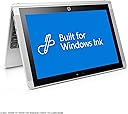
The HP x2 10-inch Detachable Laptop combines a quad-core Intel Atom processor, 2GB RAM, and a vibrant 10.1-inch multi-touch display with stylus support, all running Windows 10. Its lightweight, detachable design offers four flexible modes and up to 11 hours of battery life, making it the perfect companion for professionals seeking portable productivity and creative freedom.




| ASIN | B01KWCIBXS |
| Audio Output Type | Headphones |
| Automatic Backup Software Included | Windows 10 |
| Battery Cell Type | Lithium Ion |
| Battery Life | 11 Hours |
| Bluetooth support? | Yes |
| Brand | HP |
| Built-In Media | 1-Year Limited Hardware warranty, 45W AC adapter, HP Pro Tablet 408 Active Pen, HP x2 Detachable 10-p020nr |
| CPU Model | Atom |
| CPU Model Generation | Apollo Lake |
| CPU Model Number | Atom X5-Z8350 |
| Color | Silver |
| Compatible Devices | External displays, keyboards, mice, storage devices, printers, stylus pens |
| Connectivity Technology | USB, Wi-Fi |
| Control Method | Touch |
| Customer Reviews | 3.5 out of 5 stars 75 Reviews |
| Display Resolution Maximum | 1280x800 Pixels |
| Display Technology | LED |
| Display Type | LED |
| External Testing Certification | Energy Star |
| Form Factor | Detachable |
| Global Trade Identification Number | 00190780619896 |
| Graphics Coprocessor | Intel HD Graphics 400 |
| Graphics Description | Integrated |
| Hard Disk Description | Emmc |
| Hardware Interface | Bluetooth, Ethernet, Micro-HDMI, MicroSD, USB 3.0 |
| Human-Interface Input | Touchscreen |
| Item Type Name | HP x2 Detachable 10-p020nr (Intel Atom x5-Z8350, 2GB RAM, 32GB eMMC) with Windows 10 |
| Item Weight | 2.4 Pounds |
| Lithium-Battery Energy Content | 45 Watt Hours |
| Manufacturer | HP |
| Memory Clock Speed | 1600 MHz |
| Memory Speed | 1600 MHz |
| Model Name | x2 Detachable |
| Model Number | 10-p020nr |
| Model Year | 2016 |
| Native Resolution | 1280 x 800 pixels |
| Number of Ports | 2 |
| Operating System | Windows 10 |
| Other Special Features of the Product | Stylus Pen |
| Processor Brand | Intel |
| Processor Count | 4 |
| Processor Series | Atom |
| Processor Speed | 1.44 GHz |
| RAM Memory Installed | 2 GB |
| RAM Type | Unknown |
| Ram Memory Installed Size | 2 GB |
| Ram Memory Maximum Size | 2 GB |
| Resolution | 1280x800 |
| Screen Size | 10.1 Inches |
| Specific Uses For Product | personal |
| Total Usb Ports | 1 |
| Touch Screen Type | Capacitive |
| UPC | 190780619896 |
| Video Processor | Intel |
| Voltage | 7.4 Volts |
| Warranty Type | Limited |
| Webcam Capability | No |
| Wireless Compability | 802.11ac |
R**.
Great HP All Around 2 in 1 Tablet!
There has not been a lot of reviews on this tablet since it just came out in September 2016. I have had mine now for about a month and I purchased the model with the Stylus. I also purchased the 2 GB RAM/32 GB ROM version because I was not going to be using this as a laptop but the RAM is upgradeable to 4GB should you choose to do so down the road. This is a solid little tablet that feels well made. You don't have to worry about easily scratching the screen because it is Gorilla Glass. It has a full size USB 3.1 port and I am using a 128GB USB 3.0 thumb drive for my large files. File transfers are fast and smooth. It also has a USB-C 2.0 connector which is also used for charging the tablet. The keyboard though small feels comfortable when typing and the keys have a nice feel to them. You will not feel constrained using this 10.1 inch tablet. The keyboard is magnetic and it is attachable in 4 different positions or remove it completely. The magnet is very strong and there is no chance the keyboard will fall off. In the Micro SD card slot I am using a very fast 64 GB card and it is designated as my D: drive. I have Windows 10 set to install all new programs on the D: Drive. Windows 10 with some built in programs that you can remove uses close to 20 Gigs of the 32. This is why you want to use an SD card as your other drive. HP states 64 GB is the largest SD card you can use but I tried a 128GB card and it recognized it with no problem. The version of Windows 10 that is installed is the 64 bit version designed for tablets and small laptops. It will update itself to the most recent version when you get connected to the internet. The charger that comes with the tablet will charge it to 50% capacity in only 30 minutes. Full charge only takes about 2 hours. The battery is impressive. You will get the full 9-10 hours if you use it non-stop. If you use it for normal daily tasks like email, surfing the web, or documents; you will find you don't have to charge it for 4-5 days. I am so used tablet batteries only lasting a few hours that I was very impressed on how this tablet handles the power. There are also power settings you can adjust in Windows 10 that helps tweak the battery usage so you can get the most out of it. The sound on the tablet is pretty good for a device this size. It comes with 2 front facing stereo speakers and DTS sound software to adjust to your liking. You will not get any real bass on the tablet but the sound is loud enough to watch videos and hear everything clearly. Using earphones works well also. Input devices, in addition to the Stylus that comes with it I also received a Bluetooth wireless mouse as part of a special deal. Using a Bluetooth wireless mouse instead of a wireless USB mouse helps prevent having to place a wireless dongle in your USB port so you can use it for storage. The HP Stylus pen is very precise and has over 250 levels of pressure that it can sense so drawing and writing is like using a regular pen. The lighter you press the thinner the line and the harder you press the bolder and thicker the line. The pen and tablet are not up to Surface Pro standards but for the money this is an amazingly versatile device. The Stylus also has a programmable button on it and it can be set to cause action on the screen a few millimeters away from the screen without touching it. This tablet does everything I want it and need it to do plus the bonus of Windows 10 functionality. I would highly recommend it.
S**N
Small, sleek design but it has trouble turning on sometimes
The HP x2 10-inch Detachable Laptop with Stylus is small, easy to transport and can support different programs such as Microsoft Office. It comes with a free subscription to McAfee Security which is nice. The only thing I don't like about it so far is the fact that it has trouble turning on sometimes even if it is charged. If I plug it in and wait a few moments it works. It is slightly slow, so if you are a gamer or like using lots of apps, this may not be the best idea for you. I use it mostly for schoolwork and listening to music on Spotify, so it works nice for me.
N**R
Good product but...
Performance is average, Just don't forget it is a tablet with keyboard, not a laptop. Slow boot up but that's windows fault. It becomes a problem considering it will run out of juice very quickly in stanby mode so you need to shut it down for the battery to last the whole day. Therefore it is not very convenient to use as a tablet, you spend more time waiting for it to boot up than the time you use adding that reminder to your calendar or sending that email.
B**N
Do not buy this product
I purchased this product only to read online news and my email. I could not be more dissatisfied. The biggest problem with this tablet is that the 32GB hard drive is to small to run Windows 10. I cannot believe that they would produce something like it. They are still selling these things by HP and other manufactures. It is impossible to update the twice yearly updates that Microsoft puts out. I have nothing against HP. I have two of their Laser Printers, Laptop and Desktop that I am more than satisfied with. This is why I did not think twice about buying this. Some of the reviews said you could run programs from the SD card. This is true for some but not for most. Once again, you cannot take enough off of the 32GB drive to put on for instance Windows 10 2004 update. If you still think that you want it I would get the model with at least 64GB hard drive. It would be slow put it could be updated. I just purchase a HP EliteBook Folio 9480M 14in Intel Core i5-4310U 2.0GHz 8GB 180GB SSD Windows 10 Professional for less than $300.00 that is absolutely fantastic. It has 14 inch screen but is super fast.
A**R
Great
I love this computer. It's perfect for students. The storage isn't great but an external hard drive or SD card or flash drive can fix that. I feel like the battery life is ok but definitely not the best. Sometimes it's hard only having one USB port but it doesn't bother me as much plus you can always buy an adapter if you need more. My biggest complaint is the stylus. I hate that it takes a AAAA battery. And when I used it it felt like the connection between the pen and the computer was spotty and constantly losing connection. Then my pen physically broke and I can't find a replacement anywhere!!! I want a rechargeable active stylus but I can't find one that is compatible with this labtop and it's super annoying!!!
K**L
Other than that it performs fine. I just would prefer if it didn't have ...
I'm not sure if this is an issue with my particular device but every so often after leaving the device on sleep for a few hours, it just won't turn on even after holding the power button even though I know there is charge left. I have to plug the device in and hold the button for a couple of minutes before it actually turns on. Other than that it performs fine. I just would prefer if it didn't have that power issue.
K**R
Awesome for the price
Bought this for my wife for Christmas. She loves it. Its small so she can take it with her anywhere and serve all her needs. She uses it mainly for studying. It is a bit slow but thats expected for what it is. Also the tablet part on its own is awesome i highly recommend getting the stylist as well
S**N
Nice computer, odd keyboard effects
I'm liking the machine as a computer and for the small size. It's really light, and being able to get a case for it that really fits and has a loop for the touchpen is great. The keyboard is as fully functional for a touch typist as it looked like it would be from the pictures. Nothing funky about offset shift keys or anything. I do have one problem, though. It seems like the shift and control keys don't always work. It's a software rather than hardware issue, since it happens frequently with both the wireless and wired external keyboards I've tried as well. I keep having to go back and try again to capitalize letters or add underscores. For a SQL programmer, it's pretty obnoxious. I finally turned on sticky-keys, but if it doesn't recognize the initial shift press, then the next letter typed is still lower case.
Trustpilot
3 weeks ago
4 days ago