

ā” Power Your Network Like a Pro ā Donāt Get Left Behind!
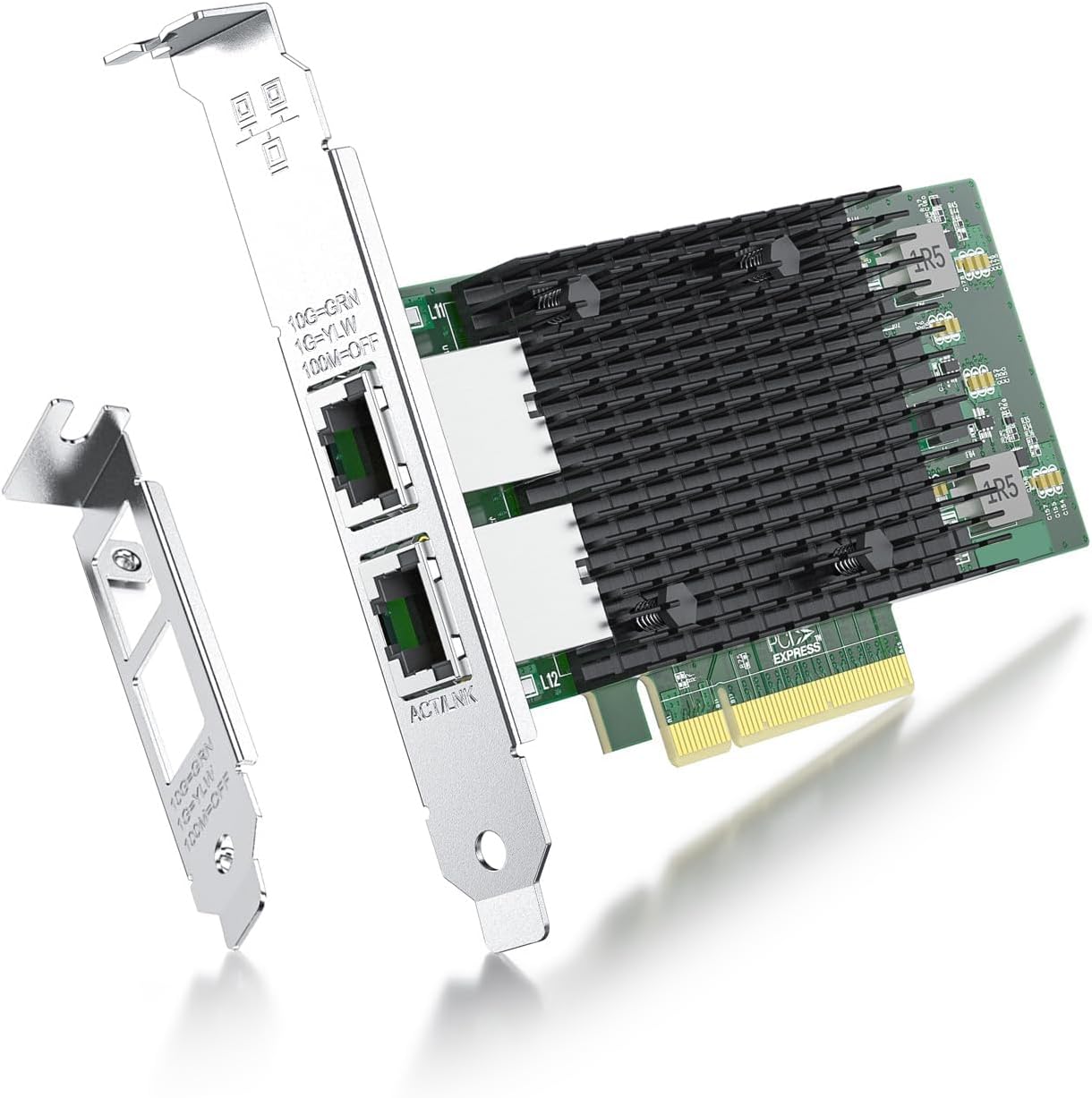
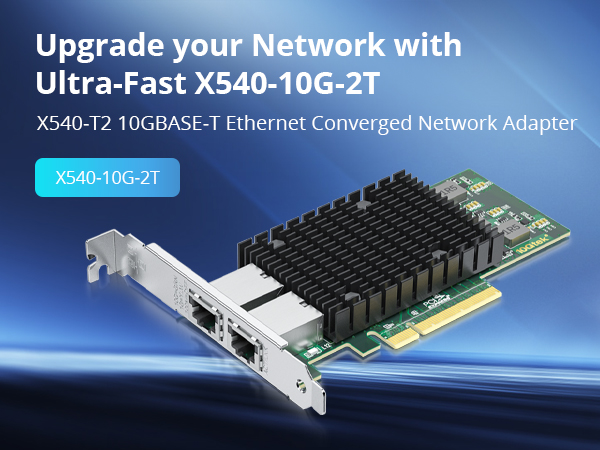
The ipolex 10Gb Network Card with Intel X540-T2 chipset delivers dual 10Gbps RJ45 Ethernet ports, engineered for high-performance networking in professional and server environments. Compatible across major OS platforms including Windows, Linux, and VMware, it supports SR-IOV virtualization for enhanced throughput. Designed with both full-height and low-profile brackets, this PCIe NIC is ideal for demanding setups requiring reliable, ultra-fast connectivity.


| ASIN | B01IR7T7PG |
| Best Sellers Rank | #83 in Internal Computer Networking Cards |
| Customer Reviews | 4.3 4.3 out of 5 stars (172) |
| Date First Available | July 20, 2016 |
| Is Discontinued By Manufacturer | No |
| Item Weight | 5.6 ounces |
| Item model number | X540-T2-Intel |
| Manufacturer | ipolex |
| Product Dimensions | 8.74 x 5.83 x 1.34 inches |
S**R
Great performance, awkward fit in a desktop case
This card does what it is supposed to do. It negotiates at full speed and easily maxes out my connection without any drops or instability. Once it is set up, it just works and stays consistent. Setup was not completely plug and play for me. Windows did not install the driver automatically. I had to go into Device Manager, find the unknown network device, and manually point it to the driver I downloaded from the manufacturer. After that, the card came online and has been solid. The bigger issue was the physical fit. The metal port shield around the Ethernet connector is clearly designed with a server chassis in mind. In my standard RGB desktop case, the top of that shield hit the edge of the case and kept the bracket from seating properly. To make it work, I had to carefully trim the top of the metal shield down to roughly the height of the PCB so the card could sit flush in the slot. After that little bit of handiwork, it fit fine and has been working with no problems. Overall, performance is great and it fully saturates my line, but be aware that you need to install drivers manually and, depending on your case, you might have to do a bit of physical work to get it to fit right.
M**N
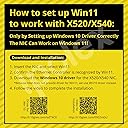
It does work well on Windows 11 with a windows 10 driver follow the video in the image.
I had trouble getting it working on windows 11 even trying some other tutorials I found on the internet. The seller sent me the above image with a note and the card comes up very well on both ports now. For the price this is the best value I have found even through it is using a "old" driver. It works well connected to my Ubiquiti set up. I am glad they responded with a note, I had figured I would have to use it on a server platform instead of a workstation. Follow the video from the link above and it will come right up in windows 11. It will warn you about driver signing but it is an Intel driver it is just that they are not keeping up with windows 11. Beyond that the card works well on my mother board. It has a well designed heat sink and where it is located in system it has a case fan directly cooling it. For the price you are not going to beat the card.
D**R
With this, all of your wildest dreams will come true.
I mean itās a 10gbps network card. Chances are your computer isnāt even man enough to serve 10gbps from its hard drives. Does your switch even lift 10gbps, bro? Does your Ethernet cabling have the testicular fortitude to handle all this Heman glow shine? When a NIC eats up an 8 channel PCI Express port and has a fan on it, you know it doesnāt duck around. Youāre probably going to need a multi device raid to even deliver all that data. Whatās nice is even if you canāt max the stream out, you have a bit of overhead so the network speed doesnāt grind to a crawl during a file transfer. Or if your network is saturated by large data traffic from multiple devices like IP cameras. If you have a solid capable NAS array, these cards really have a purpose for serving data at blistering speeds. Moving large raw movie files and such. The card itself is easy to install and the drivers were easy to find and get working.
D**F
Pro: Cheap, 10Gb, Dual Ethernet, 8x PCIe, Easy(BSD), Stable. Con: No 2.5Gb/5Gb, Runs hot, PCI v2.1
This card is a good fit for my specific use case but it won't work for everyone. It has no 2.5Gb or 5Gb support. It's an 8x PCIe; that's good for speed but won't fit in a 1x or 4x slot. -- This listing says the X540-AT2 "support 100Mb to 10Gb" but the X540 is an older controller. It does not support 2.5Gb or 5Gb. This card connects at 100Mb/1Gb/10Gb only. -- The card is 8x PCIe. I needed this for my older PCIe v3 mainboard (my 1x can't do 10Gb/s). The Intel spec sheet for the X540 says it's PCI 2.1 (32Gb/s@8x). The X540 is discontinued. The chips or cards might be NOS, which is fine. -- It was plug and play for my pfSense 2.7.2 (FreeBSD). -- The X540 chipset runs hot. Reviews say it is stable under heavy use with passive cooling and good airflow. This card has a fan but reports are some fans died early. I have a 2nd fan blowing on mine. The X540-AT2 draws 12.5 watts at 10Gb. This is comparable to other Intel Ethernet controllers. -- My use case: Old ASUS PCIe v3.0 mainboard, pfSense 2.7.2 RJ45 connected to 10Gb ONT, 10Gb SPF+ module in my budget 2.5Gb switch. -- This is the cheapest I could connect 2.5Gb internet to my LAN: This card ($44 used) Sodola 2.5Gb (x8) switch with a 10Gb SPF+ expansion port ($60) Fibergaga 10Gb SPF+ module ($40)
T**N
pfSense Nightly; works just fine with the default FreeBSD driver
Haven't done a speed test yet, but so far it is detected and configured just fine. Edit May 2024: I have been using a few of these for a while, and I just wanted to update on something that I didn't really notice until it was a problem; the card(s) I received were not passive as the picture shows, but rather they have a fan/heatsink combo. I only realized this because the fan on my oldest one of these cards just started with a loud Death Rattle. I unplugged the fan power header from the card, and all is well. So I believe the fan is not needed for actual cooling in a normal (decent) PC case. This does not change my 5-star rating in the slightest, as I believe the fan to be both a cost-cutting measure (one heatsink part across their product line) and overkill (card cools just fine without it) at the expense of simply needing to unplug the fan header before installation.
C**N
Fan Failure in 2 weeks 24/7 running
Network card works fine for my home router I built, but the fan in the heatsink failed in two weeks time. Makes a horrible noise. Unplugged the fan and zip tied an 80mm noctua to it. Cheap cheap cooler on an already lower end NIC, so why did I pay over $100?
T**K
It works, make sure you actually have the bandwidth
I don't really know what to say - it works at amazing speeds, given your internet provider gives you those Gigabits and your hardware can actually handle it. I put it into my Desktop and use it for my Synology 923+ NAS pool. Had to do some minor settings on the Synology side, but my Desktop (win 10) didn't need any drivers, even though they were included on disk, just as smaller bracket. Fits nicely into the slot, very easy to setup, fan works, very quiet. Build quality seems good - no jitter or some parts falling off. P.s. WINDOWS 11: INSTALL THE WIN10 DRIVERS FOR IT FROM THE SITE!
A**R
Cheaper than a network switch so decided to use this to bridge two home PCs together. Worked great after installing drivers. For installing drivers, what worked for me was downloading the X540-10G-2T-X8 (JLX540-AT2) chip package from the QR code on the back of the network card. This takes you to an intel site where you should download "IntelĀ® Ethernet Adapter Complete Driver Pack" after clicking "Show All". Unzip the downloaded file and go to your windows Device Manager. Here you will see some unidentified devices. Right-click each of them and click on "Update Driver". Next, select the option to look for drivers locally. Then, point it to the extracted intel drivers folder. Windows will automatically look for the correct drivers recursively. I had to do this process for both network interfaces on the card. And viola, it works perfect.
Trustpilot
2 weeks ago
1 month ago