Buy anything from 5,000+ international stores. One checkout price. No surprise fees. Join 2M+ shoppers on Desertcart.
Desertcart purchases this item on your behalf and handles shipping, customs, and support to KUWAIT.
🚗 Navigate smarter, drive safer, and never miss a moment on the road!
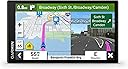
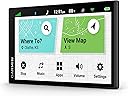
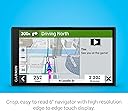
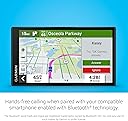
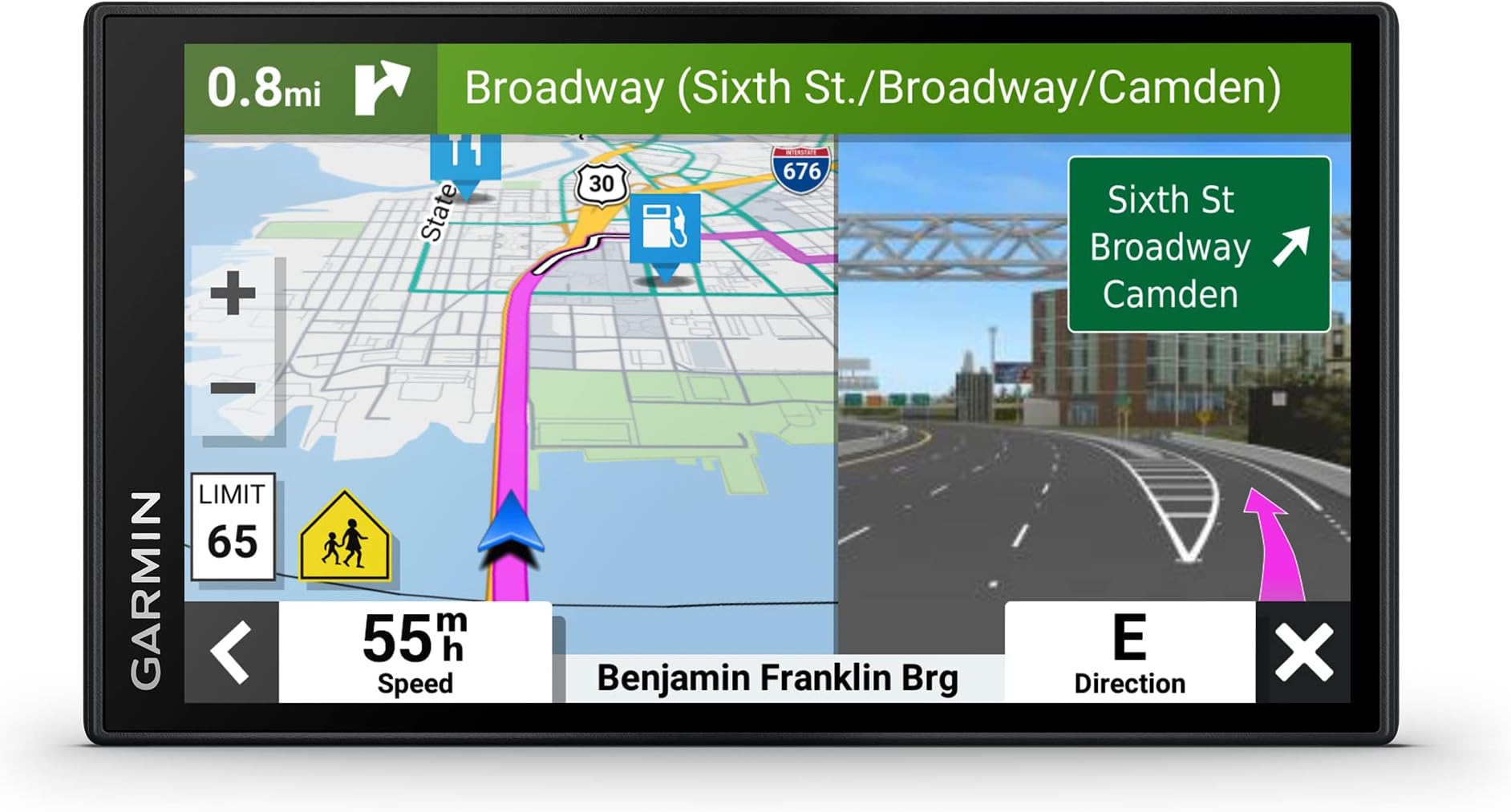
The Garmin DriveSmart 66 is a premium 6-inch GPS navigator featuring crisp high-resolution maps of North America, hands-free Bluetooth calling, and Garmin Voice Assist for effortless control. It offers road trip essentials like Tripadvisor ratings, a U.S. national parks directory, and a HISTORY database of notable sites. Driver alerts enhance safety by warning about speed changes and hazards. With built-in Wi-Fi, it supports easy updates without a computer, and Alexa integration lets you enjoy music, news, and audiobooks hands-free. Compact and portable, it’s designed for the modern driver who demands connectivity, convenience, and confidence on every journey.


| ASIN | B09D5LYKRB |
| Additional Features | Bluetooth |
| Are Batteries Included | Yes |
| Audio Output Mode | Stereo |
| Best Sellers Rank | #1,286 in Electronics ( See Top 100 in Electronics ) #1 in Car In-Dash Navigation GPS Units |
| Brand | Garmin |
| Built-In Media | Garmin DriveSmart 66, vehicle suction cup mount, traffic receiver/vehicle power cable, USB cable and documentation |
| Compatible Devices | Smartphone |
| Compatible with Vehicle Type | Car |
| Connectivity Technology | Bluetooth, USB, Wi-Fi |
| Control Method | Voice |
| Customer Reviews | 4.3 out of 5 stars 3,219 Reviews |
| Display Type | LCD, LED |
| Human-Interface Input | Touchscreen |
| Item Dimensions L x W x H | 6"L x 0.7"W x 3.4"H |
| Item Type Name | Car GPS |
| Item Weight | 6.17 Ounces |
| Manufacturer | Garmin |
| Map Types | North America |
| Mfr Part Number | 010-02469-00 |
| Model Name | DriveSmart 66 |
| Model Number | 010-02469-00 |
| Model Year | 2021 |
| Mounting Type | Dashboard Mount, Windshield Mount, found in image |
| Operating System | Android |
| Resolution | 480 x 272 |
| Screen Size | 6 Inches |
| Special Feature | Bluetooth |
| Sport Type | Running |
| Supported Satellite Navigation System | GPS |
| Touch Screen Type | Capacitive |
| UPC | 753759281151 |
| Unit Count | 1.0 Count |
| Vehicle Service Type | Car |
| Warranty Description | 1 year limited warranty |
R**N
Best mobile navigator I've owned.
I've been a TomTom customer for at least 30 years so I was very disappointed with my inability to find new product on Amazon. Tried a generic brand mobile navigator which worked OK but got tired of searching for audio route directions via FM radio signal. I chose Garmin as a last resort because I've always been biased toward the brand due to my preference for TomTom. After purchase I was quite surprised with the variety of features it has and how user friendly it is. • This model is the first mobile navigator I've owned which features Bluetooth compatibility. I really enjoy not having to sacrifice listening to my music playlist or music app to hear route instructions. THEY PLAY SIMULTANEOUSLY via my Android! • This Garmin even remembers locations I visit around the same time daily and issues a text prompt on the screen upon startup should I choose to visit the location prompted. • I also like the ease of inserting stops along the route to my final destination. • I originally feared the 6 inch screen would be too small since the generic brand screen of my previous navigator was huge. I needn't had worried. The screen image is clear, offers needed map information without excess and audio guidance is precise. At first I couldn't understand why I heard no audio instruction at all. (I'm one of those people who reads instructions as a last resort.) Took me a week to discover the mute/unmute setting in one of the menus. The only thing about using this Garmin that annoyed me was the windshield mount. I quickly replaced it with a compatible dashboard mount. Otherwise I have nothing but praise for the Garmin Smartdrive 66. Highly recommended.
J**I
Aviation at the bedt
Excellent product by a top notch American company that also has an excellent product of aviation, marine, commercial trucking, biking(pedal and motorcycle), running. golf, and many more sports.
M**B
Nice bright display, responsive touch screen, fast routing
I got this to upgrade my very old Nuvi model. On those old GPS displays, the touch screen is SO frustrating and you have to really press and wait for it to recognize each tap. The old one was also frustratingly slow to recalculate the route if I detoured for something like a rest area or exit to get gas. The voice saying "Recalculating" becomes a running joke on long road trips. So, enough about the old one... the new Garmin models have a much more responsive touch screen just like cell phones. The processor in there is a lot faster to recalculate if you're doing a detour (and without the annoying voice telling you about it). It also supports extra nav systems besides GPS which seems to help it be even more accurate (with 10 feet is usually what I got). The old one would sometimes lose signals in valleys or downtown between buildings and might show me a hundred feet away, but this model does a great job of showing where I really am. The voice navigation is amazing. It was so cumbersome to type in addresses on the old one but with the nice touchscreen, that's a breeze, but what I really loved was being able to say "Okay Garmin, go to Walgreens" or something and then pick which one I wanted to go to from the list. I don't know how thorough the database of locations is, but on my recent 3500 mile road trip, I rarely asked it for something it couldn't look up. Fast food and gas stations are just fine, I even asked it to go to a Verizon store when we needed a new phone and it pulled up the nearby locations. My one gripe is probably about the connectivity to my Android phone. The Garmin Drive app works, but the GPS keeps wanting to change the volume of my phone on its own. I also connect to my car radio over bluetooth to play music, and I've setup the Drive app and GPS appropriately for that case, but it seems like when the GPS connects it wants to lower the volume of my phone (and thus how loud it plays music to the car stereo). I can turn it back up, but that only lasts until the next time I get going again. Very weird. I also had problems where the GPS would keep showing "Galaxy S8+ disconnected" over and over. I think that was the power savings on my old phone putting the Drive app to sleep... maybe? I disabled it from being able to sleep, but I haven't driven long enough after that to see if it helped, and then I updated to a newer phone anyway so the jury is still out on whether that's still an issue. That doesn't concern me too much because when I'm driving, I don't really need the GPS linked to my phone although, if I understand correctly, it can get data through that phone connection for even minor things like weather updates or road conditions that maybe the traffic data doesn't get? Or using that tether for software updates too if I'm not within range of my wifi (which really only happens when it's parked in the garage anyway). Overall I'm very happy I splurged for the update. I miss my old Nuvi 1390's ability to connect to the ecoroute module plugged into the OBDII port so I could see the real time gauges right there on the GPS, but I do have a bluetooth dongle for OBD that I can use to see that on my phone. It was just handy because I'd use that whole ecoroute stuff on the GPS to keep track of my gas usage between fillups and it would show my MPG. I got an app for that now, it just means manually putting in my mileage instead of having the GPS already know that. It'd be cool if Garmin added a gas tracker app directly on the GPS... shouldn't be that hard?
T**Y
Much improved when compared to my older Garmin unit.
The DriveSmart 76 is my second Garmin GPS. My first one was the DriveSmart 61 that I bought in 2018. The 61 and the 76 look virtually identical. They both have the same screen size (6.95” diagonally), and they both have the same screen resolution (both screens look very sharp). I’ll be comparing the two in my review. My older model 61 still works fine after six years of use. So, you may ask, why did I feel the need to upgrade to the model 76? Quite simply, the voice recognition on the model 76 is significantly better. Voice recognition is very important to me. I don’t use my GPS while mounted on the windshield or the dash. In my opinion, the moving-map display on a GPS is a major distraction. I see people all the time weaving in traffic because they’re playing with their phone and not watching where they’re going. A few years ago, a driver who was texting crashed into my car. I don’t want to be guilty of that kind of behavior. So when I’m driving, I keep my eyes on the road and my Garmin GPS laying facedown. Because I depend entirely on verbal commands from the GPS when driving, the voice-recognition of the device is very important to me. Voice Recognition: To begin a verbal search on my older model 61, say “Voice Command.” How well does it understand my request? On a scale of 1 to 10, I’d give it a five (5). Some searches are OK. But about half the time it thinks I'm requesting something completely different. This happens even though I’m speaking very clearly and distinctly, or even after repeating the name of a business or a restaurant numerous times. Quite often, the verbal search results on the model 61 are ridiculous, frustrating, and so bad they’re comical. To begin a verbal search on my new model 76, say “OK Garmin.” How well does it understand my request? On a scale of 1 to 10, I’d give it an 8.5. It’s not perfect, but it’s significantly better than the model 61. As a test, I drove around one day with the 61 and the 76 side-by side. The model 76 can usually understand my search request on the first try. However, there were many times when the model 61 failed to understand the exact same request after numerous attempts. Search by Category: Depending on the name of the place you’re looking for, some searches are easier to find on the model 76 by category. For example: You may be looking for a specific German restaurant. If the GPS is having a hard time finding the name of a particular restaurant (because of your pronunciation or some other reason), try requesting “German Restaurant”, followed by the name of the city and state. If there are any German restaurants in the requested area, you’ll be presented with a list to choose from. Improved Voice: Another thing that I like better about the model 76 is a much improved voice. For “American English” (with full “OK Garmin” capabilities), Garmin uses a female voice named Zoe. It’s more clear and natural-sounding than the voice on the model 61. Battery Life: The 61 and the 76 both have a rechargeable internal battery. When fully charged, you can expect the battery to only last about an hour. That’s not very long. But keep in mind that the unit will be plugged into a 12V outlet in your vehicle when in use. The internal battery is really only necessary to power the unit while it’s connected to your computer with a cable (or Wi-Fi), while downloading updates and maps. I find it very helpful to use an AC adapter when downloading updates. Amazon sells them, and they’re not expensive. What you want is an AC adapter that plugs into a standard home 110V AC wall outlet, and has a cigarette lighter socket that supplies 12 volts DC. This allows you to charge the GPS in your home, and also provides you with all the time you need to download updates without running out of power. Tip: When you press the power button on the model 76, it turns off the display and it appears to be off. Not so. It’s only sleeping. To completely turn off the unit and preserve maximum battery power, hold down on the power button. After a few seconds the screen will ask if want to turn off the device. Tap “OFF”, and the unit will be turned completely off. Note: When connected to an outlet supplying 12 volts, the internal battery will still be charged even though the unit is turned completely off. Note: After about five years of use, my model 61 got to the point where it wouldn't hold a charge for more than a few minutes. I replaced the internal battery myself. But to do so, you need the right tools, and you need to be comfortable with taking it apart and putting it back together. I expect the longevity of the model 76 battery to be about the same. Model 76 Likes: 1. Big and clear display. 2. Much improved voice-recognition. 3. Once you learn a few basics, the operation of the unit is pretty intuitive. 4. It has a more pleasant and natural-sounding voice than older models. 5. Free map and software updates. 6. You can sync this device with your mobile phone for phone calls and music. However, I use my model 76 as a stand-alone device. Model 76 Dislikes: 1. The voice-recognition is very good, but it’s not perfect. There are times when I have to repeat or rephrase my request. 2. The one-hour battery life isn’t any better than my older unit. 3. Garmin only provides one voice selection for American English that has all of the “OK Garmin” capabilities. Again, the voice is pleasant and natural-sounding. But it would be nice if they offered other voices for download. 4. Battery replacement could be easier. Garmin knows that no rechargeable battery lasts forever, and that at some point it'll need to be replaced. The internal battery in my model 61 needed to replaced at five years. I did it myself, but it required the right tools, and I was OK with taking it apart and putting it back together. Not all consumers may want, or otherwise have the skill to tackle the job. In five years or so, I expect the model 76 will also require a new battery. Garmin, why not make it easy for the consumer to replace the battery without the need for any tools or skill when the time comes? Final thoughts: I like the Garmin model 76 very much. In fact, I sold my model 61.
P**N
Best of both worlds (dedicated vs. smartphone)! Google traffic/POIs, Garmin nav
I've been using this for over a year, and it's been fantastic. In case this review is appearing in the wrong place (because for some reason, Amazon is grouping reviews for different Garmin devices together), I'm reviewing the Garmin DriveSmart 86. If you think this is your dad's Garmin, you couldn't be more wrong. It merges the best aspects of smartphone navigation (traffic updates, points of interests (POIs)) with the excellent Garmin features. If you don't drive a lot or don't use a GPS a lot, you don't notice the problems with smartphone navigation. But use it enough and you'll notice how much better Garmin is. Do I always think Garmin navigation is always better? No. But on average, I feel 60-70% of the time it's better. Now, if I'm in a heavy traffic situation or if I'm in a very unfamiliar location, I will run both at the same time and then decide based on my prior knowledge of the area and my instincts to determine which one to trust at any given moment. Here's some pros for the Garmin. You don't need any cellular reception in order for the navigation to work. This came in quite handy when I was in areas of poor reception like rural areas. Sure, with smartphones you can download maps but that requires some preplanning. The Garmin is still the best for letting you know ahead of time what lane you should be in which comes in handy when you need to switch multiple lanes multiple times in short succession. You can also have both the map and some text turns at the same time so you can see ahead of time what your turns will be. The 86 has a fast CPU so it doesn't get laggy like older Garmins. It looks great in both vertical and horizontal orientations and for the first time, I feel like the 86 works better in the vertical orientation because of the better viewpoint. The screen is beautiful. The response and touch is great. If you connect the 86 to your smartphone via the Garmin Drive app, you now get all the benefits of the smartphone with realtime traffic (provided by Google I think) and the much bigger database of points of interests. So if you ever thought the Garmin POIs were too small or out of date or if you thought the search engine in the Garmin device was too weak, you can search in the Garmin Drive app and push that location to the Garmin GPS. Same for traffic. Garmin real-time traffic was often too slow to update but now with Garmin Drive, you never miss out on traffic alerts. If it's in Google, you'll find it in Garmin Drive. Of course, if you use Garmin Drive, you will need cellular reception but only while you're searching initially for the location. Once the Garmin is navigating, no cellular needed. The Garmin has so many options on how to pipe the audio. You can separate what type of audio goes through the Garmin and what goes through your car. So if you want phone to go through the car but nav instructions to go to the Garmin, you can. If you want everything to go to the car, you can. If you want phone and music to go to the Garmin but nav instructions to the car, you can. I send nav audio to the Garmin and everything else to the car because I've always hated the up and down volume when smartphone nav sends out nav instructions. You don't have to worry about draining your phone battery. It's easy to use the phone while navigating on the Garmin. The Garmin now uses USB C and the car charging cable also has a USB passthrough if you wanted to charge something else. The only negative (and I don't know if the situation has changed) is that at the time, there was no dashboard mount for the 86. Only the included window mount. The window mount is good but if you don't regularly clean the windshield and the mount, the Garmin will fall off.
S**K
Mostly idiotic design
Simply put, the verbal directions function is very good (i.e. turn here, etc.), everything else is very, very poorly designed and not even close to "smart". The cord is fairly short and if you accidentally pull it from the lighter, instead of switching to battery, it checks for an update and shuts down. By the time it starts back up, you could miss your exit etc. BTW, there is no "resume trip" button, but if you click "map" the trip will still be there (at least it was for me). The button to turn it on is on the back of the unit so don't think about mounting flat against anything. The power supply connector can only be mounted, in the back, pointed up or down, which points the cable in the 2 places it probably won't need to go: up towards the windshield and down in front of whatever is directly under the unit (other than that the mounting system is fairly good). The software design is one of the worst I've ever seen. I searched for Smith Road and Smith Road appeared on the list of streets. But when I clicked it, it said not found. The solution was to type Smith Rd. (which was not on the list). FYI Rd = Road. The other way to select a route is to touch the map at the start and stop points. I figured I'd get close to the exact spot and then edit the address. There's a pencil symbol (which usually means edit text) and there was something else, but neither would let me edit the address. There are so many really stupid features and nothing is intuitive (IMHO). I installed the Garmin app, so that I could use Alexa (the little yellow bus version of AI) but the app didn't connect to Alexa. Two apps that transmit data around the world to use a cell phone to operate a device that is less than 2 feet away (that's genius). The interface is almost as bad as the Pluto TV interface. In the meantime I'm sure all the privacy invading features are working flawlessly.
A**R
Really love this device
I've had Garmin brand GPS before, so I felt confident that I would like this one. The only complaint I have is it did not tell me how I am to update the maps later on. Unless I'm missing something, the little user paper does not give me any information as to what connection I need to purchase for this purpose. Unless it updates automatically when you connect it to your vehicle power sourc. The GPS worked flawlessly. It was so easy to use. IT DOES HAVE A VERY SENSITIVE SCREEN!
R**N
OK but falls way short of expectations. Pick up your game GARMIN!!!
This arrived with a paper saying "ready to go". However, I could not power it up. I charged it with a wall adapter and nothing. I charged it by plugging into a computer and nothing. I actually had to plug it into a vehicle, and had to have it in a specific one of the two USB adapters supplied and then it powered up. WOW - I was about ready to return it as defective! The only reason I tried all of this instead of returning it was because of a review written by someone else with similar issues and I did not have time to get a replacement. This has a lot of nice updates from the Garmin NUVI that I have been using, but I expected a lot more from Garmin with the general advancements in all software interfaces over the years. It is not as intuitive as one would expect. Some of the nice features are it has a larger screen, multiple stops can be put in on a route and rearranged in the order you prefer, you can add alerts for things like upcoming gas stations, lodging, restaurants , rest areas, suggested breaks, etc.. (It does not show by exit, but will show you what an upcoming town or city offers which is good for long cross country trips, but does not help you find what exit to get off of in a large city to find said items). Frustrations include: * detail instructions are somewhat lacking even though there is an on screen manual, there is a learning curve as it is not very intuitive * my old Garmin Nuvi had a popup screen that would show what lane to be in for upcoming turns and this one does occasionally but not very often. I have played with the settings and can't get it to come up reliably. On a 4000 mile trip I had numerous times when I had no idea what lane I had to be in when relying on the Garmin and had to make fast decisions based on road signs. * multiple times the voice command did not match the map screen - example - "take the second exit on the roundabout to hwy 50 connector" whereas the screen clearly showed taking the third exit and getting onto a completely different highway!!! * sometimes when starting the route it does not tell you to turn right or left, but just highlights the road in front of you from both directions, causing you to make a u-turn if you chose the incorrect way! * speed limit postings were OFTEN incorrect by as much as 10 MPH. This varied from being above the posted limit and below the posted limit. My old unit was pretty much spot on, but the DriveSmart 76 is NOT RELIABLE * Although multiple stops can be programmed in on the App button and the order rearranged, you CAN NOT delete a stop. You have to delete the whole trip and start over!!! * The search screen is improved over the NUVI, but it still has a lot to be desired. I have lived at the same address for over 30 years and it took me about 15 tries to get it to accept my address, which Garmin shows as a different spelling. If you don't have it exactly as they want it, you are out of luck. I even tried the suggestions they give on screen. * route preferences are programmed in on the settings screen, but the unit does not always follow them. I had programmed in to avoid tolls using the fastest route, and on one trip twice it tried to divert me to two lane highways which decreased the trip 5 miles but added 20 minutes compared to going on the interstate. Apple maps on my phone and navigation on one of my vehicles will give you route option on the screen before you select GO. Overall, the unit is helpful and much better than the old NUVI, but I am very disappointed with it overall even though other reviews said it was the best. It will get you where you want to go if you can spell it exactly as they want and you don't have any route preferences.
S**U
Nice unit
Nice 7” unit. Works well as my previous Garmin gps. I like this size
R**N
American model. Should be stated clearly.
On top of purchase price you then have to purchase at great cost NZ Maps.
A**O
Excelente herramienta
Muy bueno, no tan intuitivo en su manejo como los viejos Nuvi y es algo difícil de registrar el dispositivo y actualizarlo via Wifi, yo lo hice todo con el cable USB conectado a la computadora y con la aplicación de garmin (garmin express). SI TRAE MAPAS DE MEXICO. 100% recomendado.
R**A
o adaptador não foi o anunciado - VEIO OUTRO MODELO sem aviso prévio
No anuncio do produto está descrito que o adaptador 12V teria DUAS SAÍDAS USB e recebí um adaptador com UMA saída... O resto do GPS está OK.
P**B
Good quality camera
This is full of features and might be a steep learning curve if you’ve never used Garmin before. Camera is great and I paired it with a bc50 rear camera. Also added 128 gb card for recording as supplied card is too small.
Trustpilot
2 weeks ago
1 week ago