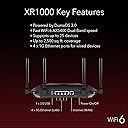
desertcart.com: NETGEAR XR1000-100NAR Nighthawk AX5400 5.4Gbps 6-Stream Pro Gaming WiFi 6 Router - Certified Refurbished : Electronics Review: Great Router - I love the router; however , I’m returning it as a result of not doing enough research on my end. While the signal and coverage is great, It only supports 25 devices and when you have a home with smart tvs, smart outlets and numerous electronic devices you run out of available spaces. You will find this issue with many routers. I currently purchased another NetGear router which supports 60 devices Review: Supposed to be the greatest but .... - Not sure if it's just the unit I received being defective (exchange is in process now) but I had a 7 year old router, that was running a bit slow when gaming on PS5 and streaming Netflix on a separate TV on the second floor; I was using it in conjunction with a nighthawk range extender. I did some research and ended up going with a new modem(Netgear) and this router as it was supposed to have an easy connection between devices. I set up the new router, and it was very simple and fast, as well as getting the extender added to the network. Literally a few clicks here and there and that was it. I had some 2.4 only devices such as the ring doorbell and lightbulbs, and after using the smart wifi where it runs both 2.4 and 5g out of "one network name", picking and choosing for you, what goes where, I had no issue setting those 2.4 only devices and connection. A few days after, lightbulbs and Alexa's were disconnecting daily, and just not working right. The ring would not pick up movement and will ask to reconnect..I the swap to having a 5 and 2.4 network separately, and connected all the 2.4 to the 2.4 network and used the 5 for videogames and streaming. The range was great and tvs upstairs were streaming with no issue. But then again, all the lightbulbs, Alexa's, ring, fridge would get disconnected randomly and had to re set all devices in at least 3 separate occasions within a two weeks period....I would also wake up to a "no internet connection" in all devices in the house, and had to unplug the router, give it a min and re plug, for everything to work again. This happened several times and leads me to believe, that the network went down overnight, which doesn't help when you want to have your security cameras outside running when they are most needed....the extender had to be re connected several times as well, and when I go on the app to see devices that are connected, no devices show as being connected to the extender at all, which makes no sense specially with items that are a foot away from it....the nighthawk app is also a pain. When you connect to it locally, it crashes all the time when you launch devices connected or do a speed test. Half of the time it works when I try to use remote access and never finds the router. I also am unable to shut off wifi to a device on the network, using the app, like you are supposed to be able to do by just clicking on the device you want to disconnect. It freezes every time and keeps it connected. So far, the router is trash, but I am really hoping I got a bad one, so I will give it another shot, and try the replacement one.


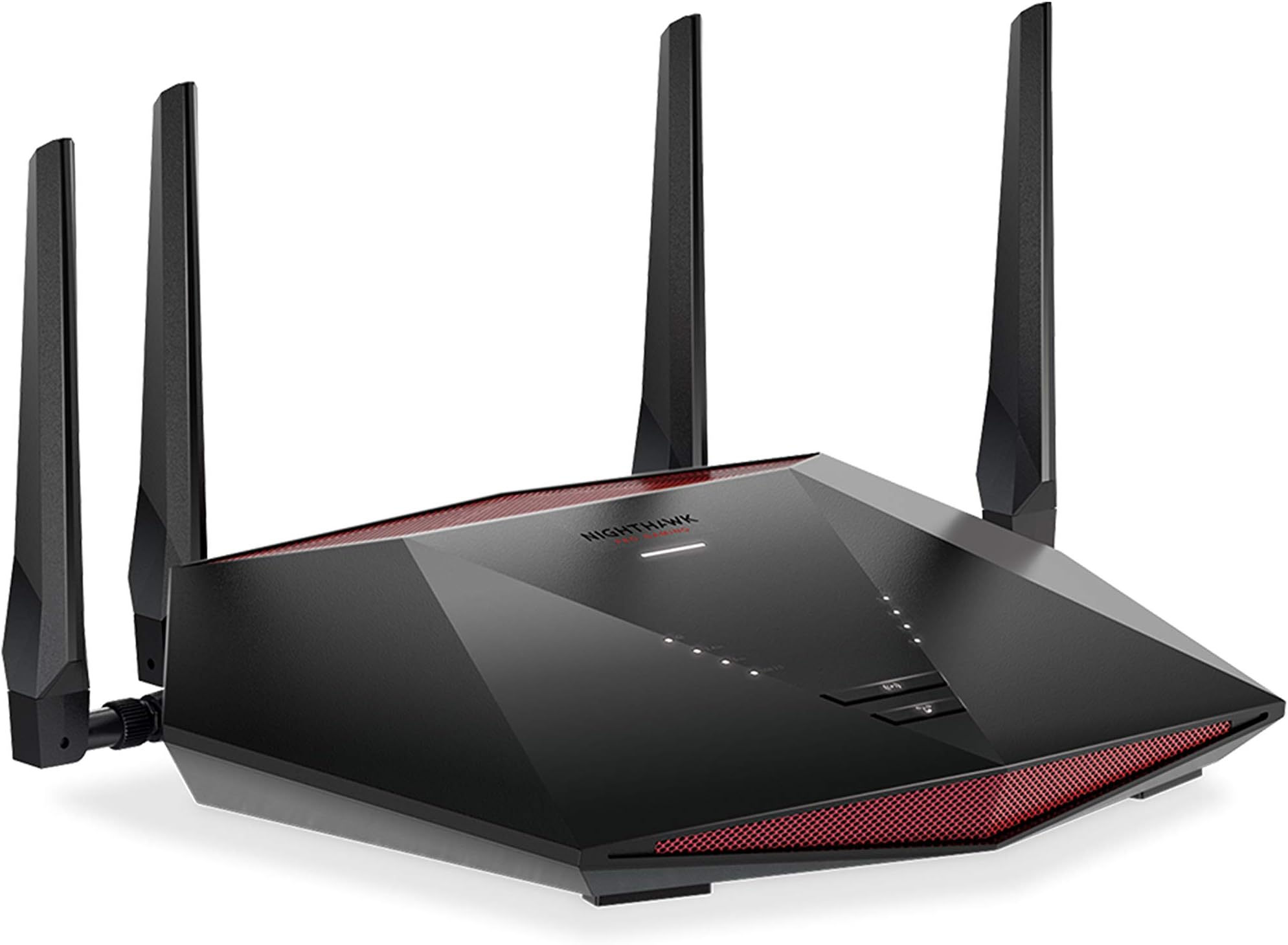
| ASIN | B08T978XLF |
| Best Sellers Rank | #51,872 in Electronics ( See Top 100 in Electronics ) #378 in Computer Routers |
| Customer Reviews | 3.8 3.8 out of 5 stars (252) |
| Date First Available | January 18, 2021 |
| Item Weight | 1.32 pounds |
| Item model number | XR1000 |
| Manufacturer | NETGEAR |
| Product Dimensions | 12 x 8 x 3 inches |
J**D
Great Router
I love the router; however , I’m returning it as a result of not doing enough research on my end. While the signal and coverage is great, It only supports 25 devices and when you have a home with smart tvs, smart outlets and numerous electronic devices you run out of available spaces. You will find this issue with many routers. I currently purchased another NetGear router which supports 60 devices
B**S
Supposed to be the greatest but ....
Not sure if it's just the unit I received being defective (exchange is in process now) but I had a 7 year old router, that was running a bit slow when gaming on PS5 and streaming Netflix on a separate TV on the second floor; I was using it in conjunction with a nighthawk range extender. I did some research and ended up going with a new modem(Netgear) and this router as it was supposed to have an easy connection between devices. I set up the new router, and it was very simple and fast, as well as getting the extender added to the network. Literally a few clicks here and there and that was it. I had some 2.4 only devices such as the ring doorbell and lightbulbs, and after using the smart wifi where it runs both 2.4 and 5g out of "one network name", picking and choosing for you, what goes where, I had no issue setting those 2.4 only devices and connection. A few days after, lightbulbs and Alexa's were disconnecting daily, and just not working right. The ring would not pick up movement and will ask to reconnect..I the swap to having a 5 and 2.4 network separately, and connected all the 2.4 to the 2.4 network and used the 5 for videogames and streaming. The range was great and tvs upstairs were streaming with no issue. But then again, all the lightbulbs, Alexa's, ring, fridge would get disconnected randomly and had to re set all devices in at least 3 separate occasions within a two weeks period....I would also wake up to a "no internet connection" in all devices in the house, and had to unplug the router, give it a min and re plug, for everything to work again. This happened several times and leads me to believe, that the network went down overnight, which doesn't help when you want to have your security cameras outside running when they are most needed....the extender had to be re connected several times as well, and when I go on the app to see devices that are connected, no devices show as being connected to the extender at all, which makes no sense specially with items that are a foot away from it....the nighthawk app is also a pain. When you connect to it locally, it crashes all the time when you launch devices connected or do a speed test. Half of the time it works when I try to use remote access and never finds the router. I also am unable to shut off wifi to a device on the network, using the app, like you are supposed to be able to do by just clicking on the device you want to disconnect. It freezes every time and keeps it connected. So far, the router is trash, but I am really hoping I got a bad one, so I will give it another shot, and try the replacement one.
J**G
Fantastic
I use this on a daily. Organizing my devices to selected Wi-Fi’s. (Guest and private use) when friends come over they easily connect there system or phone, and spend the day gaming. Installation was a bit difficult since it was my first ever replacement of a router. Very big. But using the app is what makes it useful, or computer but I think the website doesn’t work anymore and it’s turned into an app now.
R**X
Fast and reliable
By far the strongest and fastest router I've ever owned. This thing is a workhorse with an amazing 5 ghz range, fast connectivity and blazing speeds. Setup was too easy. The night hawk app is well designed and includes a rather robust Wi-Fi signal analyzer.
H**N
Great option for upgrade on optimum internet
Can’t rave about this thing enough. 10 times better download and upload speeds than supplied optimum router/modem combo unit. Physical setup was easy just plug and play once I called optimum. Netgear website automatically opened up on the computer once i connected to the WiFi, all I had to do was make and account and update the router (all of which was easy coming from somebody who gets frustrated with technology).
B**Y
No Internet connectivity
To start off I have many years of IT experience. So, I called my ISP and gave them the MAC Address so that they could authorize it to be used on my Broadband Account. I disconnected my cheaper ISP provided router and connected the Nighthawk XR1000 I initially used the phone app and it kept telling me that there was no internet in the app. I could see and communicate with the router from both my Desktop and my phone the ISP could see the router from their side but I still had no internet. My ISP Tech Support spent several hours trying to trouble shoot and fix whatever was preventing the router to connect to the internet. Then my ISP suggested that I call Netgear support and again I spent several hours working with them trying to figure out how to get the router working. I could see in DumaOS that the internet was connected but it wasn't routing that signal through the WiFi or the ethernet ports. It was a very frustrating day of nothing accomplished. I have sent it in for a refund and am going to buy one that hasn't been through this refurbish process because apparently, they don't thoroughly test them by actually setting them up before reselling them. Initially all seemed good because the app worked and walked you through setting up the router everything seemed to work except of course the router connecting to and distributing the internet. I had to go back to the worthless cheap ISP router until I purchase a brand new one. I will give Netgear one more try but I will never buy from a refurbisher again.
B**N
Works great looks cool
Supports many devices. For the price it does really well. Doesn't seem to have as much range as it claims. Still way better than xfinitys modem router combos
G**Y
Real quality
Best I've owned so far. Fast, Xlent range❗
Trustpilot
1 day ago
1 month ago